Mr. Transcription FAQ: Pricing, Free Tier & Security Answers
1 Hour Transcription: How Long? Costs & Time Explained!
Oct. 15, 2026

I want to shorten the time it takes for audio transcription, even if it's just by a minute or a second.
Anyone who has been asked by their boss to do transcription work at the office, or those doing transcription as a side job, probably feels this way.
However, if you rush with the thought of "finish quickly, finish quickly," you might end up missing things or making more typos.
Ultimately, it can even take more time than working at a normal pace.

Perhaps others are doing audio transcription more efficiently...
Many of you might be wondering the same thing, right?
So, this time, to help all of you, we've compiled guidelines for 1 hour of audio transcription (character count, working time, market rate).
We'll also introduce the average unit price and cost, which are important for side jobs and remote work.
We also explain the main reasons why audio transcription takes a long time and their solutions, so reading this article should make it much easier to improve work efficiency and manage your projects.
Please read to the end.
Average Character Count, Working Time, Market Rate, Unit Price, and Cost per 1 Hour of Audio Transcription
First, let's look at the average character count, working time, market rate, and unit price for 1 hour of audio transcription.
When you transcribe one hour of audio, how much volume does that represent in terms of work?
What is the average character count for a 1-hour interview or meeting minutes?

The average character count per hour of audio is said to be around 15,000 to 20,000 characters.
However, this is just an average (guideline).
If the speaker is elderly and speaks slowly, it might be as low as 13,000 characters, while a conversation between friends might be fast-paced, resulting in a significant character count of around 25,000.
In conversations with many silences, the character count can be significantly lower than the average.
Since the unit price is determined by the audio duration, it's recommended to check the content and who is speaking in advance when accepting audio transcription jobs.
What is the average transcription time for one hour of audio?

When typing manually, the average time it takes to transcribe (transcription) a typical amount of text, depending on typing speed, is said to be:
1 hour of audio: approximately 4 hours
Let's calculate this.
- For a 1-hour interview: average of 17,500 characters
- Characters that can be typed per minute: 70 characters (equivalent to a Grade 1 word processing certification)
- 17,500 characters ÷ 70 characters = 250 minutes
Thus, even with a simple calculation, transcribing a 1-hour interview takes an average of 250 minutes, or about 4 hours.
If there are typos, mishearings, or poor audio quality requiring repeated listening, it can sometimes take 7 to 10 hours.
For lectures with good recording quality, transcription can be completed in about 3 hours at a standard/average typing speed.
However, if the audio quality is poor or there are many speakers, it can take 7 to 10 hours. The character count will be around 16,000 to 20,000 characters.
Source: https://8089.co.jp/faq/whole4
If a transcription beginner or someone with slow typing speed takes on a transcription request with a short deadline, it could lead to significant difficulties.
What is the average market rate for accepting (or commissioning) a "1-hour transcription" job?
When outsourcing transcription, there are broadly three methods:
- AI-powered automatic transcription
- Hiring individuals through crowdsourcing sites
- Human transcription by specialized agencies
Pricing (cost) is often presented per minute, so a simple calculation would be:
- AI: (150 yen to 2,400 yen / 1 hour)
- Crowdsourcing: (360 yen to 12,000 yen / 1 hour)
- Specialized agencies: (6,480 yen to 48,000 yen / 1 hour)
These are the average rates.
※These figures can fluctuate depending on the content's specialization and deadline, so consider them as a guideline only.
If you are accepting a job, most publicly advertised jobs already have the character count, compensation rate, and deadline determined, so you would look for jobs that match your conditions.
Referring to the average rates above, it's safer to avoid jobs with compensation that is excessively cheap or, conversely, unnaturally high compared to the average.
![What is the outsourcing market rate for audio transcription? [Tips for cheap requests explained]](https://storage.googleapis.com/mojiokoshi3/post/image/%E6%96%87%E5%AD%97%E8%B5%B7%E3%81%93%E3%81%97%E3%81%AE%E6%96%99%E9%87%91%E7%9B%B8%E5%A0%B4%E4%BC%81%E6%A5%ADAI.png)
What is the outsourcing market rate for audio transcription? [Tips for cheap requests explained]
For those who want to outsource transcription cheaply, we've compiled the market rates for AI, individual, and specialized agency audio transcription. We also cover tips for successful outsourcing and techniques for ordering high-quality transcription at a low cost.
How is the rate for transcription (audio to text) determined?
When taking on transcription (audio to text) jobs as a side hustle or remote work, the rate is often determined by time.
When calculating costs, the amount is usually set by a per-minute rate.
However, since there are other ways to calculate costs, such as being continuously commissioned for work at a fixed rate by a specific company, it's recommended to discuss the costs and rates in detail beforehand.
Costs involved in transcription work

To do transcription as a side job or remote work, no special equipment is needed.
If you have a computer that can play audio, you can start working without any additional costs.
Also, transcription software and AI transcription services are often available for free, so there's no need to purchase software.
For comfortable transcription, investing in your work environment is also recommended.
When spending money for work, using a good keyboard and earphones can have a significant impact.
Keyboards can improve typing speed, and earphones can prevent mishearing, so investing in equipment can lead to higher rates for your work!
7 Tips to Dramatically Improve Transcription Efficiency
For those who want to reduce transcription time, we explain tips for working efficiently. We also introduce specific recommended tools and points to note before starting work.
3 Reasons Why Transcription Takes So Much Time

4 hours for 1 hour of audio transcription is fast. I take many times the average...

For those who felt discouraged by the average (guideline) mentioned above, don't worry.
Here, we will introduce the reasons why transcription (audio to text) takes a long time.
- Low quality of the original audio data
- Content is specialized (many technical terms)
- Slow typing speed
These are the three main factors. Let's explain each in detail.
1. Poor Quality of Original Audio Data
If the speaker's voice is too low or muffled, making it difficult to hear, you might have to replay sections multiple times, leading to frequent missed words or mishearings, which can significantly slow down your transcription process.
The same applies to audio data with ambient noise or background sounds.

The quality of the audio data can multiply the working time several times over.
Even if the per-word rate is high, it's meaningless if you can't meet the deadline.
Be careful not to easily promise short deadlines until you've actually listened to and checked the audio.
If you're recording yourself, it's recommended to pay attention to the environment and equipment to ensure good recording quality.
6 Tips for High-Accuracy AI Transcription Recording
To achieve high-accuracy AI transcription, several recording techniques are crucial. This article introduces key points for optimal recording when using AI for transcription. High-quality microphone Proper microphone placement Create a quiet recording environment Clear speaker articulation One person...
2. Specialized Content (Lots of Technical Terms)
If the conversation involves keywords you're unfamiliar with or topics outside your knowledge domain, such as highly specialized subjects that are difficult for non-experts to understand, you might find yourself unable to accurately transcribe the audio no matter how many times you listen.
While it's important to cultivate a habit of constantly gathering diverse knowledge and information, you should also take proactive measures, such as listening to the audio data a few times beforehand and researching any unclear sections.
3. Slow Typing Speed
Typing speed is an often overlooked factor.
If your typing speed doesn't match the audio playback speed, you'll constantly have to pause and stop typing, leading to significant time loss.
However, trying to force a faster typing speed can lead to more typos, which is not efficient.
Aim to find the optimal balance between typing speed and accuracy.
Boost Your Rate! 5 Tips for Efficient Transcription to Transcribe More Words in Less Time

I understand why it takes so long, but how can I actually transcribe more efficiently?
For those of you with such questions, we'll introduce 5 specific techniques to streamline your audio transcription process.
- Clear audio data
- Prepare a glossary in advance
- Master touch typing to increase typing speed
- Use a dedicated player and high-performance earphones
- Utilize AI transcription tools
The five points covered here are listed above.
We'll explain each tip for efficiency and boosting your transcription rate in detail!
1. Clear Audio Data
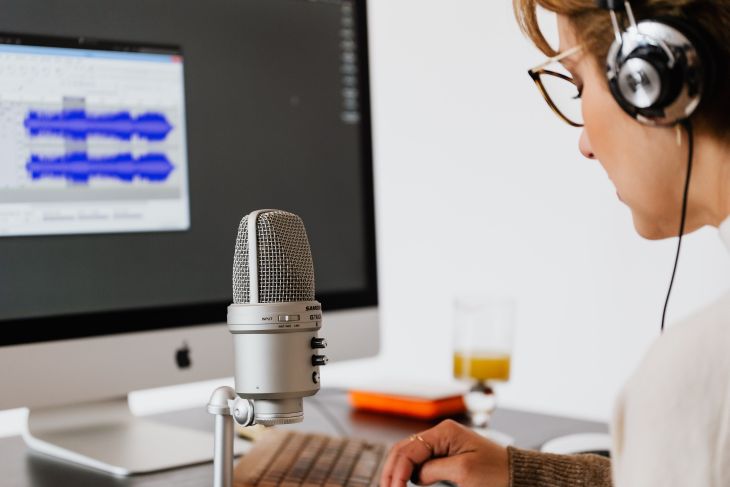
To complete audio transcription quickly, audio quality is crucial.
Typical audio files from meetings or interviews often contain background noise.
Instead of starting transcription immediately after receiving an audio file, it's essential to first use specialized noise reduction software to eliminate distracting sounds.
If the speaker's voice is low, it's also a good idea to adjust it to an average volume at the same time.

Furthermore, if you know your typing speed, creating a version of the audio with the playback speed slowed down to match your typing speed at this stage will allow for smoother workflow.
※ Remember to back up the original file before performing noise reduction or speed editing.
2. Prepare a Glossary in Advance
When taking on transcription jobs as a side hustle or remote work, during the initial communication, it's beneficial to request:
- General content (agenda, topic, etc.)
- List of specialized terms (with brief explanations if possible)
It's best to ask for as detailed materials as possible for these two points.
While you could clarify unknown parts later, this often involves more back-and-forth communication, so asking beforehand tends to reduce the total time spent.
By stating, "This is necessary to deliver accurate data as quickly as possible," clients are more likely to cooperate.
3. Master Touch Typing to Increase Typing Speed

When transcribing by typing on a keyboard yourself, typing speed is crucial.
The skill most directly linked to improving efficiency and increasing your rate for transcription (audio transcription) is undoubtedly touch typing (or blind typing).
If you're currently looking at your hands while typing, mastering touch typing can dramatically increase your typing speed.
Typing speed directly impacts your earning potential.
It's useful for all computer-based jobs, so it's worth training your typing speed to boost your rates for work beyond just transcription.
There are various training tools available, such as free typing apps and highly gamified typing software. It's recommended to choose one that suits you and practice to improve your typing speed.
4. Use a Dedicated Player or High-Performance Earphones
When you transcribe, are you playing audio data with a regular music player app?
In fact, there's a convenient tool called a "dedicated transcription player" specifically designed for audio transcription.
It allows you to pause/play, fast-forward, and rewind with a single touch, eliminating the need for mouse operations. This means you don't have to take your hands off the keyboard, helping you maintain typing speed.
Some even include features for editing the audio itself or have built-in editors for transcription.
Furthermore, it's recommended to use earphones or headphones specialized for audio playback or equipped with noise-canceling features.
This allows you to focus solely on listening without being bothered by ambient noise.
Many dedicated transcription players are free software, so it's often free to try them out.
Recommended transcription tools? Summary of AI apps and transcription players
We introduce various transcription tools, including AI transcription tools, tools for keyboard transcription, and recording tools.
5. Utilize AI Transcription Tools

Finally, we recommend using "AI transcription" tools.
You don't need to perform all transcription tasks manually.
In recent years, the performance of AI speech recognition has improved astonishingly, making tools that automatically convert audio data into text easily accessible to individuals.
By uploading recorded audio to an AI transcription service for transcription, you can save one or two hours compared to transcribing by typing on a keyboard.
Moreover, AI transcription tools are very affordable to use.
Some, like Mr. Transcription, are even free!
They are also recommended for those who are not confident in their typing speed!
We'll introduce some recommended AI transcription services below, so please give them a try.
Streamline Transcription Time with Handy Tools
Once you master the tools introduced so far, your transcription efficiency will dramatically improve.
Before manually transcribing, loading audio data into a dedicated transcription tool for automatic transcription allows you to easily grasp the overall content, killing two birds with one stone.
In some cases, you might even achieve delivery-ready quality with just a few minor corrections...

Since you can efficiently transcribe without incurring high costs and increase your hourly rate, AI transcription tools are highly recommended for side jobs and remote work.
7 Tips to Dramatically Improve Transcription Efficiency
For those looking to reduce transcription time, we explain tips for efficient work. We also introduce specific recommended tools and important points to note before starting.
Top 5 Recommended Transcription Tools and Apps
Finally, we'll introduce tools and apps to speed up your transcription process!
From AI transcription services to recommended earphones, try out these tools and apps that can cut your transcription time by over an hour.
1. Mr. Transcription

First, we recommend an AI transcription service.
Mr. Transcription is a transcription (audio transcription) service that automatically converts audio files into text using AI.
Not only does it have very high recognition accuracy, but with the high performance unique to the latest AI, it can transcribe one hour of audio in about one minute, saving significant time.
It supports not only audio files but also video, image, and PDF transcription.
[Free Options Available] 7 Best OCR Apps to Transcribe and Digitize Images, PDFs, and Photos [2026 Edition]
Compare 7 recommended OCR apps for transcribing and digitizing images, PDFs, and photos based on free options, accuracy, and handwriting support. Also explains how to extract text from smartphone photos, scanned documents, and screenshots, and how to use them.
Once you upload the file, the AI handles everything, making it ideal for those who aren't confident in their typing speed.
No registration is required for 3 minutes of free use per day, and free membership offers up to 10 minutes per day, allowing you to check the quality of the transcription (audio transcription) beforehand.
Its high performance means you can often get a deliverable-quality transcription with just a little touch-up. So, if you're wondering how to transcribe, why not give it a try?
2. Express Scribe
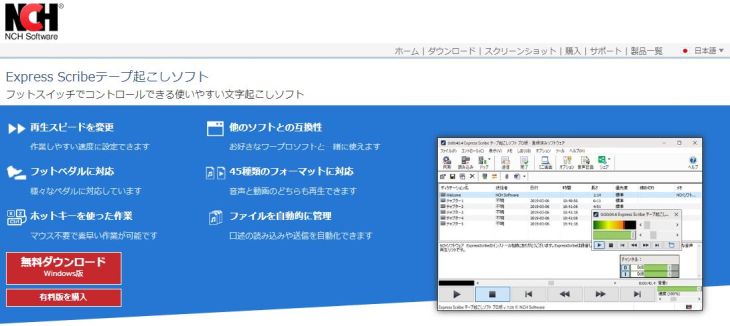
Express Scribe is a dedicated transcription player compatible with both Windows and Mac operating systems.
In addition to basic features like changing playback speed without altering pitch and controlling playback with hotkeys, it also supports operation via a USB foot pedal.
It supports not only audio data but also video playback.
If speech recognition software is installed on your computer, automatic transcription is also possible.
Note: The default setting uses the OS's built-in speech recognition system, so be aware that the accuracy may not be very high.
3. SoundEngine
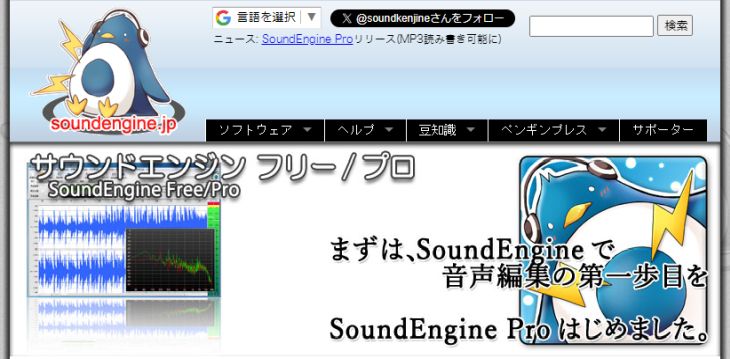
This is software designed for editing audio files themselves.
- Completely delete unnecessary sections
- Remove distracting noise
- Adjust volume and speed
These are its primary functions.
While Express Scribe, mentioned above, also has a noise reduction feature, this specialized software seems to offer higher precision.
It can edit multiple audio files at once, which is useful when dealing with large amounts of data for work.
A free version is available, but its features are limited, so it's recommended to invest in the paid version for full functionality.
4. Enno
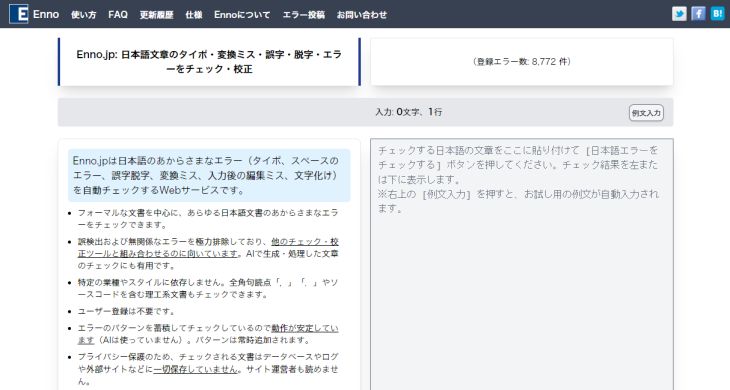
Enno is what's known as a "text proofreading tool" application.
It has a feature that automatically detects typos, grammatical errors, and incorrect phrasing in text.
When you're tasked with transcribing and refining text for a transcription job, using a tool like this can significantly reduce the effort of corrections.
Even for verbatim transcription or rough transcription (kebatori), it helps in finding typing errors and other mistakes.
Despite being free software, its accuracy is relatively high, but if you're looking for more advanced, high-performance tools, there are paid services like 'Just Right! Pro' and 'Bunkyo', which are also recommended if you're willing to invest.
5. AirPods Pro
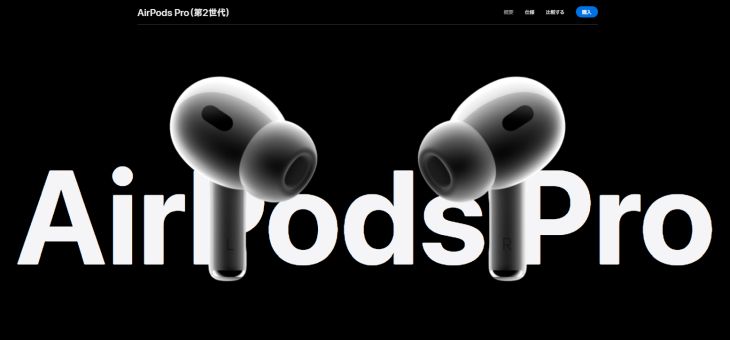
The last transcription tool we'll introduce is earphones.
The recommended earphones are "AirPods Pro".
These are Apple's well-known wireless earphones with noise cancellation, and their neutral tuning makes them excellent for listening to audio.
Furthermore, they feature automatic ear detection, allowing you to pause/play audio by simply putting them on or taking them off.
With the Live Listen feature, they can even function like a hearing aid.
This might be useful for interviews in noisy environments.
Of course, as genuine Apple earphones, your ears won't get tired even after wearing them for over an hour.
If you're investing in your work environment, a good keyboard and earphones are highly recommended for transcription tasks.
How to Reduce the Time for 1 Hour of Audio Transcription: Summary
This time, we discussed the average time, character count, unit price, and cost for transcribing one hour of audio, as well as methods to efficiently carry out the work.
Finally, let's review the 5 key points for efficiency and increasing your unit rate once more.
- Clean up audio data: Noise reduction, volume/speed adjustment
- Prepare a dictionary in advance: Request it as early as possible
- Master touch typing to increase typing speed: A versatile skill worth acquiring
- Use a dedicated player and high-performance earphones: Invest in your environment to improve transcription efficiency
- Utilize AI transcription tools: Achieve fundamental time savings with the power of AI
By paying attention to these points, even those who previously started work haphazardly without much preparation might realize how much time they wasted by neglecting small efforts.
Even as you read this, precious time is ticking away, moment by moment, and disappearing.
You can significantly reduce transcription time and increase your earnings, even by starting with free methods!
Please give it a try.
■ AI transcription service "Mr. Transscription"
"Mr. Transcription" is an online transcription tool that can be used from zero initial cost and 1,000 yen per month (* free version available).
- Supports more than 20 file formats such as audio, video, and images
- Can be used from both PC and smartphone
- Supports technical terms such as medical care, IT, and long-term care
- Supports creation of subtitle files and speaker separation
- Supports transcription in approximately 100 languages including English, Chinese, Japanese, Korean, German, French, Italian, etc.
To use it, just upload the audio file from the site. Transcription text is available in seconds to tens of minutes.
You can use it for free if you transcribe it for up to 10 minutes, so please try it once.

It is "Mr. Transcription" who can easily transcribe from audio, video, and images.
Transcription allows you to transcribe for up to 10 minutes for free.
You can copy, download, search, delete, etc. the transcribed text.
You can also create subtitle files, which is ideal for transcription of interview videos.
HP: mojiokoshi3.com
Email: mojiokoshi3.com@gmail.com
Email: mojiokoshi3.com@gmail.com
Related article
Transcription for audio / video / image transcription. It is a transcription service that anyone can use for free without installation.
- What is Mr. Transcription?
- Transcript images, sounds, and videos with Mr. Transcription
- Free registration
- Rate plan
- manual
- Try other free services