
文字起こしさんの使い方ガイド【登録〜文字起こし完了まで】
Free Transcription Apps That Also Translate: 5 Picks and a Trick
Oct. 15, 2026

I don't just want to transcribe foreign-language audio. If possible, I'd like to translate it at the same time...
These days, gathering overseas information for work and communicating in foreign languages have become commonplace.
The occasions when you have to write minutes in English or Chinese are also increasing day by day.
In those cases, rather than simply transcribing the audio in the foreign language and compiling the text, translating it into Japanese so that you can grasp the content easily is far more convenient, isn't it?
Even so, it is honestly a heavy burden to handle not only the transcription but also the translation yourself...
That is where a transcription tool with a translation feature comes in handy.
However, the translation features built into typical transcription tools are often just a "bonus." You can't expect much accuracy from them, and they are not very easy to use.
So in this article, we have carefully selected and introduce apps and services that are especially strong at translation among the many transcription tools out there.
We will also explain a recommended method that combines AI transcription with AI translation.
After reading this article, even people who are not very good at foreign languages should be able to communicate with people overseas with confidence.
Please read to the end.
For transcription plus translation, we recommend "Mr. Transcription"

Let us start with the conclusion.
If you want to transcribe foreign-language audio and translate it together, we recommend "Mr. Transcription"!
"Mr. Transcription" is a transcription service that uses the latest AI.
AI technology keeps advancing, and in fact transcription is one of the things AI does best.
As a result, it can transcribe audio such as meetings, lectures and interviews with high accuracy and in a short time.
What is more, "Mr. Transcription" supports 100 languages, including English.
By translating the text file transcribed with "Mr. Transcription" using an AI service such as DeepL, you can achieve the most accurate transcription and translation currently possible!
Why we recommend using separate services for transcription and translation

Later in this article, we also introduce services that can do both transcription and translation.
However, when you transcribe with AI, we recommend using separate services for transcription and translation.
The reason is that AI has "areas of strength."
Even though we call it all "AI," its performance and strengths vary depending on what data it was trained on and what purpose it was built for.
- In transcription services such as "Mr. Transcription," the AI is trained on audio
- In translation services such as "DeepL," the AI is trained on text and languages
To humans, both are the same "words," but to AI, "speech" and "text" are completely different things.
For that reason, using a service specialized in transcription (audio) and another specialized in translation (text) lets you get higher-quality results than doing both transcription and translation in a single service.
Features of Mr. Transcription's foreign-language transcription
Mr. Transcription's latest AI transcription engine supports 100 languages!
It can transcribe foreign-language audio with high accuracy!
After that, all you have to do is translate the transcription result with an AI service such as DeepL.
In addition, you can try it for free for up to 3 minutes a day without registering, and free members can transcribe up to 10 minutes a day.
Why not try Mr. Transcription the next time you transcribe and translate English or another foreign language?
5 transcription apps and services that can also translate (free / paid)
Next, we introduce transcription apps and services that can also be used for translation.
They range from AI transcription to transcription typed on a keyboard by professionals, so please use them as a reference when choosing a transcription and translation service.
1. Amitt
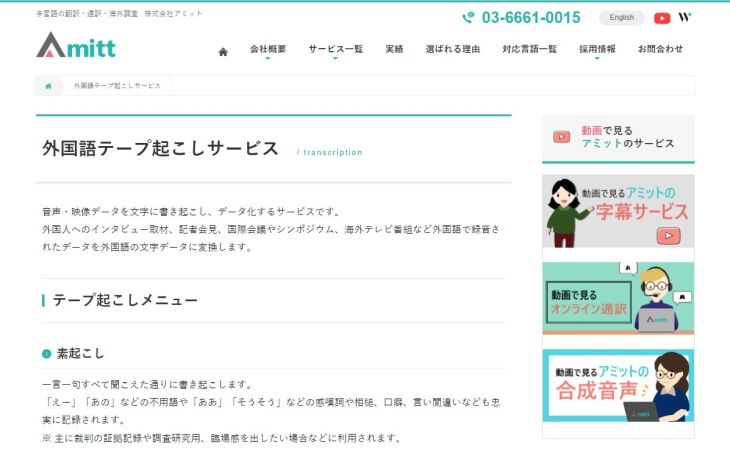
This is a transcription and translation service offered by a company specializing in translation and interpretation.
It is a transcription service in which professionals type the text on a keyboard.
It supports about 60 languages. Since the company also translates official documents, it is especially recommended for important work where there must be no discrepancies in the content.
You can also expect fast delivery and the prevention of unnecessary trouble.
Foreign Language Transcription Service - Amitt Co., Ltd.
2. editage
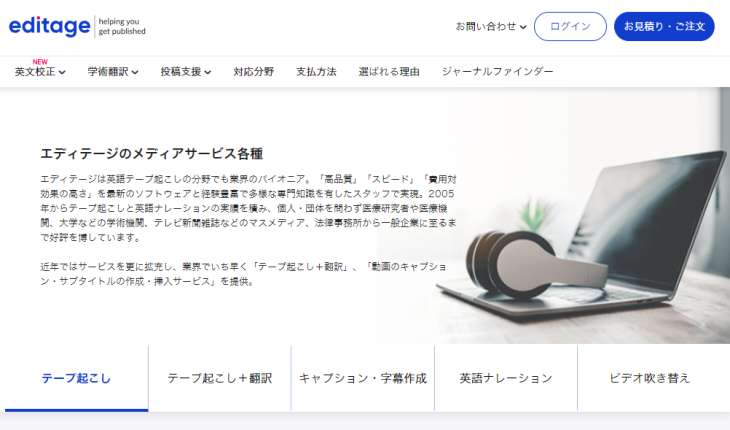
This is a transcription service provided by a company specializing in English proofreading.
Because its strength is paper checking by researchers, it is said to be capable of accurate translation even for highly specialized content.
It also runs a sister site specializing in tape transcription (Crypton), so the quality of its transcription is reliable.
English and Japanese Transcription with Follow-up Translation (JA-EN / EN-JA) | editage
3. Google Translate
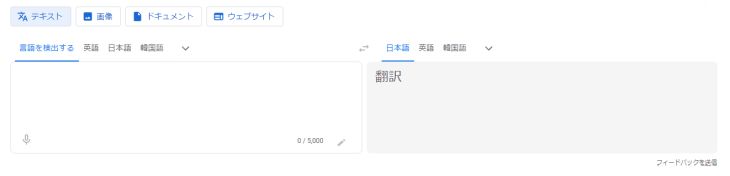
If you focus on real-time translation, Google Translate is also a convenient option.
It automatically converts speech spoken into the microphone of your smartphone or computer into text and translates it into various languages. Because it can translate two languages at the same time, you can also use it as a simple translator (interpreter).
If you use a site called Sound of Text, you can also download the translated audio as MP3 data.
4. Notta
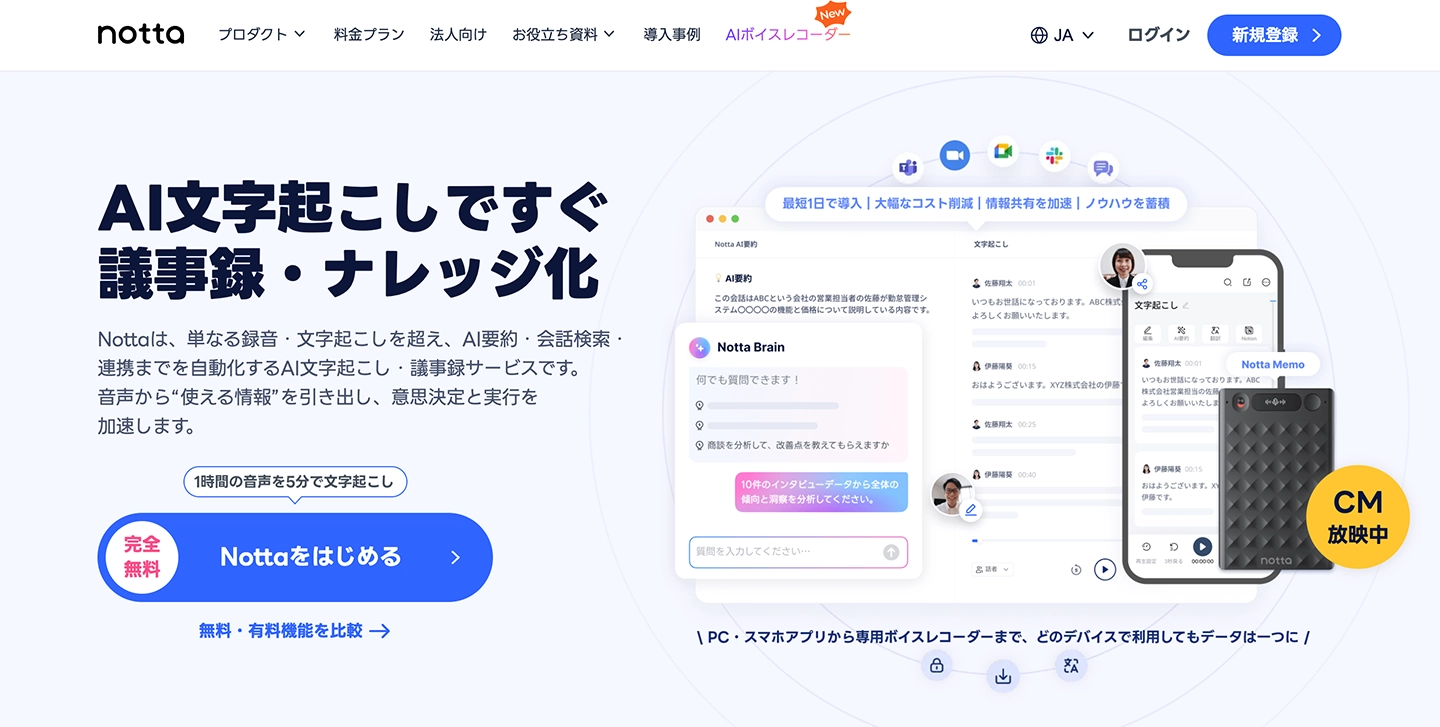
This is an AI speech-to-text tool that supports transcription and translation in many languages.
It supports both real-time transcription and audio file transcription. With features such as marking, you can review the audio and text later, and you can easily share the transcription (translation) data you have created with other people.
The free version offers only real-time transcription and the translation tool cannot be used, so we recommend using a paid plan.
5. Langogo Summit
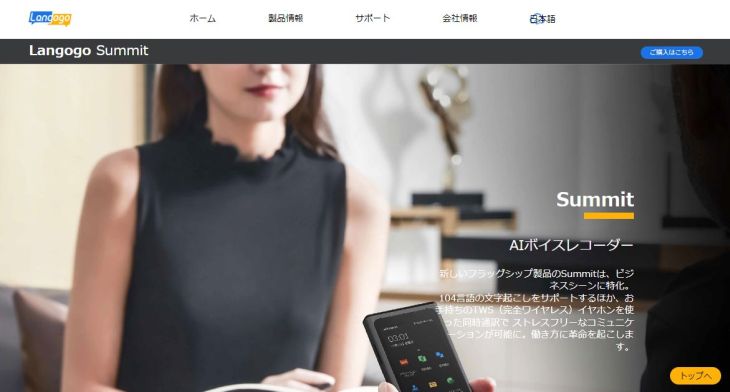
This is a real-time translation device from Langogo Technology, the company that provides Notta.
Among its models, the flagship "Summit" is notable for its large-capacity battery and high-performance directional microphones (four of them). It works with 26 translation engines and translates various languages in real time.
It also has a transcription function, and you can edit the text later in combination with the Notta app.
*Please note that the real-time translation and transcription (speech-to-text) functions apparently cannot be used at the same time.
The flow of transcription and translation using AI services
What does transcription and translation using AI involve?

So far, we have covered
- A method that combines an AI transcription tool with AI translation
- Services that can do both transcription and translation
These are the two approaches we have introduced so far.
What we recommend is, as introduced at the beginning, the method of "combining an AI transcription tool with AI translation."
Here we explain how to transcribe and translate by combining "Mr. Transcription," an AI transcription tool, with AI translation!
The steps are very simple.
- Create text data with a transcription tool
- Translate it with a dedicated app
That is the flow.
Now let us look at it in detail.
1. Upload an audio file to Mr. Transcription
Open the top page of "Mr. Transcription" and upload your audio file.
Before uploading, first choose the language of the audio file you want to translate.
This time the audio is in English, so we selected "English".

Press the select button or drag and drop to choose the file.

Once you select the file, the upload starts automatically.
When the upload is complete, transcription starts automatically.
2. Transcription in the foreign language is complete
When the transcription is complete, the display switches automatically and the transcription result appears.

As you can see, the audio was transcribed with very high accuracy.
You can check the transcription result while playing the audio part by part,
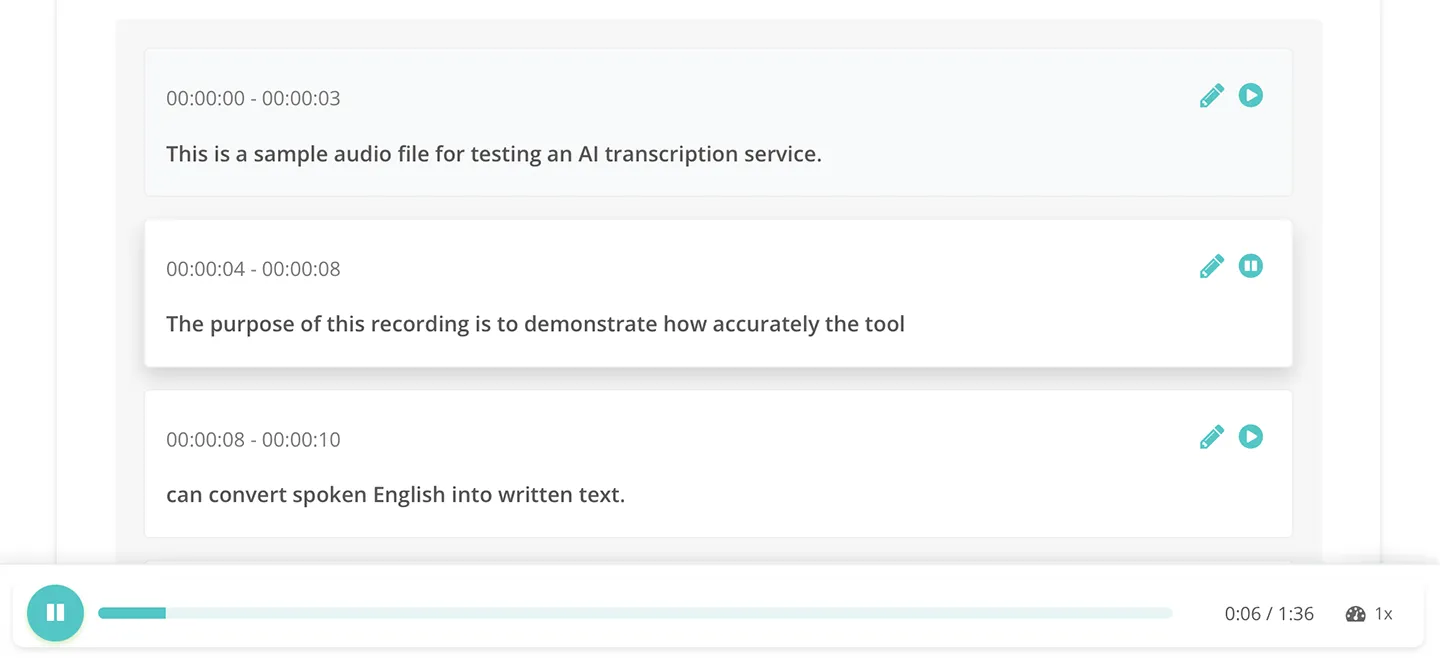
and also edit each part individually.
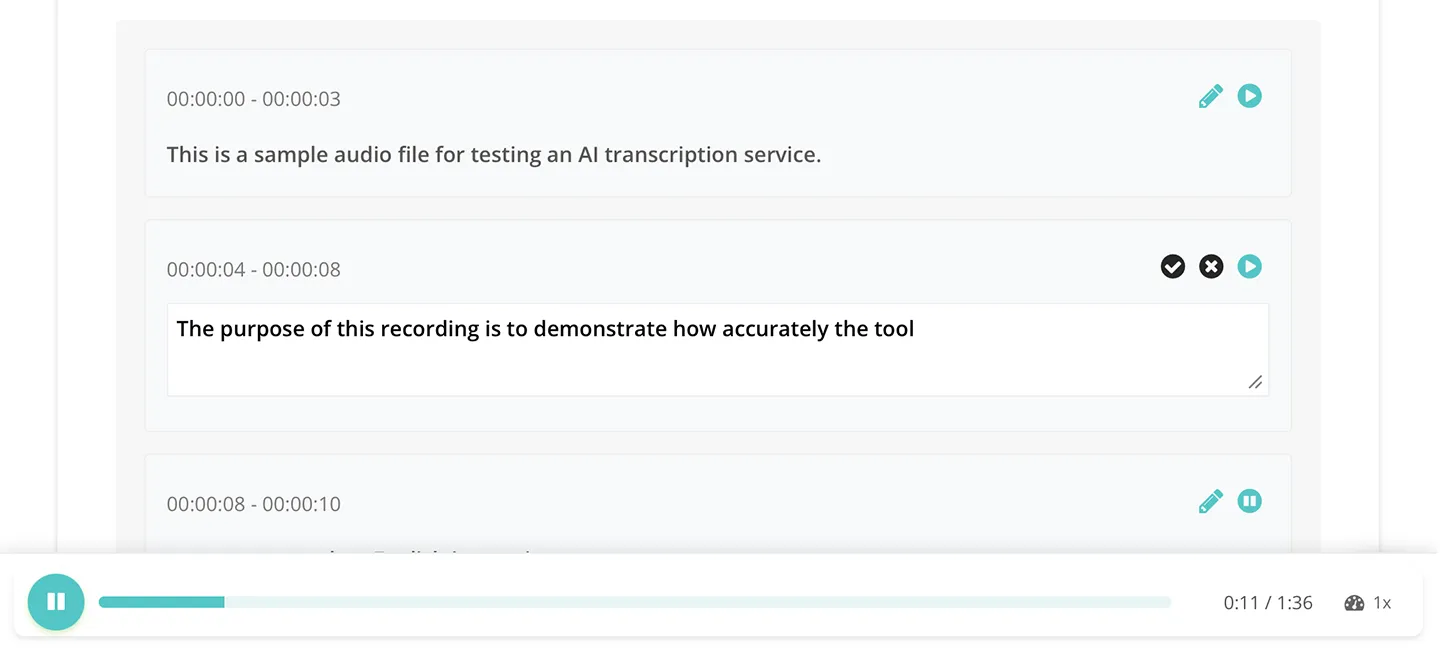
For how to use Mr. Transcription, please also see the following article.
3. Translate with an AI translation service
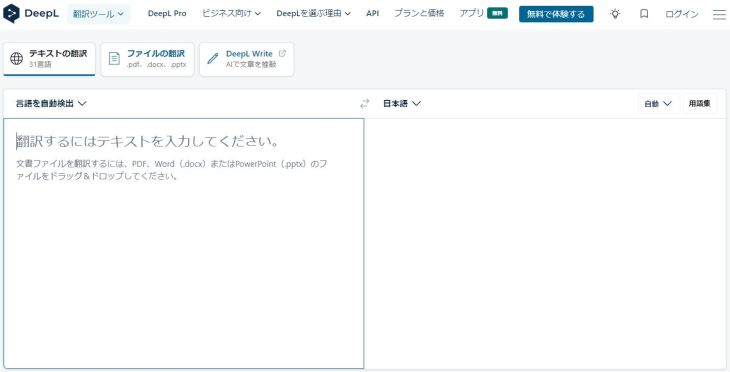
Finally, copy the transcription result from "Mr. Transcription," paste it into an AI translation service and translate it.
This time we used DeepL, the most famous of the AI services of this kind.
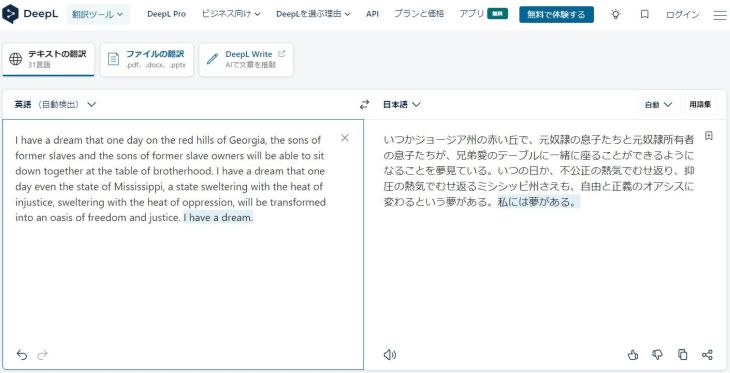
As you can see, the translation captures the nuance of the original text.
This completes the flow of transcription and translation using AI services.
How to choose a transcription service and a translation service
For the transcription tool, we recommend choosing one that can save files as plain text (txt) or lets you copy and paste the text as it is (such as Mr. Transcription).
As for translation apps, DeepL is our top pick: it is free and highly accurate.
However, the free version of DeepL states that the source text and translations you enter are used by DeepL.
If you handle confidential documents with DeepL, be sure to choose a paid plan.
Why not try foreign-language transcription with Mr. Transcription?
As you can see, when you transcribe and translate, it works well to combine an AI transcription service with an AI translation service.
For AI transcription, we recommend "Mr. Transcription" for its high performance and ease of use.
"Mr. Transcription" can be tried for up to 3 minutes a day without registering an account, and up to 10 minutes a day for free once you register an account.
If you can't decide between transcription and translation services, why not start by trying Mr. Transcription?
How to transcribe and translate videos in real time with Google Chrome

Finally, we also explain how to transcribe and translate videos in real time with Google Chrome, the web browser.
Google Chrome's transcription feature
Did you know that Google Chrome comes with "Live Caption" (a real-time automatic captioning feature) as a standard option?
Settings → Advanced → Accessibility → Live Caption: ON
This makes captions appear in real time on videos played in the browser, such as YouTube videos.
YouTube already has a feature for adding captions to videos, but this extension can add captions to any video that can be played in the browser (including local content).
If you also want to display a Japanese translation at the same time, we recommend the extension "Language Learning with Youtube BETA."
Language Learning with Youtube BETA - Chrome Web Store
By installing it, you can display English captions and translated (Japanese) captions at the same time on YouTube videos.
*You can also copy and paste all the captions as text at once.
When you hover the cursor over an English word, its meaning pops up, so (as the name "Learning" suggests) we also recommend using it as an English learning tool.
Summary
This time, we explained transcription tools that are strong at translation.
Finally, here is a summary of the transcription apps and services recommended in this article.
- Mr. Transcription + DeepL: High accuracy unique to AI. Recommended!
- Amitt: Professional transcription and translation service from a translation and interpretation company
- editage: Transcription and translation service from a company strong in English and academic paper proofreading
- Google Translate: The most convenient option if you only need real-time translation
- Notta: Rich editing and sharing features. Works on both smartphones and the web
- Langogo Summit: A dedicated translation gadget that also has a transcription function
In the years ahead, regardless of industry or company size, we will likely be working actively with countries other than Japan.
Even if you don't need it right now, the time will surely come in the near future when you need to transcribe or translate English or Chinese.
So that you won't be caught off guard when the time comes, try out various options now while you have time to spare, and prepare properly for the future.
■ AI transcription service "Mr. Transscription"
"Mr. Transcription" is an online transcription tool that can be used from zero initial cost and 1,000 yen per month (* free version available).
- Supports more than 20 file formats such as audio, video, and images
- Can be used from both PC and smartphone
- Supports technical terms such as medical care, IT, and long-term care
- Supports creation of subtitle files and speaker separation
- Supports transcription in approximately 100 languages including English, Chinese, Japanese, Korean, German, French, Italian, etc.
To use it, just upload the audio file from the site. Transcription text is available in seconds to tens of minutes.
You can use it for free if you transcribe it for up to 10 minutes, so please try it once.

It is "Mr. Transcription" who can easily transcribe from audio, video, and images.
Transcription allows you to transcribe for up to 10 minutes for free.
You can copy, download, search, delete, etc. the transcribed text.
You can also create subtitle files, which is ideal for transcription of interview videos.
HP: mojiokoshi3.com
Email: mojiokoshi3.com@gmail.com
Email: mojiokoshi3.com@gmail.com
Related article
Transcription for audio / video / image transcription. It is a transcription service that anyone can use for free without installation.
- What is Mr. Transcription?
- Transcript images, sounds, and videos with Mr. Transcription
- Free registration
- Rate plan
- manual
- Try other free services






