Mojiokoshi-san: Delete & Bulk Delete Transcriptions Easily
Free Vertical Text OCR: Newspapers, Books & Magazines (2024)
March 14, 2026

I want to quote from a vertical-text magazine for my materials, but manual input is such a hassle...
I took a photo of a newspaper and used an app to transcribe it, but the vertical reading order was all messed up and unusable!

Have you ever encountered such difficulties in your work, studies, or research?
When trying to utilize information from newspapers, magazines, or books, the challenge often lies with Japanese vertical writing, which is unique to the language.
Many transcription (OCR) apps and translation apps are primarily designed for horizontal writing, like English, and often struggle with Japanese vertical text, especially complex layouts found in newspapers.
But now, you don't have to worry!
With advancements in AI technology, anyone can now easily and for free, accurately convert vertical text from newspapers, magazines, and books into digital text!
This article explains the latest methods for transcribing vertical Japanese newspapers, magazines, and books using iPhone and Android devices!
Furthermore, we will also introduce methods for not only converting text but also summarizing and analyzing the transcription results of images and photos on the spot.
Refer to this article and try using an AI app to conveniently transcribe Japanese newspapers, magazines, and books!
[Free OCR] Recommended Transcription Method for Vertical Newspapers, Magazines, and Books
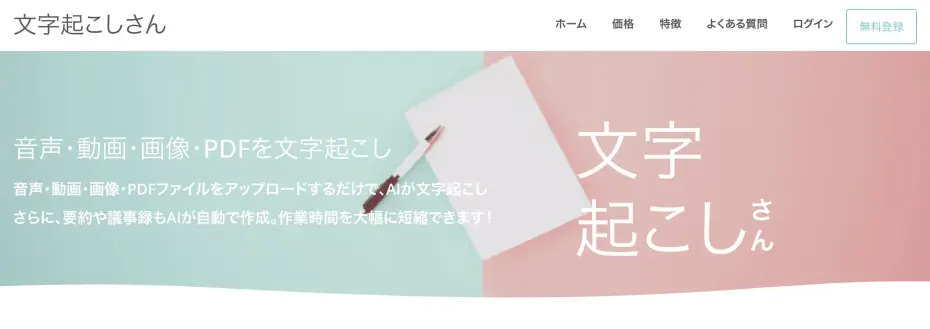
If you need to transcribe (OCR) vertical text unique to Japanese, such as newspapers, magazines, and books, "Mr. Transcription" is highly recommended!
Mr. Transcription is a cutting-edge AI web app that can OCR images with high accuracy using the latest AI technology.
You can use it right away on your iPhone (iOS) or Android smartphone.
Its biggest feature is that, in addition to horizontal writing AI, it uses a dedicated latest AI for vertical text recognition to convert text.
This allows for smooth digitization of Japanese text with multiple columns, which was previously difficult.
Moreover, it also supports summarization and analysis of transcription results!
Why not try "Mr. Transcription" for free to OCR vertical text from newspapers, magazines, and books?
Why is Transcribing Newspapers, Magazines, and Books Difficult? What are the Weaknesses of Previous Apps?
Why is OCR for newspapers and magazines so difficult?

It's often difficult to accurately transcribe Japanese vertical text when trying to digitize it, isn't it?
Actually, there's a reason why previous transcription apps and OCR apps struggled to read Japanese effectively.
Reasons Why Transcription Apps and OCR Apps are Weak with Japanese Vertical Text
When you want to OCR and digitize newspapers, magazines, or books, the first things you might try are free tools like Google Docs or the text recognition features built into your smartphone.
While such apps are very convenient for horizontal text, they often fail to transcribe Japanese print media text accurately.
Why do they fail at OCR?
The biggest reason is that the AI engine for text recognition has been primarily trained on horizontal text.
Globally, many languages, including English, use horizontal writing, read from left to right.
Therefore, OCR engines in foreign-made apps tend to search for lines horizontally when reading images.
Even when vertical writing is supported, foreign-made AI apps often have limited training data for vertical text, which tends to lower their recognition accuracy.
Previous OCR Apps Also Struggled with Multi-Column Text Transcription
Another reason is that Japanese newspapers and magazines often use "multi-column layouts."
Multi-column layout is a common design in newspaper and weekly magazine articles, where text is divided into two or more columns for printing.
While this method is used to enhance readability for humans, OCR apps actually struggle with multi-column layouts.
When transcribing multi-column text with previous OCR apps, many reading errors occurred, such as "the end of the first line connecting to the first line of the adjacent column."
Because of this, it was previously necessary to photograph each column separately before performing OCR.
OCR of Complex Newspaper and Magazine Layouts is Difficult
Furthermore, the complex design (layout) of newspapers and magazines was another reason why previous OCR apps struggled to transcribe effectively.
Newspapers and magazines are designed with headlines, photos, and captions intricately arranged to convey important information quickly.
Previous OCR apps, unlike humans, could not understand the connections and relationships between sentences.
As a result, content from headlines or captions often suddenly mixed into the main body of the text.
Also, text from unrelated articles would sometimes abruptly appear.
But now, you don't have to worry!
By using the latest AI apps, you can analyze the design (layout) of newspapers and magazines and accurately transcribe each article!
Of course, with the latest AI, you can OCR not only vertical but also horizontal multi-column text with higher accuracy than before.
AI Apps Recommended for Newspaper, Magazine, and Book OCR! [iPhone/Android Smartphone Compatible]

I want to know an easy way to OCR Japanese newspapers and magazines!
For transcribing newspapers, magazines, and books, AI apps are now recommended!
With the latest AI text recognition engine, you can analyze images and photos to accurately OCR vertical text.
[Free] Features of Mr. Transcription, an AI App Supporting Vertical Writing
If you want to OCR vertical newspapers, magazines, and books, "Mr. Transcription" is highly recommended!
A key feature of Mr. Transcription is its adoption of the latest AI model trained on Japanese vertical text.
In addition to existing AI engines, it is equipped with a dedicated AI text recognition engine for vertical transcription, allowing it to analyze the structure of Japanese vertical text and accurately OCR multi-column layouts and complex designs.
Even for newspaper and magazine articles where the order was jumbled when transcribed with other apps, Mr. Transcription can digitize them in the same natural flow as a human would read them.
Immediately Usable in iPhone and Android Smartphone Browsers
- It's a hassle to install new apps.
- I can't install apps on my company phone without permission.
In such cases, Mr. Transcription is a reliable solution.
"Mr. Transcription" is a web app, so you can use it right away without needing to install any app!
It's easy to use.
Simply open the top page in your iPhone (iOS) or Android smartphone browser, and then upload your newspaper, magazine, or book!
If you create an account and log in, you can transcribe content from your iPhone or Android smartphone, then open the history page on your PC to download the transcribed text.
On the history page, you can also use the summarization function and analysis function.
Would you like to try the latest AI app "Mr. Transcription" for free?
What's more, Mr. Transcription is available for free!
If you register an account, you can transcribe up to 10 images/photos for free every day and check the results on the history page.
For easy and highly accurate OCR of Japanese vertical text, Mr. Transcription is recommended.
Why not experience the latest AI app for iPhone and Android smartphones, "Mr. Transcription", for free?
[iPhone/Android Compatible] How to Transcribe Vertical Text from Newspapers and Magazines on Your Smartphone
Now, let's explain how to digitize newspapers and magazines using Mr. Transcription!
1. Access Mr. Transcription's page on your iPhone or Android smartphone
First, open Mr. Transcription's official website in your iPhone (iOS) or Android smartphone's browser app.
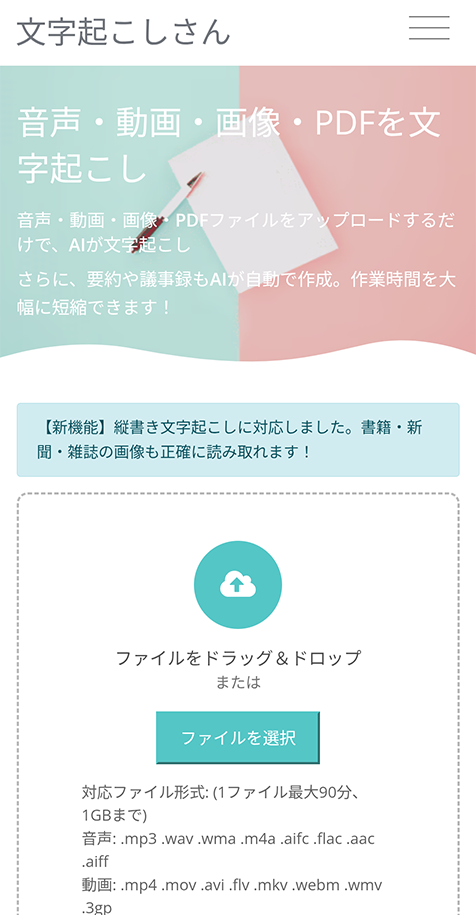
If you're using it for the first time, free membership registration is recommended.
By registering for free, you'll be able to transcribe more images/photos for free, and check your transcription results on the history page.
2. Set the language
If the language is not set to "Japanese," change it to "Japanese."
*Normally, it will be set according to your browser's language settings.
3. Take photos of newspapers, magazines, or books with your iPhone or Android smartphone
Prepare the newspaper, magazine, or book you want to transcribe and tap "Select File."
Then, take a photo of the newspaper, magazine, or book.
How to take photos on iPhone (iOS)
*Explained using the iOS 26 screen.
On iPhone, tap "Select File" to open a menu, then choose "Take Photo or Video."
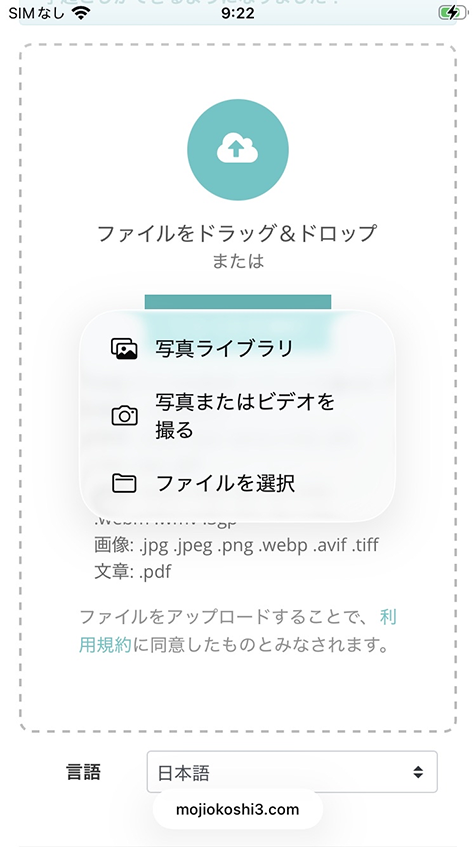
The camera app will launch, so take a photo of the newspaper, magazine, or book.
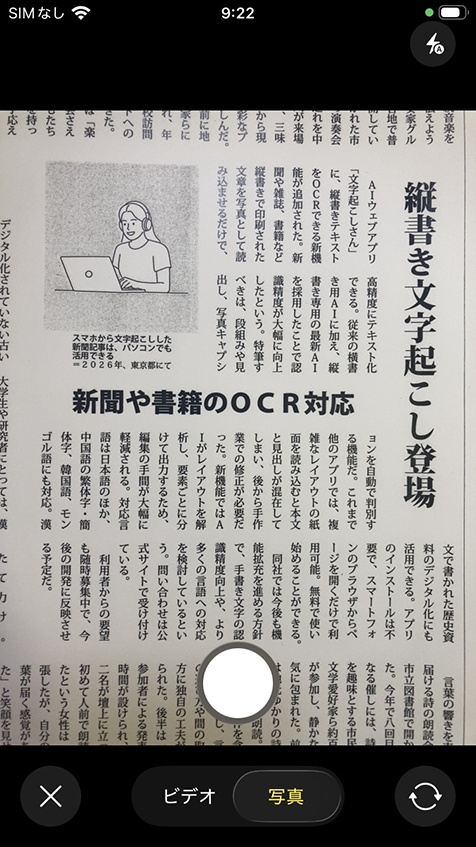
Check the photo result, and if it's satisfactory, select "Use Photo."
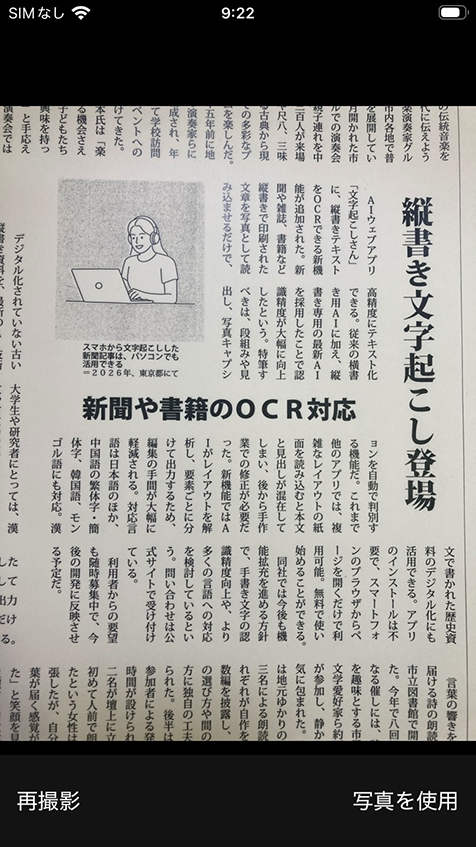
Now, the captured photo is selected.
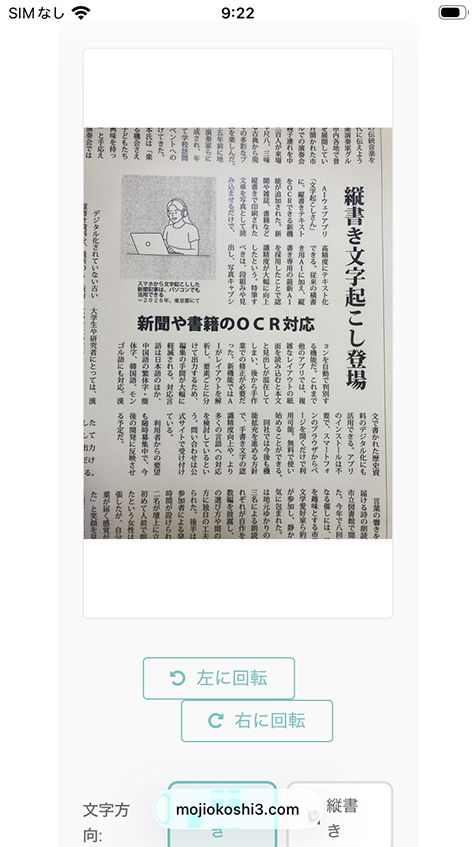
*You can also select previously taken photos/image files for transcription by tapping "Photo Library" or "Select File" in the menu.
How to take photos on Android smartphones
*Explained using the Android 12 screen.
On Android smartphones, when you tap "Select File," choose "Camera" from the menu that opens.
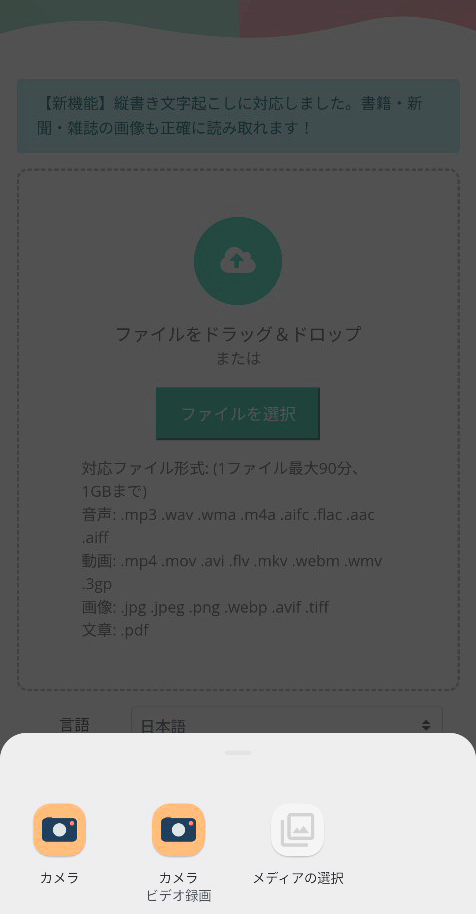
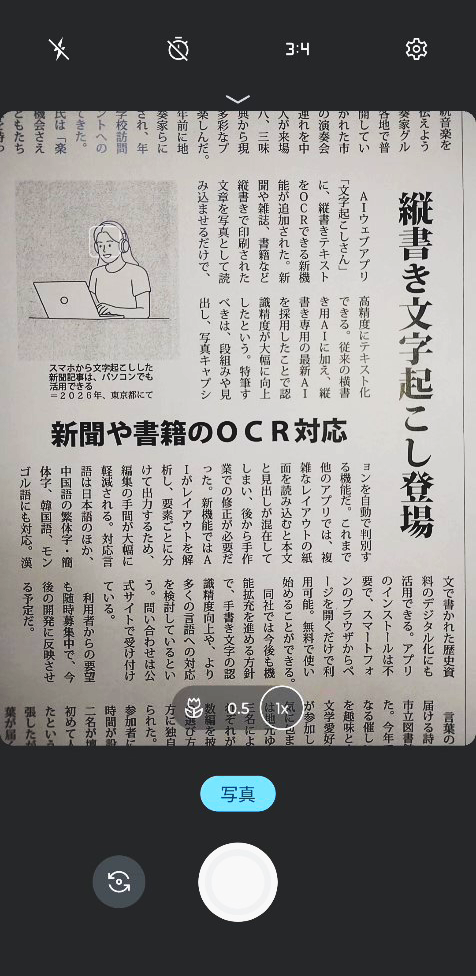
The camera app screen will open, so take a photo of the newspaper, magazine, or book.
After taking the photo, you will return to the browser app screen, and the image file will be selected.
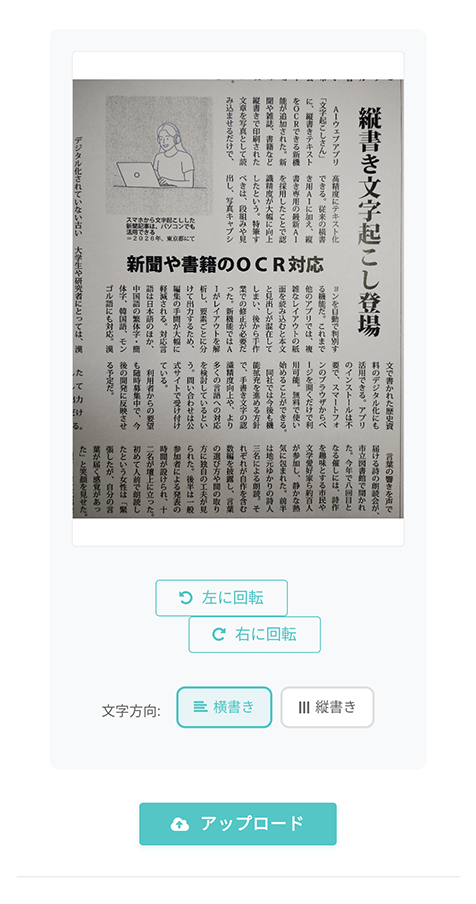
*You can also select previously taken photos/image files for transcription by tapping "Select Media" in the menu.
Later in this article, we explain recommended photography methods for successful transcription, so please take a look.
4. [Important] Select "Vertical Writing"
This is the most important point!
When you select an image, a menu appears with options:
- Vertical writing
■ AI transcription service "Mr. Transscription"
"Mr. Transcription" is an online transcription tool that can be used from zero initial cost and 1,000 yen per month (* free version available).
- Supports more than 20 file formats such as audio, video, and images
- Can be used from both PC and smartphone
- Supports technical terms such as medical care, IT, and long-term care
- Supports creation of subtitle files and speaker separation
- Supports transcription in approximately 100 languages including English, Chinese, Japanese, Korean, German, French, Italian, etc.
To use it, just upload the audio file from the site. Transcription text is available in seconds to tens of minutes.
You can use it for free if you transcribe it for up to 10 minutes, so please try it once.

It is "Mr. Transcription" who can easily transcribe from audio, video, and images.
Transcription allows you to transcribe for up to 10 minutes for free.
You can copy, download, search, delete, etc. the transcribed text.
You can also create subtitle files, which is ideal for transcription of interview videos.
HP: mojiokoshi3.com
Email: mojiokoshi3.com@gmail.com
Email: mojiokoshi3.com@gmail.com
Related article
Transcription for audio / video / image transcription. It is a transcription service that anyone can use for free without installation.
- What is Mr. Transcription?
- Transcript images, sounds, and videos with Mr. Transcription
- Free registration
- Rate plan
- manual
- Try other free services