Mr. Transcription Delete and Bulk Delete: How to Use and Notes
Change Card on Mr. Transcription: Quick & Easy Guide!
Oct. 16, 2026
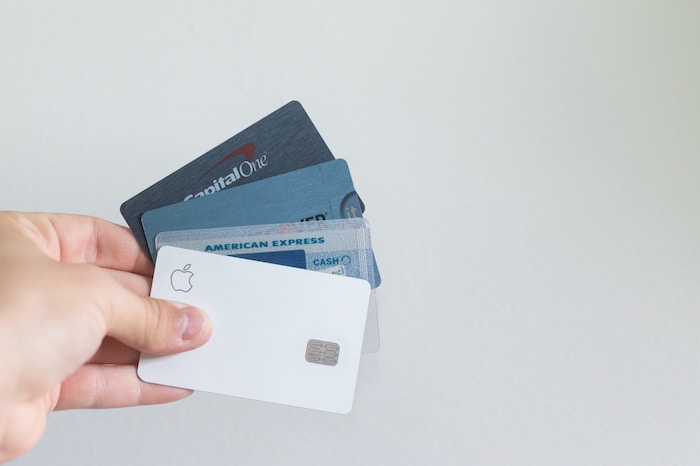
With Mr. Transcription, you can easily change your registered credit or debit card.
This article explains the steps to update your registration information.
How to Change Your Credit or Debit Card Information in Mr. Transcription
First, access the Mr. Transcription website and log in.
Then, follow these steps to change your card details:
- Go to the settings page
- Click "Change Card"
- Click "+ Add payment method"
- Enter your new card information
- Click the "..." to the right of the added payment method and select "Set as default" from the menu
1. Go to the settings page
Mr. Transcription: Settings Page
https://mojiokoshi3.com/users/setting/
You can review your settings from the settings page.
2. Click "Change Card"

From your usage plans, click "Change Card."
3. Click "+ Add payment method"
 The Stripe screen will appear.
- Usage Plan
- Payment Method
- Billing Information
- Payment History
You can view all this payment information in a list.
When you want to change your credit or debit card information, click "+ Add payment method."
4. Enter new card information
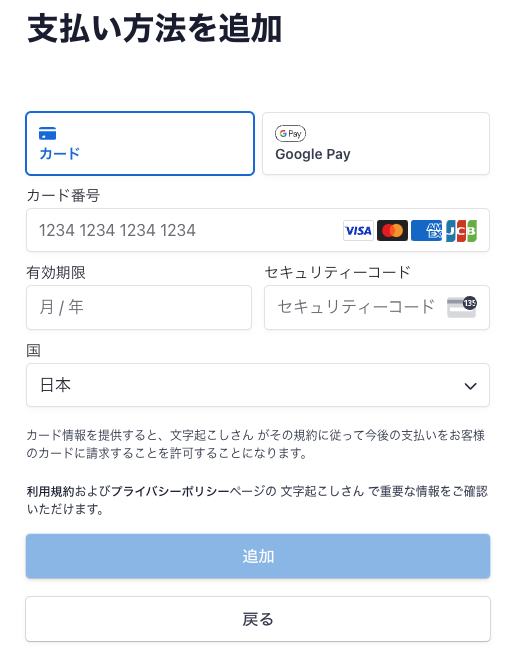
Enter your new card information and click "Add."
5. Click "..." and set as "Default" from the menu

Click the "..." to the right of the added payment method and select "Set as default" from the menu.
If you do not set it as default, the card change will not be completed.
Please remember to set it as default.
This completes the process of changing your credit or debit card.
Your new card information will be registered as the default payment method and used for future payments.
■ AI transcription service "Mr. Transscription"
"Mr. Transcription" is an online transcription tool that can be used from zero initial cost and 1,000 yen per month (* free version available).
- Supports more than 20 file formats such as audio, video, and images
- Can be used from both PC and smartphone
- Supports technical terms such as medical care, IT, and long-term care
- Supports creation of subtitle files and speaker separation
- Supports transcription in approximately 100 languages including English, Chinese, Japanese, Korean, German, French, Italian, etc.
To use it, just upload the audio file from the site. Transcription text is available in seconds to tens of minutes.
You can use it for free if you transcribe it for up to 10 minutes, so please try it once.

It is "Mr. Transcription" who can easily transcribe from audio, video, and images.
Transcription allows you to transcribe for up to 10 minutes for free.
You can copy, download, search, delete, etc. the transcribed text.
You can also create subtitle files, which is ideal for transcription of interview videos.
HP: mojiokoshi3.com
Email: mojiokoshi3.com@gmail.com
Email: mojiokoshi3.com@gmail.com
Related article
Transcription for audio / video / image transcription. It is a transcription service that anyone can use for free without installation.
- What is Mr. Transcription?
- Transcript images, sounds, and videos with Mr. Transcription
- Free registration
- Rate plan
- manual
- Try other free services