![[2026 Edition] Free OCR for Vertical Newspapers, Magazines, and Books! Easy Transcription Method with Smartphone](https://storage.googleapis.com/mojiokoshi3/post/image/magazine_newspaper_ocr_tmb.webp)
Qualified Invoice Issuer Registration Number Notification
Transcribe Vertical PDFs: Free Text Conversion for Any Document
June 21, 2026

I transcribed a vertical PDF, but the line order was jumbled and unusable.
No problem! With Mr. Transcription, you can transcribe vertical text with high accuracy!

Have you ever struggled trying to convert a vertical PDF file to text?
When you OCR a vertical PDF from books, magazines, newspapers, or old internal documents that have been scanned, the line order can get mixed up, or column layouts might not be read correctly.
In such cases, the AI app "Mr. Transcription" is highly recommended!
With Mr. Transcription, you can use its dedicated vertical writing AI to accurately convert complex vertical PDFs from books, newspapers, and magazines into text.
The key is to convert the PDF into an image first, then upload it.
This article explains, with images, how to accurately convert vertical PDF files to text for free using Mr. Transcription.
If you need to convert vertical PDFs from books, magazines, newspapers, or old company documents to text, why not try Mr. Transcription for free by following this guide?
"Mr. Transcription" is recommended for OCR of vertical PDF files!
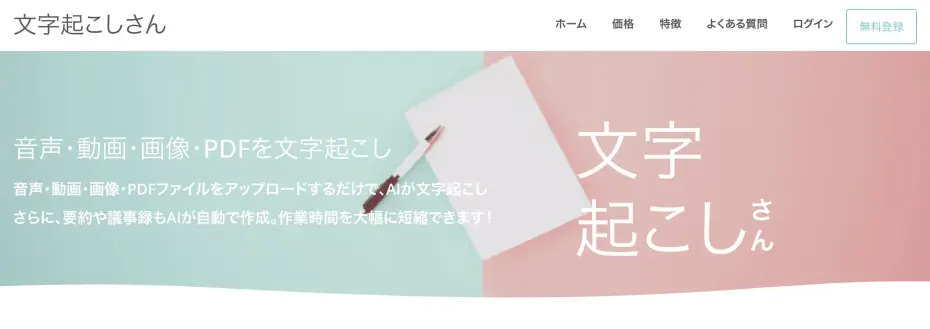
"Mr. Transcription" is a web application that transcribes audio, video, images, and PDFs using AI.
It uses a dedicated AI engine for vertical text recognition, allowing it to accurately convert text from magazines, newspapers, self-scanned books, and old documents.
Furthermore, it supports complex layouts found in newspapers and magazines, such as:
- Columns
- Headings
- Photo captions
It's easy to use; just access it through your browser and upload your file.
No special software installation is required, and it can be used on any device, including Windows, Mac, iPhone (iOS), and Android smartphones.
By converting your PDF to an image file with "PDF Image Converter", you can OCR vertical PDF files with high text recognition accuracy.
If you register an account, you can transcribe up to 10 images per day for free. Why not experience Mr. Transcription's vertical OCR for yourself?
How to Transcribe Vertical PDFs for Free
Now, let's explain the steps to accurately convert vertical PDFs to text using Mr. Transcription.
The key to transcribing vertical PDF files is to convert the PDF into an image file before transcribing.
Step 1: Convert PDF to image using PDF Image Converter
First, open the "PDF Image Converter" page.

Once the page is open, choose the conversion format, either JPG or PNG, for the output.
JPG is recommended if you prioritize smaller file size, while PNG is better if you prioritize image quality.
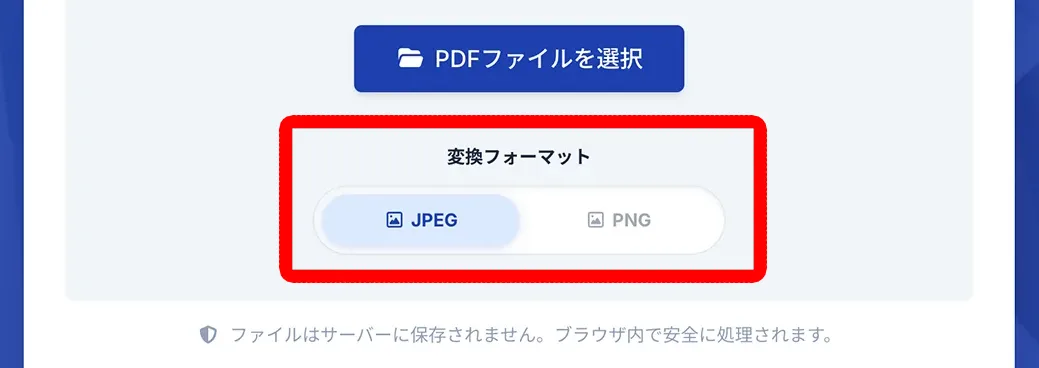
Drag and drop your PDF file or click the "Select PDF file" button to choose the vertical PDF you want to transcribe.
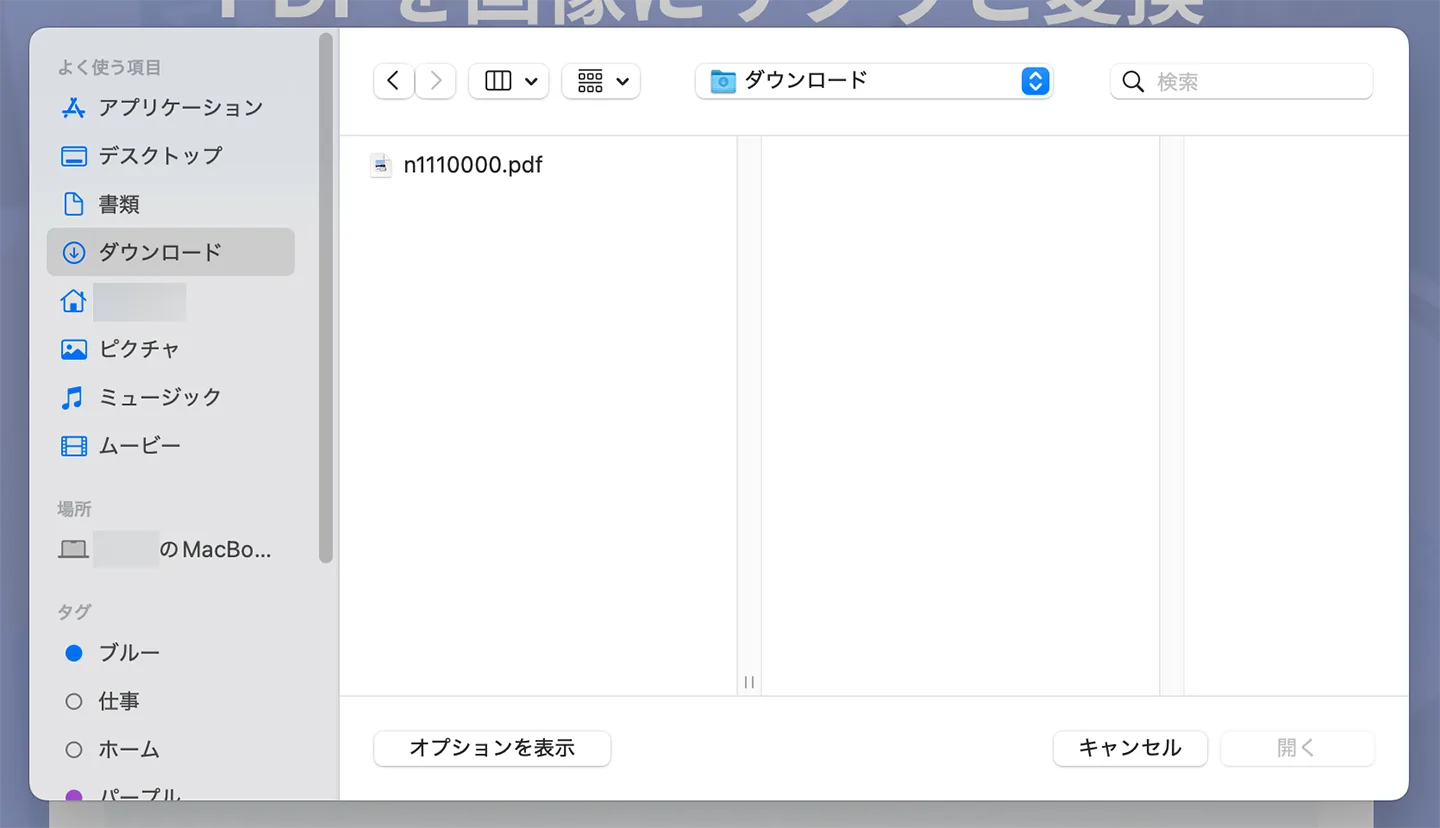
Once you select the file, the conversion process to an image will start automatically.

Once the process is complete, a ZIP file containing each page of the PDF as an image will be downloaded.
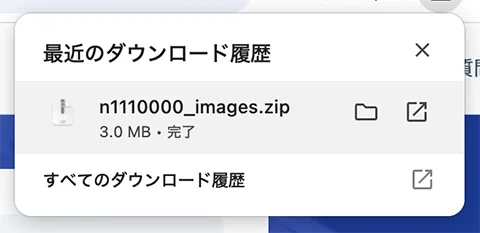
When you extract the ZIP file, each page of the PDF will be an individual image file.
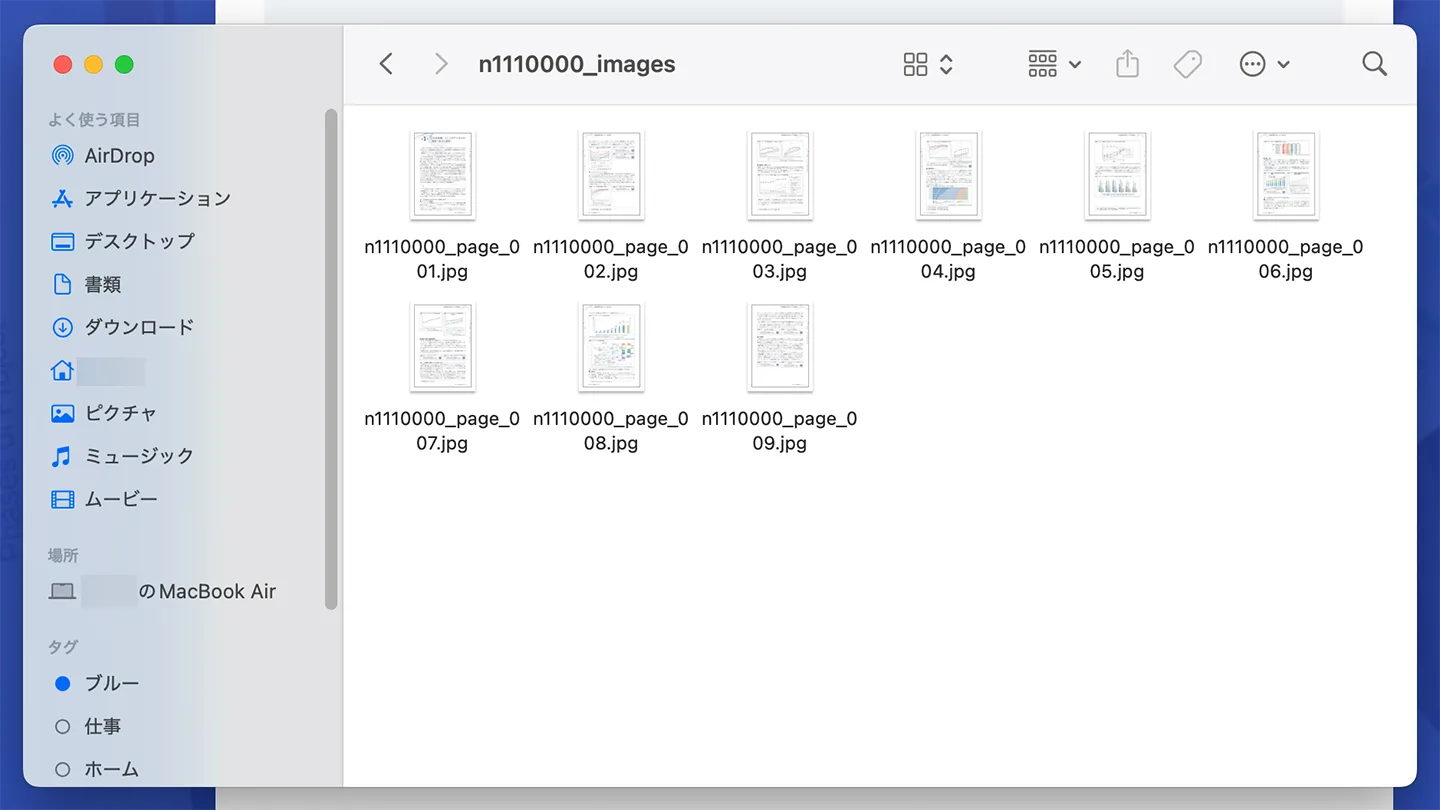

PDF Image Converter completes the conversion process entirely within your browser, so you can rest assured even when handling highly confidential vertical PDFs!
Step 2: Upload the converted images to Mr. Transcription
After converting the PDF file to images, next open the "Mr. Transcription" top page.
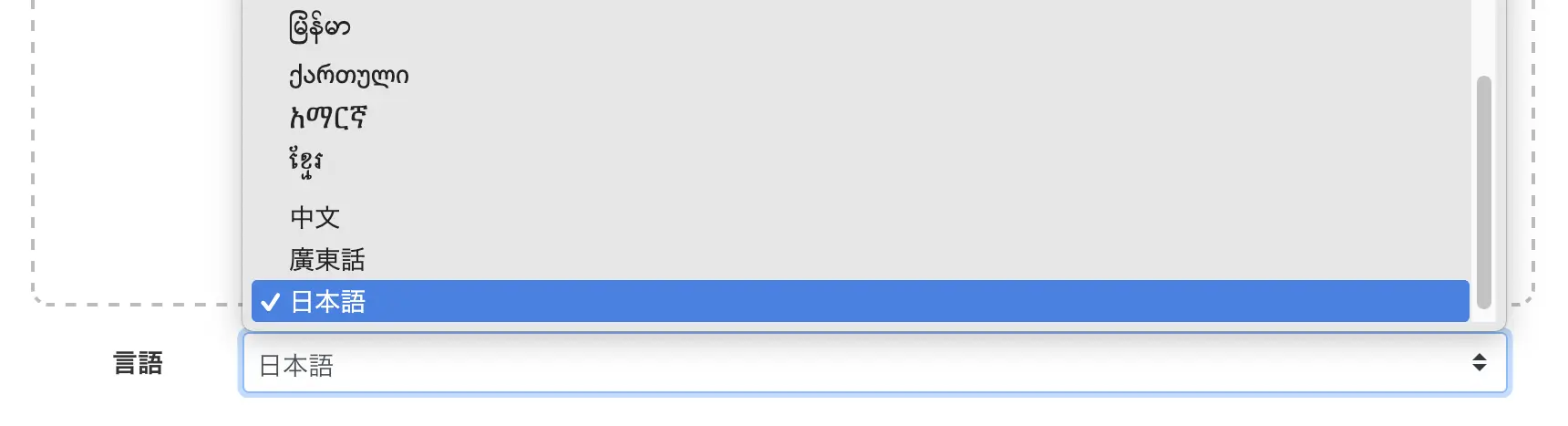
Select the language that matches the file you want to transcribe.
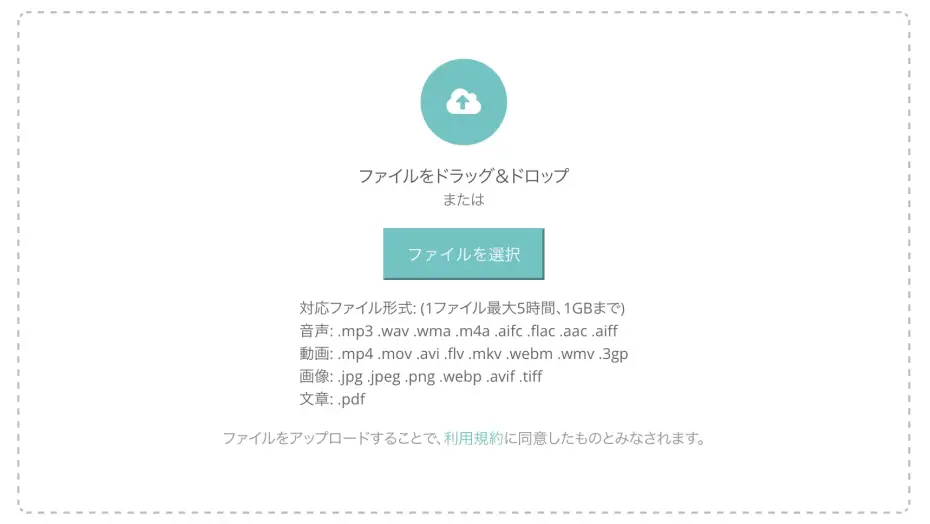
Click the "Select File" button or drag and drop to select the image file created in Step 1.
After selecting the file, the chosen image will be displayed as shown.
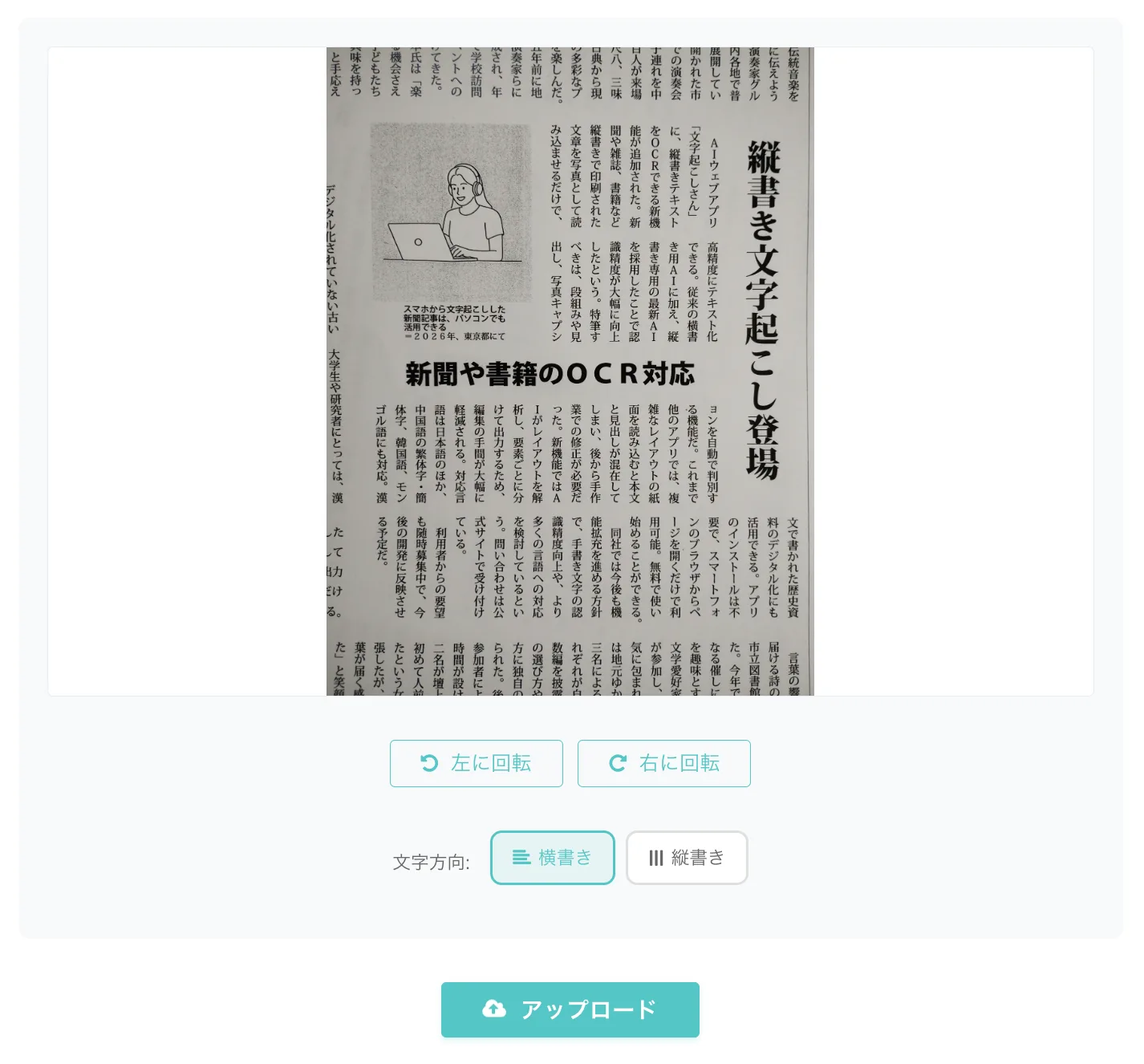
You can upload only the images of the necessary pages, so you can also transcribe only the required parts from a multi-page vertical PDF.
Step 3: Select "Vertical Writing" and transcribe
From the "Text Direction" menu below the image, select "Vertical Writing".
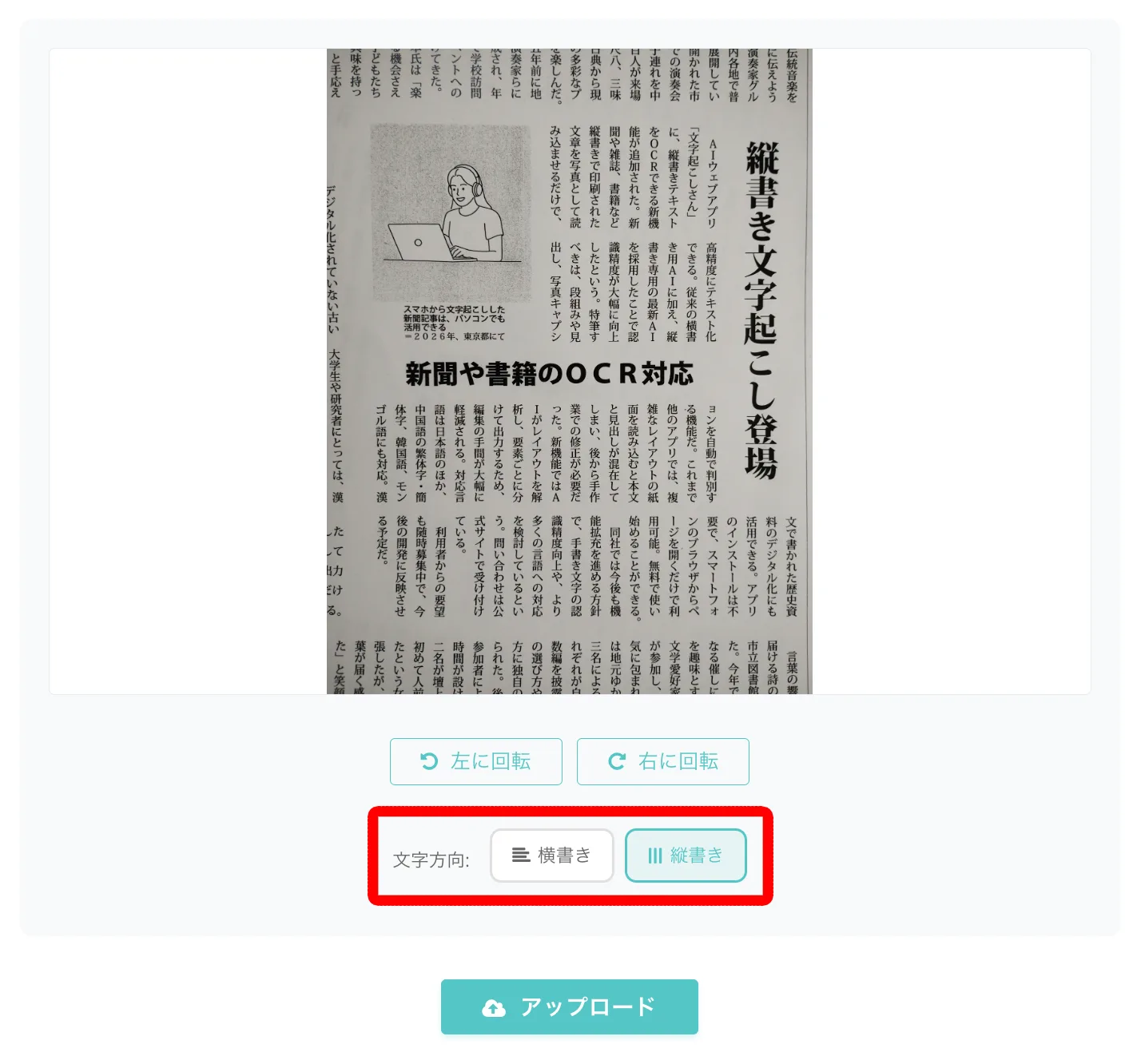
The default setting is "Horizontal Writing," so it's crucial to always switch to "Vertical Writing" when transcribing vertical PDFs.
Now, the setup is complete.
Click the "Upload" button to start uploading the image file.

Once the upload is finished, the transcription process will automatically begin.
The latest AI quickly completes text recognition, and the transcription results are displayed on the screen.
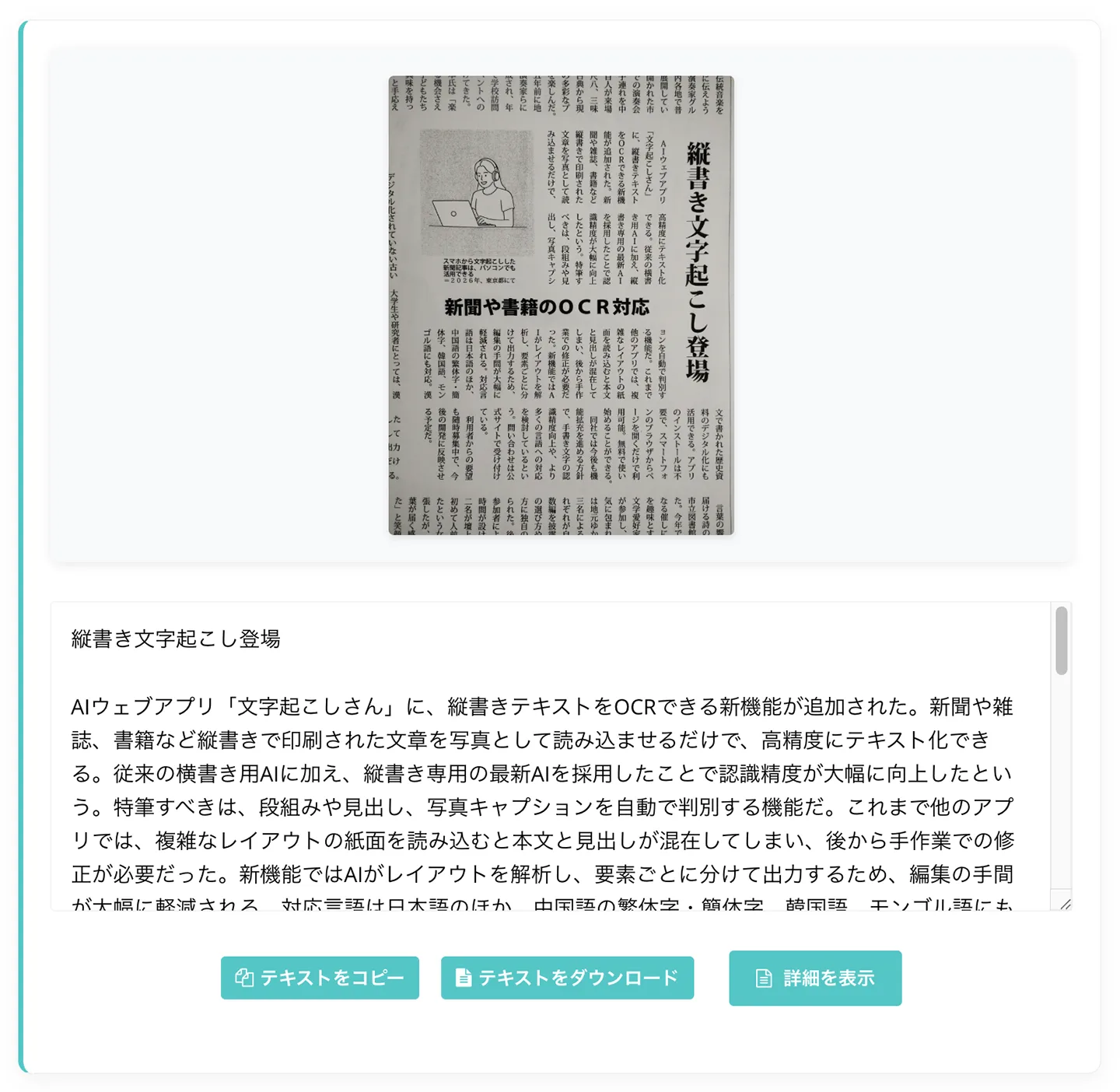
As you can see, even columnar sections are recognized and converted to text in the correct order.
Click "Show Details" to open the details page.
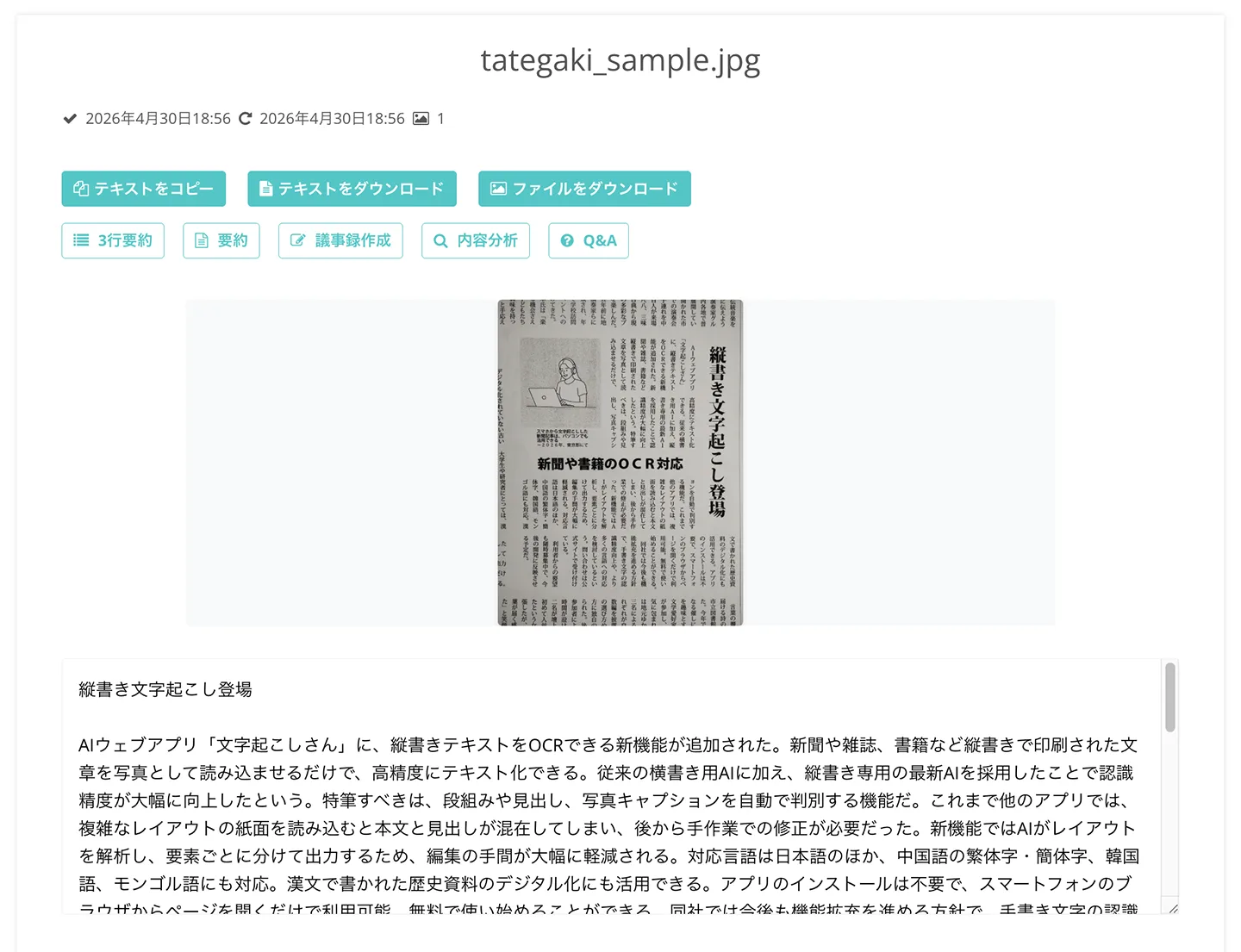
On the details page, you can also summarize, create meeting minutes, and analyze content using the latest AI (Learn more about summary and analysis features here).
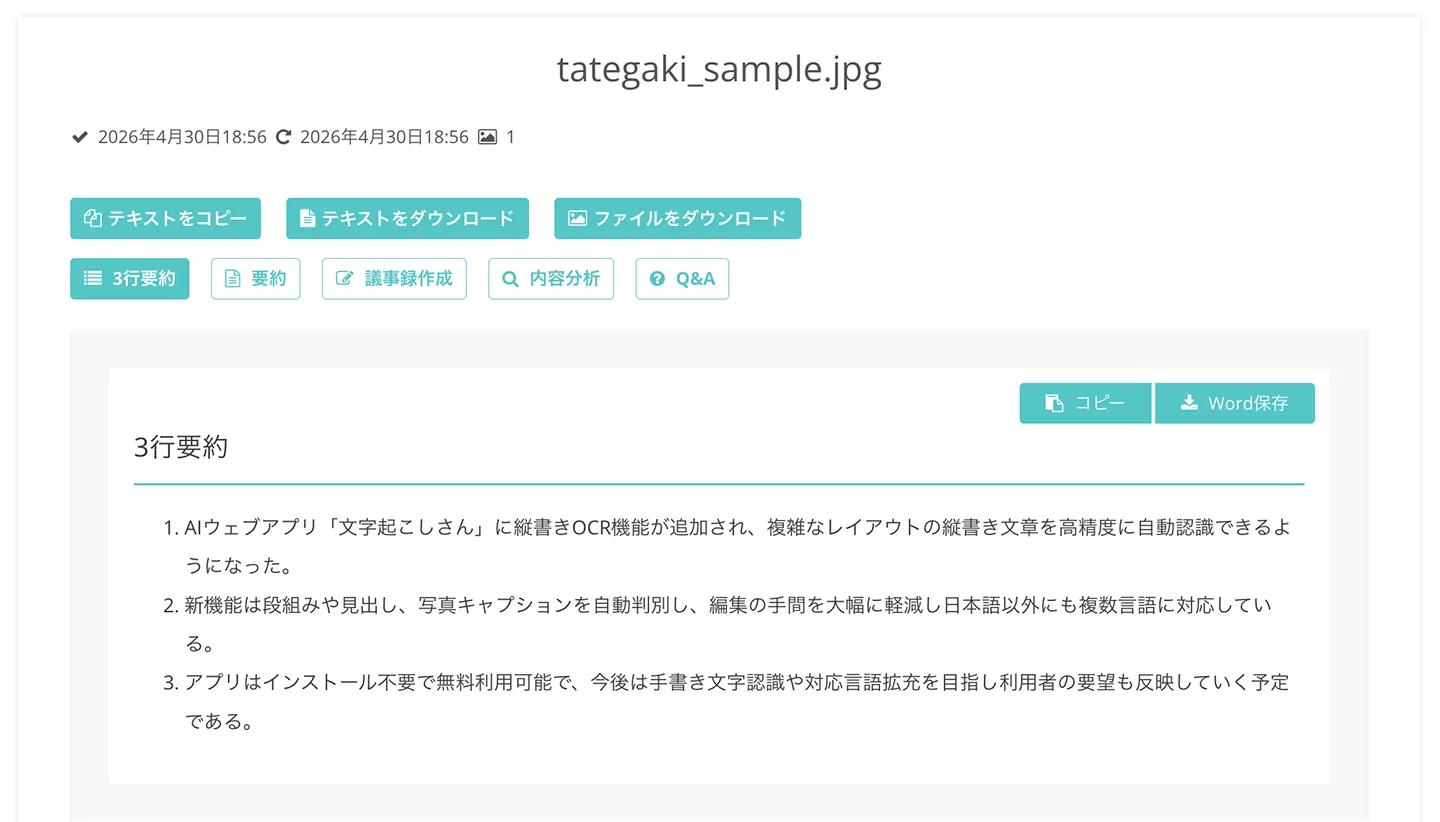
Thus, with Mr. Transcription, even complex vertical PDFs with columns can be easily and accurately converted to text in a natural order.
Why not try converting your vertical PDFs to text for free with Mr. Transcription?
Use Cases for Vertical Text PDF Transcription
Converting vertical PDFs to text can be useful in various situations for work, study, and research.
Here, we introduce typical use cases for transcribing vertical PDFs with Mr. Transcription.
Digitize old vertical internal documents and summarize/analyze with AI
There are times when you want to feed old internal documents, hidden deep in company warehouses or file servers, into the latest AI.
By transcribing vertical PDFs of past proposals, reports, and company newsletters, you can revive old internal documents as text data.
Using Mr. Transcription's summary and content analysis features, you can summarize them on the spot or repurpose them as business documents.
If you want to leverage past knowledge for current work, transcribing vertical PDF files is highly recommended.
Convert self-scanned books, magazines, and newspaper PDFs to text
If you want to convert self-scanned vertical PDFs of books, magazines, and newspapers to text, Mr. Transcription is also recommended.
With Mr. Transcription, the latest AI automatically identifies columns and complex layouts, converting them into text in a natural order.
You can quote sentences from self-scanned novels or specialized books, or save the body of magazine articles as searchable text, preserving past paper materials as valuable databases.
This article also provides a detailed explanation of how to photograph and use Mr. Transcription's vertical OCR.
Please take a look.
Transcribe historical document PDFs such as classical Japanese and Chinese texts
Mr. Transcription can also be used when you need to convert vertical PDF documents of classical Japanese or Chinese texts for university reports or research.
Mr. Transcription's vertical OCR supports Japanese, as well as Chinese, Korean, and Mongolian, allowing you to convert classical Chinese texts, vertical Hangul documents from before the modern era, and Mongolian script documents into text.
For example, by setting the language to "中文" (Chinese), you can directly transcribe historical documents in classical Chinese that have been converted to PDF.
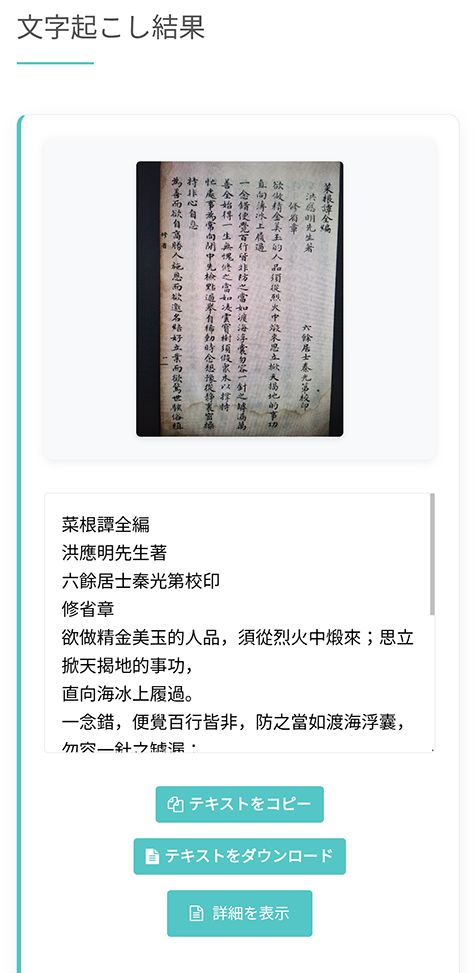
You can digitize old research materials and use them for report writing and research.
Vertical PDF Transcription | Frequently Asked Questions
Here are some frequently asked questions about converting vertical PDFs to text with Mr. Transcription.
Q. Can I directly upload a PDF and transcribe it vertically?
A. Yes, Mr. Transcription supports direct PDF uploads for transcription.
However,
■ AI transcription service "Mr. Transscription"
"Mr. Transcription" is an online transcription tool that can be used from zero initial cost and 1,000 yen per month (* free version available).
- Supports more than 20 file formats such as audio, video, and images
- Can be used from both PC and smartphone
- Supports technical terms such as medical care, IT, and long-term care
- Supports creation of subtitle files and speaker separation
- Supports transcription in approximately 100 languages including English, Chinese, Japanese, Korean, German, French, Italian, etc.
To use it, just upload the audio file from the site. Transcription text is available in seconds to tens of minutes.
You can use it for free if you transcribe it for up to 10 minutes, so please try it once.

It is "Mr. Transcription" who can easily transcribe from audio, video, and images.
Transcription allows you to transcribe for up to 10 minutes for free.
You can copy, download, search, delete, etc. the transcribed text.
You can also create subtitle files, which is ideal for transcription of interview videos.
HP: mojiokoshi3.com
Email: mojiokoshi3.com@gmail.com
Email: mojiokoshi3.com@gmail.com
Related article
Transcription for audio / video / image transcription. It is a transcription service that anyone can use for free without installation.
- What is Mr. Transcription?
- Transcript images, sounds, and videos with Mr. Transcription
- Free registration
- Rate plan
- manual
- Try other free services