Fixing Mojiokoshi-san Errors: Transcription Troubleshooting
Send LINE Voice Messages: iPhone & Android (3 Easy Steps)
March 14, 2026

How do I send a voice message on LINE?
You can easily send LINE voice messages by tapping the microphone icon on the message screen, recording, and then sending.
A voice message is a feature that allows you to send audio recorded on the spot via LINE.
You can convey emotions and information that text can't fully express, such as celebratory messages for birthdays or graduations, or song melodies, through audio.
This article explains how to send LINE voice messages for both iPhone and Android, with screenshots.
How to Send LINE Voice Messages on iPhone/iPad
Here's how to send voice messages on iOS for iPhone and iPad.
1. Tap the microphone icon
Open the message screen and tap the microphone icon to the right of the input field.
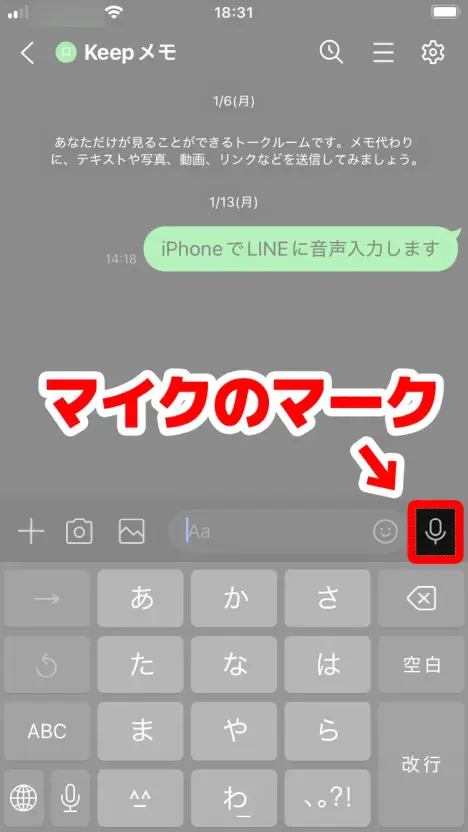
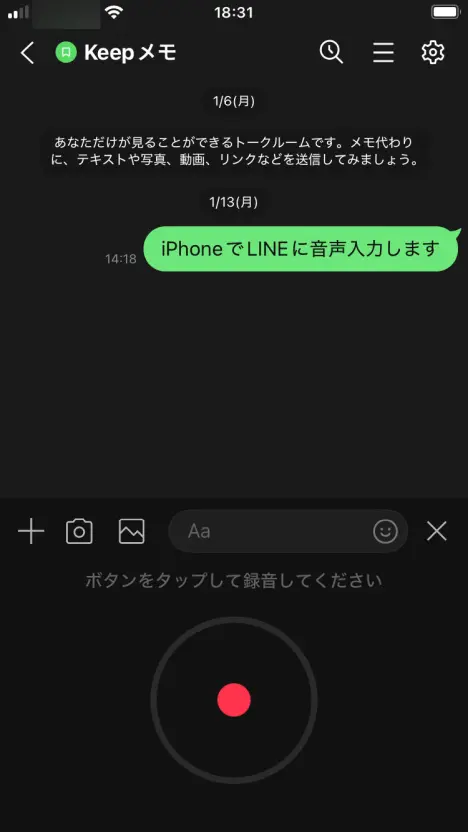
You will see "Tap the button to record."
2. Start recording
Tap the red record icon to start recording your voice message.
3. Stop recording and send
Tap the stop icon to stop recording your voice message.
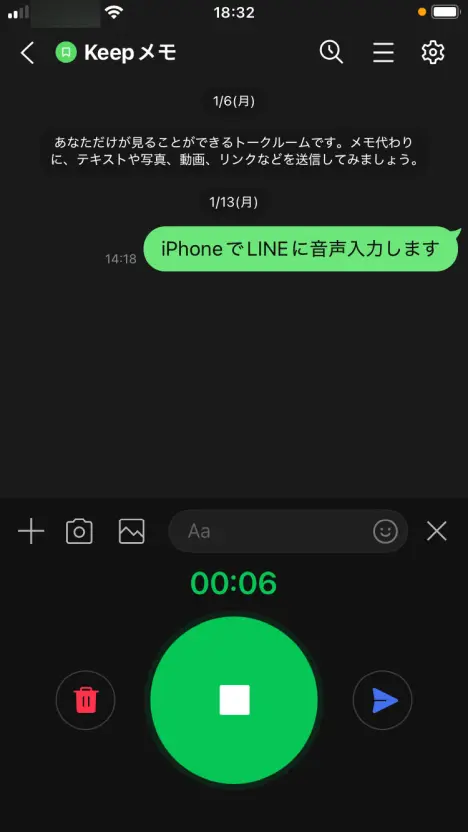
Press the send button to send the recorded audio as a voice message.
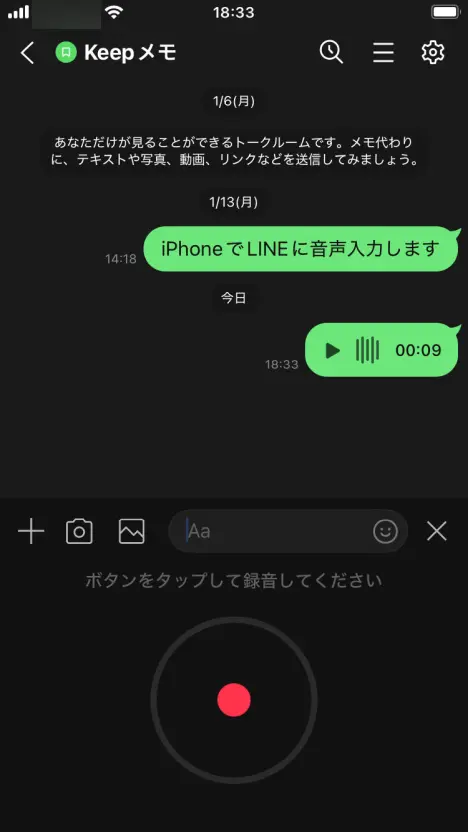
You can listen to the sent voice message by pressing the play button.
How to Send LINE Voice Messages on Android Phones
Sending voice messages on Android phones is basically the same as on iPhone.
1. Tap the microphone icon
Once you open the message screen, tap the microphone icon to the right of the input field.
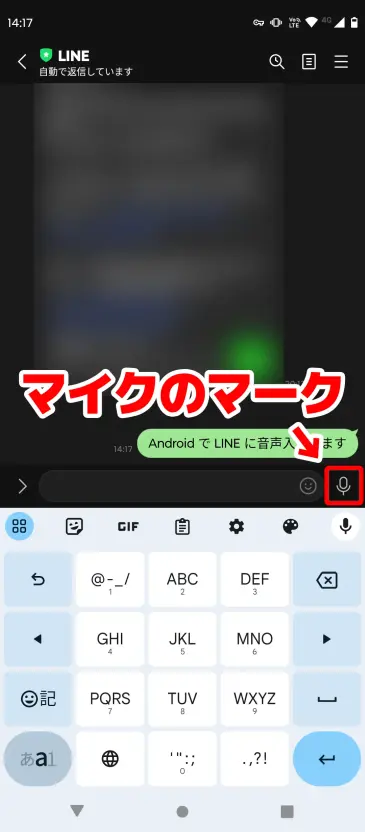
You will see "Tap the button to record."
2. Start recording
Tap the red record icon to start recording your voice message.
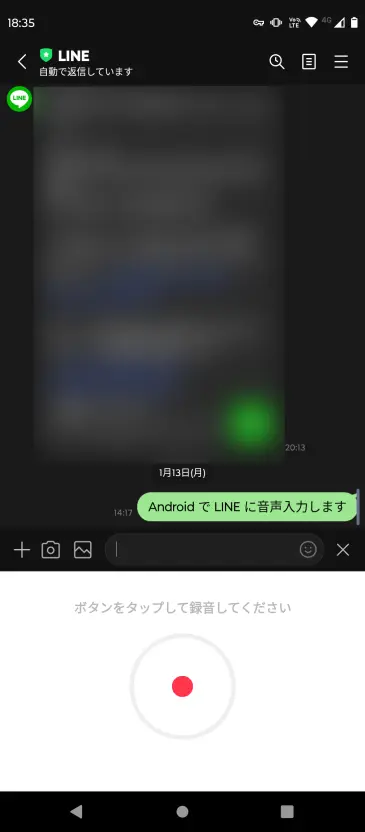
3. Stop recording and send
Tap the stop icon to stop recording your voice message.
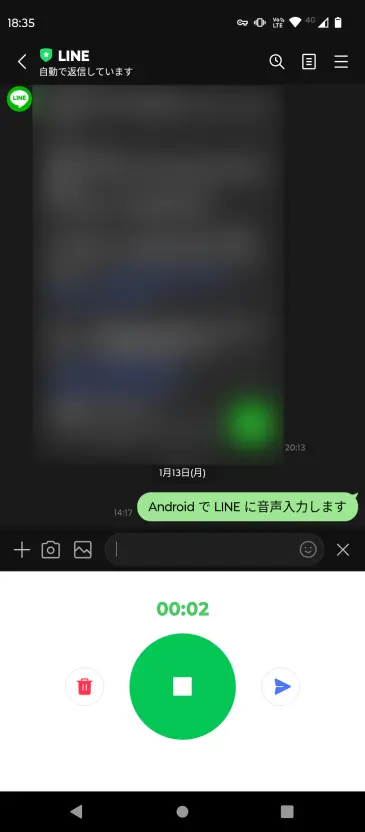
Press the send button to send the recorded audio as a voice message.
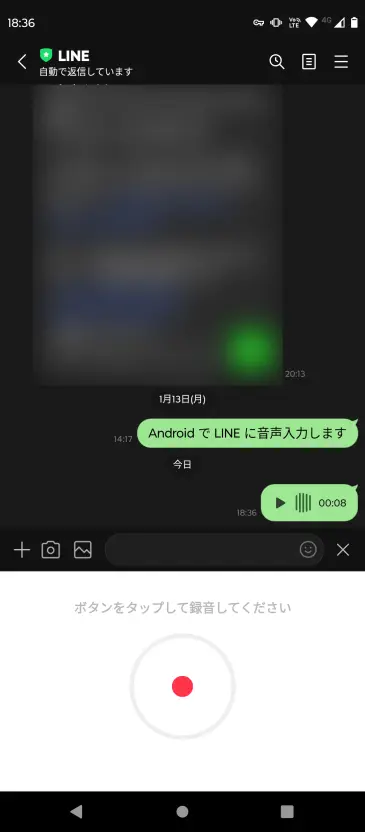
You can listen to the content of the sent voice message by pressing the play button.
Be Aware of the Difference Between Voice Messages and Voice Input
LINE has two microphone icons, which can be confusing.
To send a voice message (sending audio as is), tap the microphone icon to the right of the input field.
For voice input (converting spoken words to text), tap the microphone icon on the keyboard.
The only difference is the position of the microphone you tap, so choose the one that suits your purpose.
If You Want to Transcribe Received Voice Messages
When you want to check the content of a received voice message in text, the AI transcription website Mr. Transcription is highly recommended!
Simply save the voice message and upload it to Mr. Transcription, and the AI will automatically convert it into text.
This article explains how to transcribe voice messages, so be sure to check it out!
![How to Transcribe LINE Voice Messages [iPhone/Android] | AI Transcription Service - Mr. Transcription](https://storage.googleapis.com/mojiokoshi3/post/image/line-mojiokoshi_tmb_20260304.webp)
How to Transcribe LINE Voice Messages [iPhone/Android] | AI Transcription Service - Mr. Transcription
Explains how to transcribe LINE voice messages by device. Includes recording LINE calls to text, using voice input, and troubleshooting when it doesn't work.
■ AI transcription service "Mr. Transscription"
"Mr. Transcription" is an online transcription tool that can be used from zero initial cost and 1,000 yen per month (* free version available).
- Supports more than 20 file formats such as audio, video, and images
- Can be used from both PC and smartphone
- Supports technical terms such as medical care, IT, and long-term care
- Supports creation of subtitle files and speaker separation
- Supports transcription in approximately 100 languages including English, Chinese, Japanese, Korean, German, French, Italian, etc.
To use it, just upload the audio file from the site. Transcription text is available in seconds to tens of minutes.
You can use it for free if you transcribe it for up to 10 minutes, so please try it once.

It is "Mr. Transcription" who can easily transcribe from audio, video, and images.
Transcription allows you to transcribe for up to 10 minutes for free.
You can copy, download, search, delete, etc. the transcribed text.
You can also create subtitle files, which is ideal for transcription of interview videos.
HP: mojiokoshi3.com
Email: mojiokoshi3.com@gmail.com
Email: mojiokoshi3.com@gmail.com
Related article
Transcription for audio / video / image transcription. It is a transcription service that anyone can use for free without installation.
- What is Mr. Transcription?
- Transcript images, sounds, and videos with Mr. Transcription
- Free registration
- Rate plan
- manual
- Try other free services