文字起こしさんの支払い方法と領収書について。クレジットカード決済や銀行振込に対応!
7 Best AI Transcription Apps for Meeting Minutes – Boost Productivity
Oct. 15, 2026


I want to transcribe meetings and streamline minute-taking!
AI transcription apps are recommended for transcribing meetings!
Do you ever struggle with how long it takes to create meeting minutes after a meeting?
Traditionally, creating meeting minutes required taking notes during the meeting or typing out transcriptions from recordings.
Now, it's possible to automate minute-taking using transcription apps powered by the latest AI.
These tools can significantly reduce the time and effort involved in preparing meeting minutes. Why not try one of the recommended AI transcription apps introduced in this article?
Recommended AI Transcription Web Apps for Meeting Minutes
For creating meeting minutes, the AI transcription web app Mr. Transcription is highly recommended!

Mr. Transcription is a web app that uses the latest AI to accurately convert audio, video, image, and PDF files into text.
By uploading recorded files for transcription, it achieves much higher accuracy than real-time transcription apps.
It's also recommended for those who haven't been satisfied with real-time minute-taking apps.
It even includes a feature to create meeting minutes directly from the transcription results!
What's more, Mr. Transcription allows you to transcribe for free, with no registration or login required!
If you're looking for a better way to create meeting minutes, why not try Mr. Transcription for free?
What are transcription apps for meeting minutes?
Creating meeting minutes is a task that needs to be done after every meeting.
AI transcription apps can make creating meeting minutes easy.
What is an AI transcription app? Free and convenient for converting to text

An AI transcription app is an application that uses the latest speech recognition AI to transcribe (convert to text) audio into text.
Transcription work previously required manual typing on a keyboard.
While speech recognition software has existed for a long time, its performance was very low and it couldn't be used in fields requiring accuracy, such as meeting minutes.
However, with the advancement of AI technology, the performance of speech recognition has dramatically improved.
It is now possible to transcribe with accuracy equal to or even better than humans, in a shorter amount of time.
The latest AI transcription web app, Mr. Transcription, can convert audio into highly accurate text, free from misrecognitions or homophone errors.
Types of AI Transcription Apps Recommended for Meeting Minutes

There are two main types of AI transcription apps for creating meeting minutes.
- Apps that transcribe by uploading audio files
- Apps that transcribe in real-time during meetings
Let's briefly explain the features of each and how to choose the right one.
Apps that transcribe by uploading audio files
These apps involve recording the meeting using a smartphone or IC recorder, then uploading the recorded audio file for processing.
The advantage of apps that transcribe by uploading audio files is their high transcription accuracy.
While it's not real-time processing, meaning you need to upload the audio file after the meeting, once uploaded, transcription can be completed in just about 1 minute.
Although AI speech recognition can achieve a certain level of accuracy in real-time, there are instances where processing can't keep up, leading to reduced accuracy.
In contrast, apps that transcribe pre-recorded audio by uploading it can transcribe even audio that is difficult for real-time processing with high accuracy.
If you need to accurately record meeting content, we recommend apps that transcribe by uploading audio files for the highest possible accuracy.
Apps that transcribe in real-time during meetings
Many apps exist that can transcribe in real-time during a meeting.
The advantage is that, being real-time, transcription is completed simultaneously with the end of the meeting.
The disadvantage is that speech recognition errors can occur due to reasons such as processing not keeping up.
For higher transcription accuracy, Mr. Transcription, which transcribes by uploading audio files, is recommended.
Real-time transcription apps are also convenient when you want to complete transcription as quickly as possible.
7 Recommended AI Transcription Apps for Meeting Minutes (Including Free Options)
Which AI transcription app should I use?

Here are some recommended AI transcription apps for creating meeting minutes!
- Mr. Transcription
- Otolio (formerly Smart Shoki)
- User Local Voice Meeting Minutes System
- Sloos
- Rimo (formerly Rimo Voice)
- toruno
- ZMEETING
1. Mr. Transcription: The Latest Web App for AI-Powered Automatic Meeting Minute Creation
Mr. Transcription is an AI transcription app that uses the latest AI to transcribe audio quickly and with high accuracy.
It's a web application that transcribes by uploading recorded files, supporting audio, video, images, and PDFs.
After a meeting, you can upload audio files from your smartphone or IC recorder and instantly convert them into text.
Since it's a web app used through a browser, no installation is required, making it easy for anyone to use.
As an app developed in Japan, it offers peace of mind regarding security.
Information on how uploaded data is handled is provided in this article: "What about Mr. Transcription's security? Detailed answers on servers and more." Please take a look.
Mr. Transcription uses the latest AI to transcribe long audio files at ultra-high speed in just about 1 minute.
You can create meeting minutes immediately after your meeting.
It supports over 100 languages, so you can also use it for transcribing foreign language audio.
Additionally, by using the speaker separation feature, you can distinguish who spoke and transcribe the audio for each individual speaker.
How to use speaker separation is explained in this article: "How to transcribe with speaker separation? Textualizing meetings and interviews by speaker." Please refer to it.
Equipped with Meeting Minute Creation Function!
What's more, Mr. Transcription includes a meeting minute creation feature!
It's easy to use: after transcribing, just press the "Create Meeting Minutes" button!
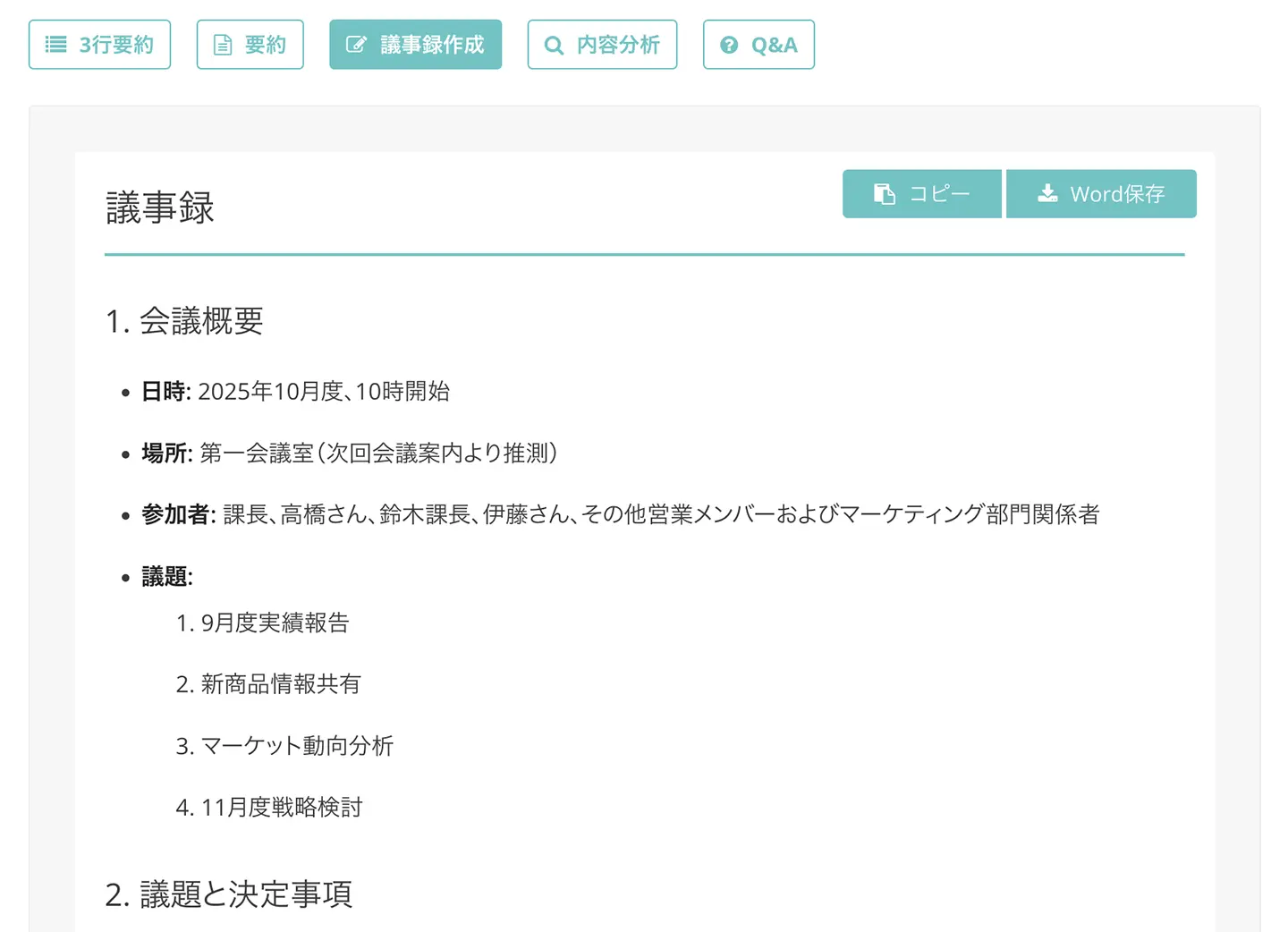
The created meeting minutes can be downloaded in Word format.
Furthermore, the meeting minute creation feature is available for free, with no additional charges!
Since you can complete transcription and meeting minute creation in one go just by uploading an audio file, Mr. Transcription is the definitive choice for creating meeting minutes!
For more details on the meeting minute creation feature, please see this page.

[Free] Mr. Transcription Introduces AI Summarization and Meeting Minute Creation Features! Detailed Usage Guide
AI summarization and meeting minute creation features have been added to Mr. Transcription! This feature allows you to easily summarize long texts transcribed from audio. Meeting minutes can also be easily created with the push of a button! This will make daily tasks, learning, and information organization smoother...
Mr. Transcription is a Free AI App
What's more,
Mr. Transcription is available for free!
You can transcribe up to 3 minutes per day for free with no registration required, and up to 10 minutes per day for free if you register as a free member.
You can experience the high performance of the latest AI right now.
If you're looking for a way to transcribe meeting minutes, why not try Mr. Transcription for free first?
2. Otolio (formerly Smart Shoki): A Web App for Efficient Meeting Minute Creation with AI
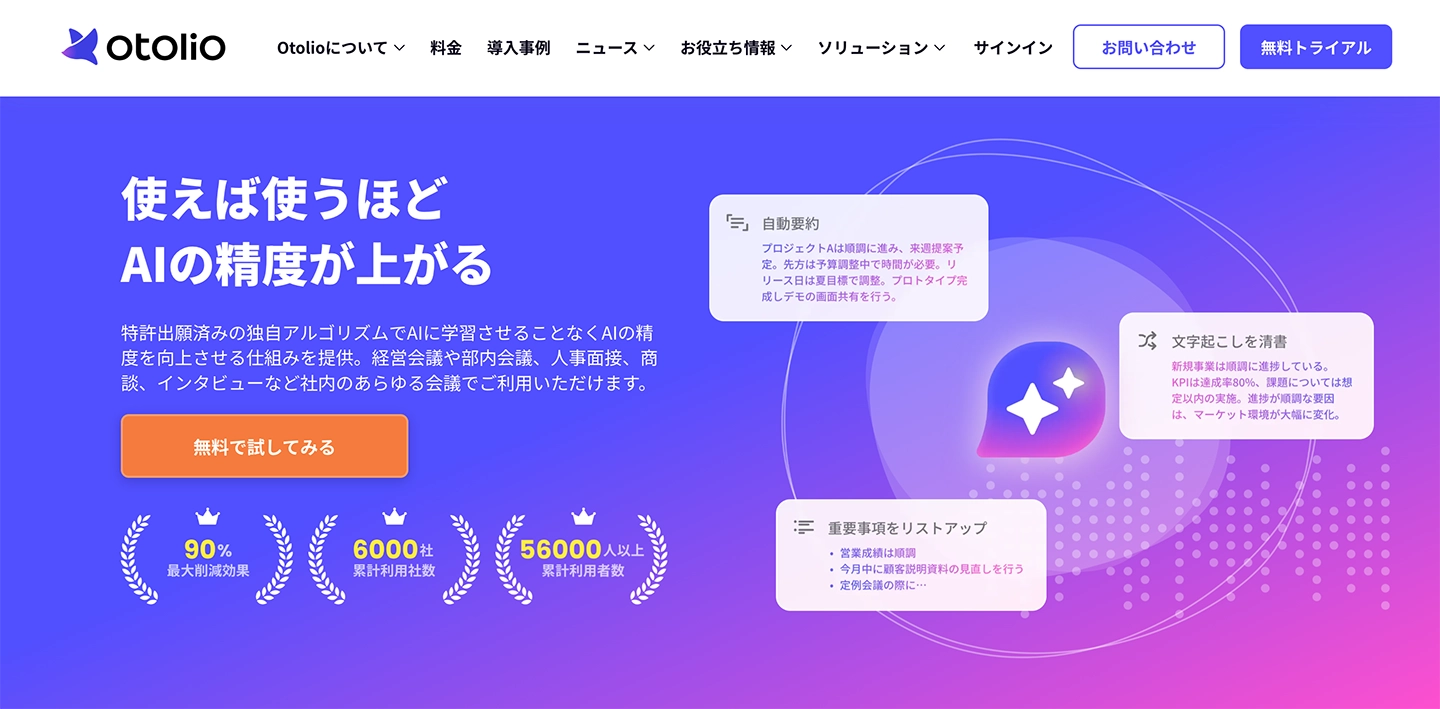
Otolio (formerly Smart Shoki) is a transcription app that uses AI to streamline the creation of meeting minutes.
It offers real-time AI transcription, so transcription is complete as soon as the meeting ends.
It can transcribe with over 90% accuracy.
It also includes automatic summarization and key point extraction features.
Compatible with PCs and smartphones, it can be used from a browser on PC and via an app on smartphones.
3. User Local Voice Meeting Minutes System: A Simple Transcription Web App
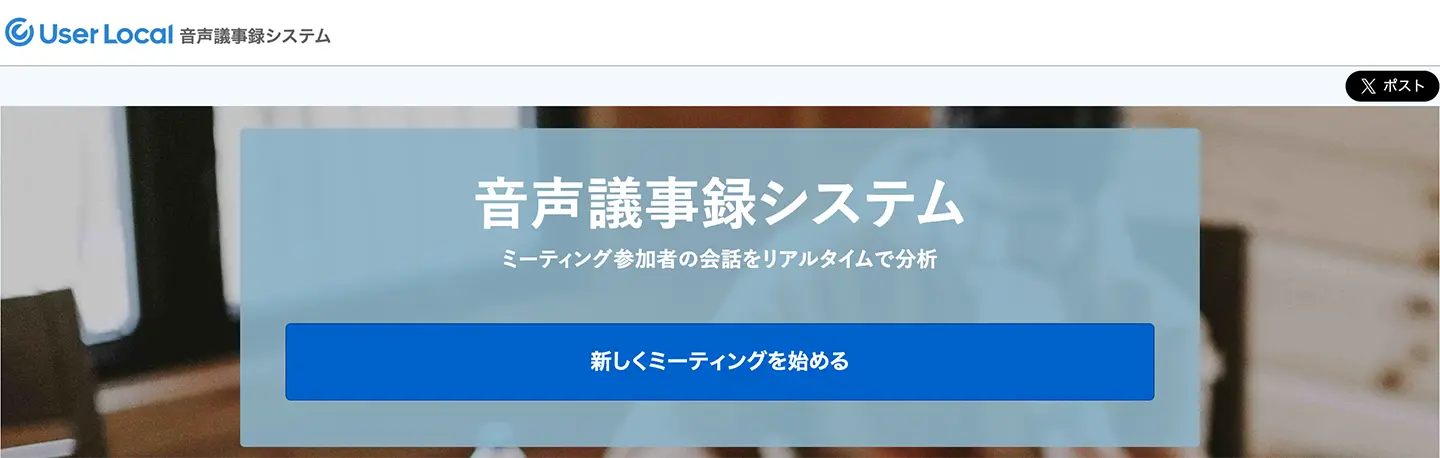
The User Local Voice Meeting Minutes System is a simple AI transcription web app that can be used from your browser.
It's an app that transcribes meetings in real-time and supports web conferences.
It also includes analysis features, such as graphing the proportion of positive and negative remarks from meeting participants.
This is a very simple app, recommended for those with some PC knowledge.
User Local Voice Meeting Minutes System
4. Sloos: A Simple Web App for Creating Meeting Minutes
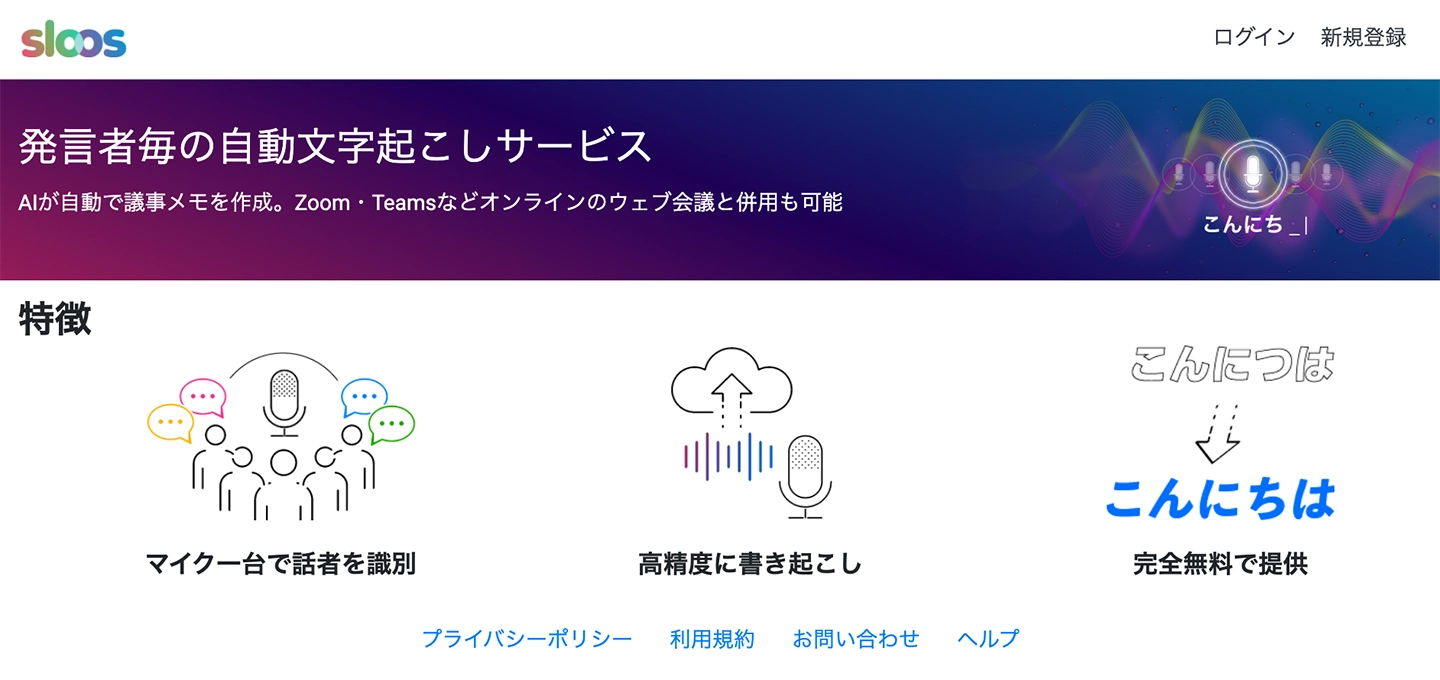
Sloos is an AI transcription web app designed for creating meeting minutes.
It's an app that transcribes meetings in real-time, and can even identify speakers with just one microphone, transcribing for each person speaking.
Login is required to use it.
This is also a very simple AI transcription app, so it's recommended for those with some PC knowledge.
5. Rimo: AI Transcription and Meeting Minute Web App Supporting Over 30 Languages
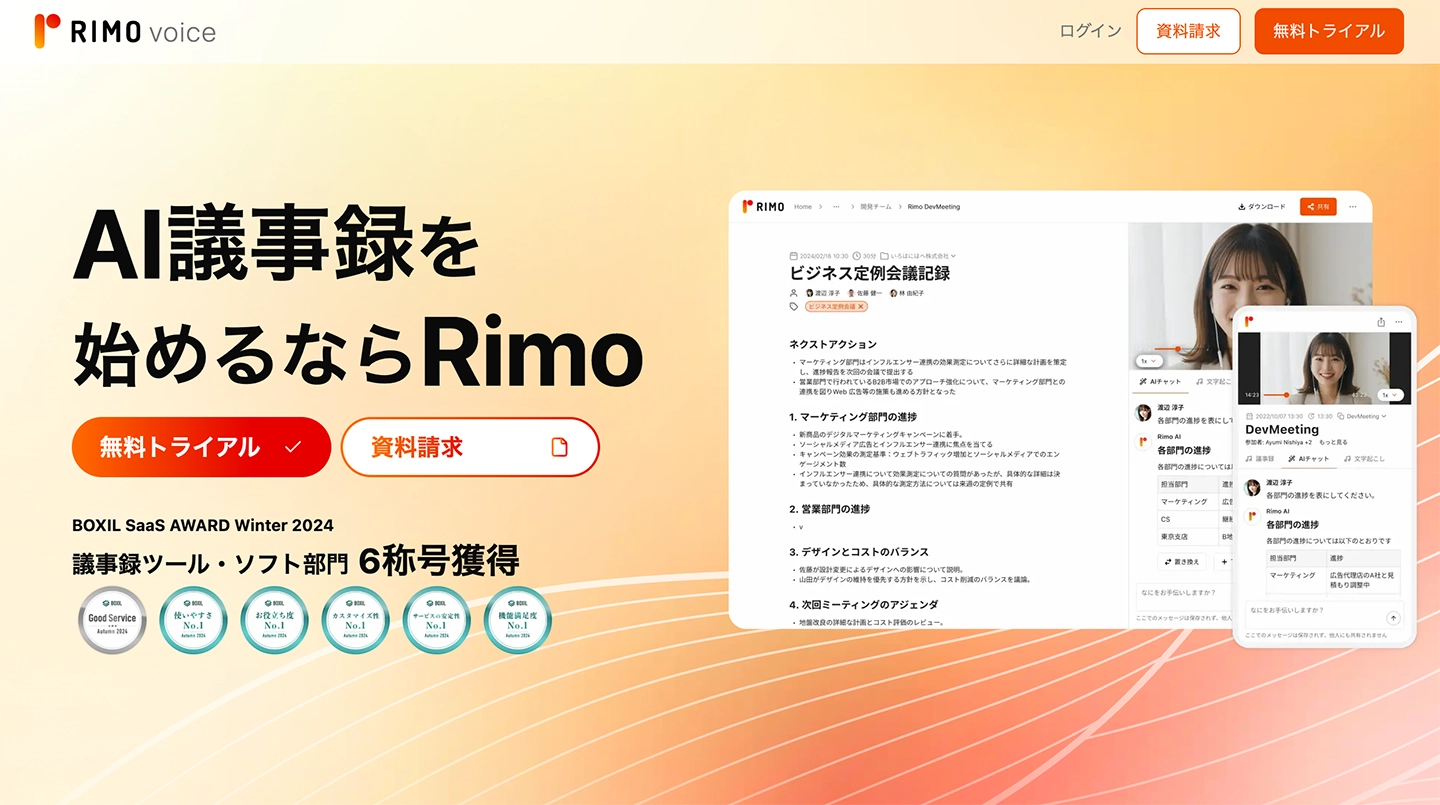
Rimo is an AI transcription and meeting minute support service that supports over 30 languages, including Japanese.
It can transcribe web conferences using its integration features with Zoom, Microsoft Teams, Google Meet, and Webex.
It also includes an AI meeting minute creation function, which can automatically summarize and document meeting content.
Individual plans start from 1,650 yen per month.
Corporate plans require a quote.
6. toruno: Web App for Meeting Minutes with Capture and Recording Capabilities
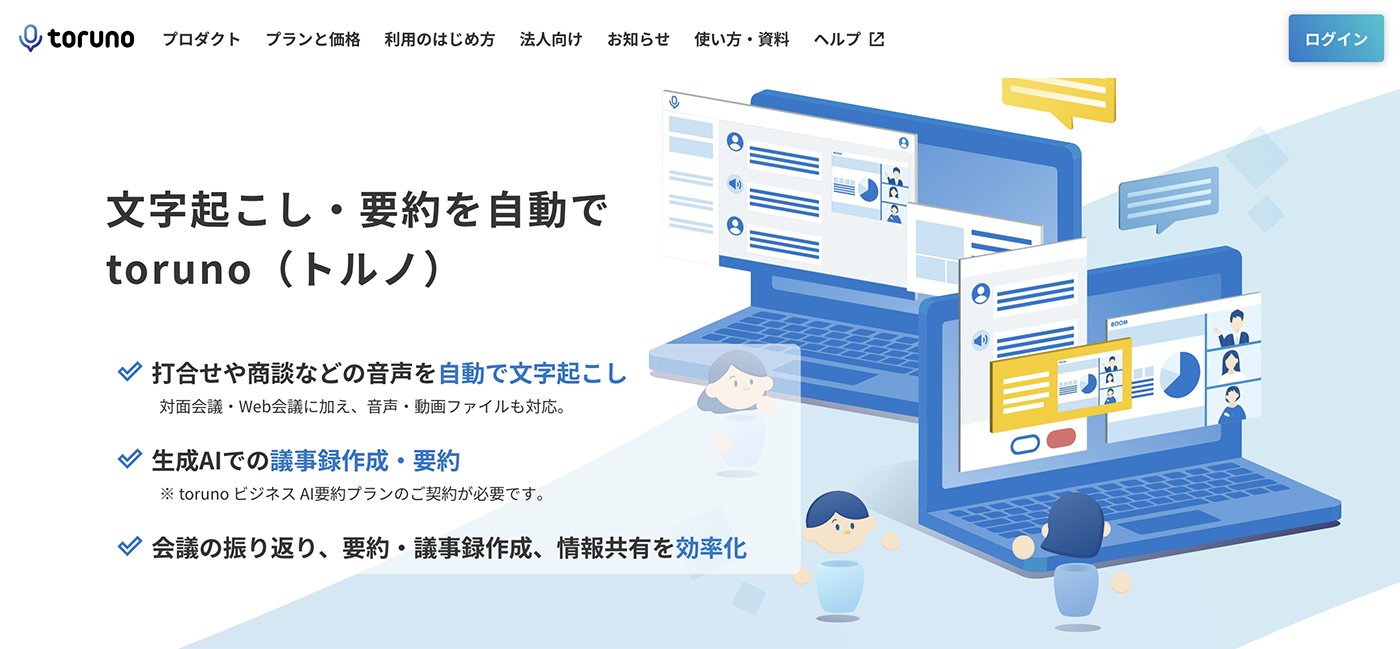
toruno is a web application that uses AI to record meetings.
It offers not only real-time audio transcription but also a screen capture function and the ability to save recorded audio as a set.
Recording and transcription are done through a dedicated app.
7. ZMEETING: Web App for Creating Meeting Minutes with Proprietary AI
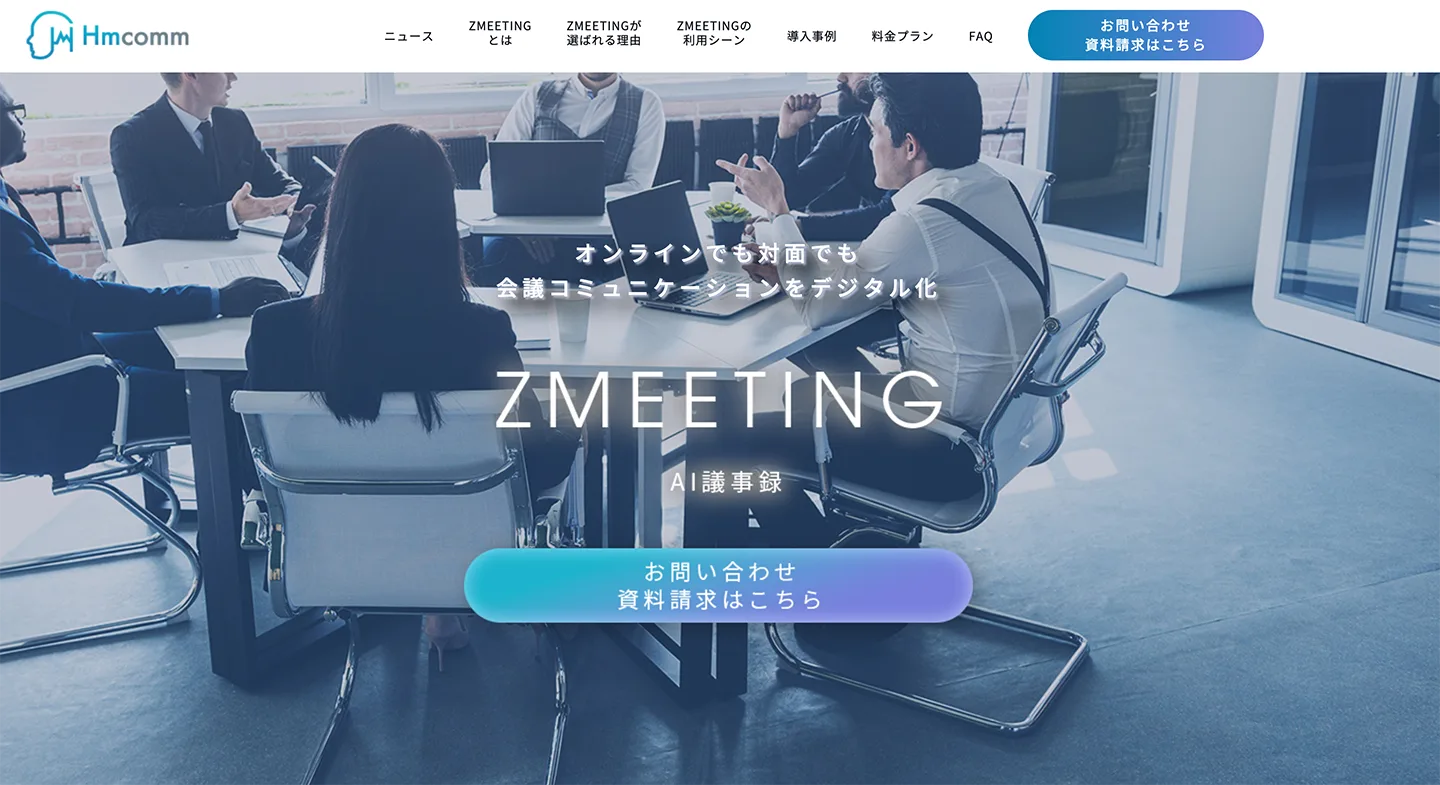
ZMEETING is an application developed by a venture company originating from a national research and development agency, using AI to transcribe meetings with high accuracy.
It can transcribe with over 90% accuracy using its proprietary AI.
Its main function is real-time transcription, and it also supports uploading audio files.
It also features a speaker separation function (transcribing by each speaker).
How to Transcribe and Create Meeting Minutes with Mr. Transcription
I want to try creating meeting minutes with Mr. Transcription!
From here, we'll briefly explain how to create meeting minutes using the web app 'Mr. Transcription'!
1. Transcribe the meeting audio file
First, open the top page of 'Mr. Transcription'.
Click "Select File" or drag and drop to choose your file.
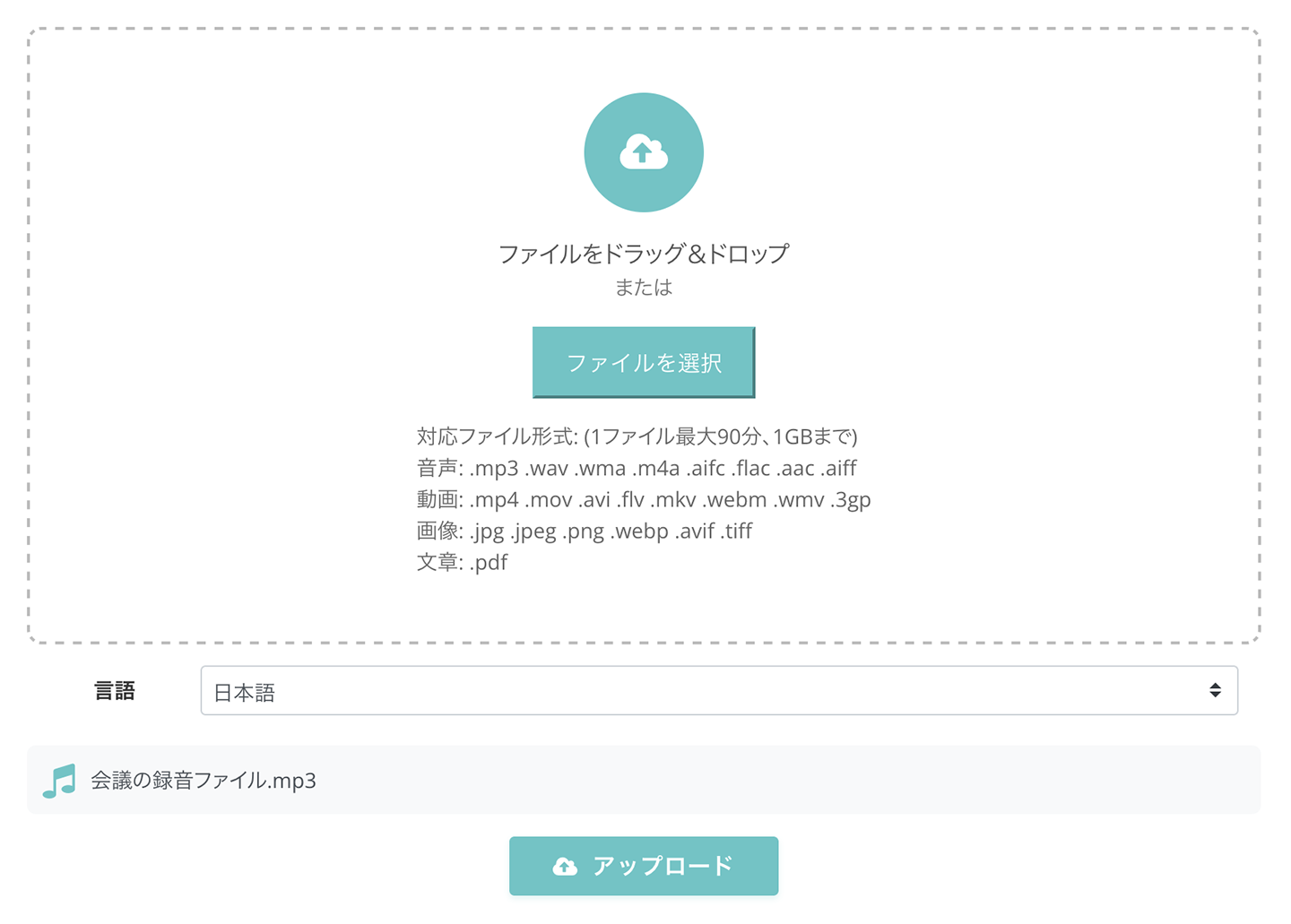
Click "Upload" to upload the file.
Transcription processing is completed in just about 1 minute, even for long audio files.
Once transcription is finished, the screen will change and display the results.
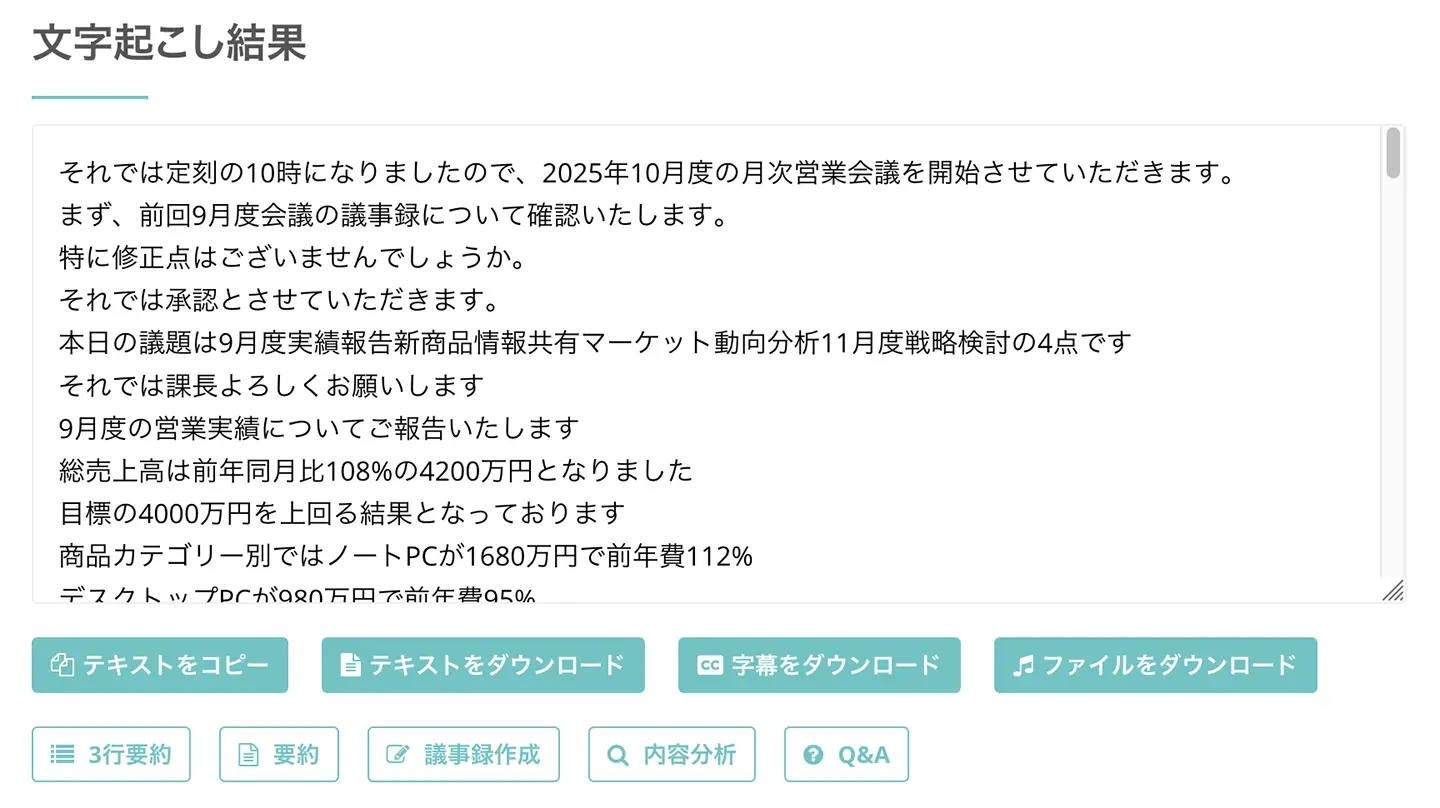
Clicking the play button next to a statement will play the recorded meeting audio from that specific point.
When playing in the player at the bottom of the screen, the text display will also switch to match the playback position.
If you have registered an account, you will be notified by email when the transcription is complete.
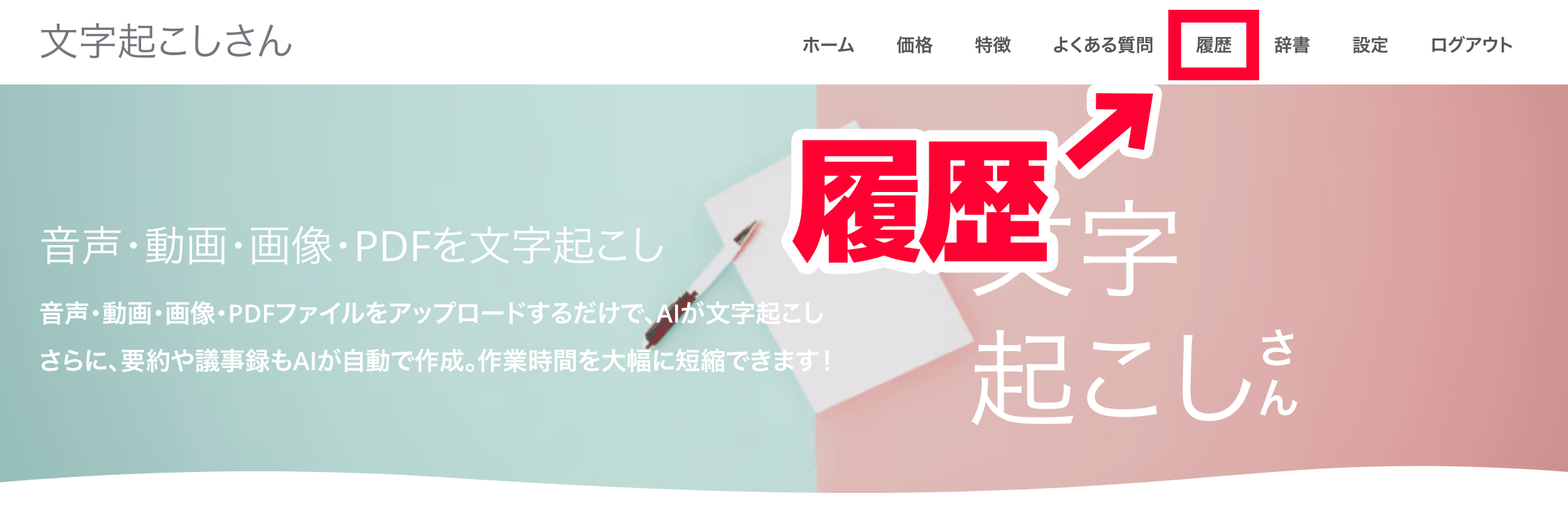
You can also check the transcription results from the link in the email or from "History" in the menu.
2. Create Meeting Minutes with Mr. Transcription
Next, create the meeting minutes from the transcription results.
Below the transcription results, there are buttons such as "Summarize" and "Create Minutes".
When you press "Create Minutes," the latest AI will generate meeting minutes from the transcription results.
The created meeting minutes can be downloaded in Word format.
Thus, meeting minutes can be created in just a few seconds!
This completes the process of creating meeting minutes using Mr. Transcription!
Mr. Transcription is available for free, so why not try transcribing with the latest AI yourself?
Why AI Transcription Apps are Recommended for Creating Meeting Minutes

Creating meeting minutes and AI transcription apps are a perfect match!
Let's explain the benefits of using AI transcription apps to create meeting minutes.
Complete Meeting Minutes in a Short Time
Using an AI transcription app allows you to create meeting minutes in much less time than typing them yourself.
Transcribing audio from a recorded meeting yourself, while listening, is actually a very difficult task.
For 1 hour of meeting audio, it takes at least 3 to 4 hours, even if everything goes smoothly.
In contrast, an AI transcription app can transcribe in just about 1 minute!
You can save the time spent on creating meeting minutes and use it for other tasks.
[Free Options Available] Create Meeting Minutes at Low Cost!
It is possible to outsource the creation of meeting minutes to specialized transcription companies or cloudworkers.
However, in that case, it can be very expensive.
Moreover, for specialized audio such as medical or legal content, the cost can increase further.
In contrast, AI transcription apps can transcribe for free!
Even if you subscribe to a paid plan, it is much cheaper than hiring a specialized company or cloudworker.
There's no need to wait for delivery, so you can create meeting minutes immediately after the meeting.
![How much does it cost to outsource audio transcription? [Tips for cheap outsourcing explained]](https://storage.googleapis.com/mojiokoshi3/post/image/%E6%96%87%E5%AD%97%E8%B5%B7%E3%81%93%E3%81%97%E3%81%AE%E6%96%99%E9%87%91%E7%9B%B8%E5%A0%B4%E4%BC%81%E6%A5%ADAI.png)
How much does it cost to outsource audio transcription? [Tips for cheap outsourcing explained]
For those who want to outsource transcription cheaply, we have compiled the market rates for AI, individual, and specialized transcription services. We also cover tips for successful outsourcing and techniques for ordering high-quality transcription at a low cost.
Prevents Listening Errors
When transcribing meeting audio yourself, there's a risk of mishearing content.
AI transcription apps process everything with AI, so there's no chance of mishearing.
The latest speech recognition AI is highly accurate, transcribing homophones and technical terms with high precision.
As you can see, AI transcription apps offer many benefits.
If you want to streamline meeting minute creation, the AI transcription app Mr. Transcription is highly recommended.
■ AI transcription service "Mr. Transscription"
"Mr. Transcription" is an online transcription tool that can be used from zero initial cost and 1,000 yen per month (* free version available).
- Supports more than 20 file formats such as audio, video, and images
- Can be used from both PC and smartphone
- Supports technical terms such as medical care, IT, and long-term care
- Supports creation of subtitle files and speaker separation
- Supports transcription in approximately 100 languages including English, Chinese, Japanese, Korean, German, French, Italian, etc.
To use it, just upload the audio file from the site. Transcription text is available in seconds to tens of minutes.
You can use it for free if you transcribe it for up to 10 minutes, so please try it once.

It is "Mr. Transcription" who can easily transcribe from audio, video, and images.
Transcription allows you to transcribe for up to 10 minutes for free.
You can copy, download, search, delete, etc. the transcribed text.
You can also create subtitle files, which is ideal for transcription of interview videos.
HP: mojiokoshi3.com
Email: mojiokoshi3.com@gmail.com
Email: mojiokoshi3.com@gmail.com
Related article
Transcription for audio / video / image transcription. It is a transcription service that anyone can use for free without installation.
- What is Mr. Transcription?
- Transcript images, sounds, and videos with Mr. Transcription
- Free registration
- Rate plan
- manual
- Try other free services






