Mr. Transcription Powers Up: New AI & File Formats!
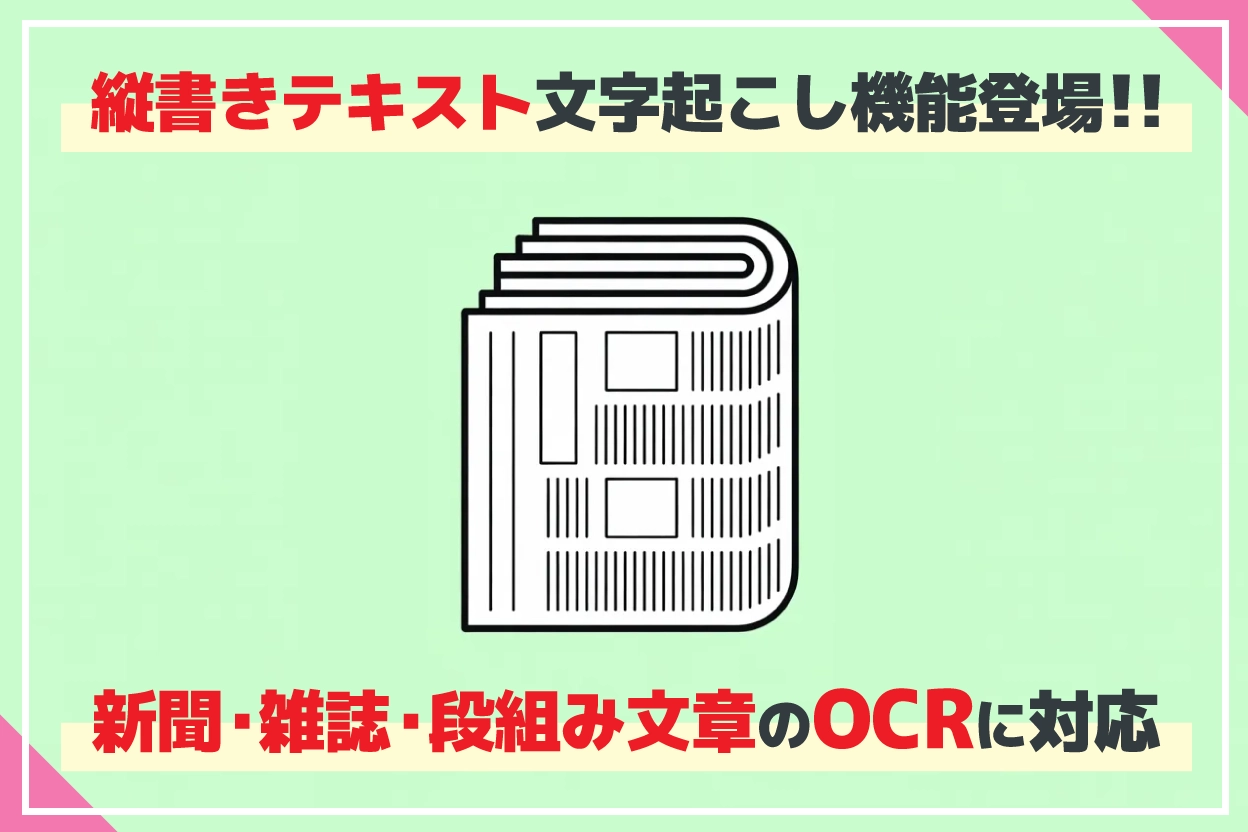
Vertical OCR: New AI Transcribes Newspapers, Books & More!
Jan. 29, 2026

I can't transcribe vertical newspapers or magazines~
No problem! Mr. Transcription can OCR vertical text!

Thank you for always using Mr. Transcription.
We are pleased to announce a new feature in Mr. Transcription that allows OCR of vertical text!
You can easily OCR and digitize vertical text from newspapers, magazines, books, and more, simply by importing them as photos or images.
What's more,
- Columns
- Headings
- Photo captions
can also be correctly transcribed by the latest AI, which automatically identifies them!
Since you can use it just by taking a photo with your smartphone, why not try transcribing vertical text for free with the AI app Mr. Transcription?
What are the features of Mr. Transcription's vertical text OCR for newspapers, magazines, and books?

The AI app Mr. Transcription's vertical text transcription feature is packed with convenient capabilities!
You can easily convert text from images or by simply taking photos of newspapers, magazines, and books on the spot, with high accuracy.
High-accuracy vertical text OCR from photos and images with an AI app
Mr. Transcription's vertical text transcription feature can recognize vertical characters contained in photos and images and output them as digital text data.
By adopting a new, dedicated AI for vertical writing, in addition to the AI Mr. Transcription previously used for horizontal writing OCR, we have achieved very high accuracy in recognizing vertical text!
Mr. Transcription is an AI web app that requires no installation.
You can easily use it by simply opening the page in your iPhone (iOS) or Android browser app.
Multi-language support for vertical text OCR, beyond Japanese
Mr. Transcription's vertical text OCR feature offers multi-language support for documents using vertical writing, including Japanese!
It can be used in a wide range of fields, not only for modern Japanese vertical text but also for OCR of historical documents written in classical Chinese.
Mr. Transcription's vertical text transcription feature supports the following languages:
- Japanese: Widely applicable for transcribing (OCR) newspapers, magazines, and books.
- Chinese (Traditional and Simplified): Capable of OCR for classical Chinese as well as modern Chinese texts.
- Korean: Can transcribe vertical Hangeul documents from before the 20th century.
- Mongolian: Can transcribe vertical Mongolian script.
Supports transcription of columnar text, headings, and photo captions!
Furthermore!
Mr. Transcription's vertical text OCR feature also supports transcription of:
- Columnar text
- Headings
- Photo/image captions
in newspapers and magazines!
Previously, when transcribing newspapers or magazines from photos or images using other apps like Google Docs, columnar text, headings, and photo captions would be mixed in with the main body text, making them unusable as-is.
In such cases, using Mr. Transcription is the solution!
Even with complex layouts like columns, the latest AI automatically determines the order of sentences and transcribes the main text separately from other elements.
This eliminates the tedious editing work after OCR when transcribing newspapers, magazines, and books, allowing you to focus on what you truly want to do, whether it's work, study, or research.
How to transcribe vertical text for free
Here, we will briefly explain how to transcribe vertical text using the AI web app Mr. Transcription.
This time, we will look at how to transcribe vertical text using only a smartphone.
*Instructions are based on iOS 26 for iPhone and Android 12 for Android smartphones.
1. Open the Mr. Transcription page
First, open Mr. Transcription's page.
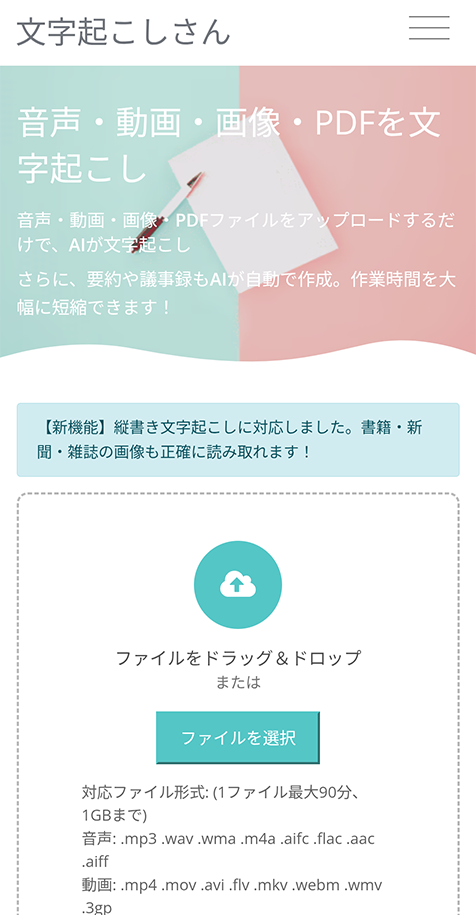
Mr. Transcription is an AI web app.
No app installation is required; you can use it directly from the top page.
2. Set the language (Japanese, Chinese, Korean, Mongolian)
Check if the language is set to that of the newspaper, magazine, or book you want to transcribe.
If it's set to another language, change it.
*If your browser's language setting is Japanese, the default setting will be Japanese.
3. Take a photo of the newspaper, magazine, or book
On your iPhone (iOS) or Android smartphone, tap "Choose File".
This will display options for taking a photo or selecting a file.
For iPhone/iPad (iOS)
For iPhone or iPad (iOS), select "Take Photo or Video".
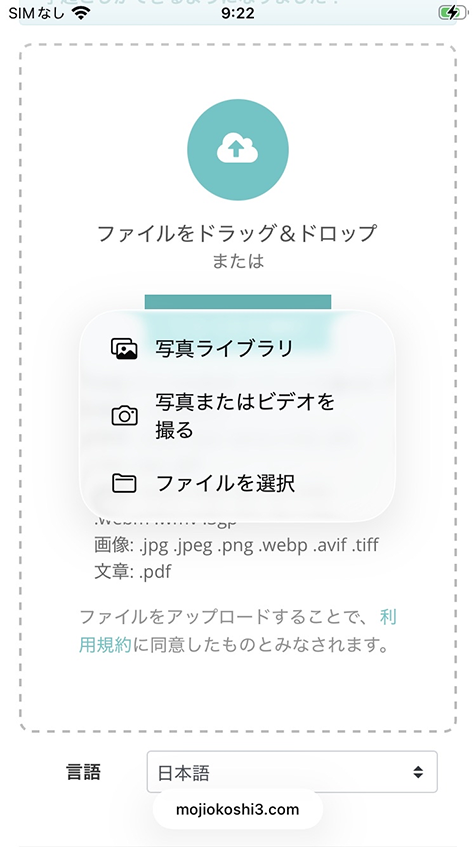
The camera app will open, allowing you to take a photo of the newspaper, magazine, or book.
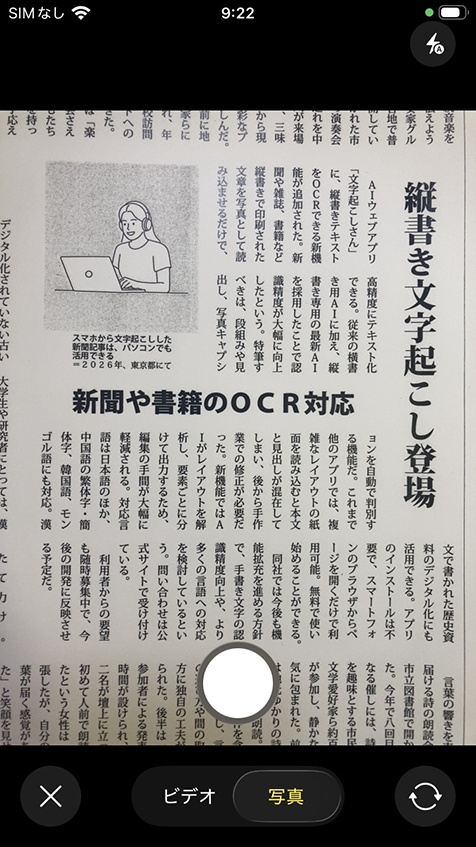
If the photo is satisfactory, tap "Use Photo".
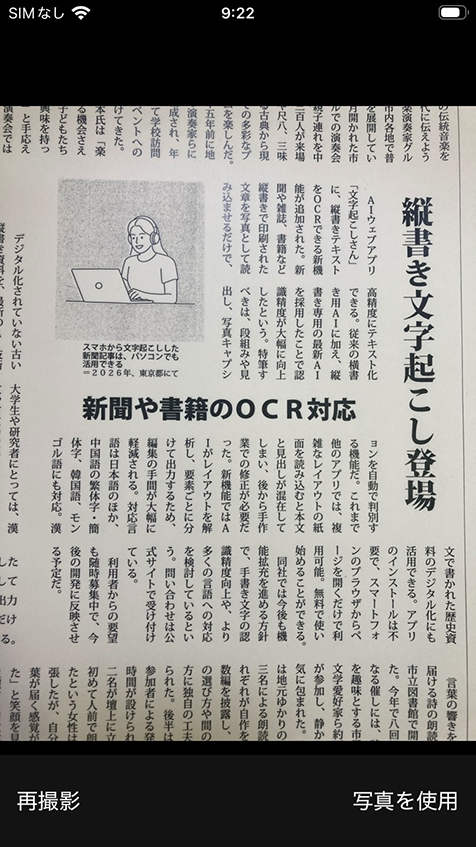
Now, the photo has been selected on the Mr. Transcription website.
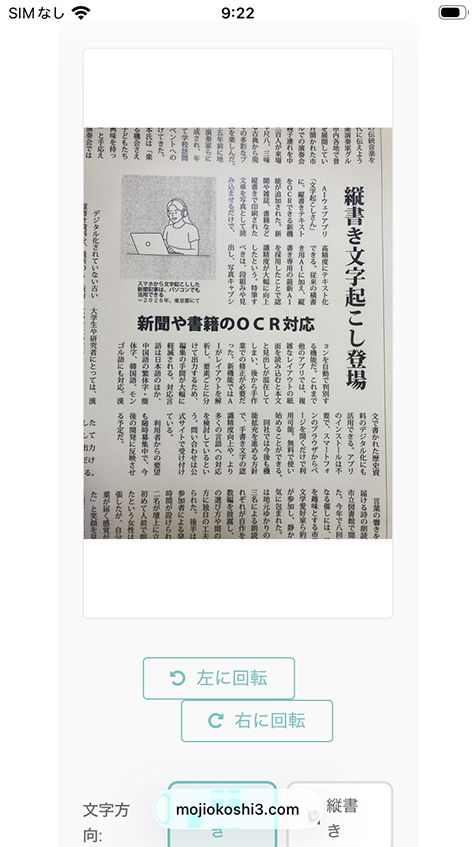
*You can also transcribe by selecting an image file from "Photo Library" or "Choose File".
For Android smartphones
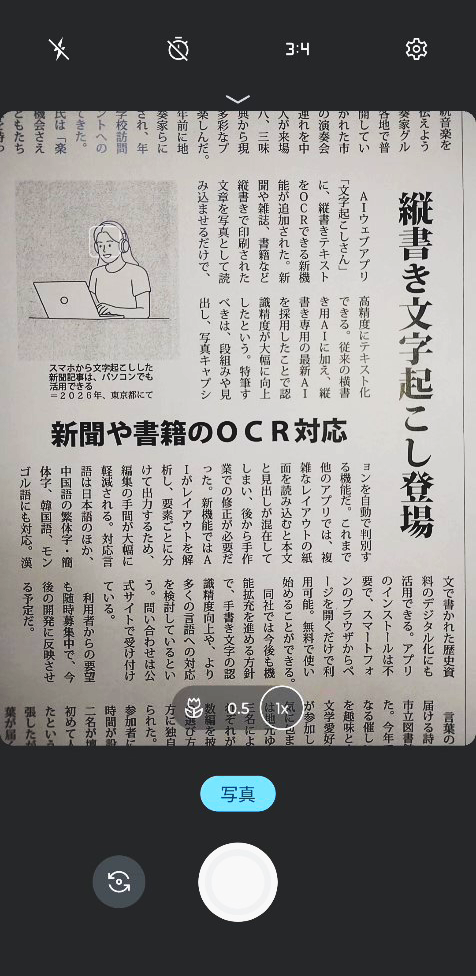
For Android smartphones, select "Camera".
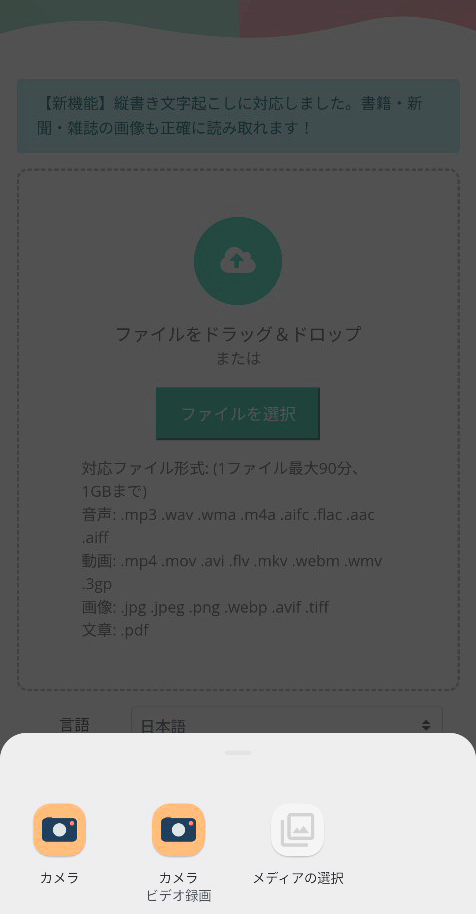
The camera app will open, allowing you to take a photo of the newspaper, magazine, or book.
After taking the photo, the image file of the photo will be selected on the Mr. Transcription website.
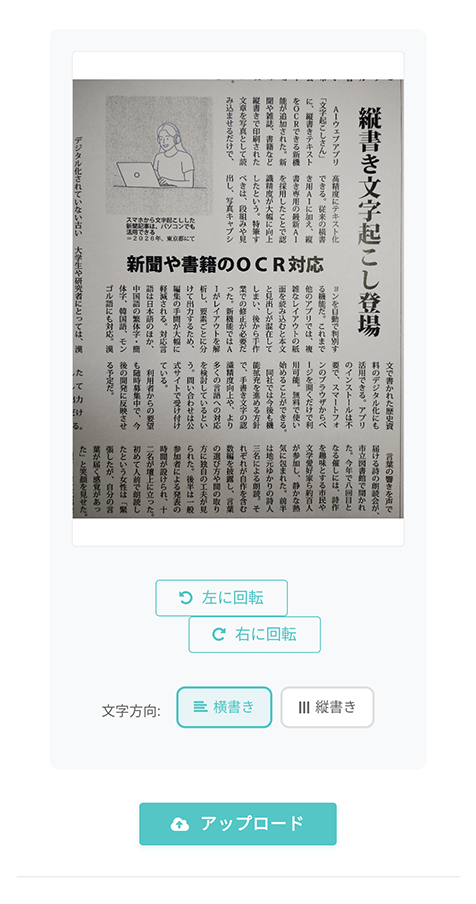
*You can also select an image file by pressing "Select media" to transcribe.
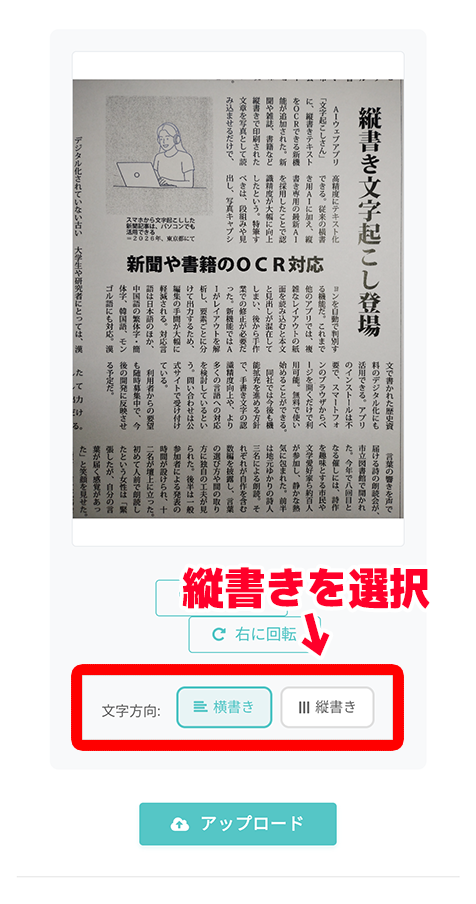
4. Select "Vertical" in the menu
This is the screen where the image file is selected.
Below the image file, there are options for:
- Horizontal
- Vertical
The default setting is horizontal, so tap "Vertical" to change it.
5. Upload photo/image file and transcribe
Now, you are ready to transcribe vertical text from newspapers, magazines, or books.
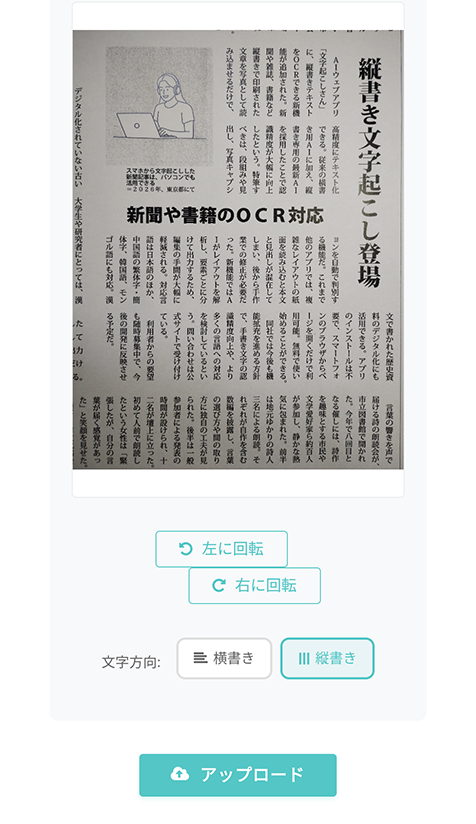
Tap "Upload" to upload the photo/image file.
Once uploaded, the transcription process will start automatically.
The transcription process is completed quickly with the latest AI.
The transcription results will be displayed as shown.
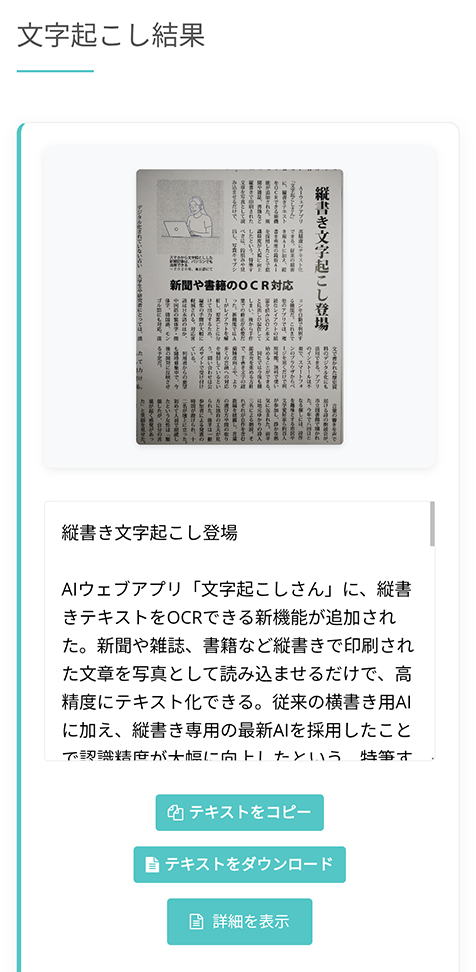
With this, you have successfully transcribed vertical text from newspapers, magazines, and books.
As you can see, Mr. Transcription makes it easy to digitize vertical text with complex layouts!
Why not try out the vertical text transcription feature of the AI app Mr. Transcription yourself?
Recommended ways to use the free vertical text transcription feature

Using the AI web app Mr. Transcription, you can OCR vertical text and utilize it for work, study, and research!
For example, it can be conveniently used in situations like these:
Digitize work documents for AI summarization and analysis
Want to analyze old, undigitized documents with the latest AI?
In such cases, Mr. Transcription is the solution!
You can easily digitize old vertical business documents, allowing for easy summarization and analysis with the latest AI.
Mr. Transcription is also recommended for OCR of microfilms
Mr. Transcription is also ideal for OCR of materials like old newspapers, magazines, and books that have been microfilmed!
It allows you to digitize and easily handle microfilm materials that were difficult to manage digitally.
OCR classical Japanese and Chinese texts for reports and research
Mr. Transcription's vertical text transcription feature can transcribe languages other than Japanese, making it recommended for university students, graduate students, and researchers!
If you select Chinese (中文) as the language, you can transcribe not only modern Chinese but also classical Chinese and Han texts, which can be utilized for report writing and research!
For example, let's take a photo of the classical Chinese text "Cai Gen Tan" and set the language to "中文" (meaning Chinese).
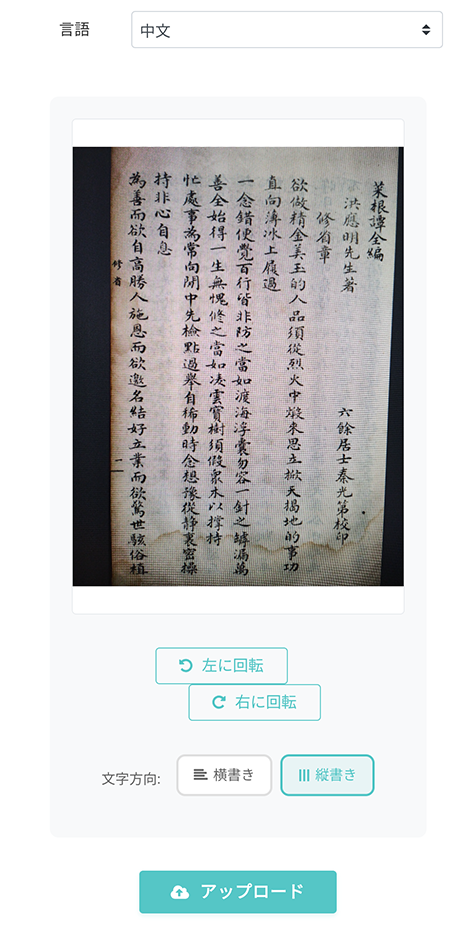
As a result, we were able to transcribe the classical Chinese text like this.
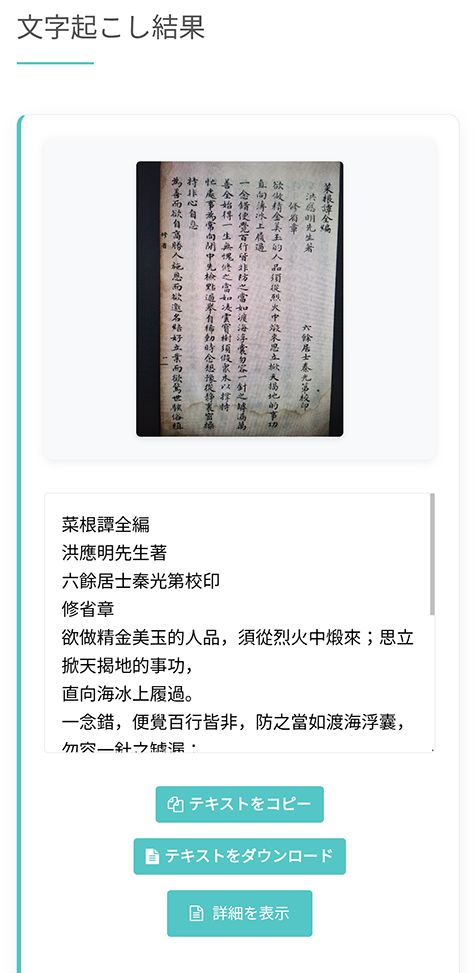
Classical Chinese was widely used in Japan, so it can also be useful when researching Japanese history and literature!
Mr. Transcription's vertical text transcription feature: Frequently Asked Questions
Here are frequently asked questions about Mr. Transcription's vertical text transcription feature.
Is it free to use?
A. Yes, it is free to use.
The number of free photos/images that can be used is counted the same as with the previous image transcription feature.
Q. Can handwritten text be transcribed?
A. Yes, it can be transcribed.
However, the recognition accuracy may decrease for handwritten text.
Q. Can text be transcribed even if the image resolution is low?
A. Transcription processing is possible. However, low image resolution will affect recognition accuracy.
Q. Are there cases where transcription might not work well?
A. If the layout is too complex, the output order may not be as expected.
Conveniently digitize newspapers, magazines, and books with Mr. Transcription!
As shown, using Mr. Transcription's vertical text transcription feature, you can conveniently OCR Japanese vertical text from newspapers, magazines, books, and more.
For work, study, report writing, or research, Mr. Transcription is highly recommended for vertical text OCR!
Furthermore, it supports multiple languages for vertical text, including Chinese, Korean, and Mongolian, allowing for wide application in various fields.
Why not try transcribing vertical text with the AI app Mr. Transcription yourself?
■ AI transcription service "Mr. Transscription"
"Mr. Transcription" is an online transcription tool that can be used from zero initial cost and 1,000 yen per month (* free version available).
- Supports more than 20 file formats such as audio, video, and images
- Can be used from both PC and smartphone
- Supports technical terms such as medical care, IT, and long-term care
- Supports creation of subtitle files and speaker separation
- Supports transcription in approximately 100 languages including English, Chinese, Japanese, Korean, German, French, Italian, etc.
To use it, just upload the audio file from the site. Transcription text is available in seconds to tens of minutes.
You can use it for free if you transcribe it for up to 10 minutes, so please try it once.

It is "Mr. Transcription" who can easily transcribe from audio, video, and images.
Transcription allows you to transcribe for up to 10 minutes for free.
You can copy, download, search, delete, etc. the transcribed text.
You can also create subtitle files, which is ideal for transcription of interview videos.
HP: mojiokoshi3.com
Email: mojiokoshi3.com@gmail.com
Email: mojiokoshi3.com@gmail.com
Related article
Transcription for audio / video / image transcription. It is a transcription service that anyone can use for free without installation.
- What is Mr. Transcription?
- Transcript images, sounds, and videos with Mr. Transcription
- Free registration
- Rate plan
- manual