Mr. Transcription: Get & Print Stripe Receipts Easily!
Free Audio Transcription: Easy Voice-to-Text Guide (2026)
Oct. 14, 2026

What does "transcription" mean for recordings? How is it different from general audio transcription?
For those with such questions, we will clearly explain audio transcription for recordings.
When utilizing recorded audio from interviews, meetings, or court proceedings as text, the crucial process is "transcription".
- Differences between transcription and general audio to text conversion
- Key points for accurate transcription
- Methods for free transcription
This article will cover everything from the basics to practical applications of recorded audio transcription!
While recorded audio transcription previously required professional services, it can now actually be completed for free using AI.
When you're struggling with recorded audio transcription, why not smartly convert your audio to text using the recommended services and apps introduced in this article?
Free AI Services & Web Apps Recommended for Recorded Audio Transcription

For recorded audio transcription, Mr. Transcription is highly recommended!
Mr. Transcription is a free service that uses the latest speech recognition AI to convert audio, video, images, and PDFs into text.
As a web app, it can be used instantly and for free on any device: PC, smartphone, or tablet!
It can accurately convert long audio files into text in just about 1 minute, so it's perfect for:
- Those who need immediate transcription after recording audio
- Those with a large amount of untranscribed audio data
- Those concerned about the cost of outsourcing long transcriptions to professionals
It solves all your business challenges related to recorded audio transcription and audio-to-text conversion!
You can get transcriptions done faster and at a lower cost than hiring a professional service.
You can convert up to 3 minutes of audio per day without registration or login, and up to 10 minutes per day with a free registration. Why not experience Mr. Transcription's recorded audio transcription from this page first?
What is Transcription? Explaining the Basics and Key Points of Recorded Audio Transcription
How do recorded audio transcription and audio translation differ from general audio to text conversion?

First, we'll briefly explain the meaning and key points of transcription.
Original Meaning of "Hanyaku": A Term Older Than Recorded Audio
Hanyaku (反訳) refers to the act of transcribing recorded audio into text.
However, it originally had a different meaning.
The original meaning of hanyaku was to rewrite shorthand notes into a human-readable text format.
Shorthand is a technique that uses special symbols, called shorthand characters, to record the contents of national diets, local assemblies, court proceedings, and meetings.
Since shorthand symbols are not readable as they are, it was necessary to "hanyaku" them later to rewrite them into regular text.
Later, as audio recording technology advanced and the use of shorthand decreased, transcribing from audio came to be called "hanyaku."
Since it involves transcribing from recorded audio, it is sometimes referred to as "rokun hanyaku" (recorded audio transcription) or "onsei hanyaku" (audio transcription).
What's the Difference Between "Hanyaku" and "Moji-okoshi," "Tape-okoshi," or "Kaki-okoshi"?
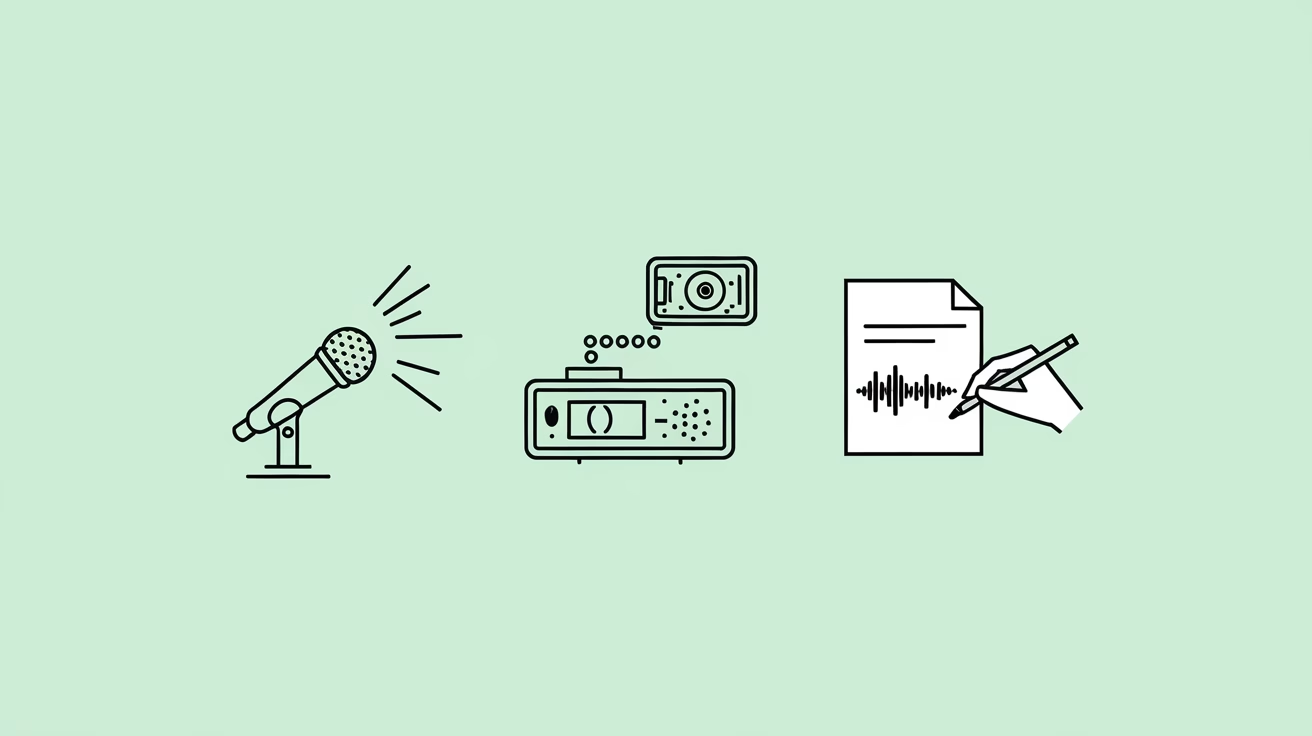
While "hanyaku" previously referred to transcribing from shorthand, nowadays
- Hanyaku (反訳)
- Moji-okoshi (文字起こし - transcription)
- Tape-okoshi (テープ起こし - tape transcription)
- Kaki-okoshi (書き起こし - transcription)
are used with the same meaning.
Especially today, the process of converting recorded audio into text is often called "moji-okoshi" (transcription).
However, in government agencies and legal contexts, the term "hanyaku" is still used.
The "hanyaku-sho" (transcription document) used in court is one such example.
What is a "Han'yaku-sho" (Transcript for Legal Use)? Characteristics of Transcribing Recorded Audio for Court

A term similar to "han'yaku" (transcription for legal use) is "han'yaku-sho" (legal transcript).
A han'yaku-sho is a document created by transcribing recorded audio, used as evidence in court.
A han'yaku-sho used as court evidence must be transcribed in a prescribed format.
What is particularly important is that the content of the recorded audio is transcribed exactly as it is, without any changes.
If only parts of the recorded audio content are extracted or edited, it will not be accepted as court evidence.
When creating a han'yaku-sho for court, it is recommended to transcribe the recorded audio using the "verbatim transcription" method.
What are the 3 Forms Used in Han'yaku (Transcription, Tape Transcription, Written Transcription)?
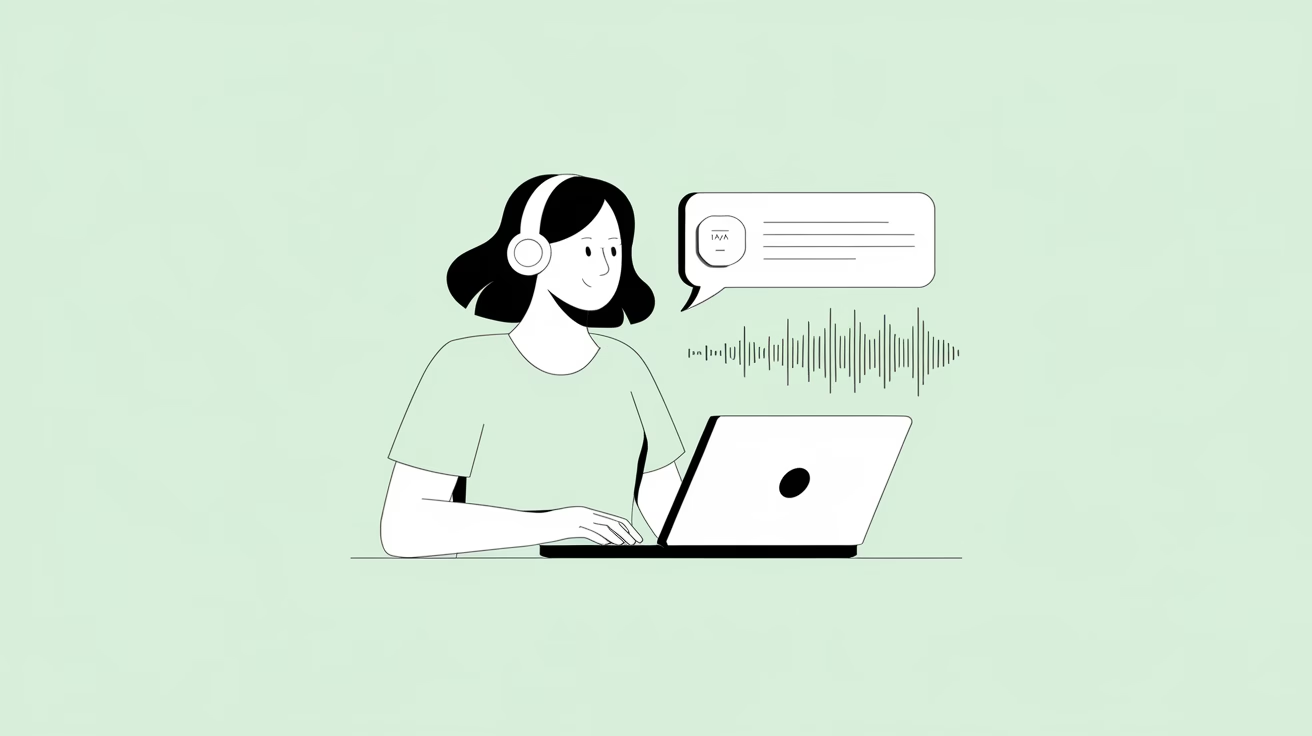
There are broadly three types of methods for transcribing recorded audio into text.
Verbatim Transcription: Transcribing Recorded Audio Exactly as Is
Verbatim transcription means transcribing audio recorded with an IC recorder or smartphone app exactly as it is, without changing a single word.
For example, meaningless words (fillers) such as "uh," "um," and "hmm" are not omitted but are transcribed as they are.
Verbatim transcription minimizes the transcriber's subjectivity, making it suitable for situations where accuracy is paramount, such as legal transcripts for court.
It is also used in recorded transcription for purposes where subtle nuances are important, such as counseling, as it can record atmosphere and emotions.
For verbatim transcription and audio reversal, free AI transcription services and apps are recommended.
If you're looking to transcribe audio verbatim, using a free AI transcription service is highly recommended.
AI transcription services (transcription apps) are tools that transcribe (convert to text) recorded audio using AI speech recognition.
Since they automatically process recorded audio, you can transcribe content without missing any details.
Using a web app like Mr. Transcription, which can transcribe audio in as little as one minute, allows for much faster audio transcription than hiring a professional service.
Since it's free, why not try Mr. Transcription first?
※However, if you plan to use the transcription as an official document, such as a court transcript, remember to have it checked by a professional.
This article provides a detailed explanation of how to transcribe audio files. Please take a look.
"Kebatori": Transcribing audio by removing only unnecessary parts
Kebatori refers to the process of transcribing audio by removing meaningless parts like "uh," "um," and "hmm" when converting speech to text.
It also involves correcting parts where the speaker made a mistake, but:
- Tone: A mix of formal ("desu/masu") and informal ("da/dearu") styles
- Speaking order: Inverted sentences, mixed topics
- Sentence endings: Including "ne" or "yo"
These elements are kept as they are in the text, allowing the transcription to retain the atmosphere of the meeting or interview.
Since it strikes a good balance between readability and accuracy of content, it is often used for transcribing recorded audio from meeting minutes, interviews, and round-table discussions.
Refinement: Transcribing Recorded Audio for Readability
Refinement is the process of editing a transcribed text (transcription) to improve readability while maintaining accuracy.
It involves further editing a text that has already undergone "kebatori" (removal of filler words) transcription, by:
- Changing spoken language endings to written language style
- Reordering inverted sentences or topics for better flow
- Correcting clear factual errors in the content
In this way, the text is revised into a format that is easy to read as a written document.
This format is often used when recorded audio content is intended for publications or official documents.
This article provides a more detailed explanation of verbatim transcription, "kebatori," and refinement.
Please take a look.

[Free Options Available] AI Services and Apps Recommended for Kebatori and Refinement Transcription
![[Free Options Available] AI Services and Apps Recommended for Kebatori and Refinement Transcription](https://blog-generator.kabushikigaisha3.com/d65bc544-ac80-477a-b55e-ea3744e3d1a9.avif)
Even when performing "kebatori" or refinement transcription, AI transcription services (transcription apps) are highly recommended.
Previously, recorded audio transcription required hiring specialized agencies, which involved long turnaround times and high costs.
With AI transcription services, even long audio recordings can be converted to text in just about 1 minute.
After that, with simple edits, you can perform "kebatori" and refinement transcription much faster than hiring a professional service.
Moreover, there are even free web apps like Mr. Transcription, allowing you to experience the performance of AI speech recognition right away.
Why not try an AI transcription service for free first, even for "kebatori" and refinement transcription?
Recommended Free AI Transcription Service: Mr. Transcription
If you need to transcribe recorded audio, Mr. Transcription is highly recommended!
Mr. Transcription is an AI transcription service that uses the latest speech recognition AI for audio transcription.
It's ideal for anyone looking for a highly accurate AI transcription app for professional use.
With its high-performance speech recognition AI, it can accurately convert even audio with specialized terminology or poor sound quality into text with high precision.
Even long audio files can be transcribed in just about 1 minute, making it much faster than professional transcription services.
As a web app, anyone can easily start using it immediately by simply opening the top page from here.
What's more, Mr. Transcription is free.
No registration is required for a free trial of up to 3 minutes per day, and free members can transcribe up to 10 minutes per day. So, if you're wondering how to transcribe audio, why not try Mr. Transcription first?
※If the audio you want to transcribe exceeds 10 minutes, please check our paid plans on the pricing page.
How to Transcribe Recorded Audio for Free: A Guide to Using AI Transcription Services and Apps
Tell me how to transcribe recorded audio using an AI transcription service!
From here, we will explain the process of transcribing recorded audio using the free AI transcription service (web app) Mr. Transcription.
1. Prepare the Recorded Audio for Transcription

First, you need to prepare the recorded audio file for transcription.
When recording audio with an IC recorder or a smartphone app, paying attention to two key points can help you achieve good sound quality and avoid recording failures.
Use a Dedicated Stand for Recording Devices
When recording meetings or interviews, it's recommended to use a dedicated stand for your recording device instead of placing it on the same table where people are sitting.
If you place the recording device on a table, the microphone might pick up sounds of hands resting on the table or vibrations from typing on a keyboard, degrading the audio quality.
Enable Airplane Mode When Recording with a Smartphone
If you're using a smartphone app to record audio instead of a dedicated recording device, don't forget to set it to airplane mode.
If airplane mode is not enabled, the recording might be interrupted if a call comes in.
Also, make sure to turn off app notifications.
2. Upload Audio Files to Mr. Transcription
Once you have your recorded audio, upload the audio file to Mr. Transcription.
Click here to open the Mr. Transcription top page.
Click "Select" to choose your audio file.
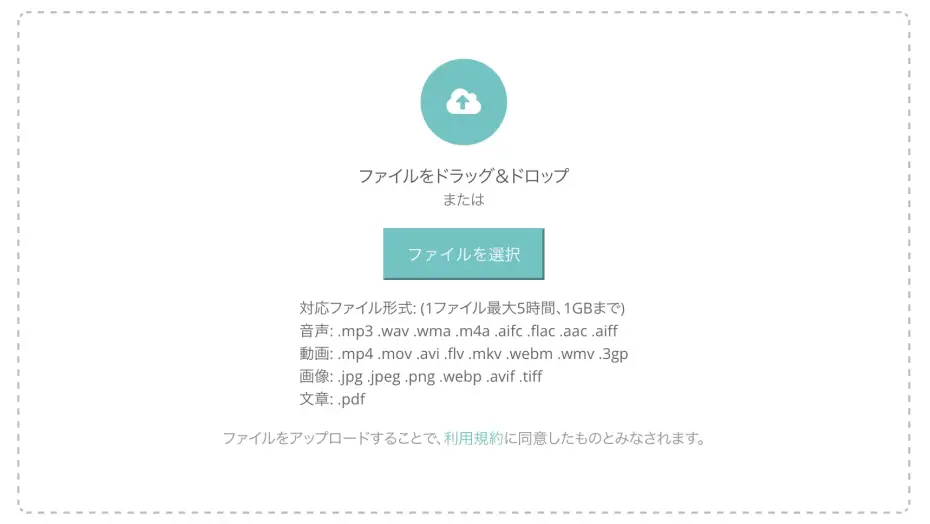
You can upload from your smartphone, so you don't need to copy audio recorded with an app to your PC for transcription.
※Mr. Transcription supports various audio file formats for transcription, which are detailed on our supported file formats page.
With Mr. Transcription, if you register for a free account, you can transcribe up to 10 minutes per day!

The file is now selected.

Click "Upload" to start the upload process.
It will display "Uploading..." like this.

Once the upload is complete, the transcription process will begin.
It will display "Transcribing..." like this.

※If you are using the free version, keep the screen open and wait. The process usually finishes in about 10 seconds!
3. Transcription Complete! Free and Easy Audio Transcriptions
Once the transcription is complete, the screen will automatically switch, and your transcription results will be displayed.
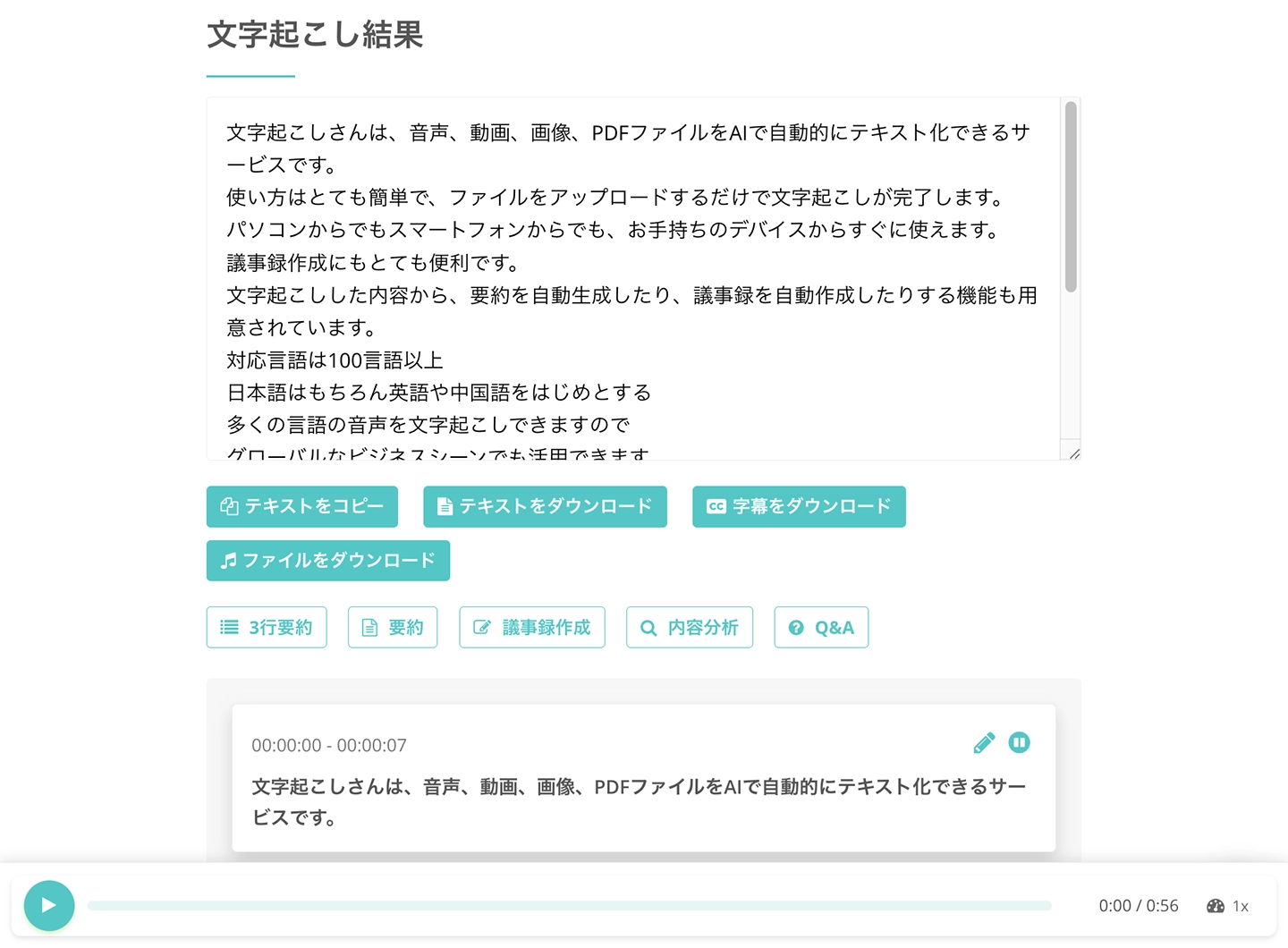
Mr. Transcription is a highly functional web application.
Amazingly, you can use these features for free:
- Subtitle creation
- Summarization
- Meeting minutes generation
- Content analysis
- Q&A function
You can use these for free!

It doesn't just convert audio to text; it also automatically organizes it into a usable format, making it valuable in various situations such as meetings, interviews, and video editing.
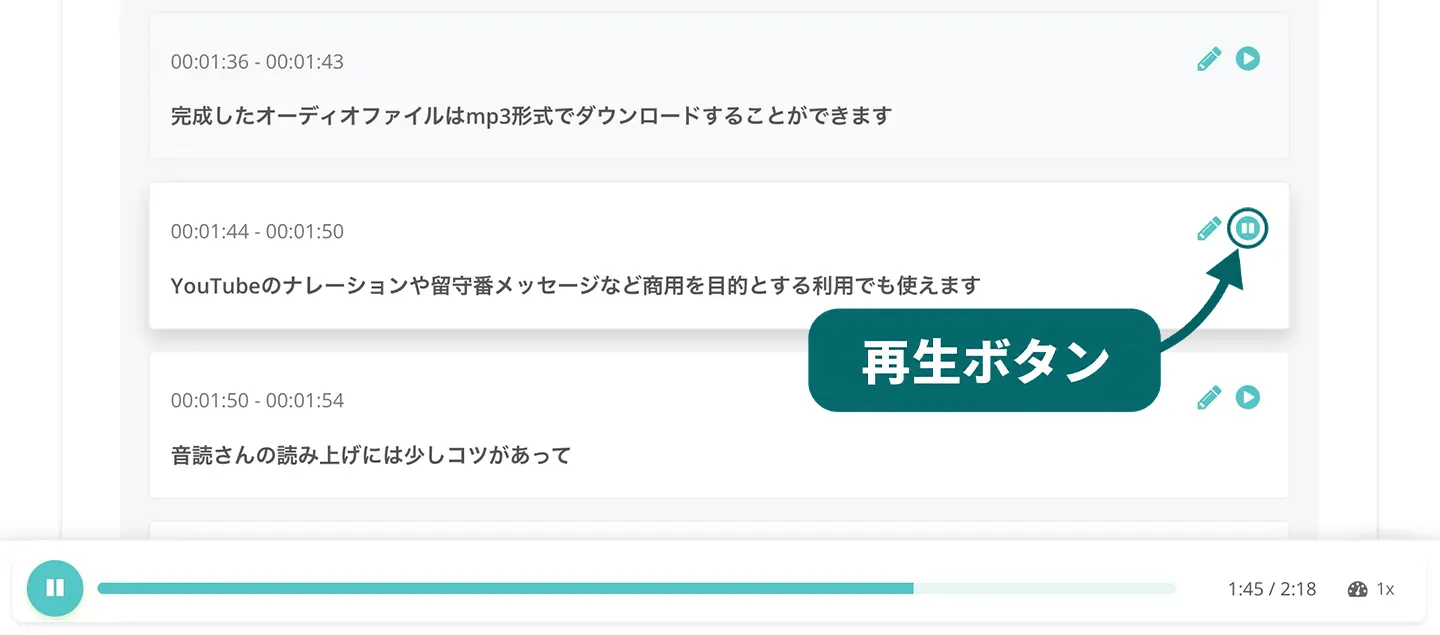
Furthermore, on the transcription results screen, you can check audio segments individually by pressing the play button,
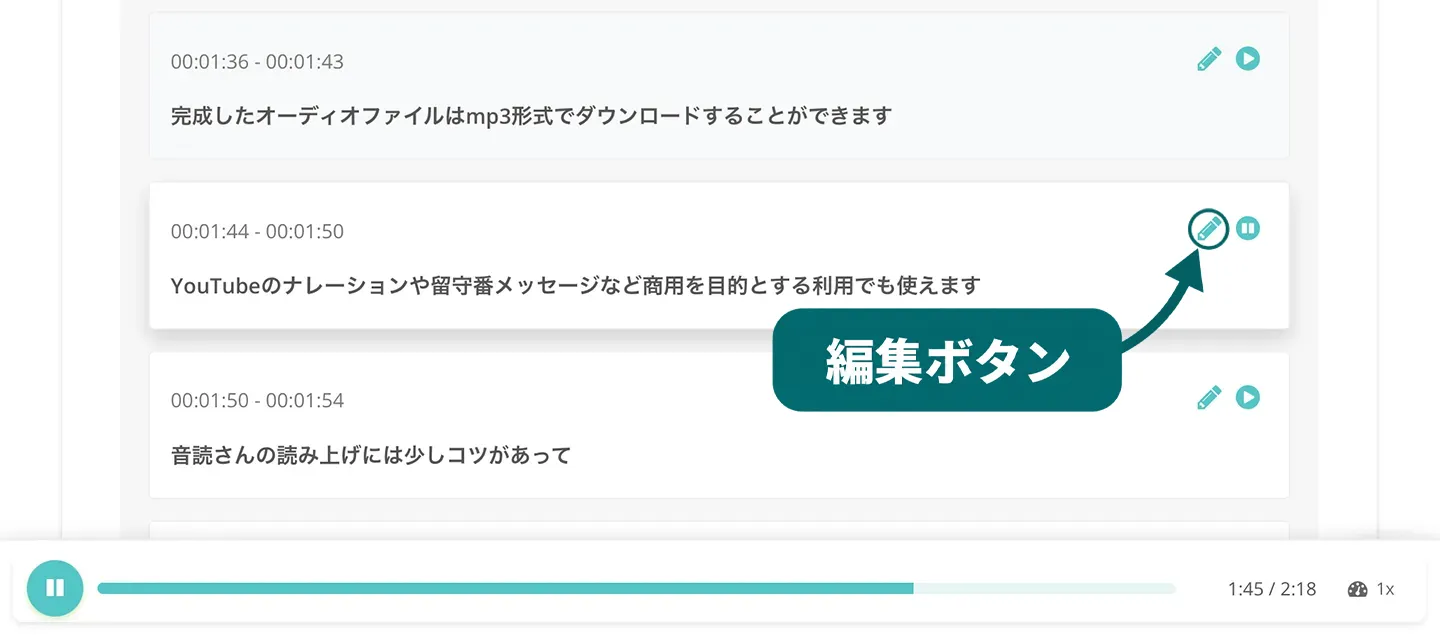
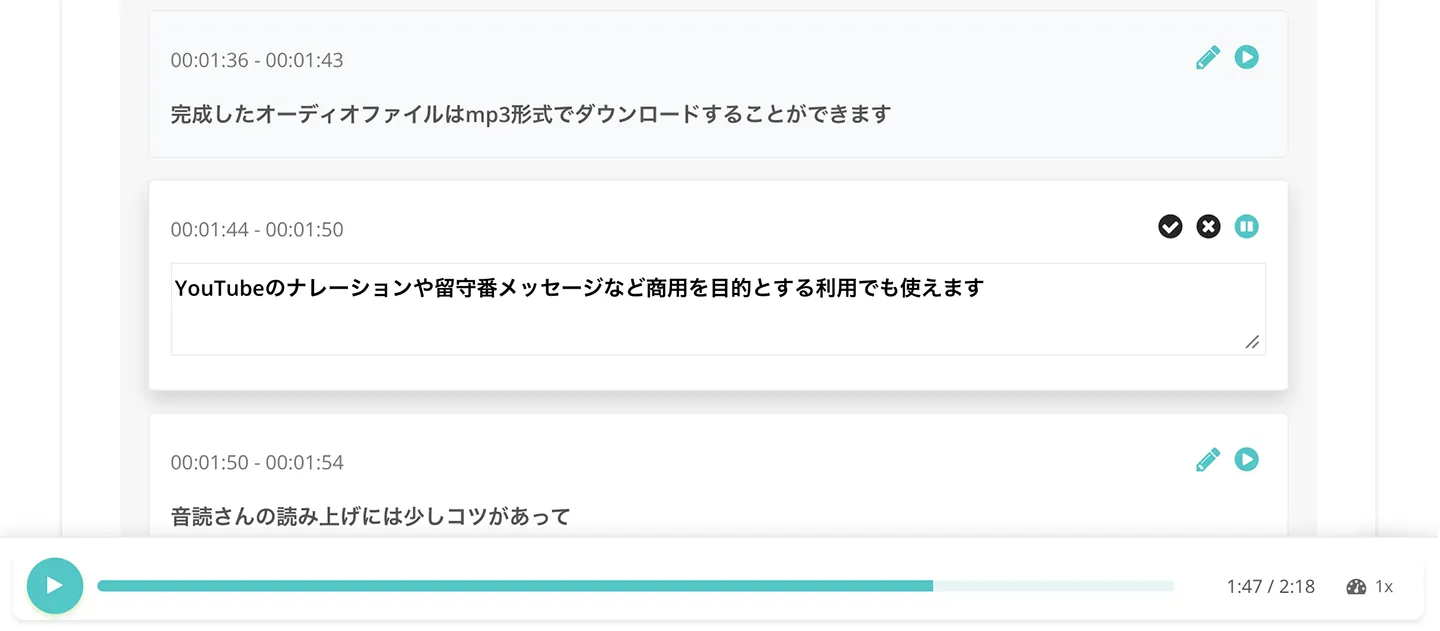
and edit and save the content by pressing the edit button.
A detailed guide on how to use Mr. Transcription is explained in this article: "Mr. Transcription User Guide: From Registration to Transcription Completion." Please check it out.
Why not experience Mr. Transcription's audio transcription for free with our AI web app Mr. Transcription?
■ AI transcription service "Mr. Transscription"
"Mr. Transcription" is an online transcription tool that can be used from zero initial cost and 1,000 yen per month (* free version available).
- Supports more than 20 file formats such as audio, video, and images
- Can be used from both PC and smartphone
- Supports technical terms such as medical care, IT, and long-term care
- Supports creation of subtitle files and speaker separation
- Supports transcription in approximately 100 languages including English, Chinese, Japanese, Korean, German, French, Italian, etc.
To use it, just upload the audio file from the site. Transcription text is available in seconds to tens of minutes.
You can use it for free if you transcribe it for up to 10 minutes, so please try it once.

It is "Mr. Transcription" who can easily transcribe from audio, video, and images.
Transcription allows you to transcribe for up to 10 minutes for free.
You can copy, download, search, delete, etc. the transcribed text.
You can also create subtitle files, which is ideal for transcription of interview videos.
HP: mojiokoshi3.com
Email: mojiokoshi3.com@gmail.com
Email: mojiokoshi3.com@gmail.com
Related article
Transcription for audio / video / image transcription. It is a transcription service that anyone can use for free without installation.
- What is Mr. Transcription?
- Transcript images, sounds, and videos with Mr. Transcription
- Free registration
- Rate plan
- manual
- Try other free services






