文字起こしさんで見積書・請求書を簡単に発行する方法!銀行振込に対応
Korean Transcription with AI for Beginners: Hangul OCR Guide
Oct. 15, 2026
How can I transcribe Korean?

For studying Korean or traveling in Korea, we recommend transcribing Korean!
With Korean celebrities, K-pop and Korean dramas, Korean and Hangul are becoming more and more familiar.
Still, understanding the Korean in movies, dramas and YouTube videos is very difficult.
In that case, if you transcribe the Korean and translate it, you can understand Korean very easily.
With an AI transcription service, anyone can transcribe Korean audio and video right away.
It also supports images and PDFs, so you can even convert Hangul on Korean products and in Korean apps into text from a photo (OCR).
For transcribing Korean audio and running OCR on Hangul, we recommend an AI transcription service!
A recommended AI transcription service for Korean and Hangul

If you want to transcribe Korean and Hangul, we recommend "Mr. Transcription"!
"Mr. Transcription" is an AI transcription service that transcribes Korean with the latest AI, with high accuracy and high performance.
Just upload Korean audio or video, and anyone can easily convert it to text.
With its high-performance, latest AI speech recognition engine, even long audio files are transcribed in just about 1 minute!
From studying Korean to business exchanges with Korea, it transcribes Korean accurately in any field.
"Mr. Transcription" also supports transcription of images and PDFs.
It can instantly convert Hangul on Korean products and in Korean apps into text (OCR).
And "Mr. Transcription" is free!
You can transcribe for free up to 3 minutes per day without registration or login, and up to 10 minutes per day with an account. Why not try "Mr. Transcription" when you transcribe Korean?
AI is the best way to transcribe Korean and Hangul: features and benefits of the service
Music, movies, dramas: Korean culture is becoming ever more familiar.
Many people are studying Korean, but understanding native Korean audio is difficult.
If you like Korean culture, you have probably wanted to convert the Hangul in Korean apps into text (OCR) to understand what it says.
In that case, we recommend using a modern AI transcription service.
An AI transcription service is ideal for Korean and Hangul

"I want to turn Korean audio or video into text…"
For that, we definitely recommend trying an AI transcription service that supports Korean!
Transcription means writing out the content of audio or video as text.
Today, you can use a service with the latest AI speech recognition to convert audio to text for free.
It also has a function to convert Hangul from images, PDFs and photos into text (OCR).
Convert Korean audio and video to text quickly!

When watching Korean dramas, Korean movies or Korean YouTube videos, a common problem is not being able to understand the Korean.
Even people who study Korean find it very hard to follow native pronunciation, right?
In that case, just convert the Korean audio or video to text with an AI transcription service!
You can transcribe Korean easily in a short time.
Real-time captions on video sites often contain speech recognition errors, but an AI service specialized in transcription can convert audio to text accurately and without mistakes!
* When transcribing audio or video, please use it only within the scope permitted by copyright.
Get Korean study material! Useful for learning Hangul too

It is also recommended for studying Korean listening and speaking!
By transcribing native Korean into Hangul text, you can study pronunciation while looking at the text.
You can practice speaking by reading the transcribed text aloud, or learn new words while looking at the Hangul. The ways to use an AI transcription service are endless!
From videos, music and photos, you can get Korean and Hangul study materials for free.
Works with NAVER content too. Handy for Korean apps and services

When searching for information in Korean, a common problem is that some Korean services make it hard to copy text.
For example, some services run by NAVER, a major Korean internet company, do not let you copy the text.
You may also want to translate the content of a Korean smartphone app.
For Japanese people who cannot read Hangul, it is a real problem that translation apps cannot be used if the text cannot be copied.
In that case, just take a screenshot of the screen and convert the Hangul to text (OCR) with an AI transcription service to solve it!
You can paste the text into a translation service or translation app and translate the Hangul.
How to transcribe Korean audio and video

I want to know the steps for transcribing Korean!
From here, we will show concretely how to transcribe Korean audio and video with the AI transcription service "Mr. Transcription"!
1. Open the "Mr. Transcription" page
Open the top page of "Mr. Transcription" from here.
You use "Mr. Transcription" by uploading a file from the top page.
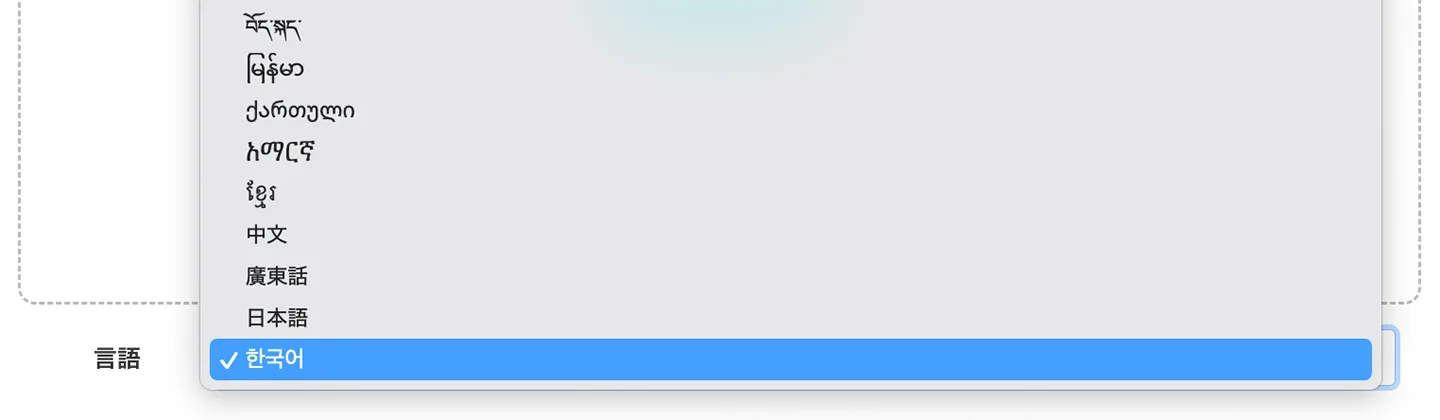
2. Select "Korean" under language
From the "Language" menu, select "한국어" (meaning "Korean").
3. Select a file
Click "Select file" or drag and drop a file to choose your Korean audio file.
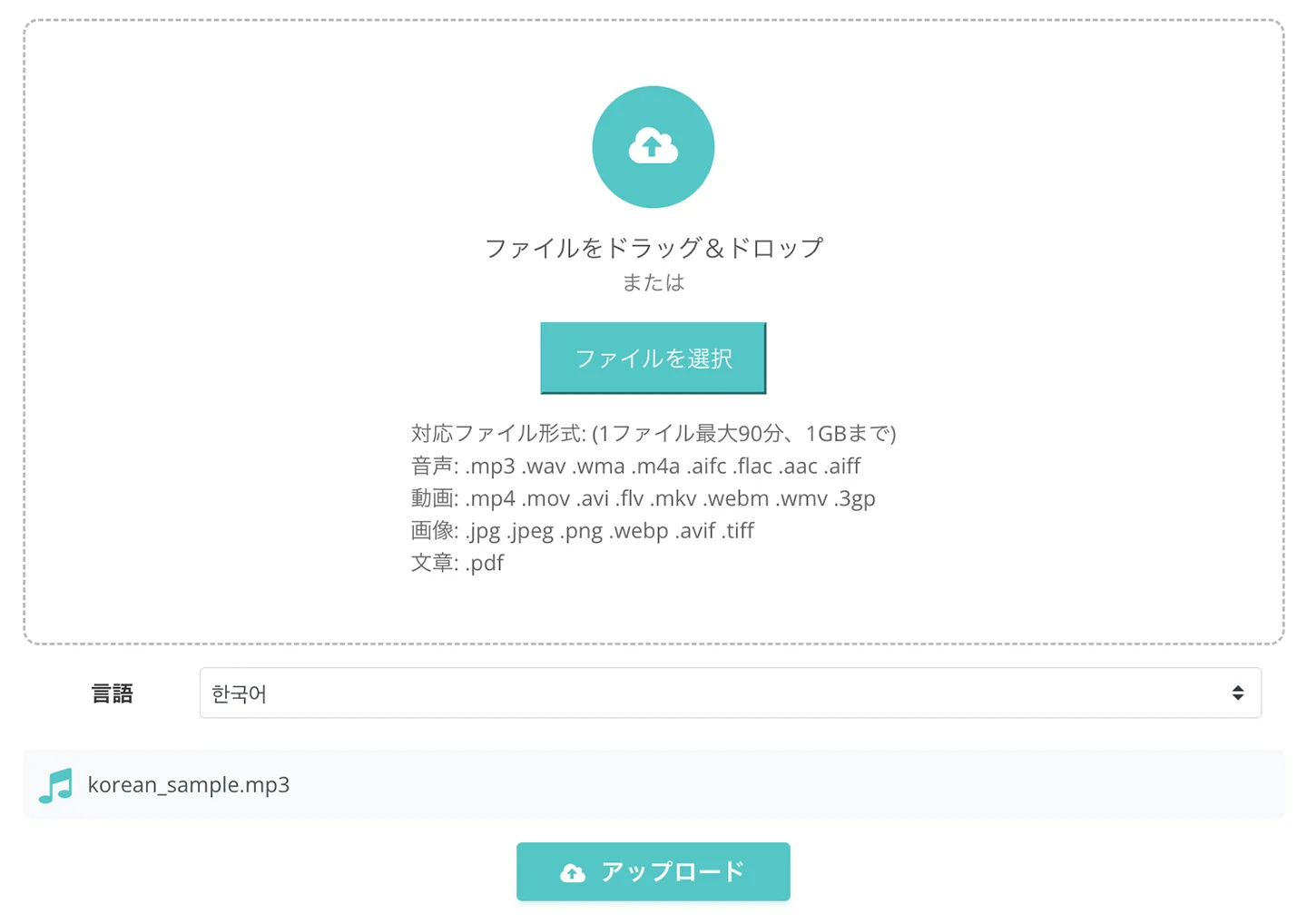
With an account, you can transcribe up to 10 minutes per day for free!

4. Start the transcription
Click the "Upload" button to upload the file.
When the upload finishes, transcription starts automatically.

For a free transcription or a short audio file, keep the screen open and wait.
If you are logged in, you can close the screen
If you are registered and logged in and transcribe a long file, you can close the screen once the upload is finished.
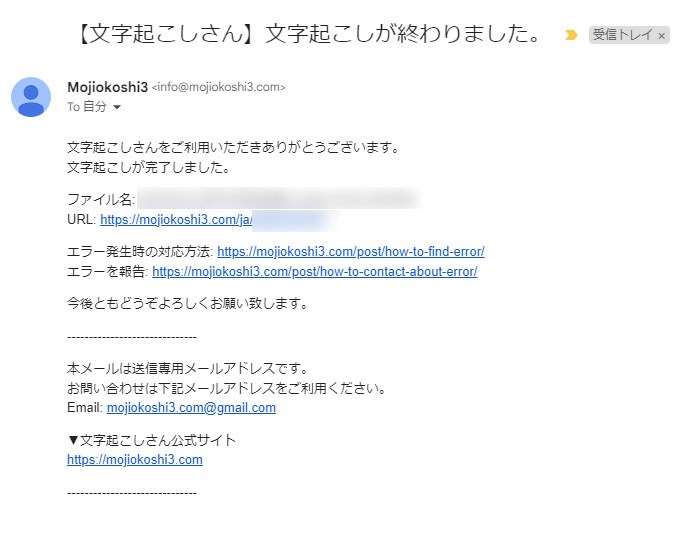
You will be notified by email when the transcription is complete.
Even long audio and video files are transcribed in about 1 minute!

5. The Korean transcription is complete
When the transcription is complete, the screen switches and the result is displayed.
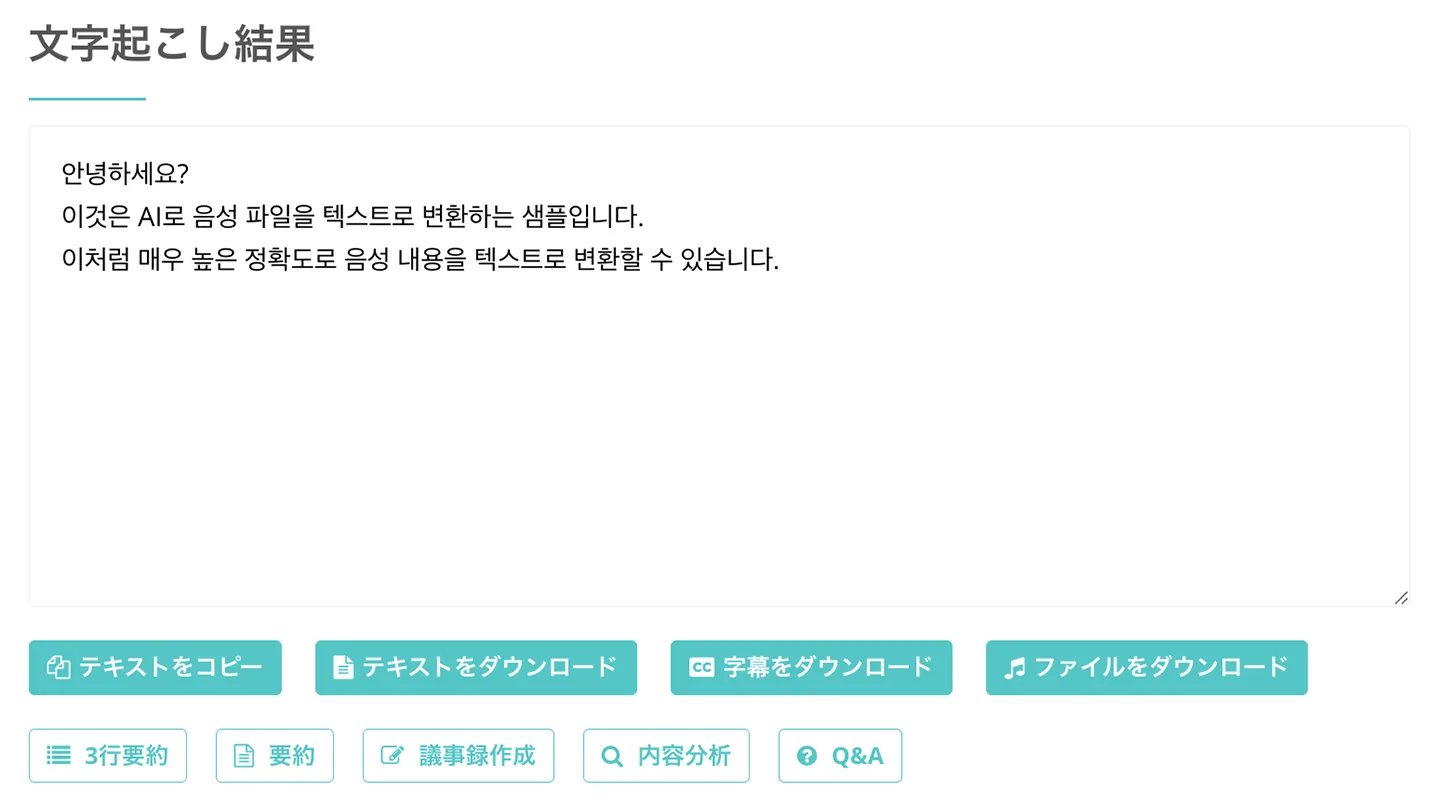
That completes the transcription!
With the result, you can play the audio section by section, as shown here,
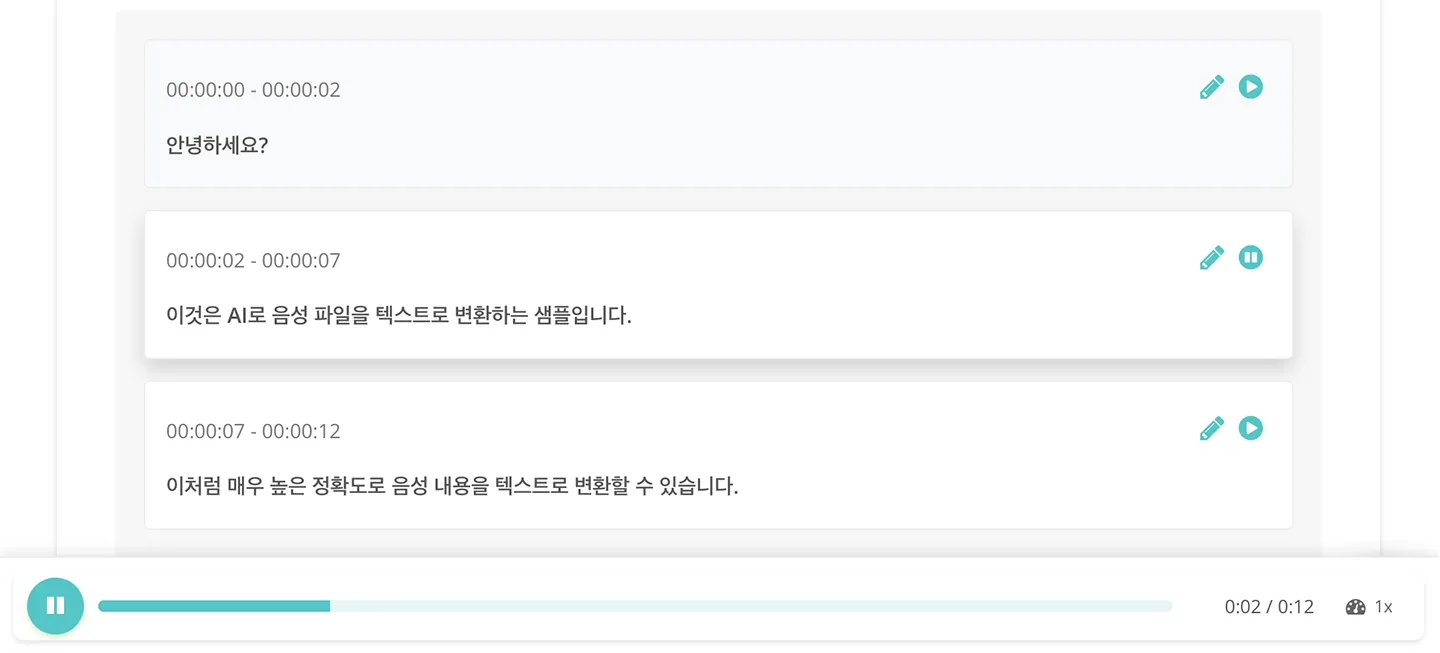
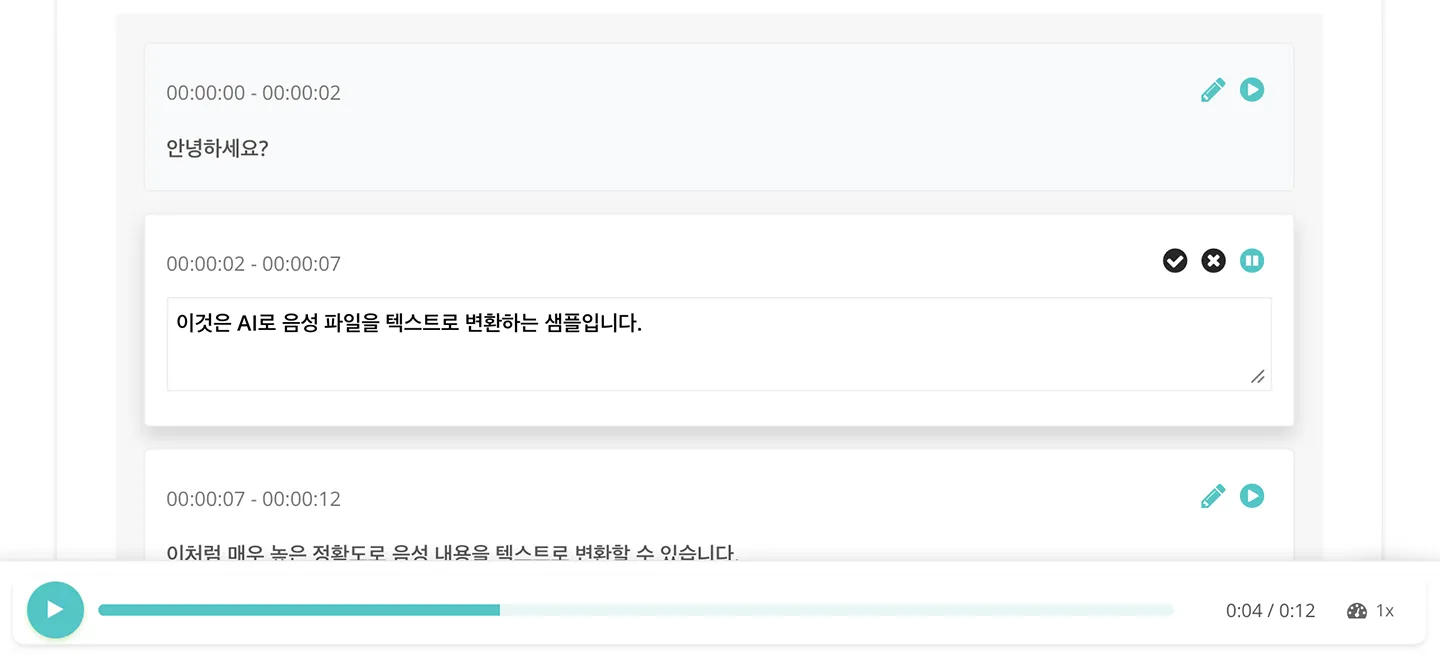
or edit the text while listening to the original audio.
If you registered, logged in and transcribed a long file, you can also open the result from the link in the email.
You can also check transcription results from "History" in the "Mr. Transcription" menu.
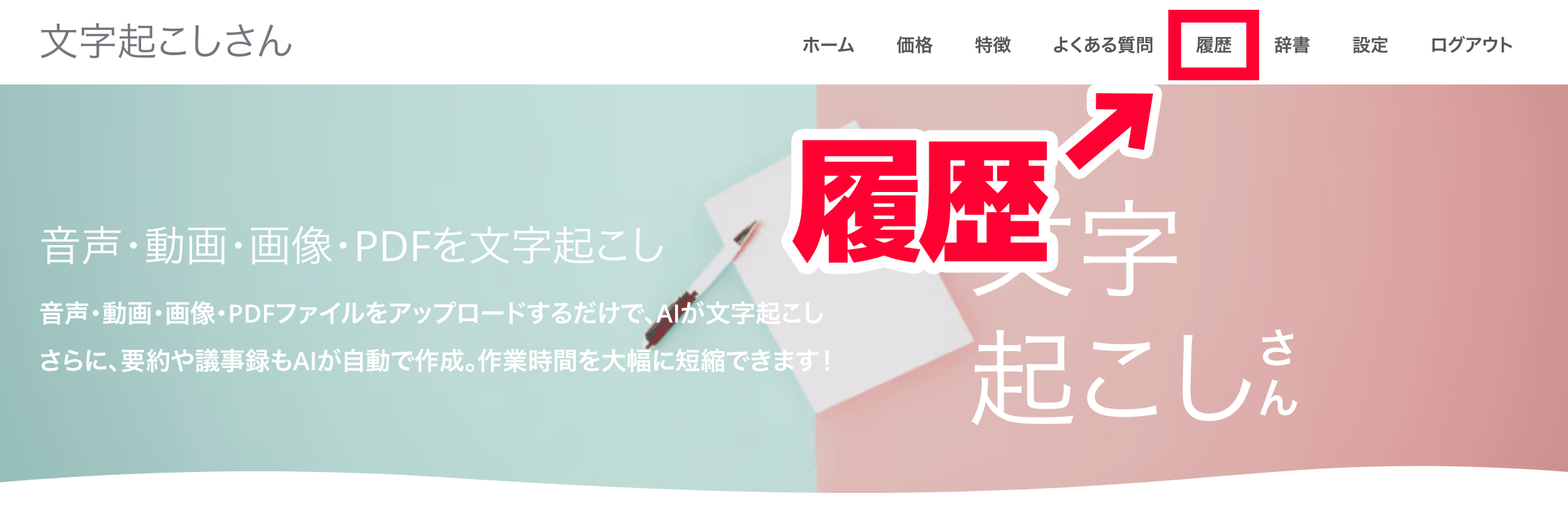
That completes the process of transcribing audio and video with "Mr. Transcription"!
It transcribes easily, quickly and accurately, so why not use "Mr. Transcription" when you transcribe Korean?
How to convert Hangul in Korean photos to text (OCR)
Next, we also explain how to convert Hangul from Korean images, PDFs and photos into text (OCR)!
1. Take a photo / save a screenshot
First, take a photo of the Korean text you want to convert to text (OCR).
This time, we photographed a product with Hangul written on it.

This time, let's crop the Hangul in the center of the image and upload it.

If you want to translate an app made for the Korean market, take a screenshot of the app on your smartphone.
2. Open the "Mr. Transcription" page
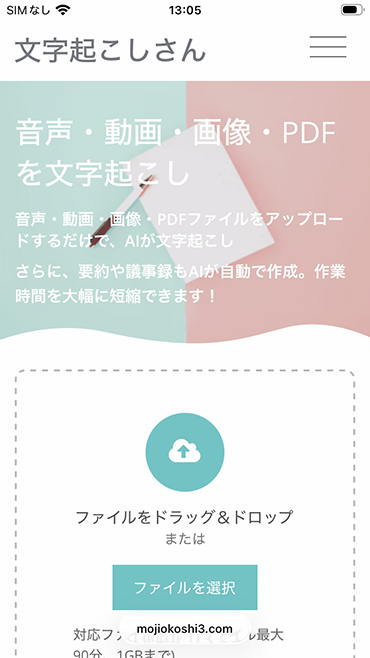
Just as when transcribing audio or video, open the top page of "Mr. Transcription".
"Mr. Transcription" works on smartphones and tablets just as it does on a PC!
3. Select "Korean" under language
Select "한국어" (Korean).
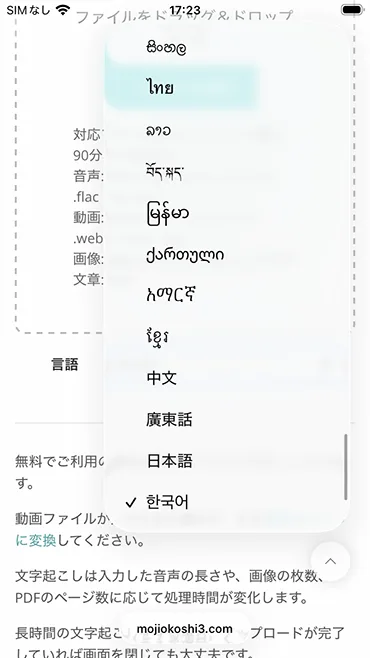
4. Select a file
Tap "Select file" and choose the file.
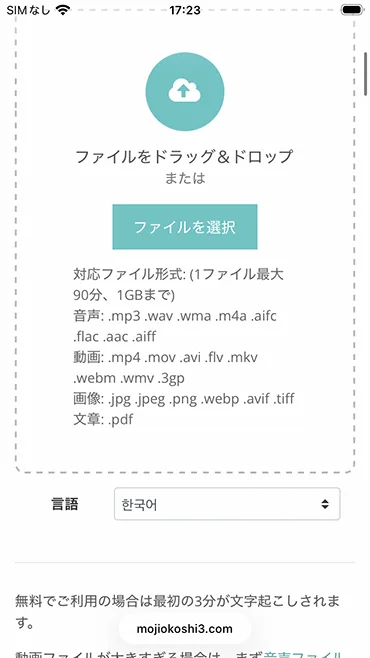
When you select an image, the selected image is displayed so you can check it.
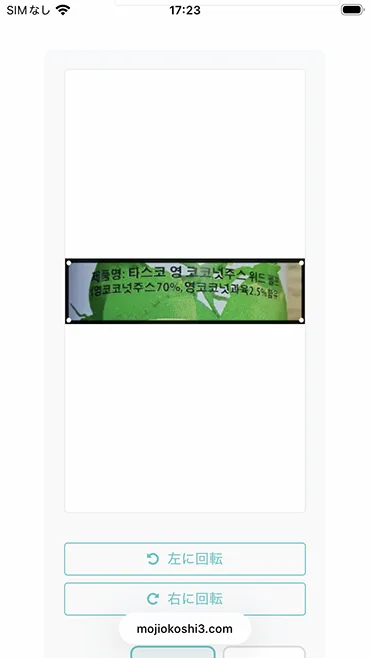
5. Start the text conversion (OCR)
Now everything is ready for transcription.
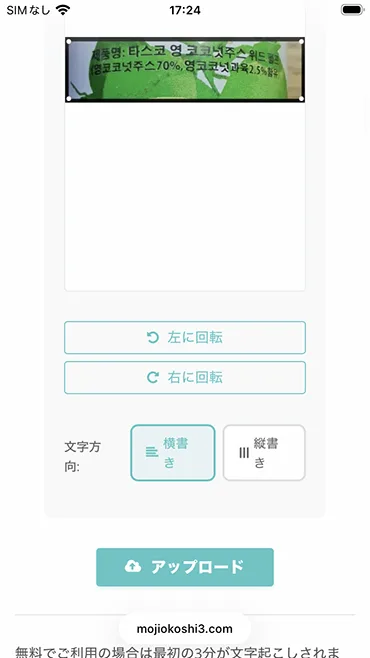
When you tap the "Upload" button, the file is uploaded and processing starts automatically.
When transcribing images or photos (OCR), the transcription finishes immediately, so keep the screen open.
6. Text conversion (OCR) is complete
When the transcription is finished, the screen switches and the result is displayed.
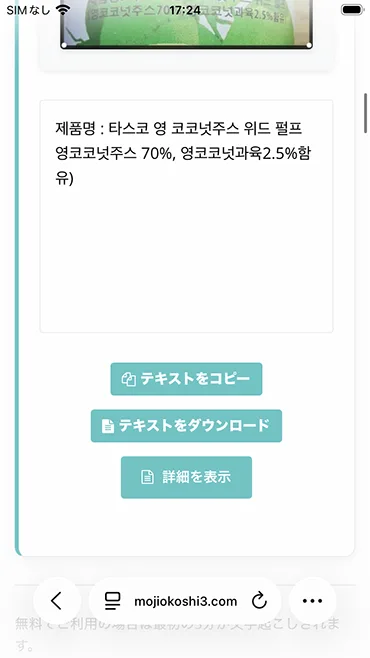
If you paste the result into a translation app (this time we used the Korean app "Papago"), you can check the content in Japanese like this.
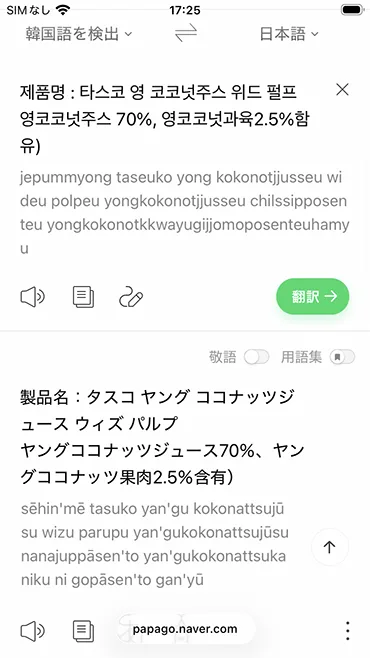
That completes the process of converting Hangul from images and photos to text (OCR) with "Mr. Transcription"!
Free transcription (OCR) from images and photos!
Image transcription with "Mr. Transcription" is free too!
You can transcribe 3 images without registration or login.
And with registration, you can run OCR on up to 10 images per day!
Why not try free OCR of Hangul with "Mr. Transcription" yourself?
Recommended ways to translate Korean
Finally, we introduce recommended ways to translate text that you have transcribed or run through OCR from audio, video or photos.
1. Papago

Papago is a translation service run by NAVER, a major Korean internet company.
As a service from a Korean company, its accuracy for Korean and Hangul is outstanding!
Japanese and Korean have similar grammar, so it can translate with especially high accuracy.
It can often translate homonyms correctly, which the browser's built-in translation frequently gets wrong.
There are a browser version and an app version.
2. DeepL
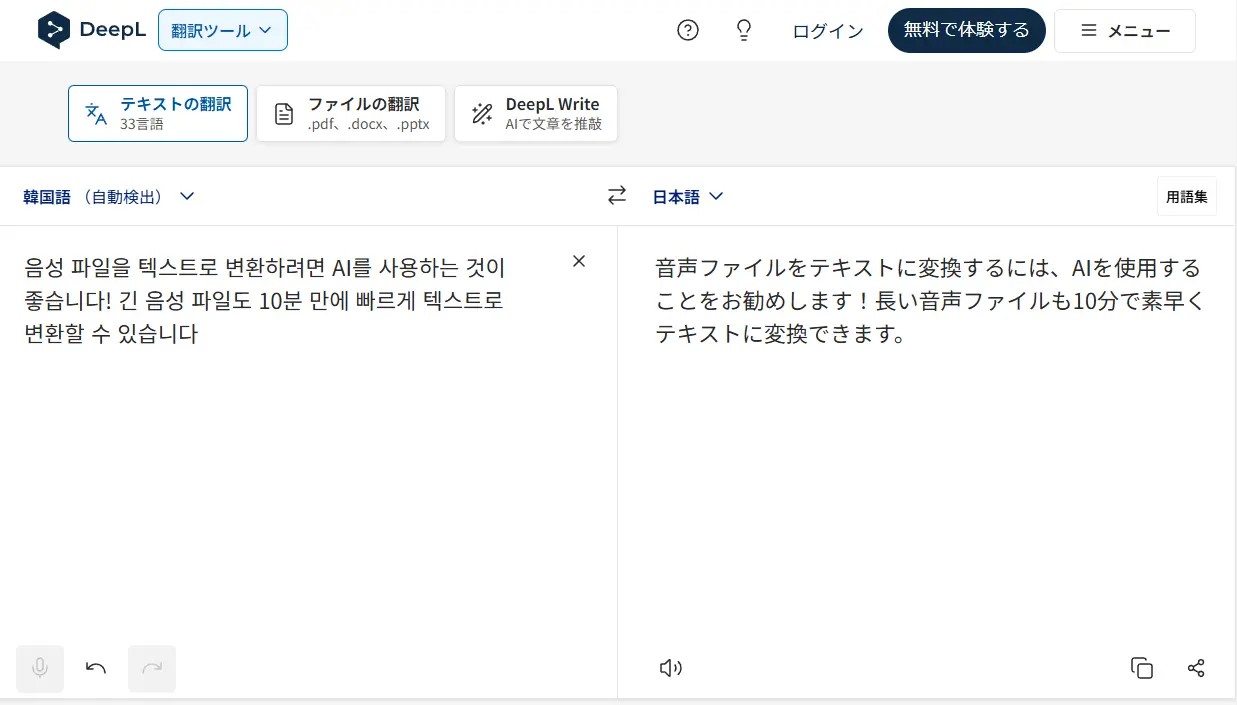
DeepL, the best known of the AI translation services, also supports Korean.
It can also translate Korean with fairly good accuracy.
However, because it goes through English as an intermediate language (relay translation), compared with Papago, which translates directly between Japanese and Korean, the nuance of the text tends to change, in our impression.
You should also watch out for the omissions in translation that are typical of DeepL.
3. Use an AI chat service
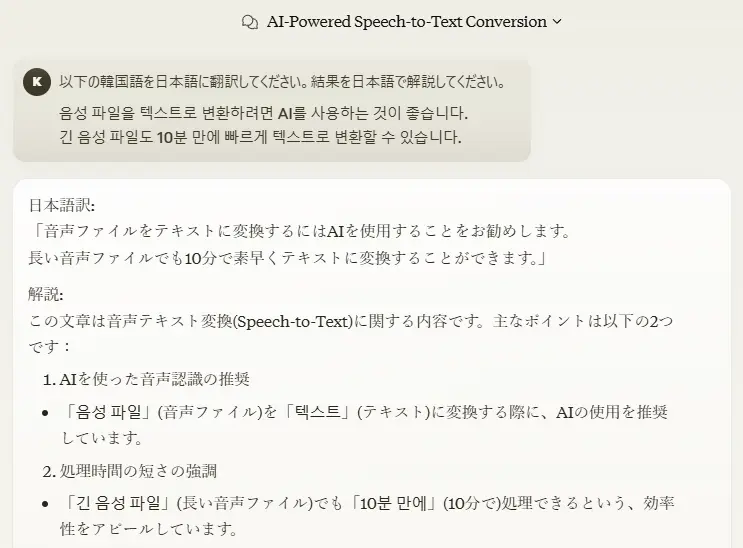
Besides dedicated translation services, we also recommend using AI chat services such as ChatGPT and Claude.
If you write instructions for the translation first and then paste the Korean or Hangul text, it translates the text while reflecting even fine nuances.
If you write "Please explain in Japanese" in your instructions to the AI, it will also tell you which points it kept in mind when translating into Japanese.
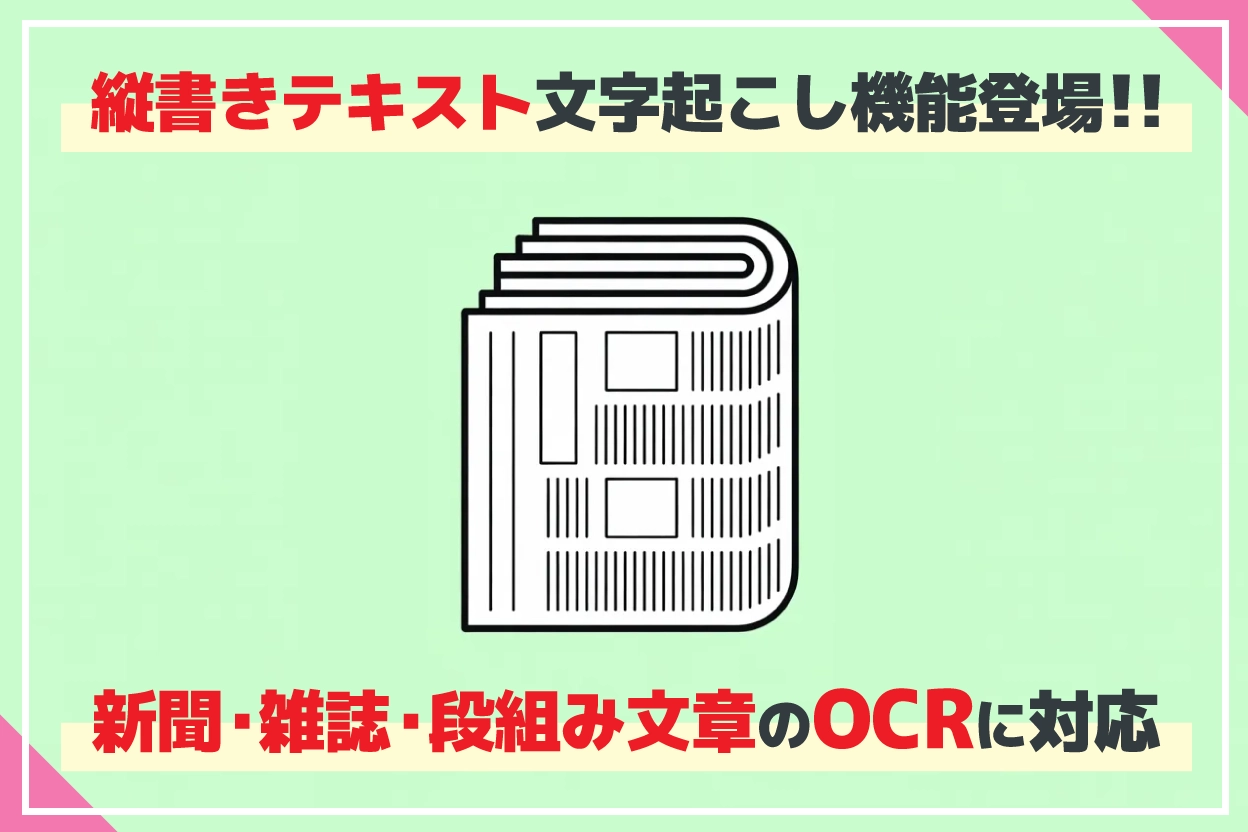
Mr. Transcription can also transcribe vertical text (OCR)
When you transcribe an image with Mr. Transcription, you can select "Vertical writing" to transcribe vertically written text as well.
Modern Korean is almost always written horizontally, but before the 20th century vertical writing was also widely used.
When transcribing old Korean books or newspapers, Mr. Transcription lets you run OCR conveniently.
Summary: transcribing Korean and Hangul
As you can see, when translating Korean and Hangul text that you have transcribed or run through OCR, we recommend using AI services.
For studying Korean, fan activities or business with Korea, why not try "Mr. Transcription" together with translation and AI services?
■ AI transcription service "Mr. Transscription"
"Mr. Transcription" is an online transcription tool that can be used from zero initial cost and 1,000 yen per month (* free version available).
- Supports more than 20 file formats such as audio, video, and images
- Can be used from both PC and smartphone
- Supports technical terms such as medical care, IT, and long-term care
- Supports creation of subtitle files and speaker separation
- Supports transcription in approximately 100 languages including English, Chinese, Japanese, Korean, German, French, Italian, etc.
To use it, just upload the audio file from the site. Transcription text is available in seconds to tens of minutes.
You can use it for free if you transcribe it for up to 10 minutes, so please try it once.

It is "Mr. Transcription" who can easily transcribe from audio, video, and images.
Transcription allows you to transcribe for up to 10 minutes for free.
You can copy, download, search, delete, etc. the transcribed text.
You can also create subtitle files, which is ideal for transcription of interview videos.
HP: mojiokoshi3.com
Email: mojiokoshi3.com@gmail.com
Email: mojiokoshi3.com@gmail.com
Related article
Transcription for audio / video / image transcription. It is a transcription service that anyone can use for free without installation.
- What is Mr. Transcription?
- Transcript images, sounds, and videos with Mr. Transcription
- Free registration
- Rate plan
- manual
- Try other free services






