
音声文字起こしの外注相場はいくら?【安く依頼するコツも解説】
2026: 9 Best Free AI Audio Transcription Services Compared
Oct. 16, 2026

How can I easily transcribe audio?

Meetings, interviews, video subtitles… the task that takes a great deal of time to produce is audio transcription.
Wouldn't it be nice to transcribe audio more easily…? Have you ever thought that?
In fact, with the latest AI tools, anyone can transcribe audio automatically and with ease.
Transcription that used to require typing everything out on a keyboard yourself can now be done in just about 1 minute!
This article explains the features and benefits of AI transcription services and recommended audio transcription services.
Why not use AI to make the transcription of audio recorded with a voice memo app or an IC recorder more efficient?
What Is Audio Transcription? The Basics of Converting Audio to Text

Audio transcription means converting audio recorded with a smartphone voice memo app or an IC recorder into text (written characters).
Transcription is also called “tape transcription” or “written transcription.”
As it is, an audio file does not let you check its contents right away.
Once the audio is in text form, you can find the information you need without playing the audio back.
You can also make the contents of the audio more useful, for example by creating video subtitles or turning it into a web or magazine interview article.
For Voice Memo Audio, an AI Transcription Service Is Recommended!

To convert audio from a smartphone voice memo app or an IC recorder into text, the latest AI transcription services are recommended.
Typing out a transcription yourself on a keyboard is very hard work, but with AI you can convert audio to text easily, fully automatically.
Processing is also very fast, and audio that runs for many hours can be converted to text in just about 1 minute.
On top of that, the price is very low, and you can use it for free!
To transcribe audio from a voice memo app or an IC recorder, we recommend using one of the AI transcription services introduced below.
9 Recommended Audio Transcription Services

I want to know which services are good for transcribing audio!
Let's get right to it. Here are the best recommended services for automatically transcribing audio, 10 in all!
- Mr. Transcription
- Texter
- toruno
- Notta
- Otolio
- Rimo (formerly Rimo Voice)
- Google Docs
- Word
- UserLocal Voice Meeting Minutes System
1. Mr. Transcription: A Free, High-Performance AI Audio Transcription Service (PC and Smartphone)

“Mr. Transcription” is an AI transcription service recommended for everyone who wants to transcribe audio!
It has two main strengths.
- It works for almost any purpose
- It is free to use
These are the two.
A High-Performance Latest AI That Does It All
The latest speech recognition AI used by “Mr. Transcription” is a high-performance AI that transcribes accurately even in difficult situations, such as audio with a lot of technical terms or a lot of background noise.
Processing is fast, too: even long audio files are converted to text in just about 1 minute!
If you turn on speaker separation, you can also transcribe meeting audio speaker by speaker.
It supports 100 languages, including Japanese and English, so it is also recommended for people who often work with partners overseas.
Supports Audio, Video, Images, and PDFs
In addition to audio, “Mr. Transcription” also supports video, images, and PDFs.
It is handy for creating subtitles if you make videos, or for transcribing screenshots of a foreign-language app.
Because you can download transcription results in the “SRT” format that is the standard for video subtitles, you can load the file into Adobe Premiere Pro or DaVinci Resolve and easily add high-quality subtitles.
You can try image transcription for free with the Image Transcription Tool, and PDF transcription with the PDF Transcription Tool.

It Can Also Summarize the Contents
“Mr. Transcription” can also summarize transcription results!
You can summarize transcription results, and even create meeting minutes in one stop!

A Web App, So It Works on PCs, Smartphones, and Tablets
“Mr. Transcription” is a web app that you use from a web browser.
You can use it from any environment: PC, smartphone, or tablet.
You can also upload audio recorded with the Voice Memos app on an iPhone or iPad, or with a voice recorder app on an Android smartphone, directly and transcribe it.
With the simple operation that only a web app can offer, you can automatically transcribe voice memo audio.

An AI Transcription Service You Can Use for Free
And “Mr. Transcription” is free!
No registration is required to transcribe for free for up to 3 minutes per day.
If you sign up for a free membership, it is free for up to 10 minutes per day.
When using an AI transcription service, a common concern is how accurate the transcription will be.
You can experience the high performance of the latest AI right away, so why not try “Mr. Transcription” first from here?
2. Texter: A Smartphone-Friendly AI Audio Transcription Service
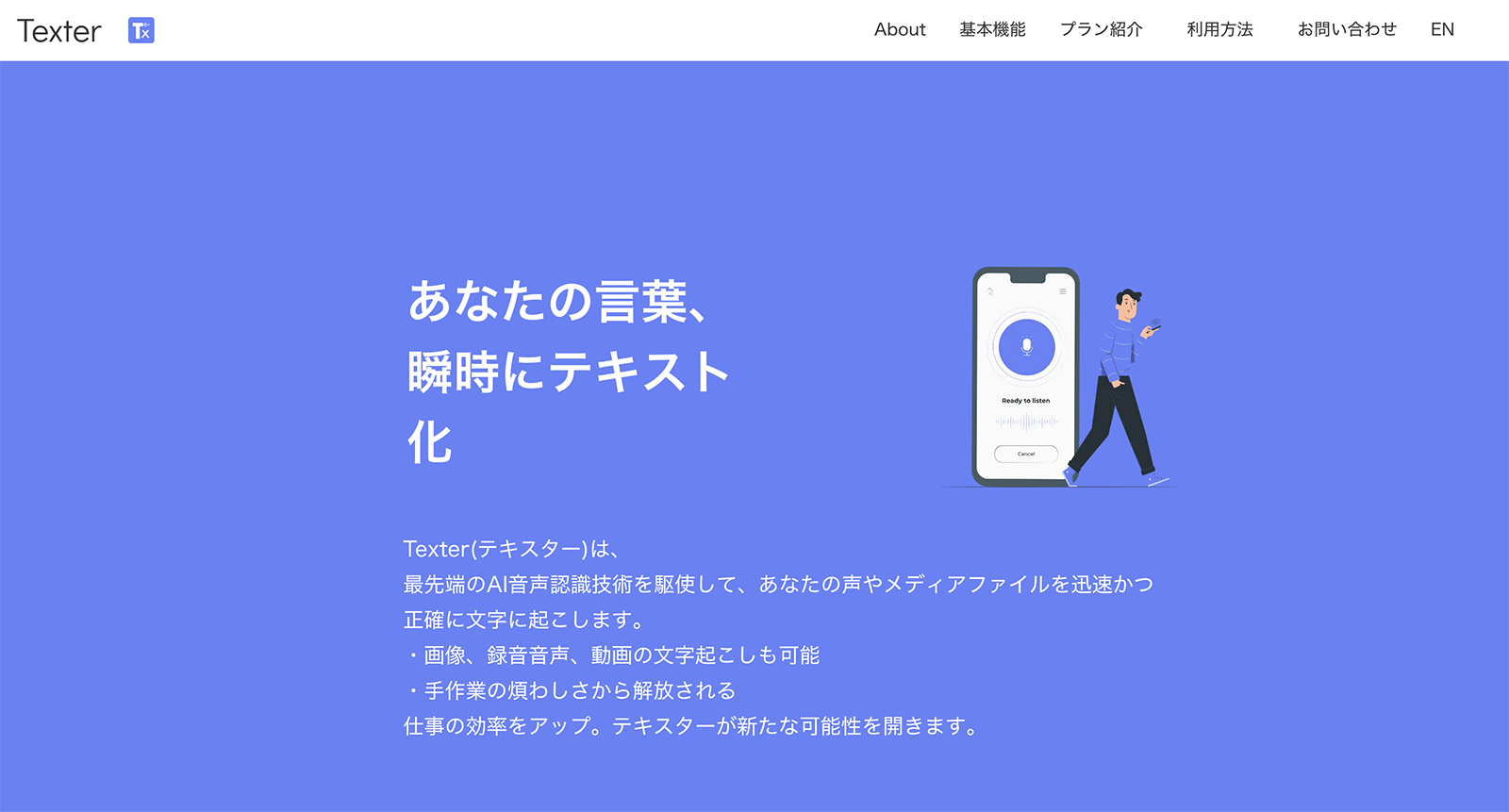
Texter is an AI transcription service that transcribes audio from your smartphone.
It supports transcription within the app, as well as transcription by uploading audio and video stored on your smartphone.
Apps are available for both iPhone (iOS) and Android.
If you use an iPhone, you can also load files from iCloud.
3. toruno: AI Transcription of Meeting Audio
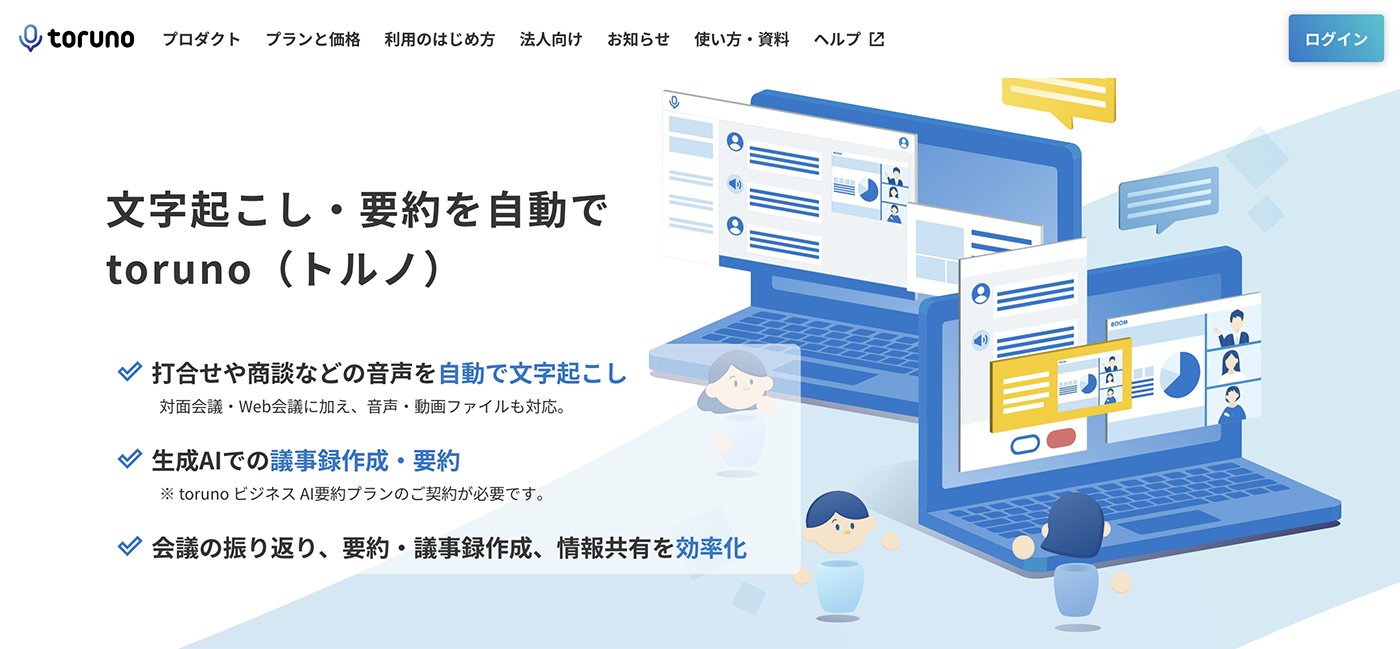
toruno is an AI transcription service for transcribing the contents of meetings.
It has many features for meetings, and can record audio, transcribe, and capture the screen.
On a PC, real-time transcription is done in the desktop app, and file uploads are done from a web browser.
The desktop app supports Windows.
4. Notta: An AI Transcription Service for PC and Smartphone
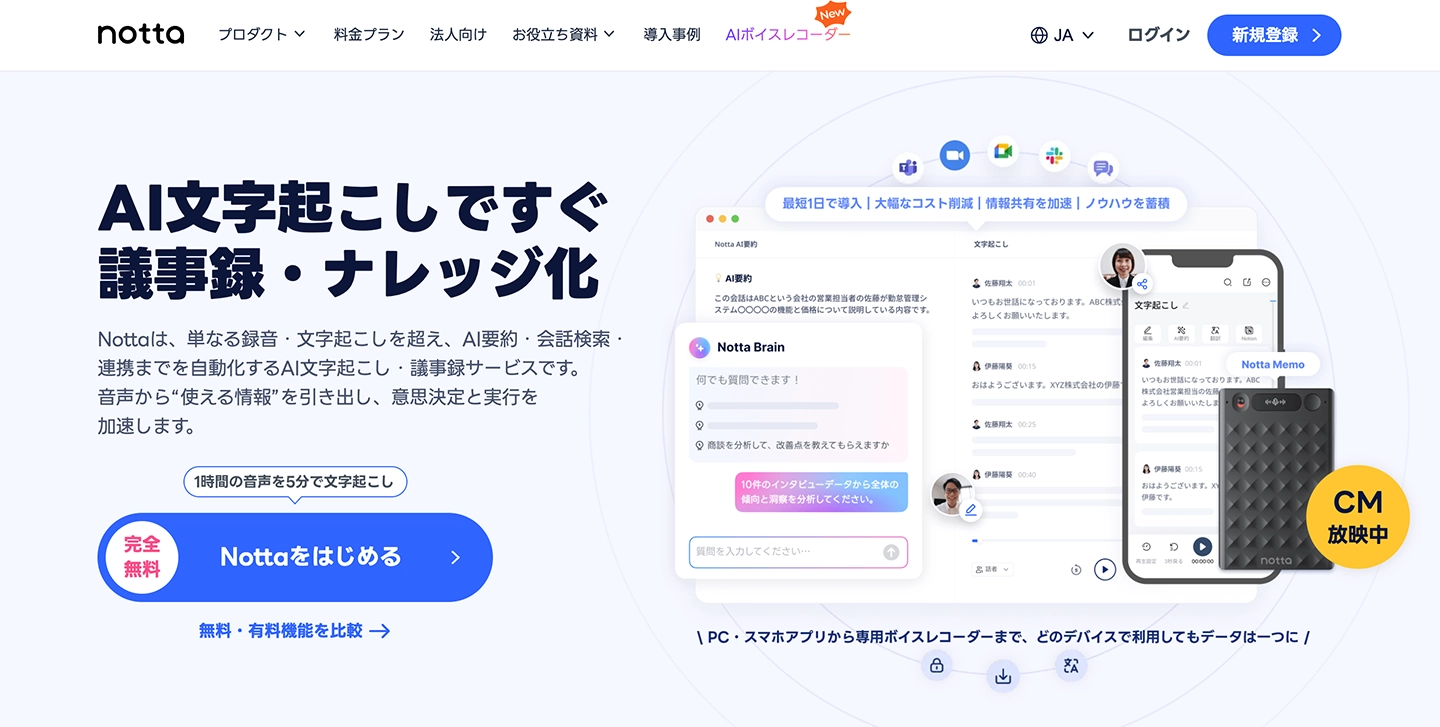
Notta is an AI transcription service that supports PCs and smartphones.
It can cut the time it takes to create meeting minutes, and you can import audio files from the management screen.
It also supports transcription of foreign languages.
5. Otolio: Automatically Create Meeting Minutes with AI
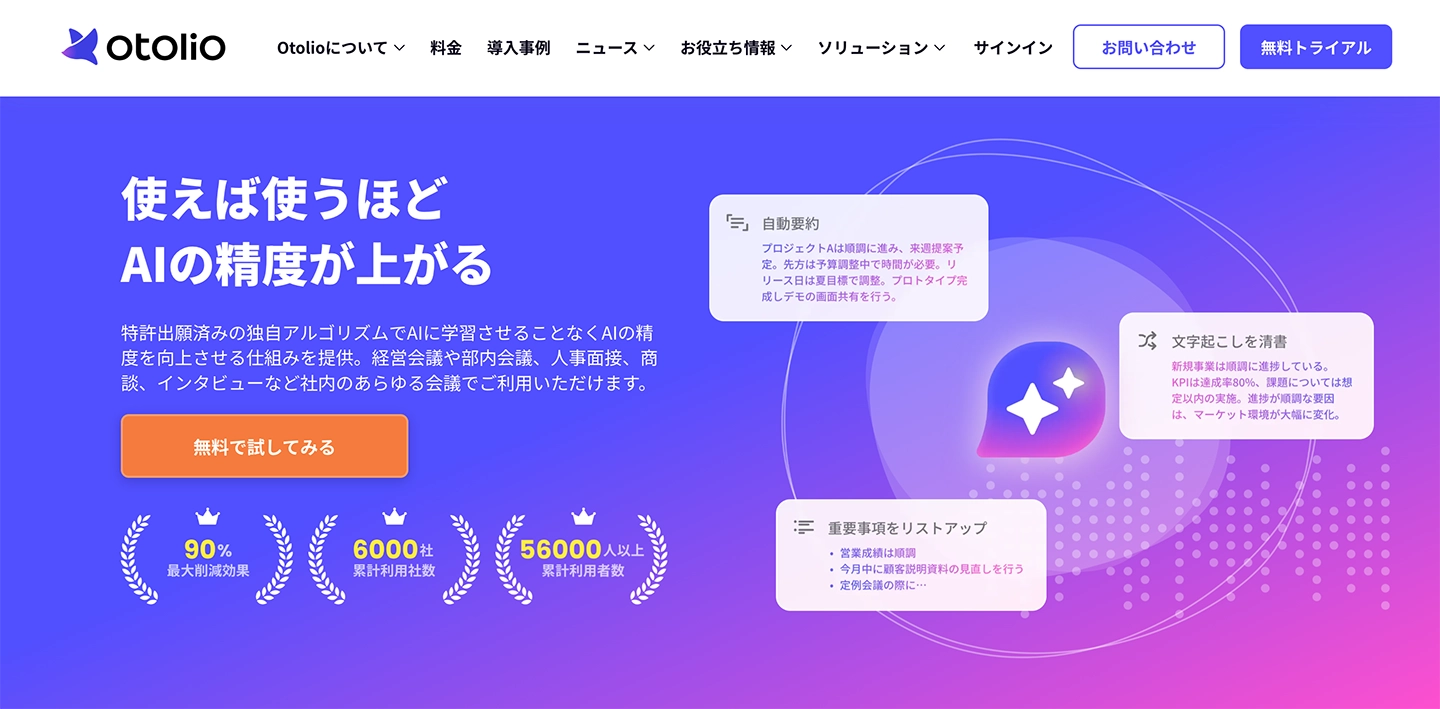
Otolio (formerly Smart Shoki) is an AI transcription service for automating the creation of meeting minutes.
It can be linked with web conferencing systems such as Zoom, Microsoft Teams, and Google Meet, so it is also well suited to creating minutes for remote meetings and for companies with many employees working from home.
It also includes an AI-powered meeting summary feature.
6. Rimo: An AI Transcription Service Supporting 30+ Languages
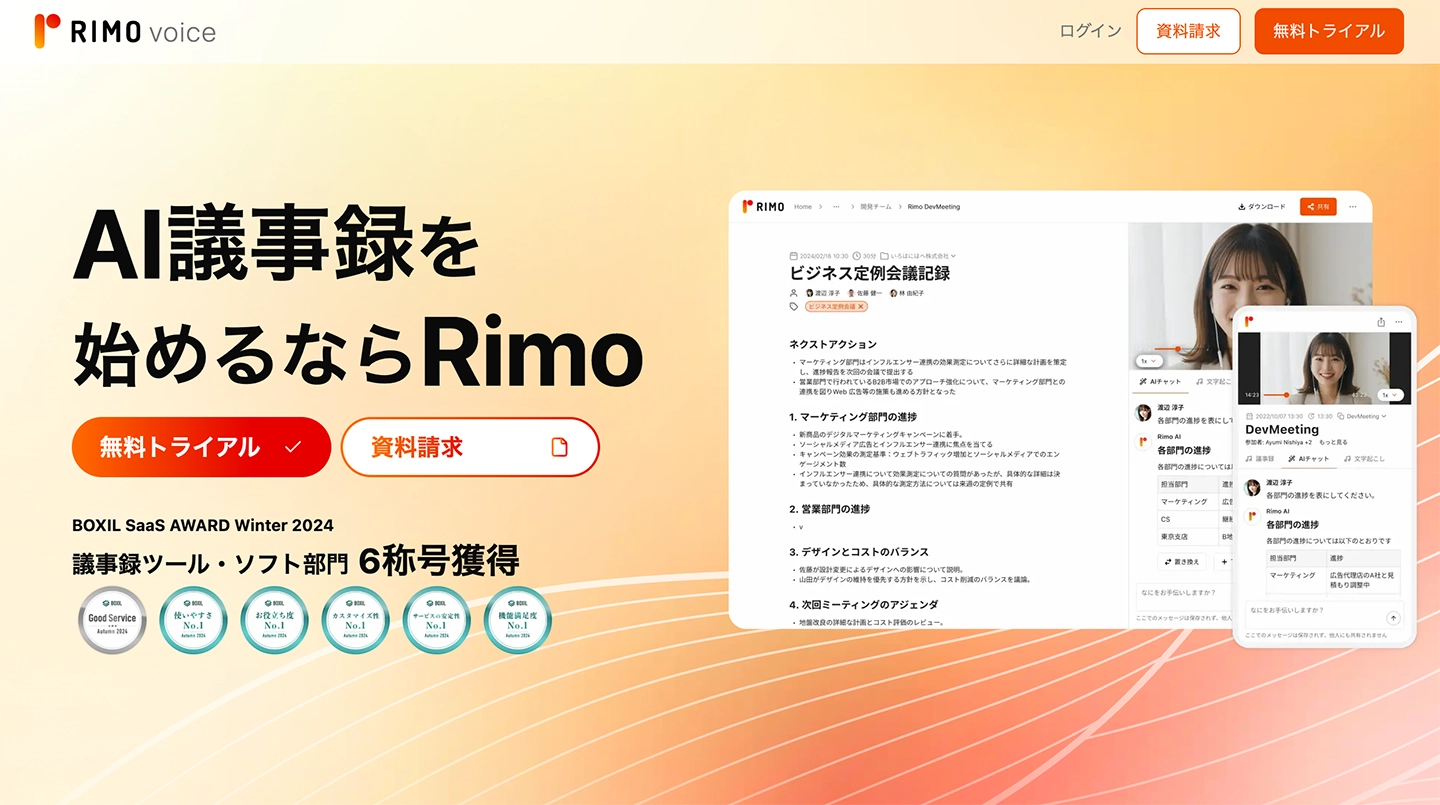
Rimo is an AI transcription service that supports transcription of Japanese.
This is also a service mainly intended for meeting minutes, and it can transcribe and summarize audio using AI.
It supports more than 30 languages, including Japanese, and is a web app that conveniently converts meeting audio into text.
7. Google Docs: Simple Audio Transcription

Google Docs also has an audio transcription feature.
However, it only supports real-time voice typing.
To transcribe while playing an audio file, you need the troublesome step of “recording the audio that is playing on your PC.”
It is only a simple feature, but it is handy when a minimum level of functionality is enough.
8. Word: Includes a Simple Audio Transcription Feature

Microsoft Word also has a simple audio transcription feature, just like Google Docs.
You can use it from the “Dictate” feature.
However, this is also a simple feature, and it can only convert audio recorded with a microphone into text.
It is recommended when a simple feature is all you need.
When you want to do full-fledged audio transcription, consider other services.
9. UserLocal Voice Meeting Minutes System: A Simple Transcription Service
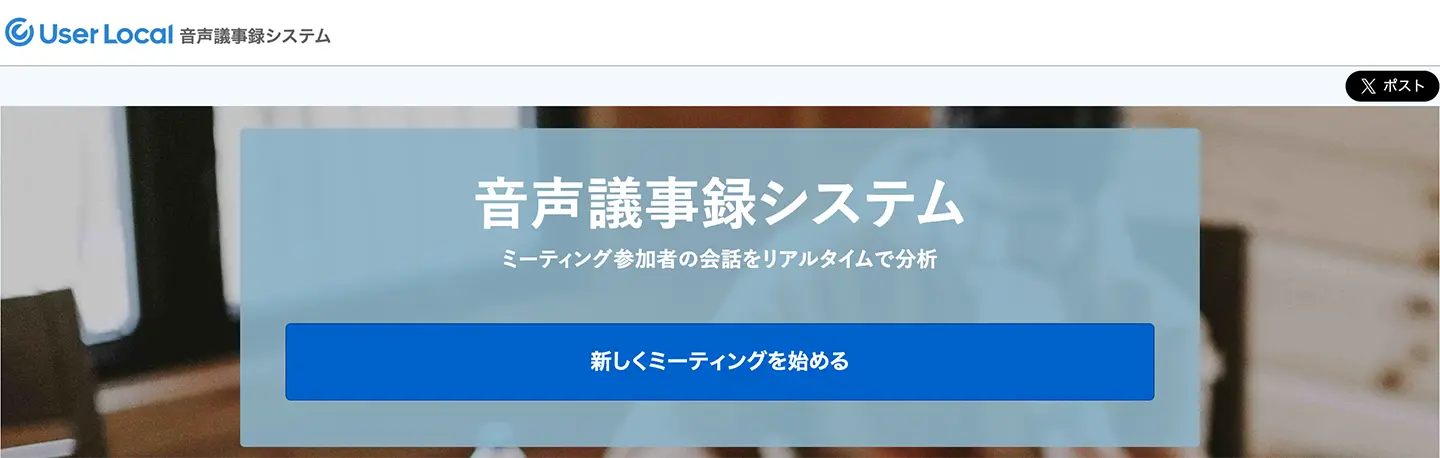
UserLocal Voice Meeting Minutes System is an AI transcription service that creates meeting minutes automatically while recording audio.
It is a service intended mainly for use on a PC, and you use it from a web browser.
The supported web browsers are Google Chrome, Edge, and Safari.
It is a very simple service, so it is recommended if you are looking for a basic service that does not need support.
[Free!] Recommended Audio Transcription Service
So, specifically, how should you transcribe audio?
To convert audio into text with AI, “Mr. Transcription” is recommended!
“Mr. Transcription” is an audio transcription service recommended for anyone who wants to transcribe audio easily.
Anyone can transcribe audio recorded with a voice memo app or an IC recorder easily and for free.
With the latest AI, even long audio files are transcribed in just about 1 minute!
It transcribes with high accuracy and without mistakes, so it is also ideal for situations where you want to avoid errors, such as meeting minutes.
And “Mr. Transcription” is free!
You can try it free for up to 3 minutes without registering, and with a free membership you can transcribe up to 10 minutes per day, so you can start transcribing right now.
If you are looking for a way to transcribe audio files, why not try “Mr. Transcription” from here?
The Steps to Transcribe Audio with the Latest AI [Voice Memos Supported]
Tell me the actual steps for transcribing!

We explain the steps for transcribing an audio file recorded with a voice memo app clearly, using images!
1. Record the Audio File

Use a smartphone voice memo app or an IC recorder to record the audio.
Paying attention to a few points will help you record with good sound quality.
Avoid Background Noise
When recording with a smartphone voice memo app,
- Place it on a desk or stand rather than holding it in your hand
- Place it on a desk that nobody is using, so the sound of typing on a keyboard does not get in
If you keep these two points in mind, background noise is less likely to get in.
When recording outdoors, also consider attaching an external microphone and a windscreen to your smartphone or IC recorder.
Make Sure Everyone's Voice Comes In at the Same Volume
When recording several people's voices with a voice memo app, such as in a meeting or an interview, we recommend placing the recording device at the same distance from everyone.
* If professional equipment is available, it is best to have the people being recorded wear lavalier microphones.
2. Upload the Audio File
Upload the recorded audio file to an AI transcription service.
Here we explain using “Mr. Transcription.”
Open the “Mr. Transcription” top page from this link.
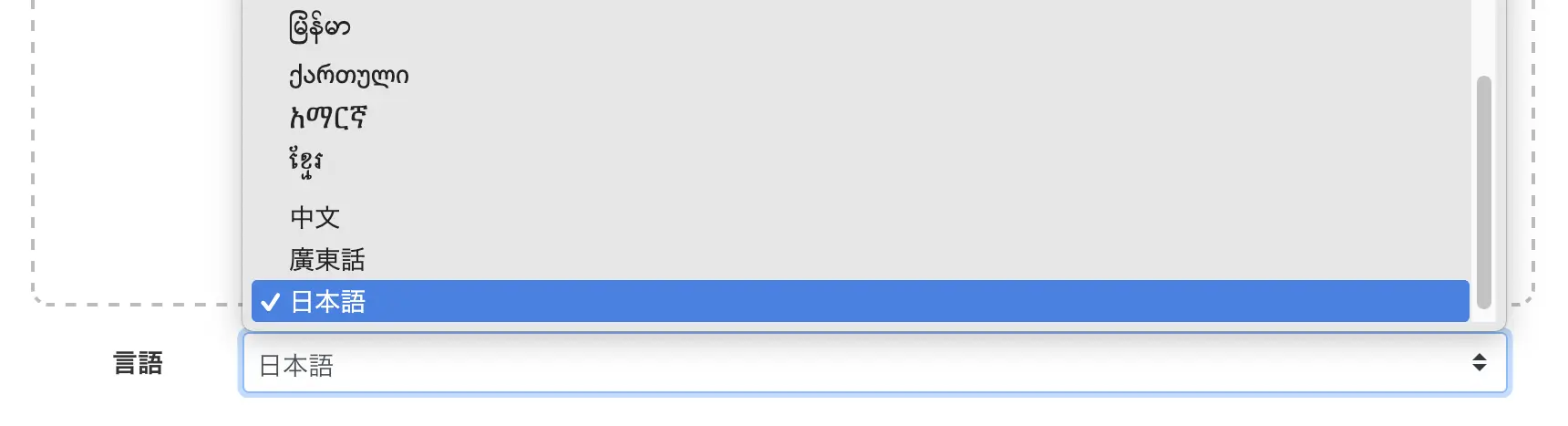
Select a language.
* Normally, the browser's language is set by default.
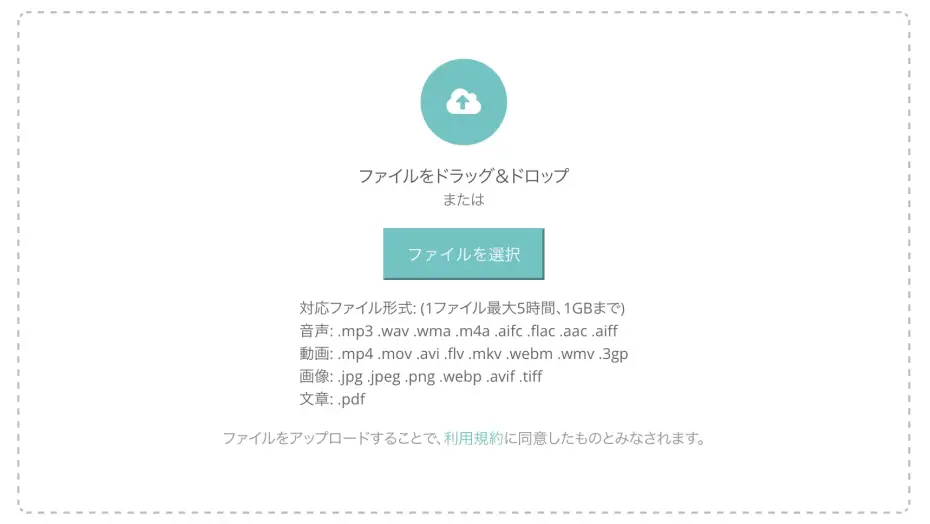
Press “Select” or drag and drop to choose a file.
Once you select a file, the upload starts automatically.
You Can Also Upload from a Smartphone
“Mr. Transcription” can be used to upload directly from a smartphone too!
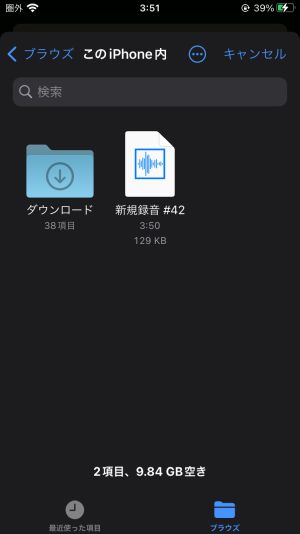
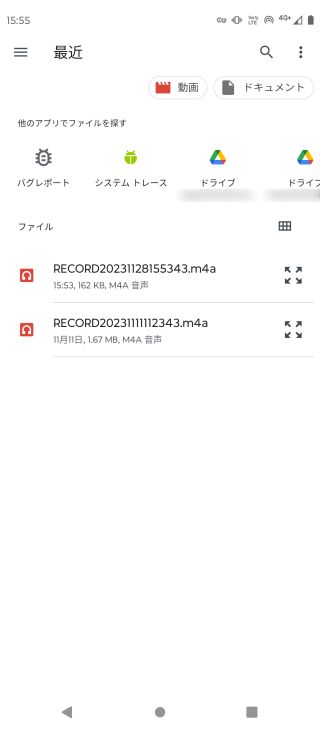
When you press “Select,” the file selection screen opens, so choose the audio file you want to transcribe.
■On an iPhone
■On an Android smartphone
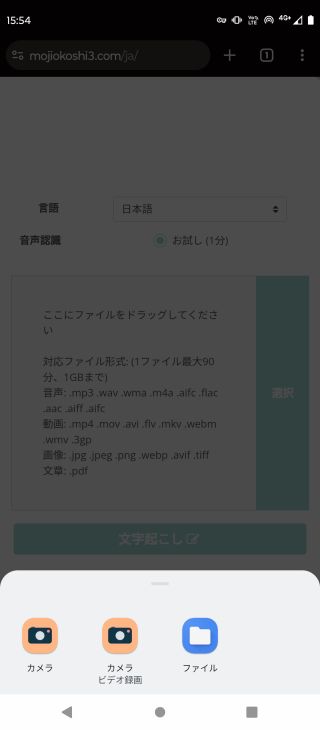
On an Android smartphone, tap “Files” to open the file selection screen.
3. Transcription Complete
Once the file is uploaded, AI transcription starts automatically.

Once processing has started, it is fine to close the screen.
* If you are transcribing for free, keep the top page open.
“Mr. Transcription” finishes transcribing in about 1 minute.
* Shorter files finish even sooner.
You will be notified by email when the transcription is complete.

You can open the transcription result page from the link in the email.
If you kept the page open, the screen switches and the transcription result is displayed.
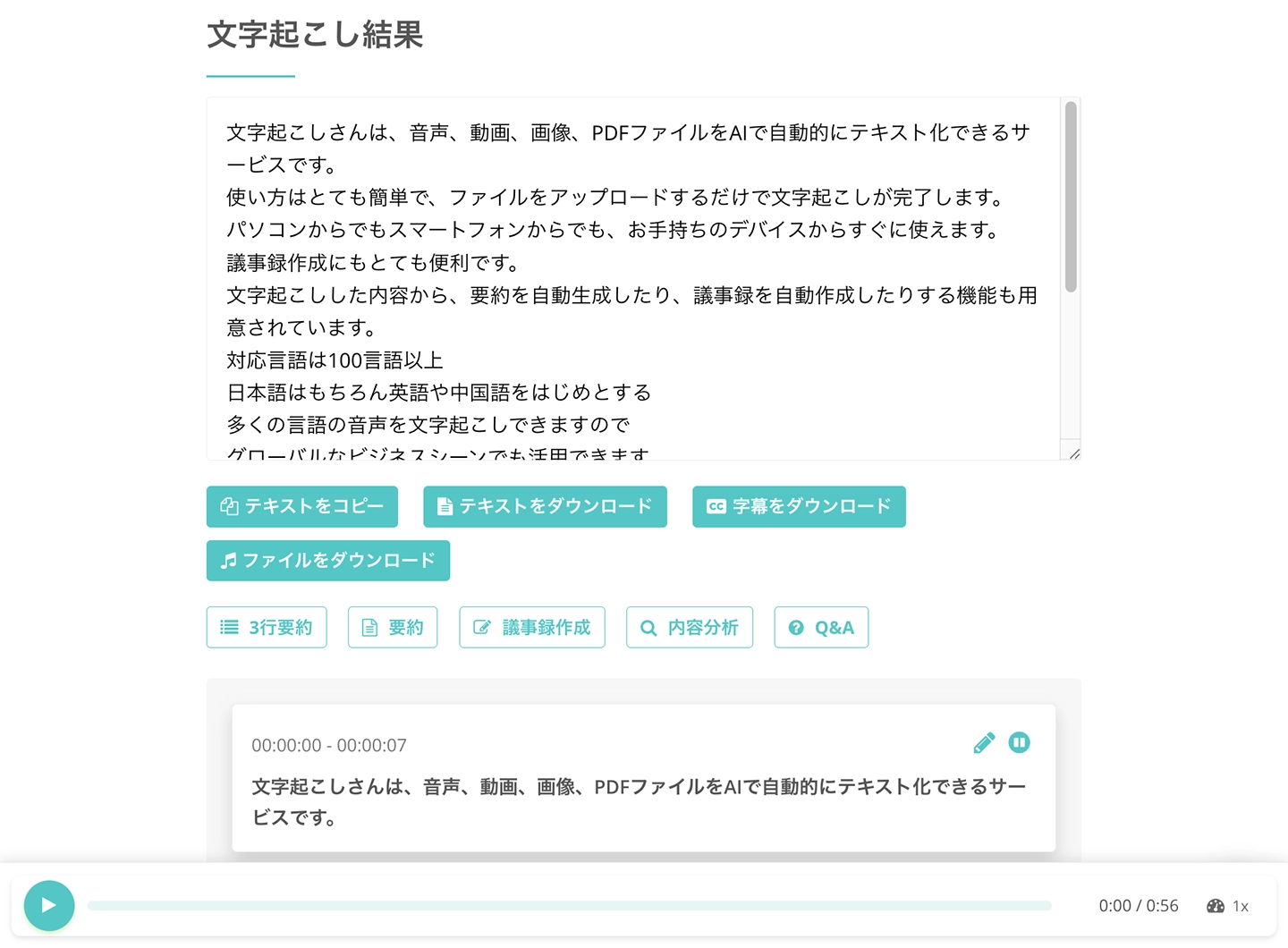
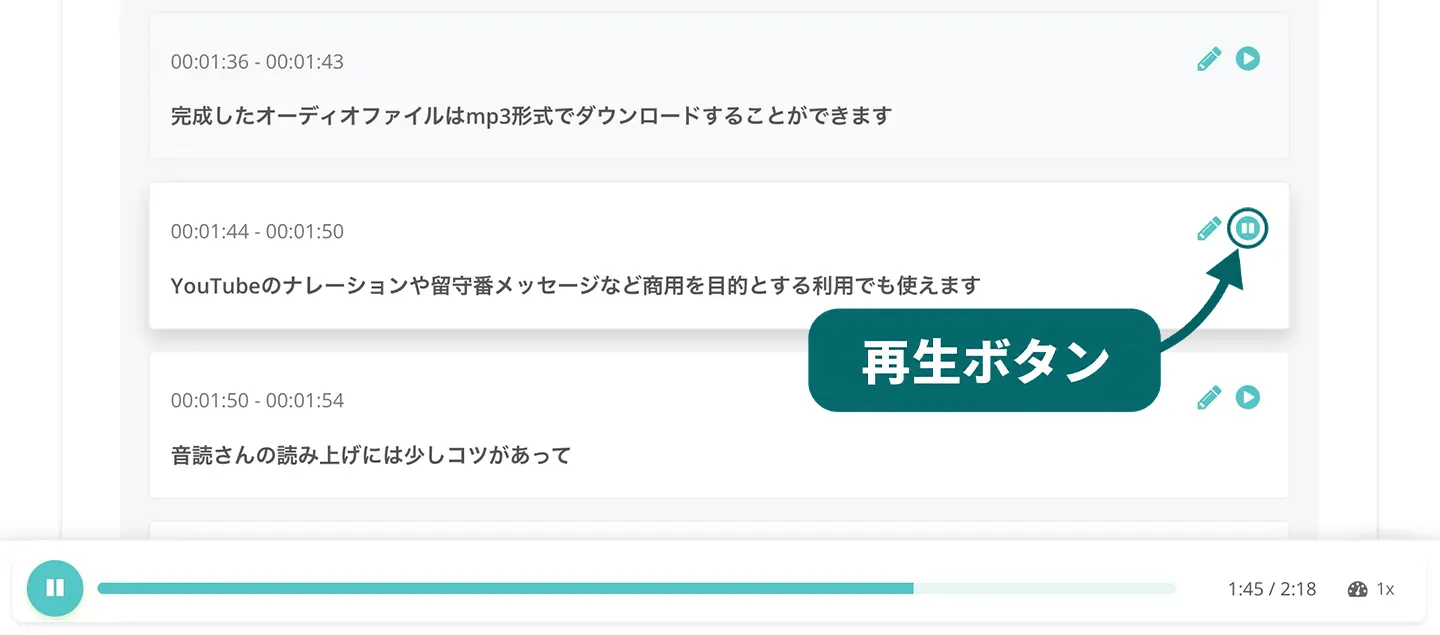
If you scroll down, you can press the play button to play the audio of each part individually and check the result,
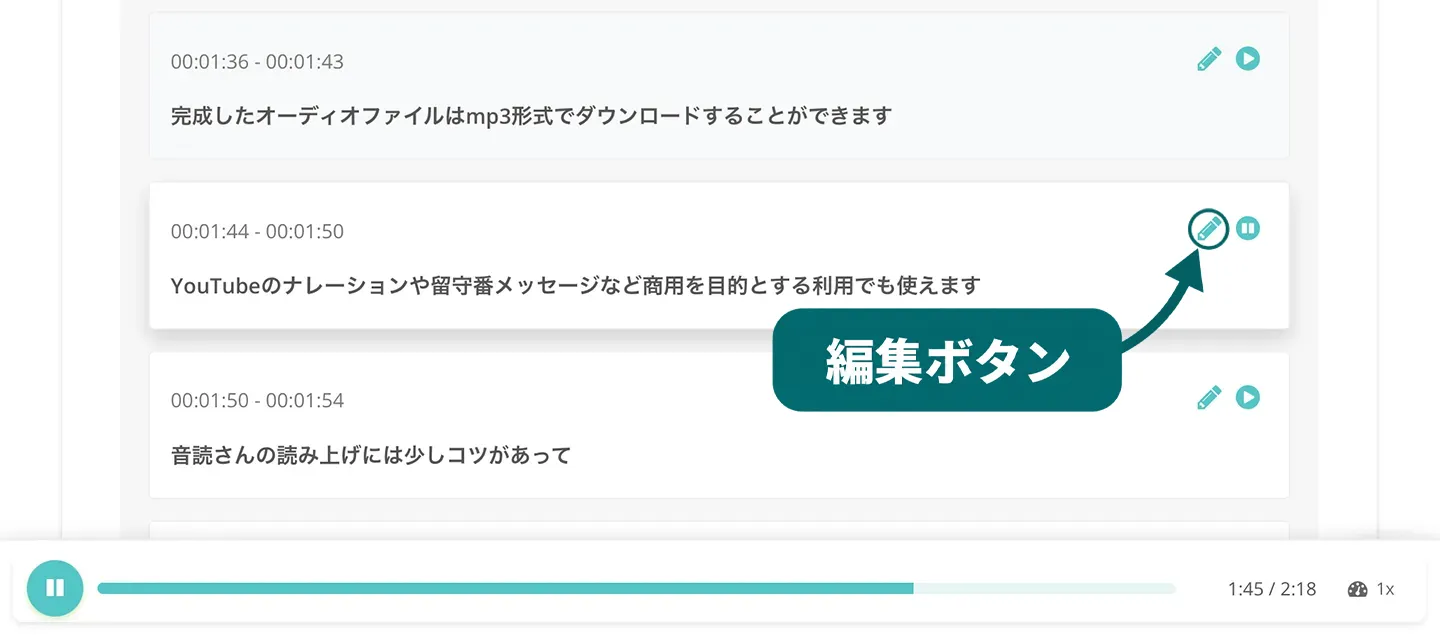
and you can also press the edit button to edit and save the content.
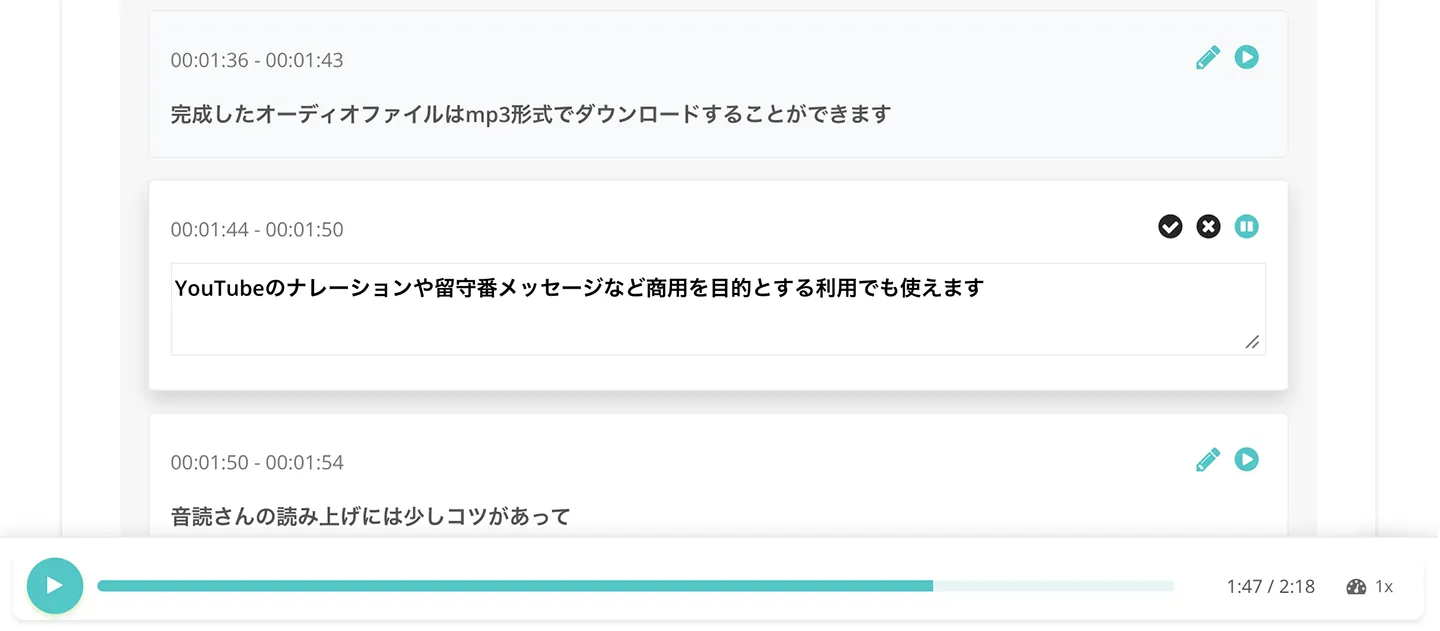
That completes the steps for converting an audio file to text with “Mr. Transcription.”
Audio can be converted to text very easily, so why not try “Mr. Transcription” from here?
So far we have introduced the steps for using “Mr. Transcription.”
If you would like to compare the various ways to turn voice memo audio into text, please also see this article.
Audio Transcription Tips and Techniques Explained in Detail
I want to know more about audio transcription!
- For people who are about to transcribe audio
- For people who want to make audio transcription work more efficient
we explain the points and tips for transcription in detail!
Knowing about transcription lets you convert audio recorded with a voice memo app into text even more conveniently.
Types of Transcription: Verbatim, Clean Verbatim, and Edited

Depending on how much the written-out content of the audio is polished, transcription comes in “verbatim (suokoshi),” “clean verbatim (kebatori),” and “edited (seibun),” 3 types in all.
- Verbatim (suokoshi): transcribes even meaningless parts such as “um” and “uh” as they are
- Clean verbatim (kebatori): transcribes with only parts such as “um” and “uh” removed
- Edited (seibun): polishes the content of the text to make it easy to read
Each has these characteristics.
If you transcribe by yourself, the easiest is verbatim.
Even so, transcribing 1 hour of audio takes 3 to 4 hours.
You have to keep playing and stopping the audio while typing it on a keyboard, so until now, transcription has been very hard work.
But with an AI transcription service, you can transcribe 1 hour of audio automatically in just about 1 minute.

Audio Transcription Methods [AI Is Recommended!]

There are 2 ways to transcribe audio recorded with a smartphone voice memo app or an IC recorder.
- Transcribe by typing on a keyboard
- Transcribe with an AI transcription service (tool or app)
These are the two.
Until now, the only way to turn audio into text was to play a file recorded with a voice memo app and type it out on a keyboard.
However, typing it yourself takes a very long time, and outsourcing it to a professional company or a writer cost a very high fee of tens of thousands of yen or more.
Solve Your Transcription Troubles with AI!
That is where AI transcription services came in.
An AI transcription service is a tool or app in which speech recognition AI reads an audio file and transcribes it automatically.
With an AI transcription service, transcription is complete in just about 1 minute.
Typing on a keyboard takes 3 to 4 hours or more for 1 hour of audio, so transcription has become much faster and easier.
Of course, the accuracy is outstanding too!
It can accurately transcribe even difficult audio files with many technical terms.
For audio transcription from now on, AI transcription services are recommended!
Benefits of AI Transcription Services
AI transcription services have many benefits.
1. Fully Automatic and Easy Audio Transcription

The greatest benefit of an AI transcription service (software or app) is that you just upload an audio file and the transcription is done completely automatically.
Once you start the transcription, the text is finished in about 1 minute.
Because a high-accuracy AI does the work, there are none of the typing mistakes or wrong conversions that tend to happen when you transcribe while listening to a voice memo file yourself.
2. Free to Use. Much Cheaper Than Professional Companies.

AI transcription services can be used for free!
For example, “Mr. Transcription” can transcribe audio files without registration or login, so you can convert audio to text whenever you need it.
Paid plans of AI transcription services are also much cheaper than professional companies.
Services where a writer does the transcription typically cost 15,000 yen or more per hour.
By contrast, an AI transcription service can transcribe for as little as 25 yen per hour!
It is high-performance and costs next to nothing.
3. Just Record. No Notes Needed!

With an AI transcription service, you do not need to take notes at meetings or interviews.
Just record with a voice memo app and everything can be turned into text easily, so you can concentrate on the content without taking notes.
And with an AI transcription service, it is also easy to create meeting minutes from the transcribed text!
Cautions About AI Transcription Services
There are also points to watch out for when using an AI transcription service to convert voice memo audio to text.
1. Features Differ by Service (Software or App)

As introduced in this article, there are many kinds of AI transcription services, but their features differ, so be careful.
- How long a recording can be transcribed
- What kinds of situations they are good at, such as meetings or interviews
- Whether they support foreign languages
- Whether they can transcribe video, images, and PDFs in addition to audio
and more: what each service (software or app) can do varies.
For more convenient transcription, we recommend choosing a versatile service with many features.
2. Some Services Are Expensive

AI transcription services are basically available at very low prices, but some services charge high fees, so be careful.
Corporate services in particular can cost tens of thousands to hundreds of thousands of yen per month.
“Mr. Transcription” (free to use; even paid use is from 25 yen per hour) is one example of a service available at an affordable price, so we recommend researching whether you can use a service for free or at a low price before choosing.
3. [Workaround Available] Usable PCs and Smartphones May Differ by Service

When choosing an AI transcription service, note that some services may not work depending on the type of PC, such as Windows / Mac / Linux, or the type of smartphone, such as iPhone / Android.
Before you start using a service, you need to check that it supports the PC or smartphone you use.
There is a recommended way to avoid this problem.
It is to choose an AI transcription service that you use from a web browser (a web app).
With a service you use from a web browser such as Chrome or Safari, like “Mr. Transcription,” you can transcribe from any environment: PC, smartphone, or tablet!
You can also upload audio recorded with a smartphone voice memo app as it is.
■ AI transcription service "Mr. Transscription"
"Mr. Transcription" is an online transcription tool that can be used from zero initial cost and 1,000 yen per month (* free version available).
- Supports more than 20 file formats such as audio, video, and images
- Can be used from both PC and smartphone
- Supports technical terms such as medical care, IT, and long-term care
- Supports creation of subtitle files and speaker separation
- Supports transcription in approximately 100 languages including English, Chinese, Japanese, Korean, German, French, Italian, etc.
To use it, just upload the audio file from the site. Transcription text is available in seconds to tens of minutes.
You can use it for free if you transcribe it for up to 10 minutes, so please try it once.

It is "Mr. Transcription" who can easily transcribe from audio, video, and images.
Transcription allows you to transcribe for up to 10 minutes for free.
You can copy, download, search, delete, etc. the transcribed text.
You can also create subtitle files, which is ideal for transcription of interview videos.
HP: mojiokoshi3.com
Email: mojiokoshi3.com@gmail.com
Email: mojiokoshi3.com@gmail.com
Related article
Transcription for audio / video / image transcription. It is a transcription service that anyone can use for free without installation.
- What is Mr. Transcription?
- Transcript images, sounds, and videos with Mr. Transcription
- Free registration
- Rate plan
- manual
- Try other free services






