Audio Transcription Costs: Save Money & Find Quality Services
Transcription Side Jobs: Complete Guide to Methods, Tips and Steps
Oct. 16, 2026

I want to start a transcription side job, but what should I do?

For you, this article explains how to do a transcription (tape transcription) side job.
Side jobs are spreading quickly as a new way of working.
Their appeal is that you can work from home, at whatever time suits you, with little effort.
Among them, transcription (tape transcription) has plenty of job postings and is easy to get started with, so it is a perfect first side job.
However, if you do not keep a few key points in mind,
- it takes too long and you earn too little
- you miss the delivery deadline
and other problems can occur…
So this article introduces how to find jobs, how to carry them out, and recommended methods.
Why not use it as a reference and start a transcription or tape transcription side job?
What Is a Transcription (Tape Transcription) Side Job?
First, what kind of work is transcription (tape transcription)?
We will also explain the benefits of choosing transcription work as a side job.
What Is Transcription (Tape Transcription)?

Transcription (tape transcription) is the task of turning the content of recorded "audio" into "text".
Turning recorded audio from meetings or interviews into text makes it easy to use, for example as meeting minutes or as an interview article.
Transcription work has existed since the days when recordings were made on cassette tapes, so it is still sometimes called "tape transcription."
Why Transcription Is Recommended as a Side Job
Transcription (tape transcription) is one of the easiest side jobs to start.
There are several reasons why transcription suits a side job.
1. You can easily do it at home

Transcription work is basically remote work from home.
You communicate with the clients who request transcription by email or web conferencing systems, and you can also deliver over the internet, so you can work without leaving home.
It is ideal as a side job for people who have a main job, or who find it hard to leave home because of child care or nursing care.
2. You can start right away if you have a computer

The only tool you need for a transcription (tape transcription) side job is a computer.
Some "transcription player" apps, which let you type text while listening to audio, are available as free software, so you can start a side job without buying a dedicated app.
"Design" and "web production," which many people also choose as side jobs, often require paid software such as Adobe Photoshop or Adobe Illustrator, so this is a big advantage.
*However, paying a little money can sometimes make you more efficient. Recommended tools are introduced in the second half of this article.
Also, the computer you use for a transcription side job does not need to be high-spec.
Any computer that can run Word and Excel can be used for a transcription side job without problems.
3. You can start without specialized knowledge
Unlike the "writer" jobs that many people choose as side jobs, transcription (tape transcription) often requires no specialized knowledge.
For example, it is difficult for someone who knows nothing about cars to work as a writer on car topics, but transcribing an interview is not as difficult by comparison.
*However, transcription in fields where even a small mistake is not acceptable, such as medicine and law, may be open only to experienced people. Conversely, if you have specialized knowledge of medicine or law, it is a chance to find a high-paying side job.
Types of Audio You Will Transcribe
The audio content most often requested in transcription side jobs includes the following.
Meeting Minutes

Meeting minutes are a very common subject requested in transcription side jobs.
When statements made in a meeting are kept as minutes, many companies outsource the work to external writers.
Meetings are held constantly in companies large and small, so there are frequent opportunities to take orders as a side job.
A characteristic of this work is that you need to write down what each speaker says separately.
Interviews

Transcribing the content of interviews is also common work in transcription side jobs.
In many cases only two people speak, the interviewee and the interviewer, so identifying the speakers is relatively easy.
Videos on Video Sites Such as YouTube

In recent years, postings for work that involves watching videos on video sites such as YouTube and writing down their content have been increasing.
Most of them are job postings by YouTubers (video creators).
If they want to publish what they said in a video on a blog as well, the video needs to be transcribed into text.
Also, when adding subtitles that are not auto-generated to a video, source text is needed.
Much of this work involves transcribing videos that introduce know-how, so the benefit is that you can acquire the skill of organizing information.
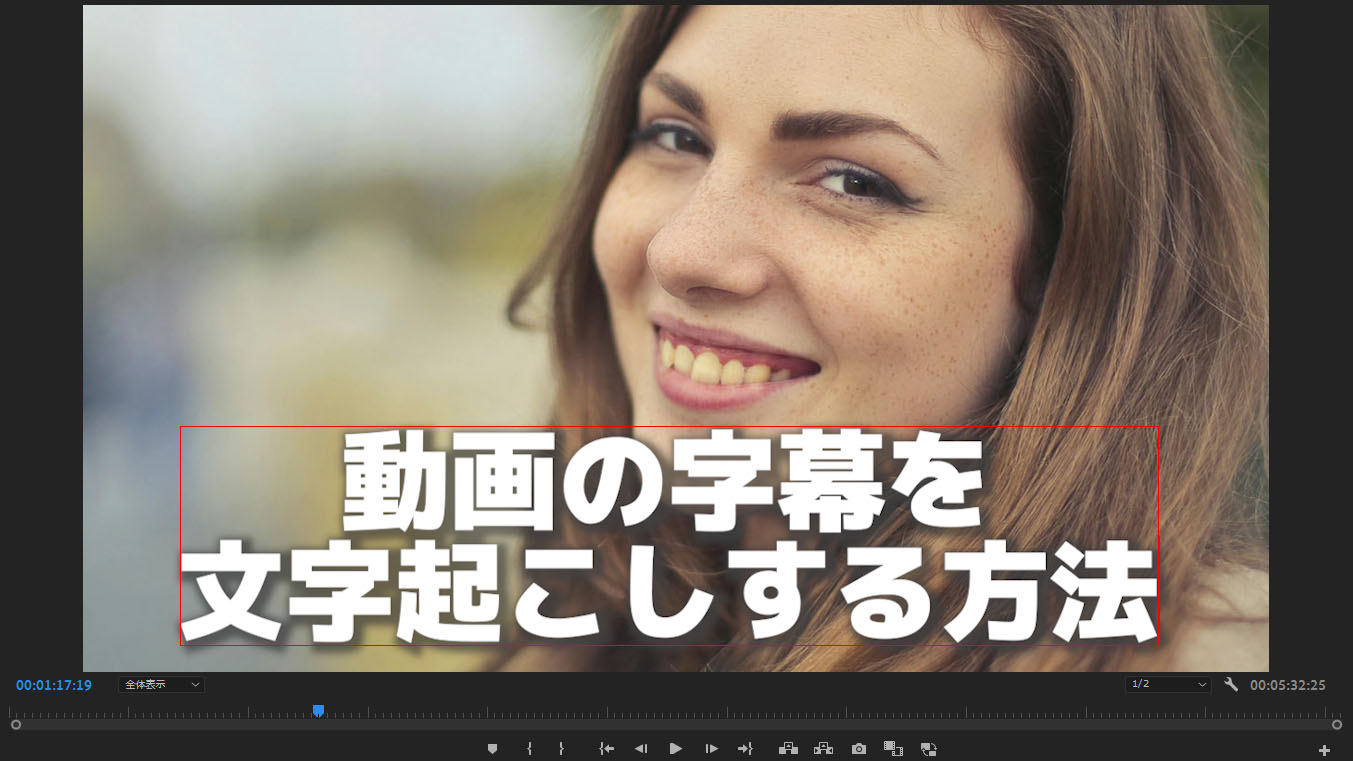
How to Transcribe a Video and Create Subtitles: Recommended Steps to Make an SRT File from MP4 for Free
This article explains how to transcribe video files such as MP4 and create subtitles (SRT files). Just upload a video in your browser to create subtitle text, and see the steps to apply it in Adobe Premiere and DaVinci Resolve. Free...
Besides these, a variety of other transcription (tape transcription) jobs are posted.
You may find a job transcribing audio in your area of expertise, so why not look for one on the job-posting sites introduced next?
Recommended Ways to Find Transcription Side Jobs
So how should you look for transcription side jobs?
The answer is "crowdsourcing sites."
Specifically, we recommend these two sites.
1. Lancers

Lancers is the most famous crowdsourcing site in Japan.
It has a very large number of registered jobs, with more than 14,000 postings in the "tape transcription, transcription, and writing down" category.
Registration is free, and a flat system usage fee of 16.5% is charged on your compensation.
2. CrowdWorks
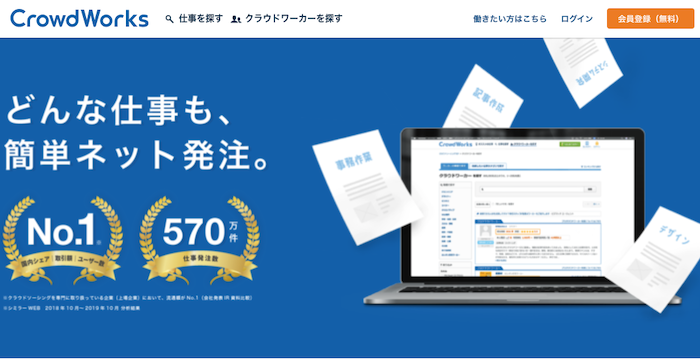
CrowdWorks is a major crowdsourcing site on a par with Lancers.
Here too, a great many transcription jobs are registered. The "tape transcription and transcription" category has more than 3,000 postings, and new ones are added every day.
CrowdWorks is also free to register with, and for jobs of 100,000 yen or less, a system usage fee of 20% is charged on your compensation.
How a Transcription Job Proceeds
From here, we explain how a transcription (tape transcription) side job proceeds.
1. Look for a transcription job

First, use a crowdsourcing site to look for a transcription (tape transcription) job.
When looking for a job, check
- the length of the audio to transcribe
- the delivery deadline
- the compensation amount
Check these three points.
The longer the audio, the longer the transcription takes, so before accepting a job, consider whether you can finish the work by the deadline.
Also, when you have just started a transcription side job, check whether the compensation is in line with the going rate by comparing it with similar jobs.
2. Accept the job

Once you decide which job to take, accept it on the crowdsourcing site.
Jobs on crowdsourcing sites include
- those where everyone who applies is guaranteed to get the job
- those where you submit your profile and the client makes a selection
There are these two types.
For some jobs, you may apply and not be chosen.
However, there are so many transcription (tape transcription) jobs that you can quickly find other postings.
If you are not chosen, we recommend not getting discouraged and looking for the next job.
3. Receive the audio file
Once you have accepted a job, you receive the audio file to transcribe from the client.
Communication with the client takes place through the dedicated message form on the crowdsourcing site.
4. Transcribe

Transcribe the audio file you received.
When transcribing, we recommend using a dedicated "transcription player" app.

[2026 Edition] How to Choose and Use Transcription Player Apps
We explain recommended transcription player apps and more convenient ways to transcribe, such as AI transcription. This article introduces tools for typing text while listening to audio, and the latest 2026 information on convenient transcription with the newest AI.
You can easily play, pause, and change the speed, so you can transcribe far more efficiently than with general apps such as "Notepad" or "Word."
Also, to make transcription even more efficient, we also recommend using an "AI transcription service".
[Free Options] 7 Recommended OCR Apps to Transcribe Images, PDFs, and Photos into Text [2026 Edition]
We compare 7 recommended apps that turn images, PDFs, and photos into text with OCR, by free tier, accuracy, and handwriting support. We also explain how to extract text from smartphone photos, scanned documents, and screenshots, and how to use it.
Transcription players and AI transcription services are introduced at the end of this article.
Please take a look.
5. Deliver the transcribed text
When the transcription (tape transcription) is complete, deliver it using the crowdsourcing site's system.
After delivery, the client checks the content, and if there are no problems, the delivery is complete.
With this, the transcription side job is finished.
Tools for Making Your Transcription Side Job More Efficient
Finally, we introduce tools you should use to carry out a transcription side job efficiently.
- Transcription players
- AI transcription services
These two types are recommended.
Transcription Player Apps
An app you should definitely use for a transcription side job is a transcription player.
It is a text editing app specialized for transcription, equipped with functions to play, pause, and change the playback speed using keyboard shortcuts.
Specific recommended apps include the following.
Okoshiyasu2
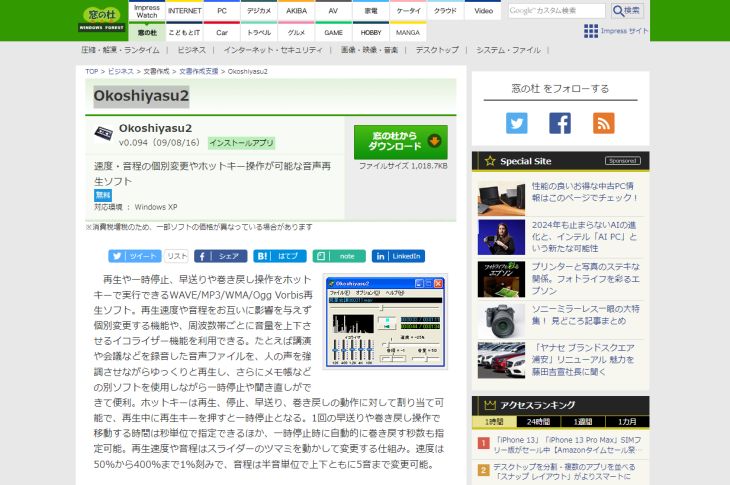
"Okoshiyasu2" is a transcription player app recommended for transcribing on a Windows PC.
It has the full set of basic functions, including shortcut keys for play, pause, fast forward, and rewind, speed changes from 50% to 400%, and pitch changes.
CasualTranscriber
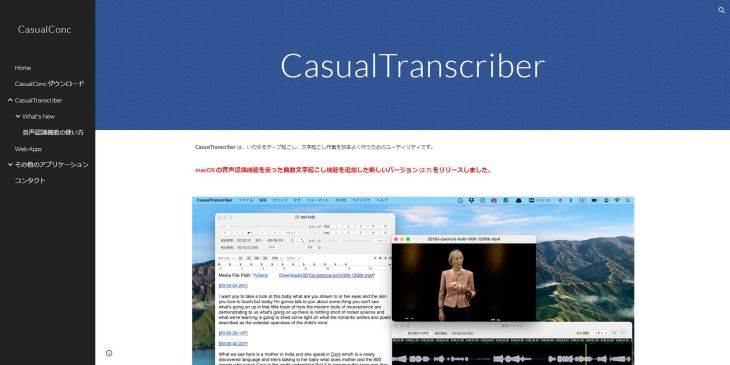
CasualTranscriber is a transcription player app recommended for Mac users.
It also offers basic functions such as shortcut keys for play, pause, fast forward, and rewind, and in addition it can transcribe using the Mac's built-in speech recognition.
AI Transcription Services

To make a transcription side job even more efficient, an "AI transcription service" is well worth using.
An AI transcription service is a service that transcribes using AI speech recognition.
Just upload an audio file, and the AI transcribes it automatically.
Compared with transcribing manually on a keyboard, it cuts both time and effort dramatically, so to do your side job more efficiently, we recommend using an AI transcription service.
Mr. Transcription

"Mr. Transcription" is an AI transcription tool that can be used even for free.
Besides transcribing with high accuracy using the latest AI, it also supports creating meeting minutes and transcribing foreign languages.
You can try it free for up to 3 minutes a day without registering, and free members can transcribe up to 10 minutes a day, so why not try "Mr. Transcription" first?
Why Not Start a Transcription Side Job?
This article explained transcription side jobs, including how to find work and recommended methods.
Among the many kinds of side jobs, transcription is especially easy to start, and it is work that suits beginners.
It is also a good choice for people not used to working from home who are using a crowdsourcing site for the first time.
Once you start transcription work, using an AI transcription service lets you carry out the work even more efficiently.
Why not use convenient tools to carry out your transcription side job efficiently?
The following article is for people who want to take on transcription seriously as a work-from-home part-time job. It explains in detail the equipment and environment you need, the going rate per hour, and the workflow using AI.
Please read it as well.

[2026 Latest] Boost Efficiency with AI: A Complete Guide to Earning Side Income from Transcription Work at Home
Make work-from-home transcription more efficient with AI tools! Transcription is attracting attention as a side job you can start even without experience. We fully explain tips for earning more, from preparation to winning jobs and efficient work steps.
■ AI transcription service "Mr. Transscription"
"Mr. Transcription" is an online transcription tool that can be used from zero initial cost and 1,000 yen per month (* free version available).
- Supports more than 20 file formats such as audio, video, and images
- Can be used from both PC and smartphone
- Supports technical terms such as medical care, IT, and long-term care
- Supports creation of subtitle files and speaker separation
- Supports transcription in approximately 100 languages including English, Chinese, Japanese, Korean, German, French, Italian, etc.
To use it, just upload the audio file from the site. Transcription text is available in seconds to tens of minutes.
You can use it for free if you transcribe it for up to 10 minutes, so please try it once.

It is "Mr. Transcription" who can easily transcribe from audio, video, and images.
Transcription allows you to transcribe for up to 10 minutes for free.
You can copy, download, search, delete, etc. the transcribed text.
You can also create subtitle files, which is ideal for transcription of interview videos.
HP: mojiokoshi3.com
Email: mojiokoshi3.com@gmail.com
Email: mojiokoshi3.com@gmail.com
Related article
Transcription for audio / video / image transcription. It is a transcription service that anyone can use for free without installation.
- What is Mr. Transcription?
- Transcript images, sounds, and videos with Mr. Transcription
- Free registration
- Rate plan
- manual
- Try other free services






