


Report Mr. Transcription Errors: Get Free Audio & Images!
Transcribe WMA Files: 3 Easy Ways on Windows with AI
Oct. 15, 2026
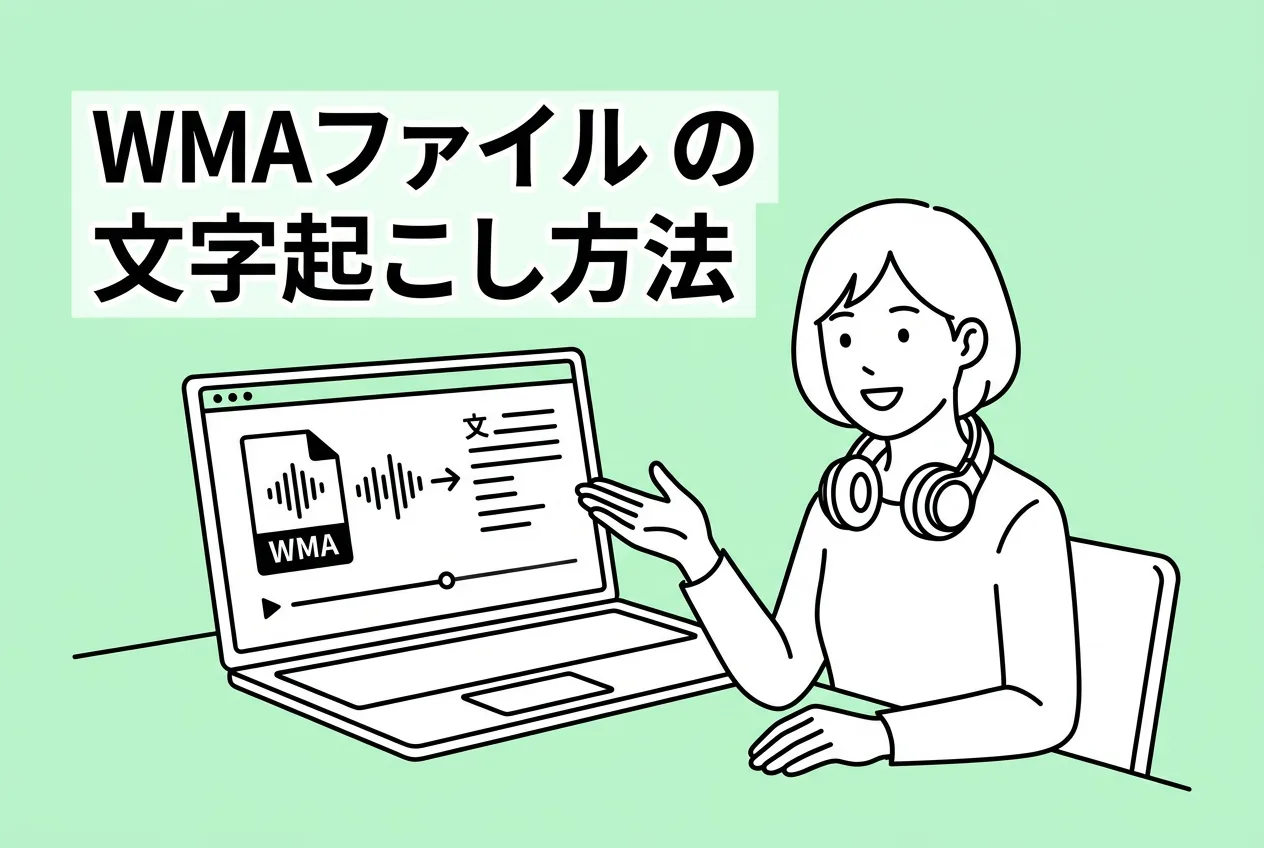
How do I transcribe WMA files?

When transcribing audio files, including WMA, you no longer need to manually type everything out yourself.
The recommended transcription method is to use an "AI transcription tool."
By using the latest speech recognition AI tools, anyone can easily transcribe WMA files.
While Windows does have a built-in speech recognition feature, it's recommended to use a dedicated AI transcription tool for smoother and faster transcription.
This article will explain the best methods for transcribing WMA files and the specific steps involved!
Please refer to it when converting audio files to text for work or study.
Recommended AI Transcription Services for WMA Files
First, let's introduce the recommended services for transcribing WMA files.
Easily Transcribe WMA Files with Mr. Transcription

If you need to transcribe WMA files, the AI transcription tool Mr. Transcription is highly recommended!
Mr. Transcription is an AI transcription tool that supports WMA files.
It features fast and high-quality transcription in just about 1 minute using the latest AI.
As a tool developed in Japan, it offers peace of mind regarding security.
With simple operation—just uploading files from your PC or smartphone—you can quickly convert various audio files from meetings, business negotiations, interviews, and more into text.
What's more, Mr. Transcription is available for free!
You can transcribe for free for up to 3 minutes per day without registration or login, and up to 10 minutes per day if you register for free, so you can start transcribing right away.
*If you wish to transcribe files longer than 10 minutes, please refer to the pricing plans page.
If you're looking for a way to transcribe WMA files, why not try Mr. Transcription from here?
How to Easily Transcribe WMA Files?
WMA files are a common audio file format used in Windows.
How can you transcribe them smoothly?
What is a WMA file?

A WMA file is an audio file developed by Microsoft.
WMA stands for "Windows Media Audio," and as the name suggests, it's commonly used on Windows computers.
Compared to MP3 and WAV files, fewer transcription services support WMA, which often leads to challenges in finding a transcription method.
Previously, it was frequently used, for example, when importing music CDs with Windows Media Player, but its usage has decreased in recent Windows versions like Windows 11.
WMA files are a compressed audio file format, and one of their characteristics is that they have a smaller file size compared to the equally compressed MP3 format.
Also Used in IC Recorders
A common issue is the "trouble" of IC recorders saving recordings as WMA files.
Some IC recorders from manufacturers like Olympus (OM Digital Solutions) and Voice Trek save audio files in WMA format.

Unlike MP3 or WAV files, I can't open them with the software I usually use...
In such cases, you need to use a service that can transcribe WMA files.
WMA Files Can Be Transcribed with AI Transcription Services!
But don't worry!
WMA files can be easily transcribed using transcription services that leverage the latest AI technology.
With transcription services that support WMA files, such as Mr. Transcription, anyone can easily and smoothly convert audio to text.
With AI speech recognition transcription services, there's no longer a need to spend time manually typing on a keyboard, as was previously required.
For transcribing WMA files recorded with an IC recorder or a Windows PC, using an AI transcription service is highly recommended.
The transcription methods for all types of audio files are explained in detail in this article. Please take a look.
Be aware that few transcription services support WMA files
One thing to note about transcribing WMA files is that very few AI transcription services support them.
Unlike MP3, WAV, or M4A files, only a handful of services can transcribe WMA files.
To avoid the situation where you "subscribed to an AI transcription service only to find it doesn't support WMA files," make sure to thoroughly check the supported file formats beforehand.
3 Ways to Transcribe WMA Files
What are the best services for transcribing WMA files?
It's important to note that some services can transcribe WMA files, while others cannot.
So, we've compiled a list of services that do support WMA transcription!
1. Mr. Transcription
Mr. Transcription is an AI transcription service highly recommended for transcribing WMA files.
Mr. Transcription is an AI transcription service that supports a wide range of file formats, including WMA files.
Using the latest AI, anyone can easily and conveniently convert audio files to text.
As a transcription tool developed in Japan, it's also recommended if you prioritize security.
The latest AI used by Mr. Transcription has features such as transcribing long files in about 1 minute and supporting 100 languages, making it versatile for various situations like meetings, interviews, business negotiations, and foreign language content.
Free AI Transcription Service
Mr. Transcription has other features as well.
Amazingly, you can transcribe for free for up to 3 minutes per day without registration or login, and up to 10 minutes per day if you register an account!
If you're looking for a way to transcribe WMA files, why not try Mr. Transcription for free and without registration?
2. Otter
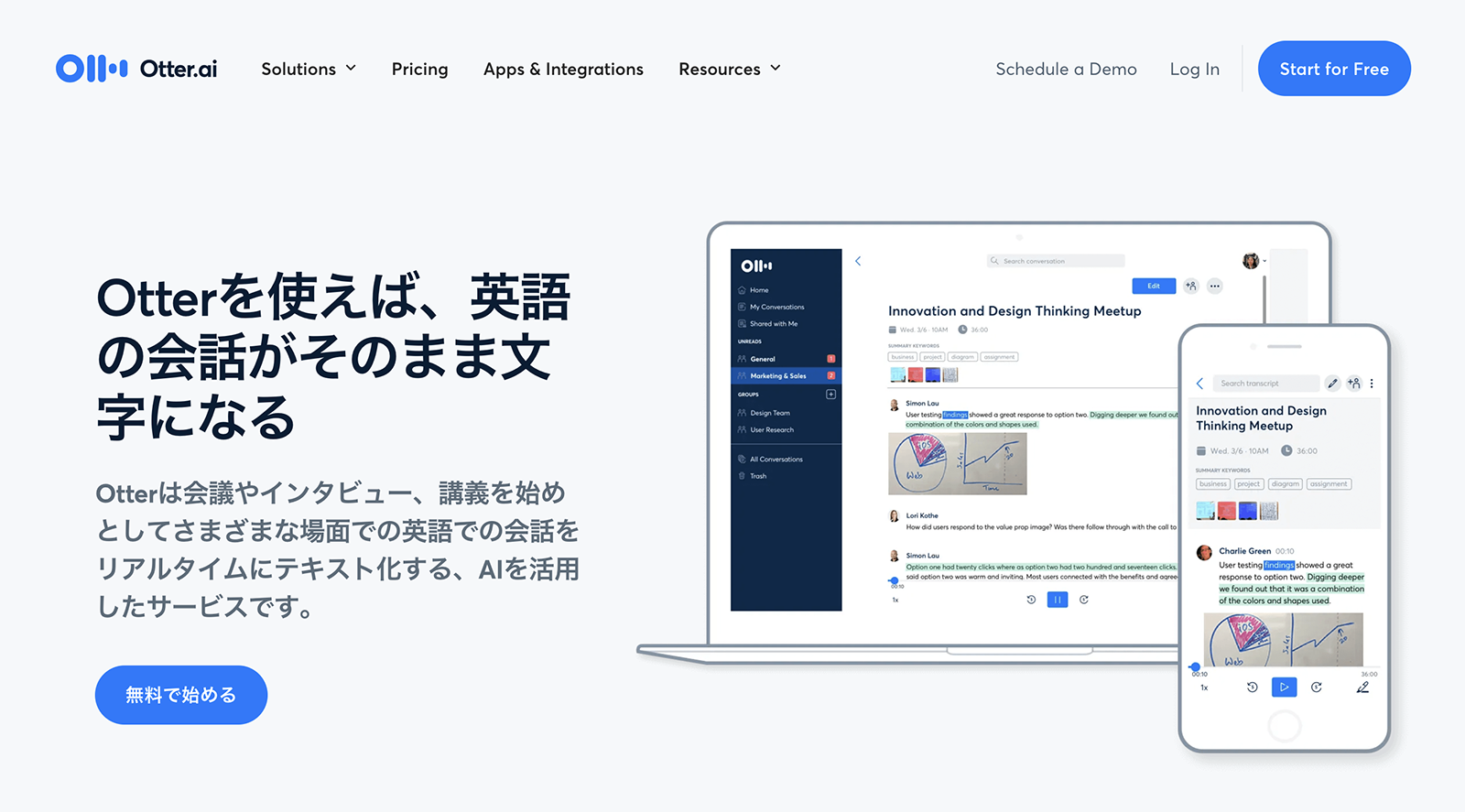
Otter, an AI transcription service supporting English, French, Spanish, Japanese, and more, also supports importing WMA files.
Otter is an AI transcription service operated by Otter.ai, based in California, USA.
Its English transcription performance is outstanding.
This AI transcription service is recommended for transcribing business meetings, conferences, or English conversation classes in English.
3. Notta

Notta, a Japanese AI transcription service, also supports transcribing WMA files.
You can upload WMA files using the import function in the management screen.
However, registration and login are required for trial use.
How to Transcribe WMA Files for Free
So, what's the process for transcribing WMA files?
Let's walk through how to transcribe WMA files for free using the latest AI!
1. Prepare your WMA file

Prepare the WMA file you want to transcribe.
WMA file transcription is often needed when you've recorded audio with an IC recorder.
Connect your IC recorder to your computer and copy the file.
Don't forget to back up your audio file.
2. Open Mr. Transcription's homepage
This time, we will use Mr. Transcription to transcribe WMA files.
Open Mr. Transcription's homepage from here.
Mr. Transcription allows you to upload files directly from its homepage.
3. Upload the WMA file
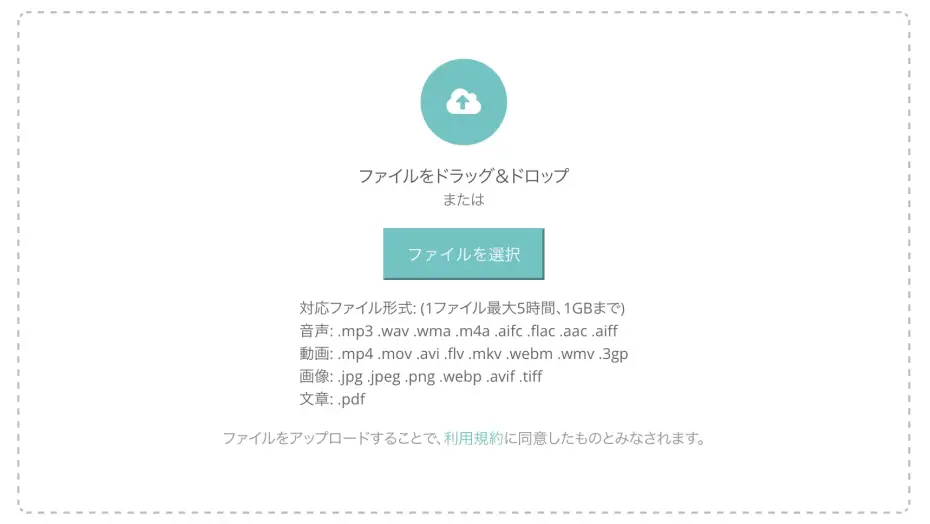
Select and upload your WMA file.
- Drag and drop the file into the area labeled "Drag files here."
- Click "Select File" and choose your file.
Select your file using either of these methods.
After selecting the file, click the "Upload" button to upload it.
4. Start Transcription
Once the WMA file upload is complete, transcription will automatically begin.

Please wait a moment for the transcription to complete.
※Even long files are usually transcribed within about 1 minute.
When transcribing for free, make sure to keep the screen open.

If you register, you'll be notified by email when transcription is complete!
5. Transcription Complete
Once the transcription is complete, the screen will change and the transcription results will be displayed.
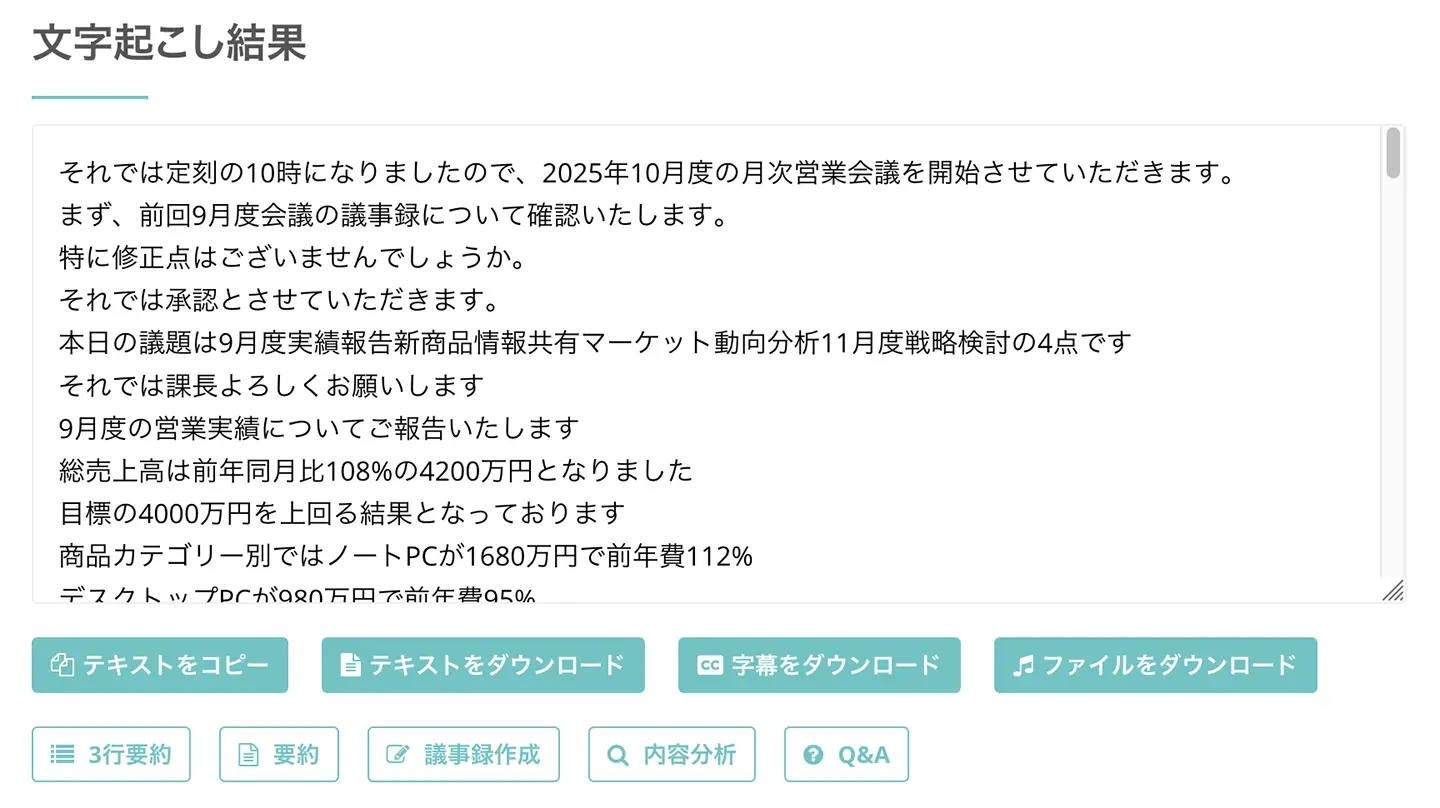
As you can see, the content of the WMA file has been transcribed into text.
On this screen, you can check the transcription results section by section.
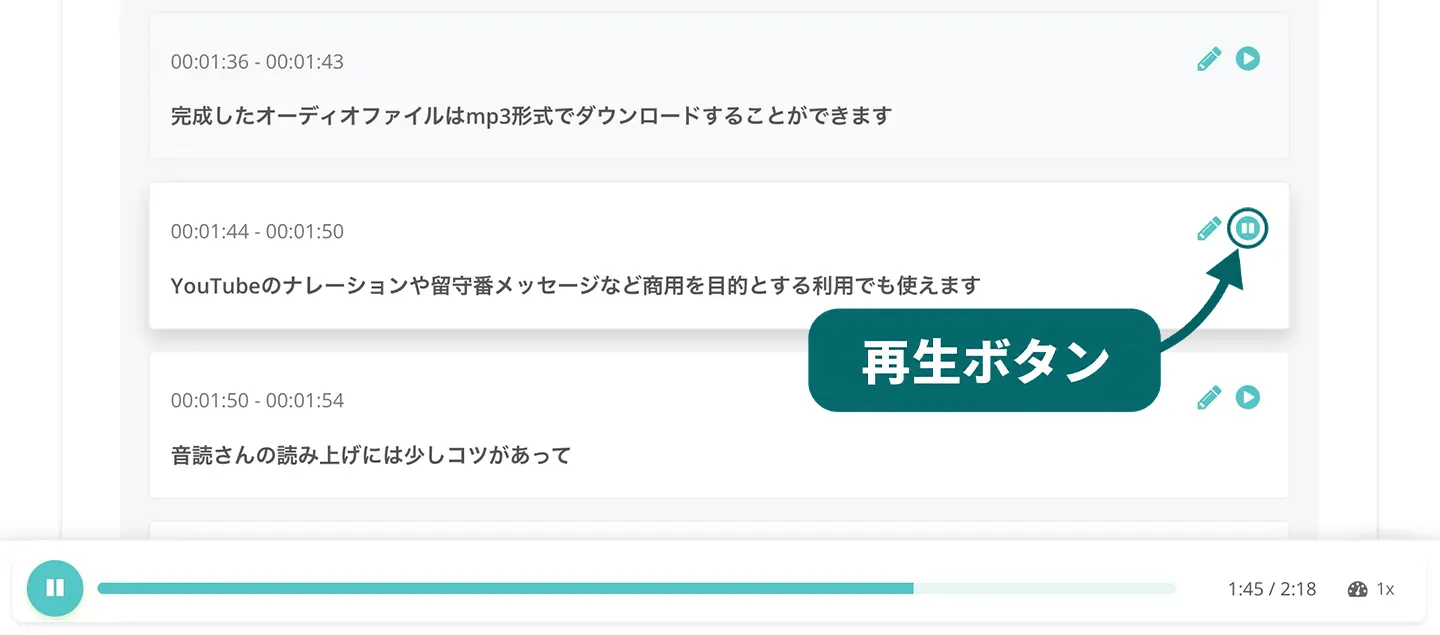
By pressing the play button, you can listen to the audio for that section and check the results individually.
Also, by pressing the edit button, you can edit only that specific section.
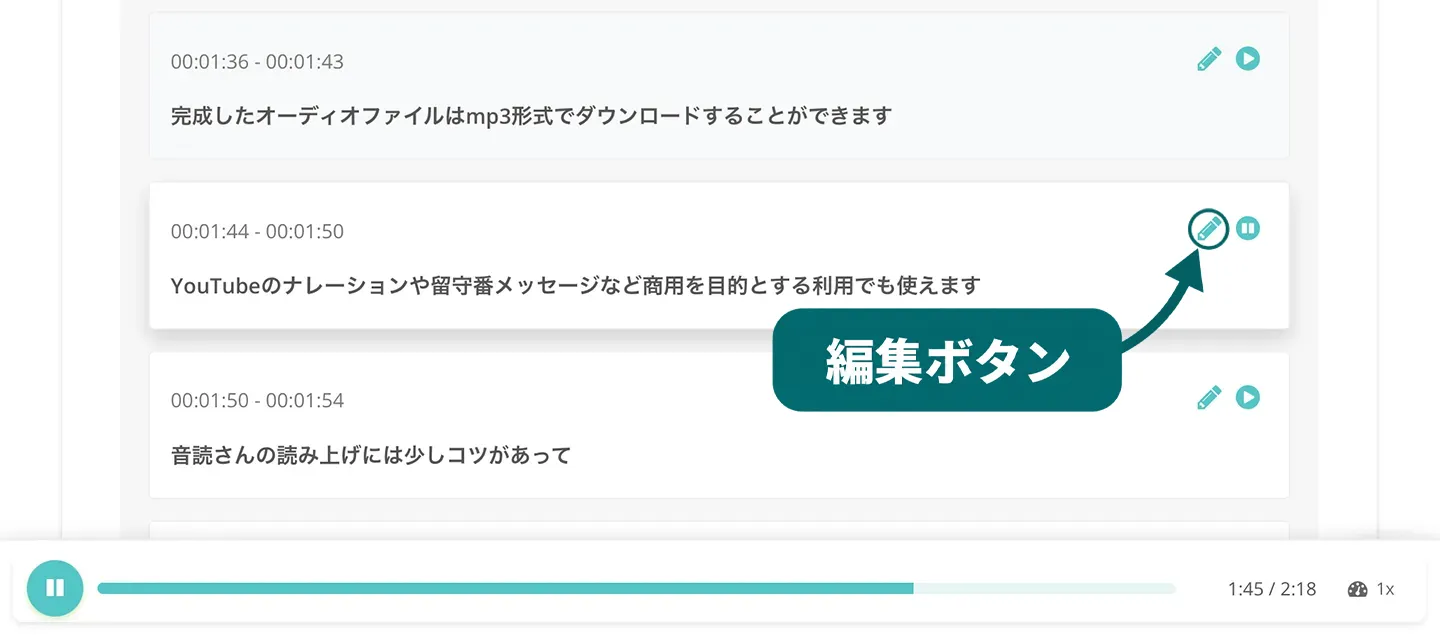
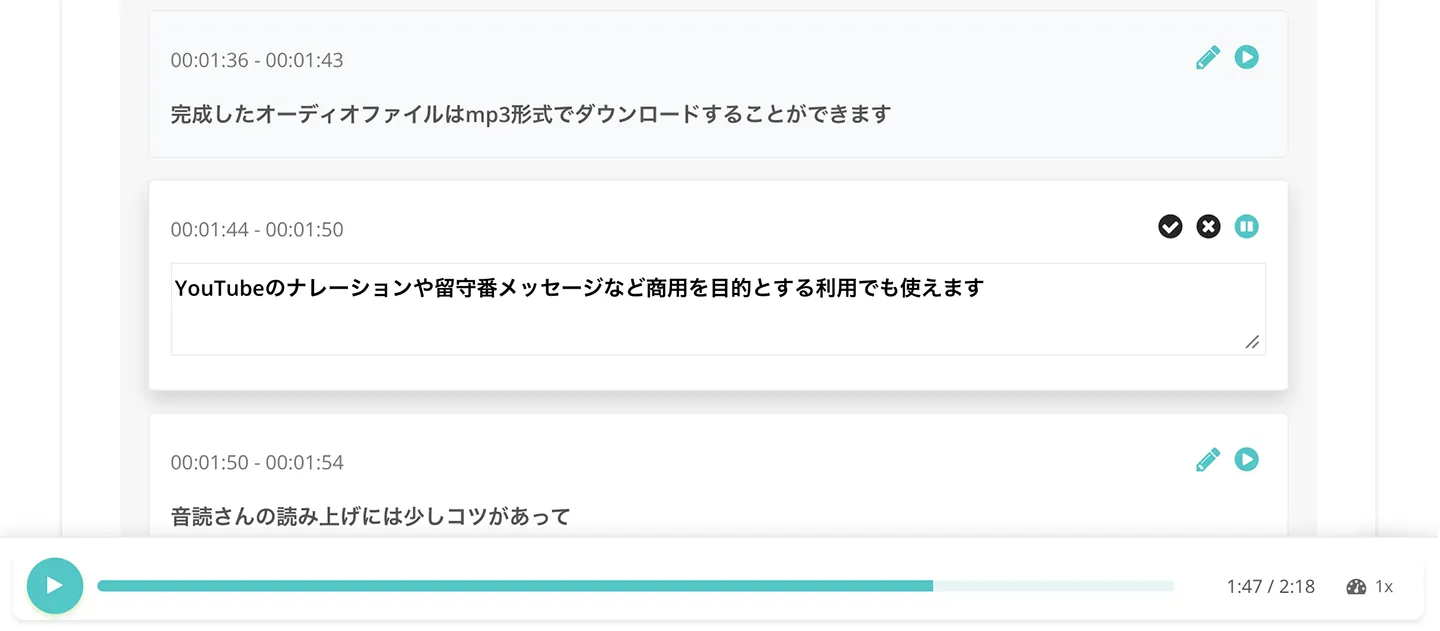
This completes the process of transcribing WMA files using Mr. Transcription's speech recognition AI.
A more detailed guide on how to use Mr. Transcription is also explained with images in this article. Please take a look.
Transcribing WMA Files is Very Easy
The process of transcribing WMA files with Mr. Transcription is as simple as this.
Once you select and upload your file, the AI handles everything for you!
If you're wondering how to transcribe WMA files, why not try Mr. Transcription for free first?
Few AI Transcription Services Support WMA Files
I'm surprised there are so few ways to transcribe WMA files!
This article introduced methods for transcribing WMA files and recommended compatible services.
What's important to note when transcribing WMA files is that very few AI transcription services support them.
After checking the supported file types of various AI transcription services, we found that none of them, apart from the three services mentioned in this article, supported uploading (importing) WMA files.

I subscribed to an AI transcription service, but it didn't support my files...
To avoid such situations, choosing the right transcription service is crucial for converting WMA files to text.
If you're unsure about transcription methods, it's recommended to first try a free service like Mr. Transcription!
■ AI transcription service "Mr. Transscription"
"Mr. Transcription" is an online transcription tool that can be used from zero initial cost and 1,000 yen per month (* free version available).
- Supports more than 20 file formats such as audio, video, and images
- Can be used from both PC and smartphone
- Supports technical terms such as medical care, IT, and long-term care
- Supports creation of subtitle files and speaker separation
- Supports transcription in approximately 100 languages including English, Chinese, Japanese, Korean, German, French, Italian, etc.
To use it, just upload the audio file from the site. Transcription text is available in seconds to tens of minutes.
You can use it for free if you transcribe it for up to 10 minutes, so please try it once.

It is "Mr. Transcription" who can easily transcribe from audio, video, and images.
Transcription allows you to transcribe for up to 10 minutes for free.
You can copy, download, search, delete, etc. the transcribed text.
You can also create subtitle files, which is ideal for transcription of interview videos.
HP: mojiokoshi3.com
Email: mojiokoshi3.com@gmail.com
Email: mojiokoshi3.com@gmail.com
Related article
Transcription for audio / video / image transcription. It is a transcription service that anyone can use for free without installation.
- What is Mr. Transcription?
- Transcript images, sounds, and videos with Mr. Transcription
- Free registration
- Rate plan
- manual
- Try other free services






