Free OCR Tools: Image to Text Conversion (44 Languages)
Mr. Transcription 2FA: Setup & Manage Two-Factor Auth Now!
March 14, 2026
Thank you for always using Mr. Transcription.
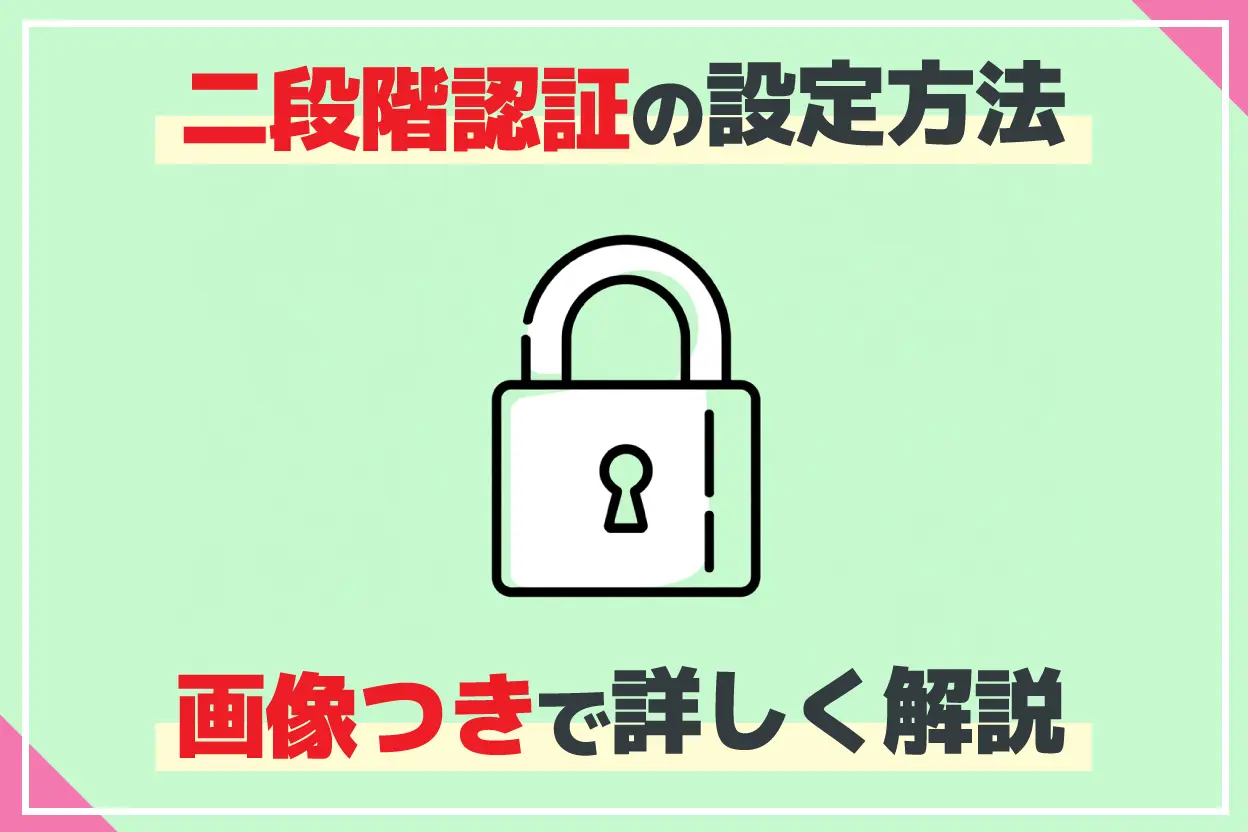
To further protect your valuable data, we have introduced a two-factor authentication (2FA) feature.
What is Two-Factor Authentication?
Two-factor authentication is a security feature that prevents unauthorized access by third parties by requiring a verification code sent to your smartphone or other device, in addition to your password.
This helps protect your account even if your password is compromised.
How to Enable Two-Factor Authentication for Mr. Transcription
Enabling two-factor authentication for Mr. Transcription is very simple.
It takes only about a minute to complete from the settings page.
1. Open Mr. Transcription's Settings Page
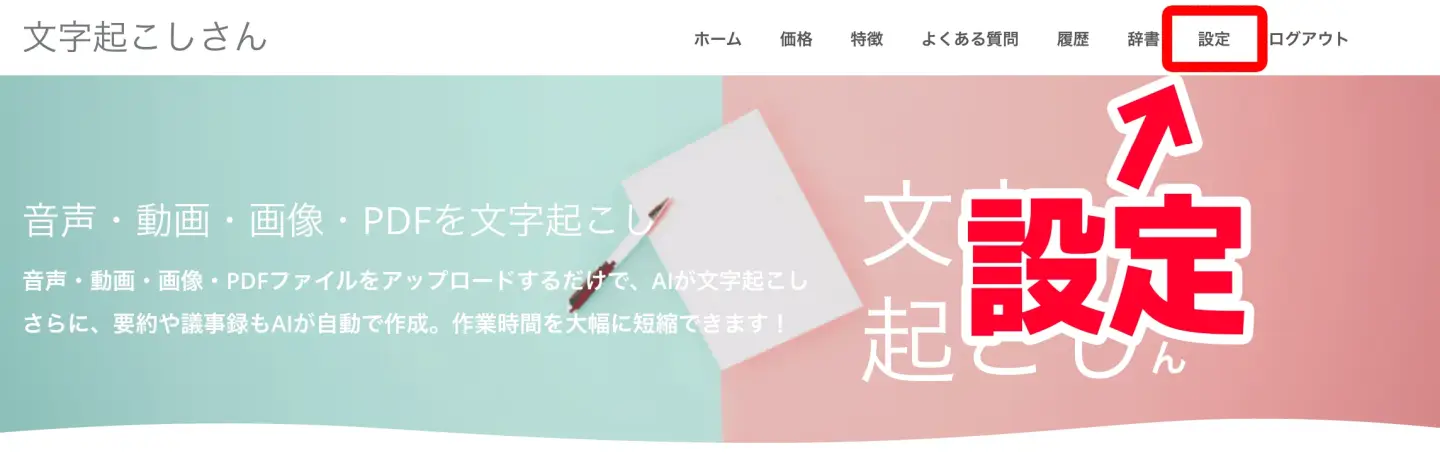
First, open Mr. Transcription's settings page.
You can open the settings page from "Settings" in the menu.
For PC users
For iPhone (iOS) and Android smartphone users
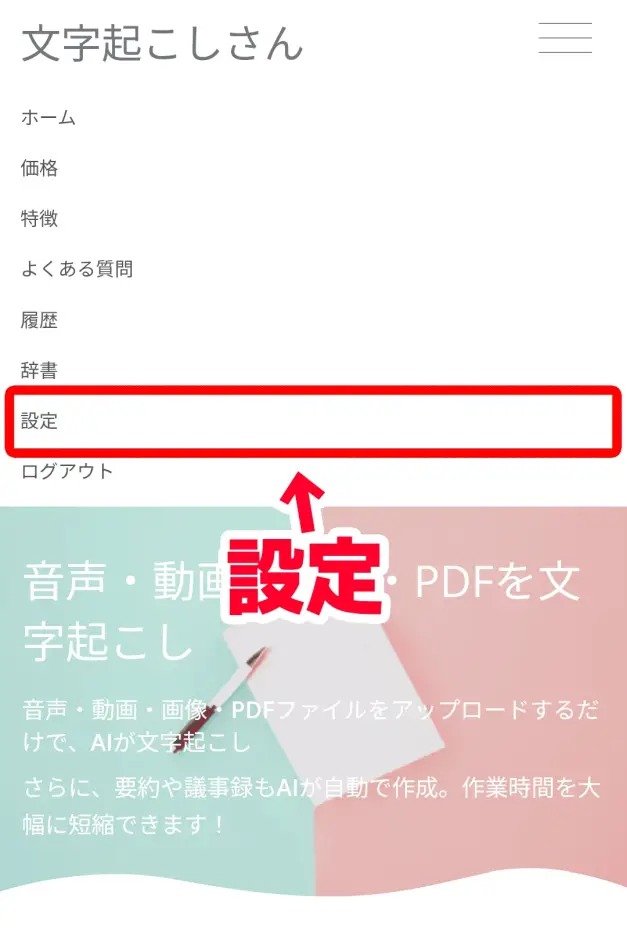
The settings page is now open.
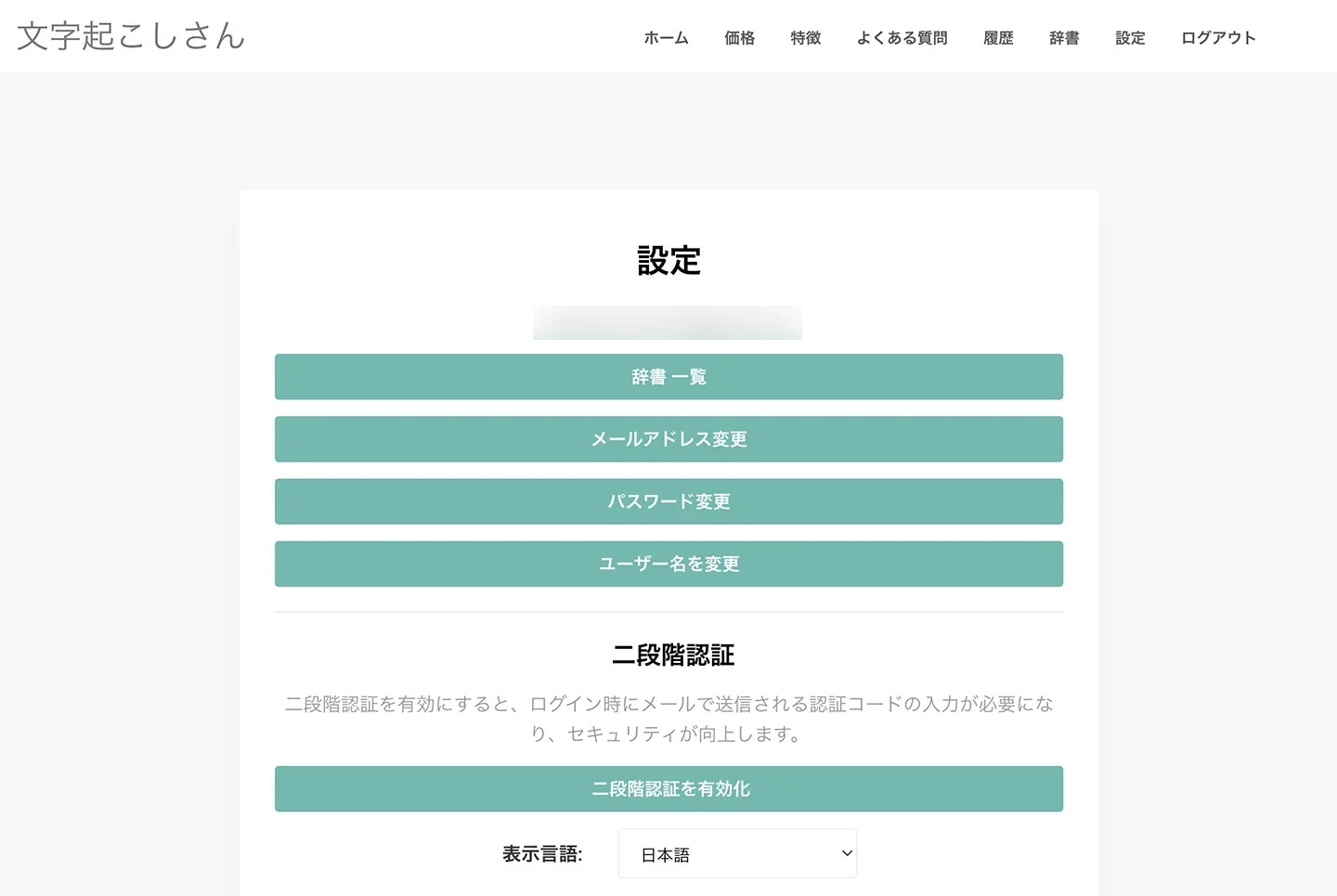
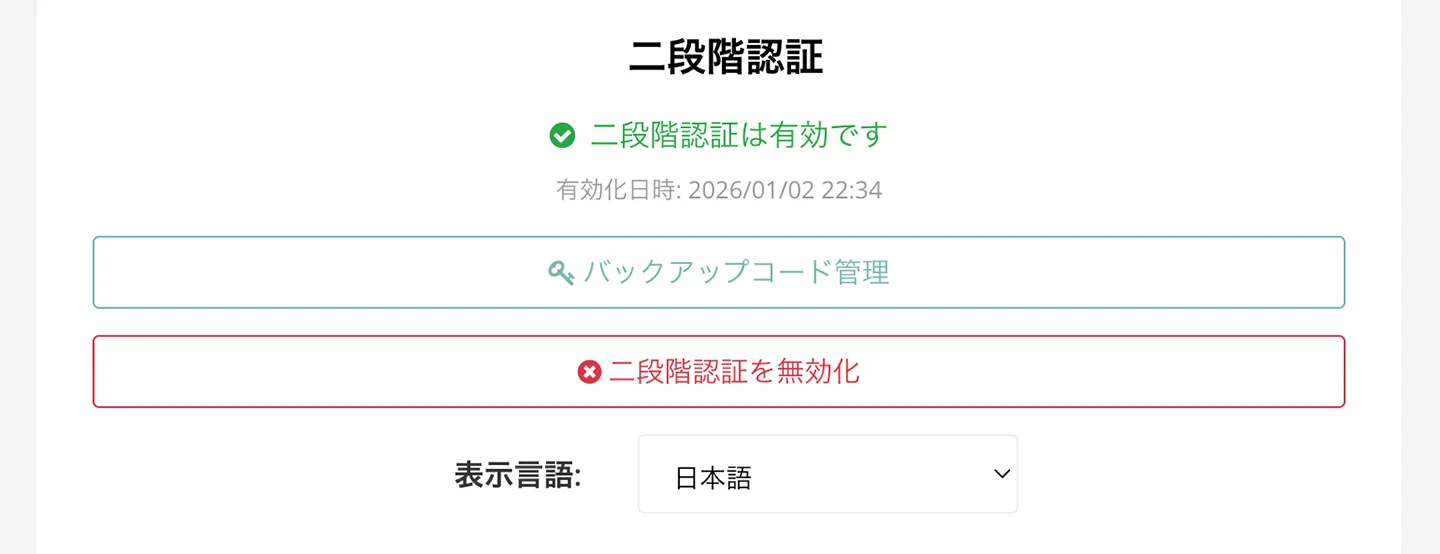
As you can see, there is a "Two-Factor Authentication" item.
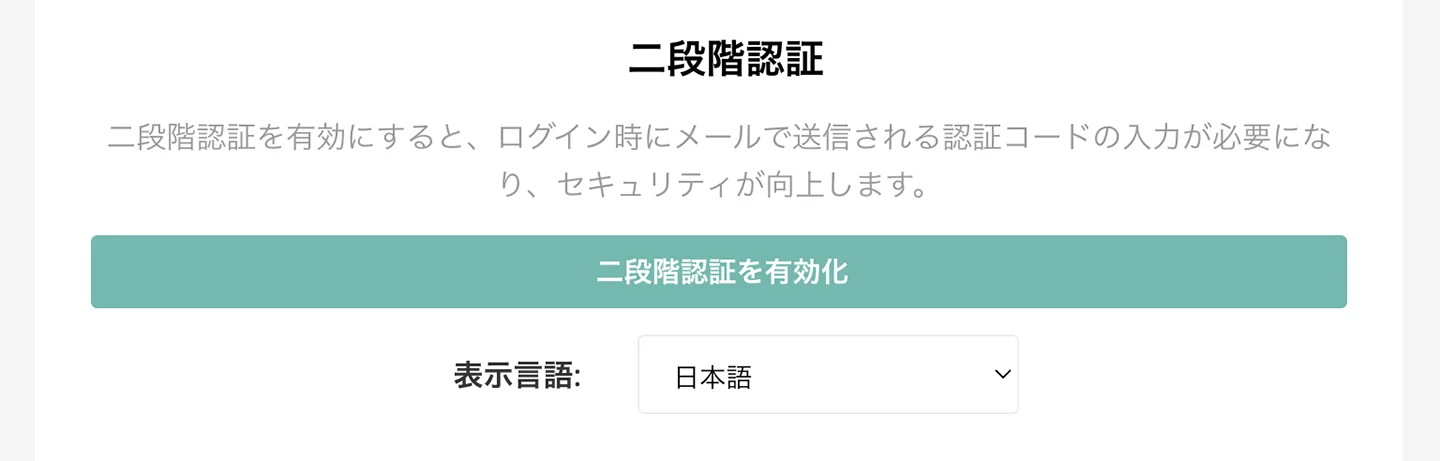
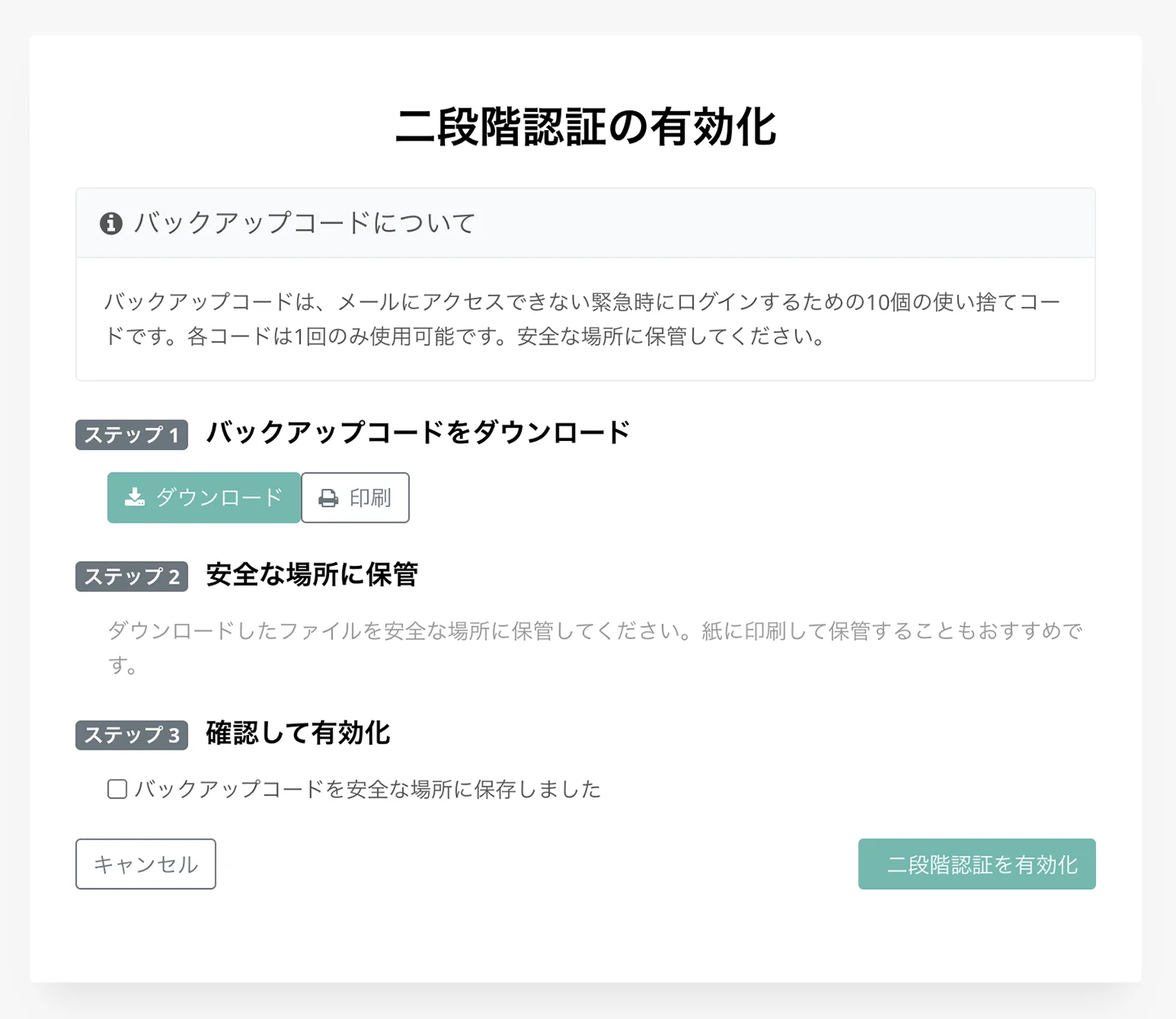
Pressing the "Enable Two-Factor Authentication" button will open the "Enable Two-Factor Authentication" screen.
2. [Important] Download Backup Codes
Once the "Enable Two-Factor Authentication" screen opens, first download the "backup codes".
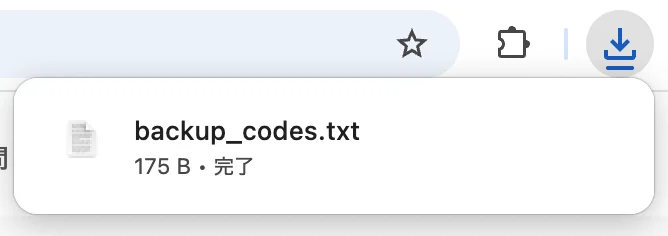
Backup codes are used to log in if you lose access to your email address.
These backup codes are displayed only once.
If lost, they need to be regenerated.
Be careful! If you lose access to both your email address and your backup codes, you won't be able to log in to Mr. Transcription!

After downloading your backup codes and storing them in a safe place, check the confirmation message.
3. Enable Two-Factor Authentication
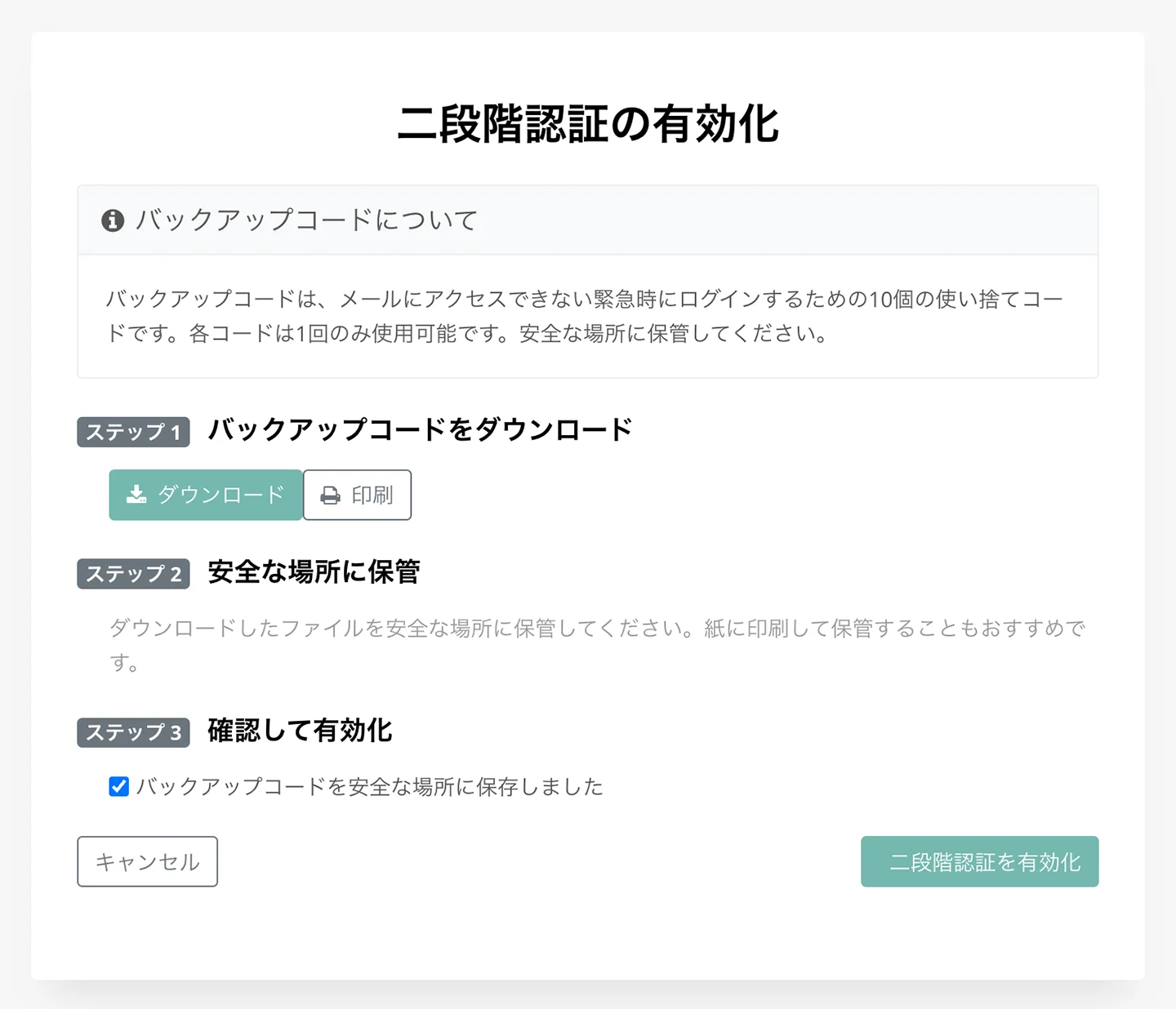
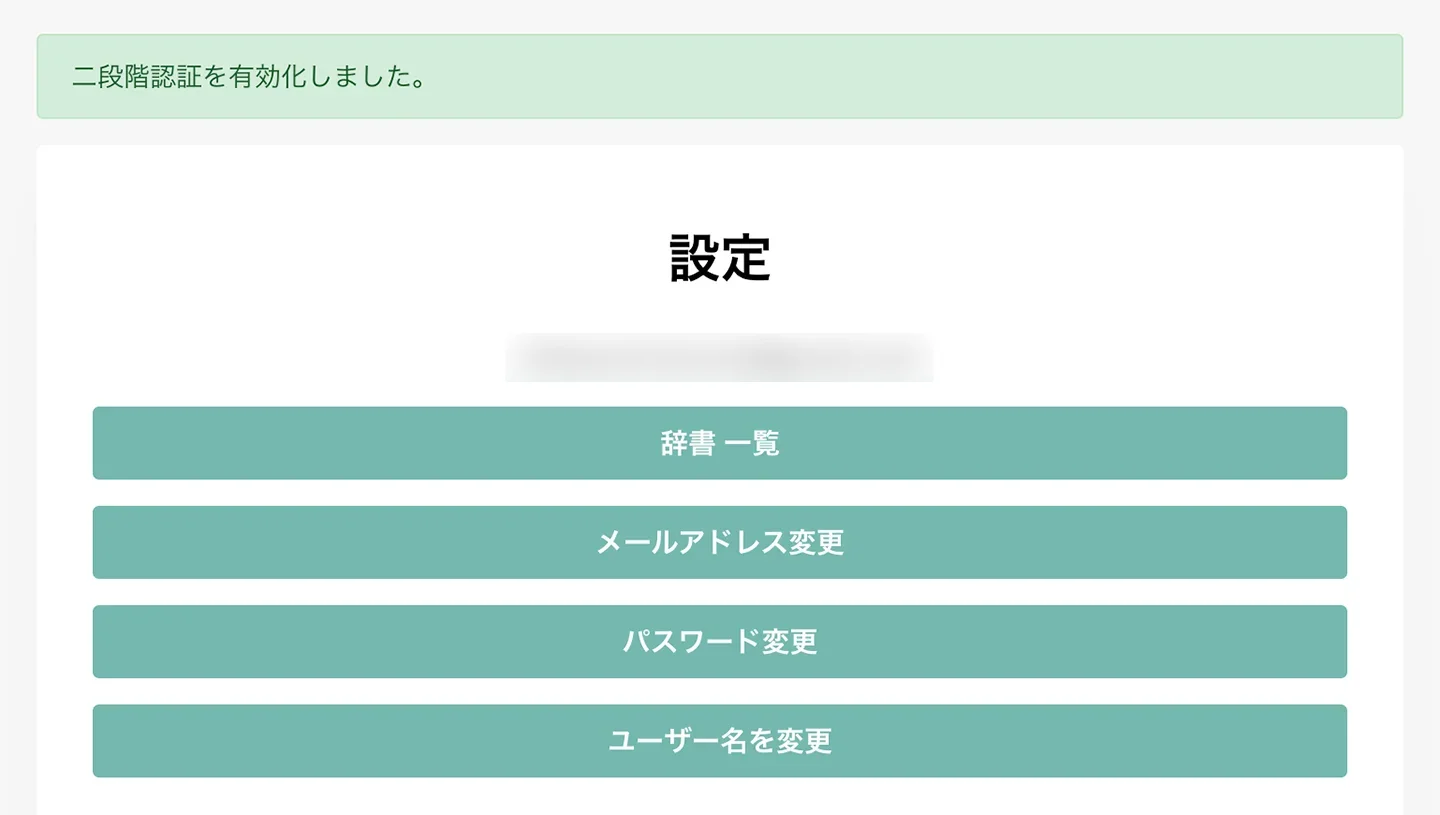
Pressing "Enable" will activate two-factor authentication.
The screen will change and display "Two-factor authentication has been enabled."
You can check the status of two-factor authentication on the settings screen.
If it is enabled, it will display "Two-factor authentication is enabled" as shown.
How to Log In Using Two-Factor Authentication
To log in to Mr. Transcription using two-factor authentication, first enter your email address and password, then click "Login."
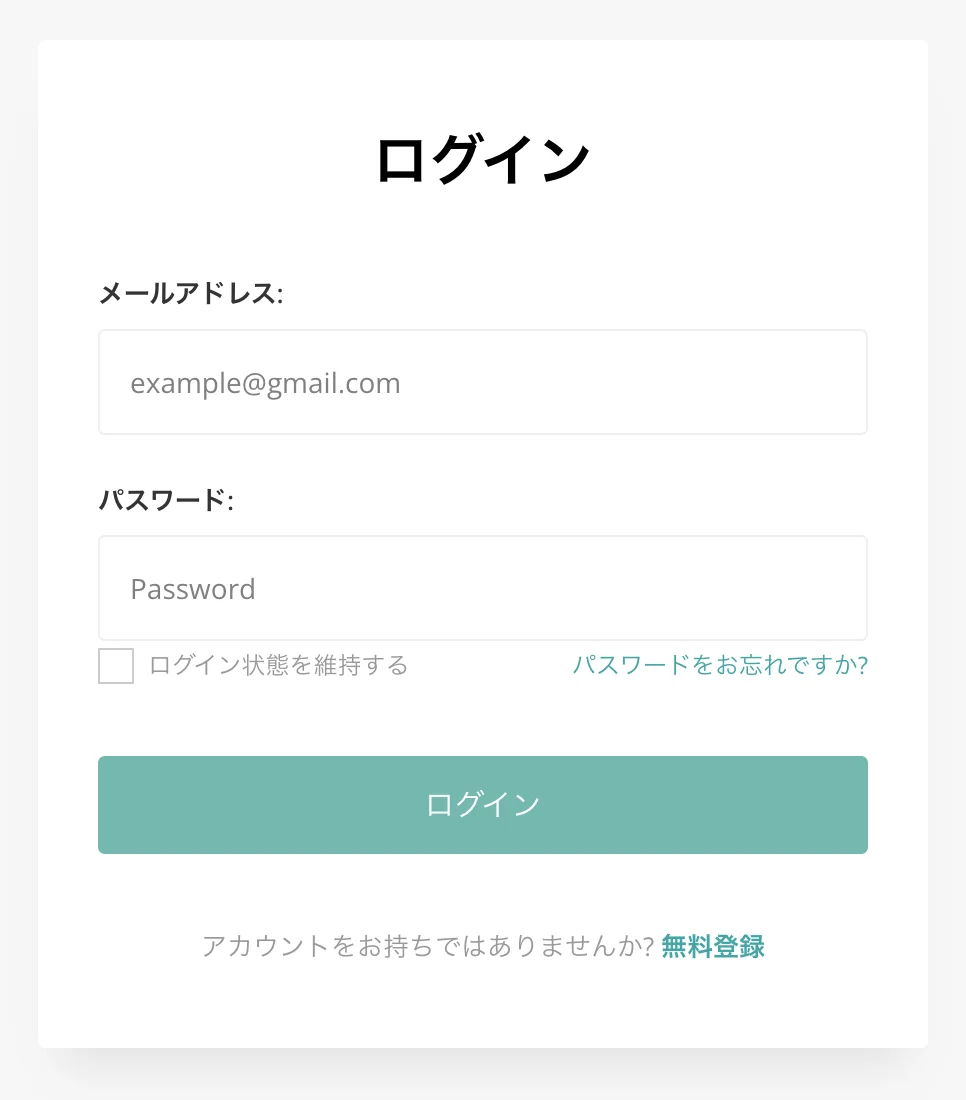
Then, the two-factor authentication screen will open, as shown.
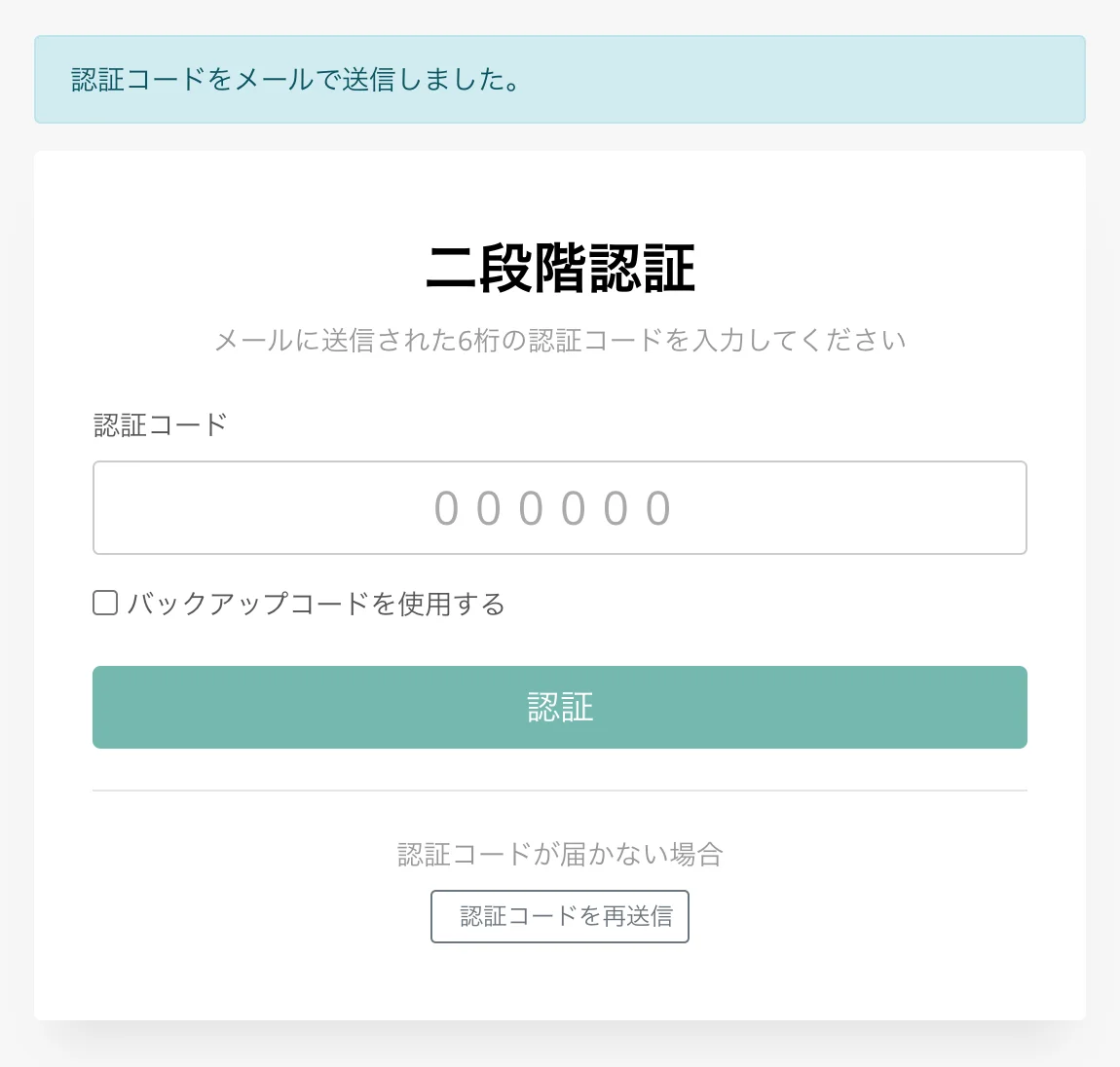
A two-factor authentication code will be sent to the email address you are using for login. Enter it to log in.
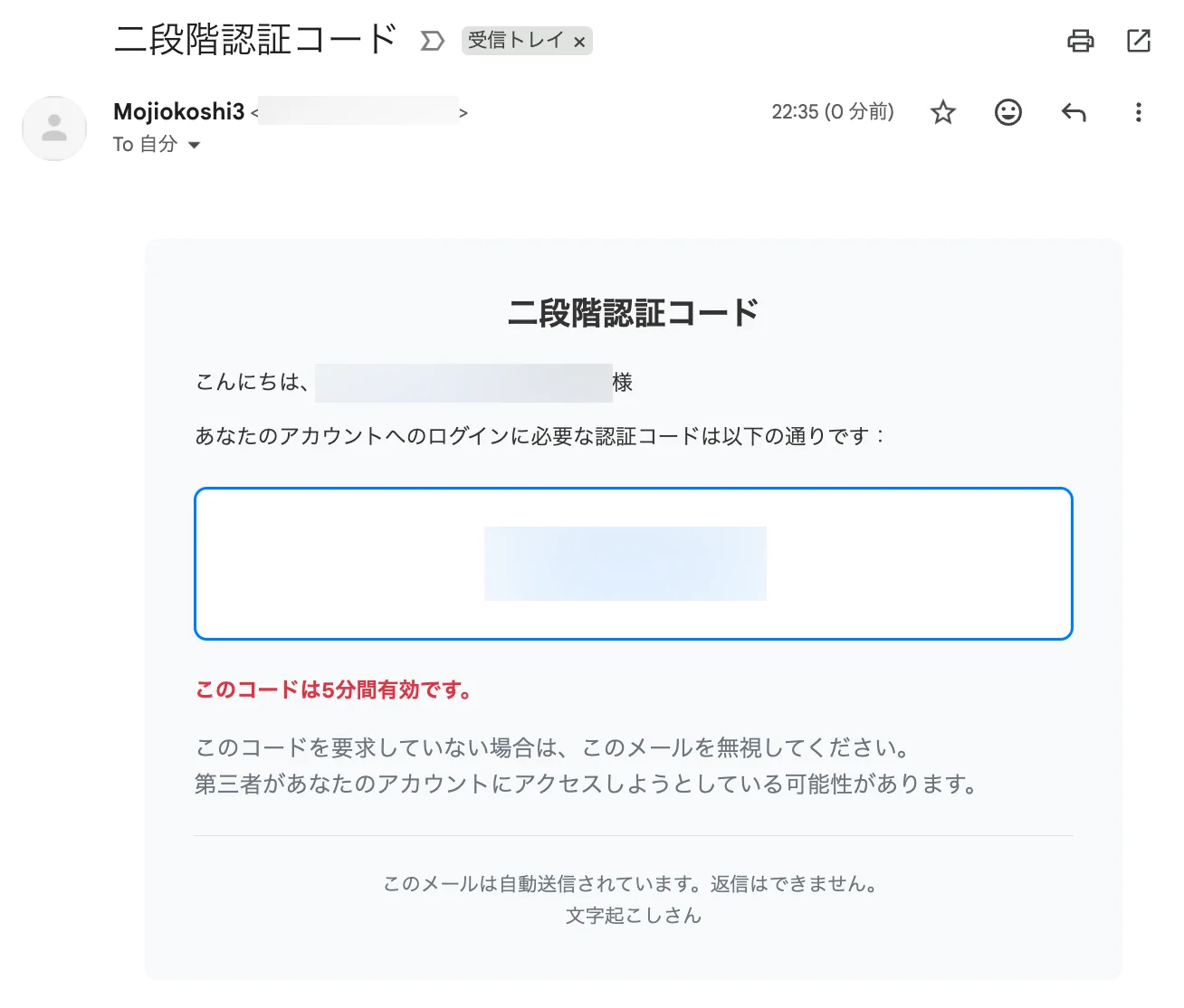
*The two-factor authentication code is valid for 5 minutes.
How to Disable Two-Factor Authentication for Mr. Transcription
You can disable two-factor authentication from "Disable Two-Factor Authentication" on Mr. Transcription's "Settings" page.
*We highly recommend using two-factor authentication to enhance your account's security.
Pressing "Disable Two-Factor Authentication" will open a confirmation screen.
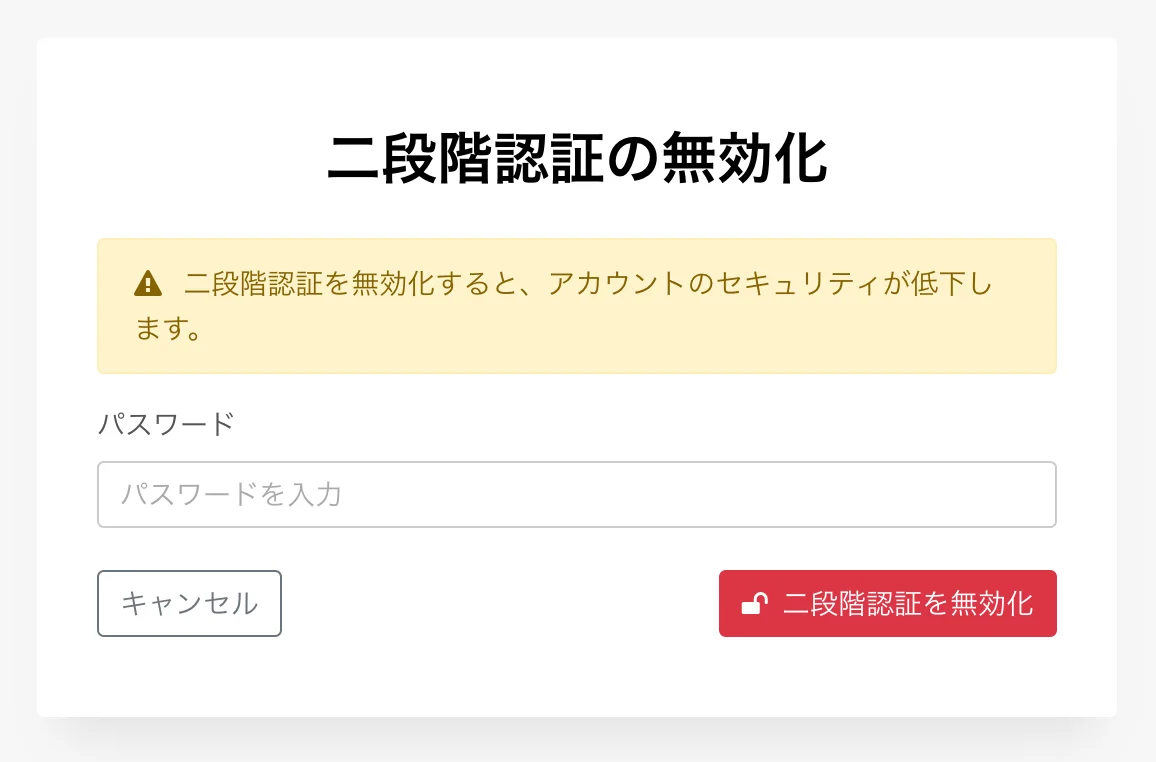
Entering your password on this screen will disable two-factor authentication.
*Disabling two-factor authentication will require you to log in again.
Please Use Mr. Transcription's Two-Factor Authentication Setting
As shown, Mr. Transcription's two-factor authentication is easy to set up.
We strongly recommend enabling two-factor authentication to enhance your account's security.
You can find more details about Mr. Transcription's security measures in this article. Please take a look.
We will continue to strengthen our security measures so that you can continue to use Mr. Transcription as your best transcription software.
■ AI transcription service "Mr. Transscription"
"Mr. Transcription" is an online transcription tool that can be used from zero initial cost and 1,000 yen per month (* free version available).
- Supports more than 20 file formats such as audio, video, and images
- Can be used from both PC and smartphone
- Supports technical terms such as medical care, IT, and long-term care
- Supports creation of subtitle files and speaker separation
- Supports transcription in approximately 100 languages including English, Chinese, Japanese, Korean, German, French, Italian, etc.
To use it, just upload the audio file from the site. Transcription text is available in seconds to tens of minutes.
You can use it for free if you transcribe it for up to 10 minutes, so please try it once.

It is "Mr. Transcription" who can easily transcribe from audio, video, and images.
Transcription allows you to transcribe for up to 10 minutes for free.
You can copy, download, search, delete, etc. the transcribed text.
You can also create subtitle files, which is ideal for transcription of interview videos.
HP: mojiokoshi3.com
Email: mojiokoshi3.com@gmail.com
Email: mojiokoshi3.com@gmail.com
Related article
Transcription for audio / video / image transcription. It is a transcription service that anyone can use for free without installation.
- What is Mr. Transcription?
- Transcript images, sounds, and videos with Mr. Transcription
- Free registration
- Rate plan
- manual
- Try other free services