Transcription Efficiency: 7 Tips to Boost Your Workflow Now!
Free: Convert Video to Audio and Transcribe Large Video Files
Oct. 9, 2026
Thank you for using Mr. Transcription.
Have you ever run into problems like these while using Mr. Transcription?
I want to transcribe a video I shot, but the file is too large to upload.


My connection is slow, so uploading takes far too long.
Sound familiar?
Camera performance on iPhones, iPads, Android smartphones and tablets has improved in recent years, and we shoot high-quality video more and more often.
As a result, video files tend to get larger as well.
But that's no longer a problem!
When you upload a large video file to Mr. Transcription, it can now automatically convert the video to audio, extract the sound, and transcribe it!
In this article, we explain in detail the feature that helps you transcribe large video files.
How to Fix It When a Video File Is Over 1 GB and Can't Be Uploaded
Mr. Transcription's File Size Limit and the New Free Tool
Currently, the upper limits for a single upload to Mr. Transcription are:
- Up to 1 GB per file
- Audio and video up to 90 minutes long
These limits apply to each upload.
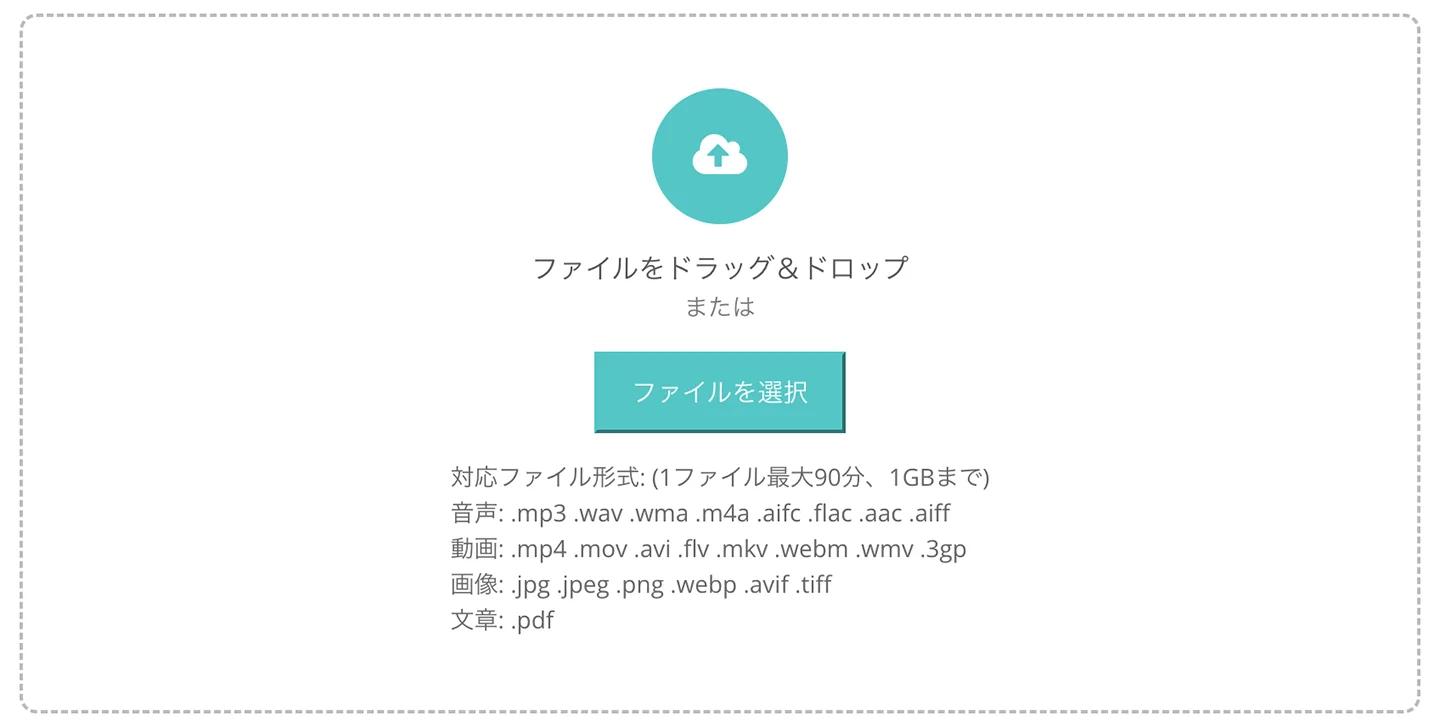
Audio data rarely exceeds 1 GB.
But video files that contain high-quality footage can exceed 1 GB even when they are only a few minutes long.
This file is over 1 GB, but I really want to transcribe this video!

To respond to requests like these from our users, we have just released a new free feature for transcribing large videos!
When you select a large video file in Mr. Transcription, it extracts only the audio from the video file and uploads that.
Because the video data is gone, the file size can be reduced dramatically.
Everything Happens in Your Browser: Fast and Safe Because Nothing Is Sent to a Server
The main feature of this conversion tool is that it processes files in your browser.
With other video conversion sites, you first have to upload the file to a server before it can be converted.
Depending on your connection speed, uploading a file that is several gigabytes can be a real struggle.
That is where Mr. Transcription comes in!
The conversion is done in the browser on your computer or smartphone, so you do not need to send a heavy video file to a server.
This saves a great deal of transfer time and lets you convert video to audio and extract it smoothly.
Because the file is not stored on a server, you can use it with confidence even for highly confidential data, such as recordings of internal company meetings.
[New Feature] Automatically Convert Large Video Files to Audio
Now let's look at how to use this handy new feature!
That said, no special steps are required.
First, select a video file on the Mr. Transcription top page.
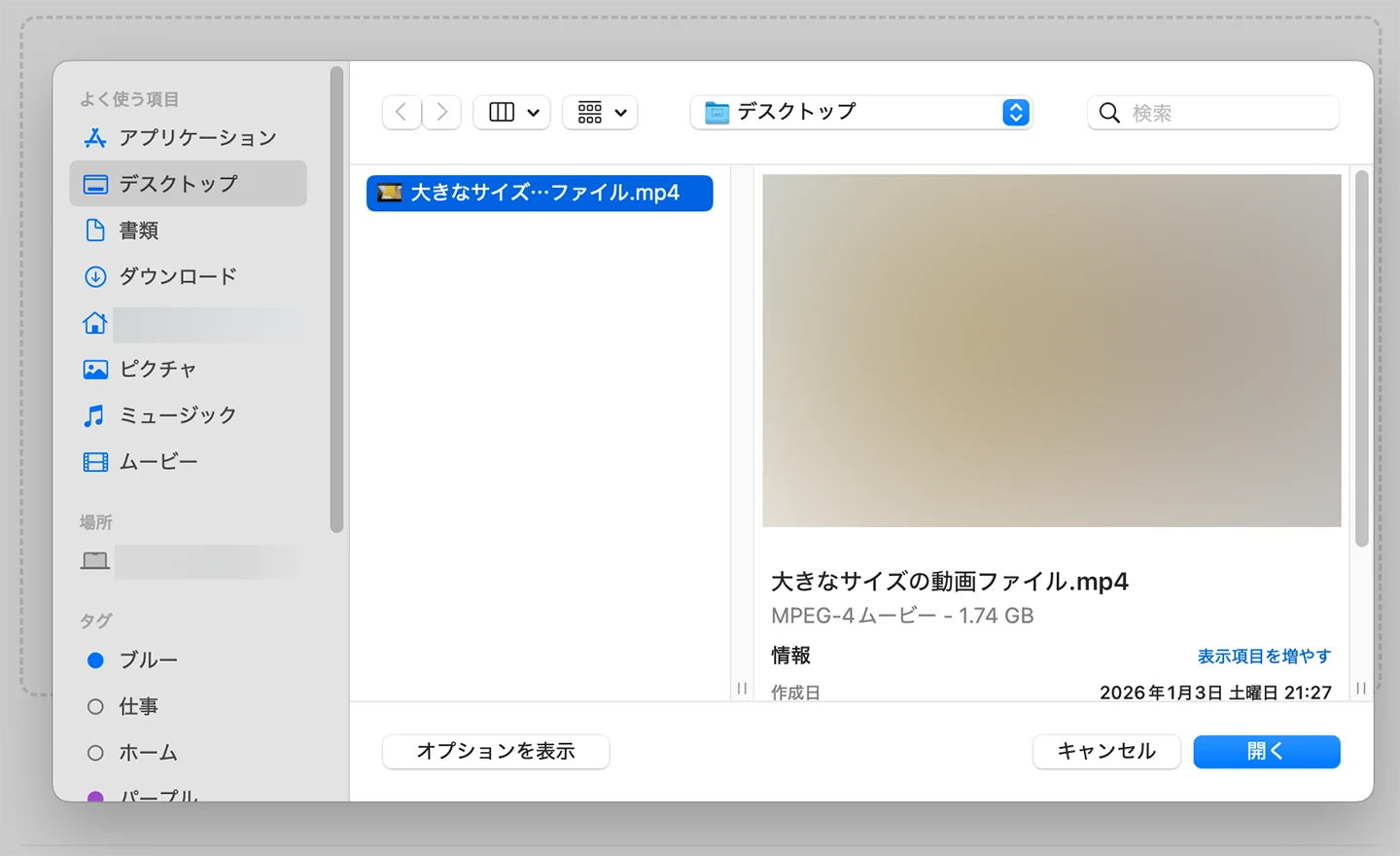
If the file is larger than 100 MB, the conversion starts automatically.
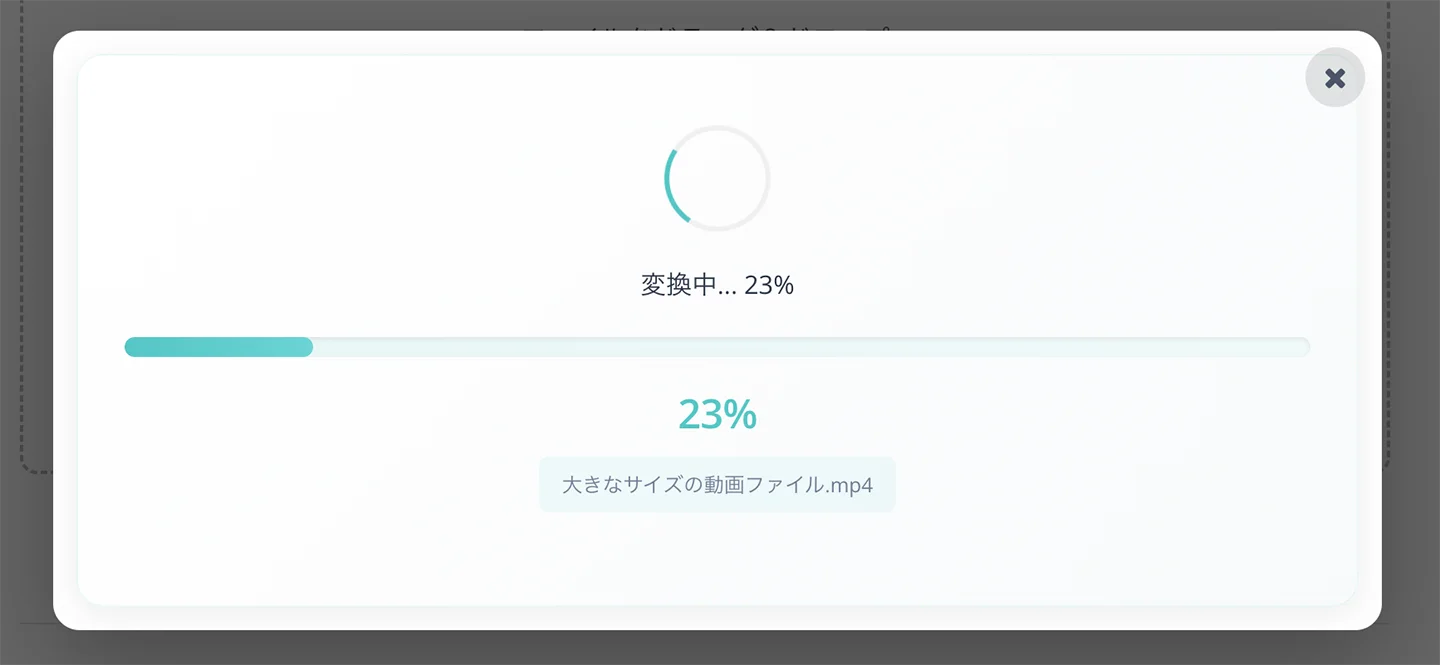
The conversion is complete.
As you can see, only the audio has been extracted from the video file as an MP3 file.
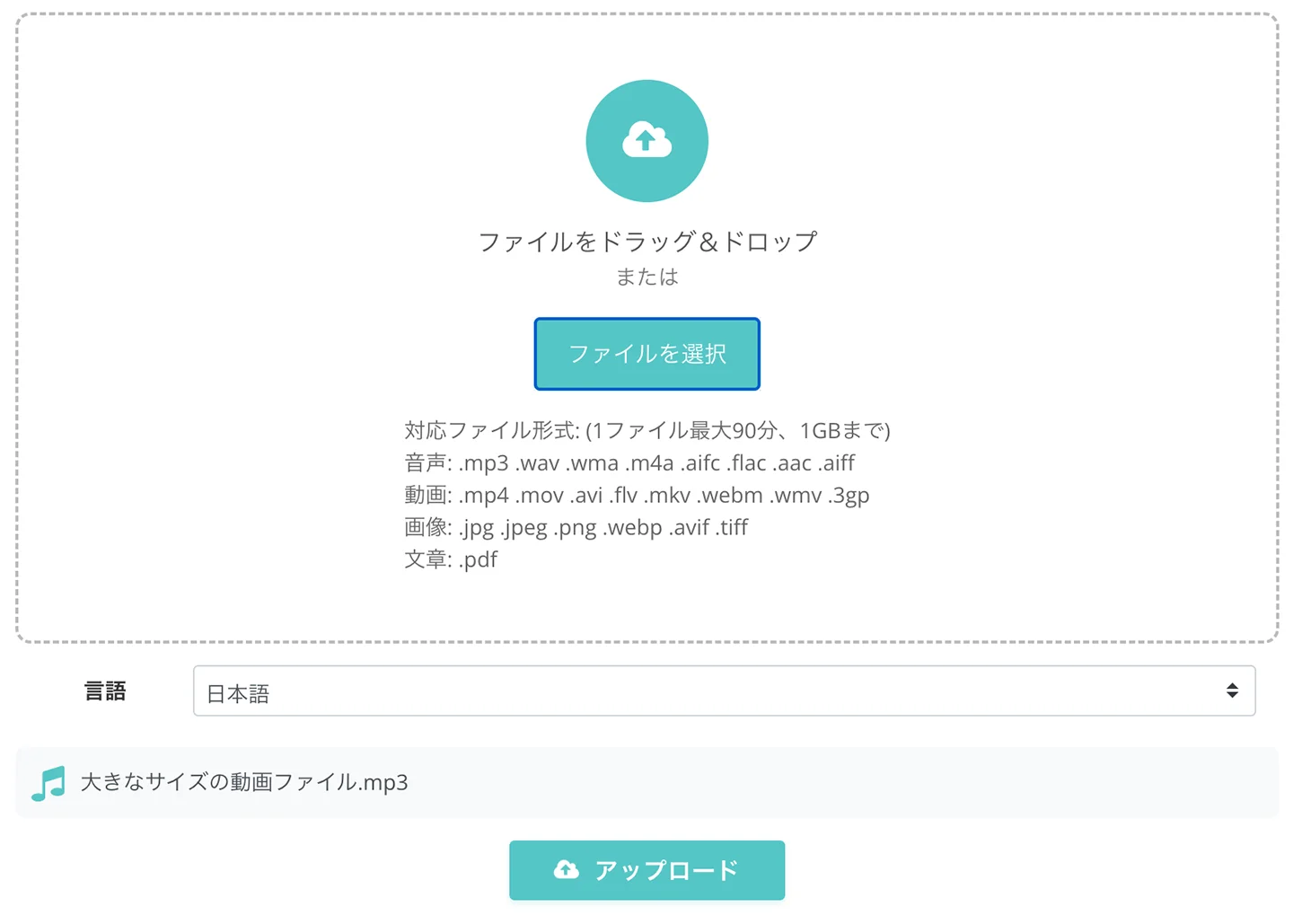
The converted MP3 file is already selected at this point, so all you need to do is click “Upload” and transcribe as usual!
Even for a video that was originally several GB, the audio file usually comes to only a few MB to a few dozen MB.
The upload finishes in an instant, and the transcription is done right away.
Frequently Asked Questions About Transcribing Video Files with Mr. Transcription
Finally, we have gathered frequently asked questions about converting large video files to text with Mr. Transcription.
Q. Which file formats does Mr. Transcription support, and what are the size limits?
A. Mr. Transcription supports the following files.
Audio files
This covers data from voice recorders and similar devices.
- Audio length: up to 90 minutes
- File size: under 1 GB
- Supported file formats: .mp3 .wav .wma .m4a .aifc .flac .aac .aiff .aifc
Video files
This includes meeting recordings and video footage for uploading to YouTube.
- Audio length: up to 90 minutes
- File size: under 1 GB
- Supported file formats: .mp4 .mov .avi .flv .mkv .webm .wmv .3gp
Image files
This is for reading text from images.
- File size: under 10 MB
- Supported file formats: .jpg .jpeg .png .webp
- Note: If the text is sideways or upside down, it cannot be transcribed correctly, so please fix the orientation of the image before uploading it.
Document files
This is for transcribing materials such as PDF documents.
- File size: under 50 MB
- Supported file formats: .pdf
The supported file formats and size limits of Mr. Transcription are also explained on this page.

Mr. Transcription FAQ: Common Questions About Pricing, the Free Allowance and Security
Frequently asked questions about the AI transcription site “Mr. Transcription.” Pricing plans, free allowance limits, security measures and cancellation are explained in Q&A format, so you can check your questions before you start.
Q. How much smaller does a file get when a video is converted to audio?
A. For a Full HD video shot on an iPhone, the audio is much smaller, as shown below.
Video vs. Audio File Size Comparison (Approximate)
Scroll sideways to see more
| Video length | iPhone video (1080p) | Converted audio (MP3) |
|---|---|---|
| 10 minutes | approx. 1.3 GB | approx. 10 MB |
| 30 minutes | approx. 3.9 GB | approx. 30 MB |
| 60 minutes | approx. 7.8 GB | approx. 60 MB |
| 90 minutes | approx. 11.7 GB | approx. 90 MB |
*These figures assume footage shot with the iPhone camera setting “Most Compatible (H.264)” at 1080p HD/30fps. Actual sizes vary depending on settings and shooting conditions.
*Audio file sizes are estimates for conversion to MP3 at typical quality (128kbps).
Make Mr. Transcription Even More Convenient with the Free Conversion Tool!
In this article, we introduced in detail the new feature for converting large video files to text with Mr. Transcription.
We will keep improving usability so that you do not have to spend time on tedious tasks and can focus on your real work.
Thank you for your continued support of Mr. Transcription.
■ AI transcription service "Mr. Transscription"
"Mr. Transcription" is an online transcription tool that can be used from zero initial cost and 1,000 yen per month (* free version available).
- Supports more than 20 file formats such as audio, video, and images
- Can be used from both PC and smartphone
- Supports technical terms such as medical care, IT, and long-term care
- Supports creation of subtitle files and speaker separation
- Supports transcription in approximately 100 languages including English, Chinese, Japanese, Korean, German, French, Italian, etc.
To use it, just upload the audio file from the site. Transcription text is available in seconds to tens of minutes.
You can use it for free if you transcribe it for up to 10 minutes, so please try it once.

It is "Mr. Transcription" who can easily transcribe from audio, video, and images.
Transcription allows you to transcribe for up to 10 minutes for free.
You can copy, download, search, delete, etc. the transcribed text.
You can also create subtitle files, which is ideal for transcription of interview videos.
HP: mojiokoshi3.com
Email: mojiokoshi3.com@gmail.com
Email: mojiokoshi3.com@gmail.com
Related article
Transcription for audio / video / image transcription. It is a transcription service that anyone can use for free without installation.
- What is Mr. Transcription?
- Transcript images, sounds, and videos with Mr. Transcription
- Free registration
- Rate plan
- manual
- Try other free services






