【文字起こしさんのエラー報告について】無料の音声文字起こし時間や画像枚数をプレゼント
7 Best Landline Call Transcription Tools: Record & Transcribe
Oct. 15, 2026

I want to transcribe landline calls... How can I do it?

When using a landline phone for business, a common problem is that it's difficult to record or share the conversation content.
- I want to share landline call content
- Taking notes is a hassle
- I want to record call center interactions
By transcribing landline call content using AI, you can solve these problems and streamline your business operations!
However, recording and transcribing calls with a regular phone is difficult, so you'll need to use a "cloud PBX" or connect a recording device.
This article thoroughly explains the benefits, methods, and recommended services for transcribing landline phone calls!
3 Benefits of Transcribing Landline Calls
First, let's look at the benefits of recording and transcribing landline calls!
1. Store Call Content as Data

When you transcribe landline calls, you can save the content as text data.
Taking notes on incoming calls at the office can be very tedious.
If the call is long, it becomes even harder to write down everything.
By automatically transcribing landline calls, you can record everything said on the landline in text format.
All call center interactions can also be saved using transcription tools.
2. Accurately Share Call Content
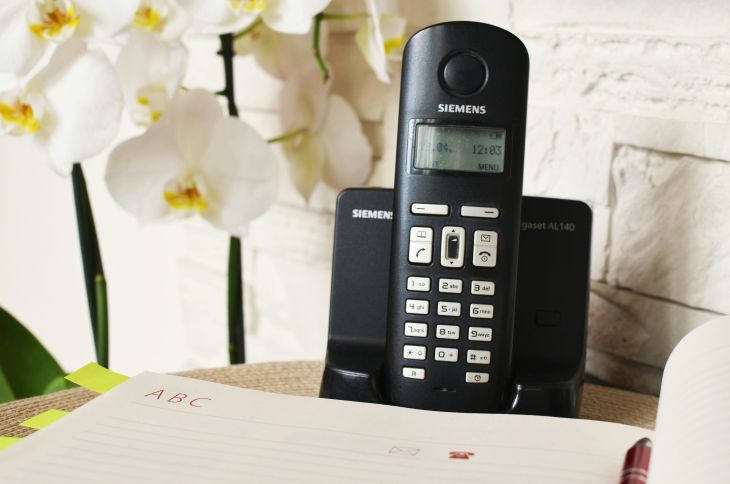
Accurately understanding and sharing call content is another benefit of transcribing landline calls.
When taking notes while listening to a call, it's easy to miss details or make mistakes in your notes.
In contrast, using AI for transcription allows you to record all content accurately.
From changes in meeting schedules and product inquiries to handling complaints, you can perfectly grasp all important details.
Since it's text data, sharing is easier compared to audio files.
You can quickly share it internally via email or chat applications.
3. Easy Management of Interactions

Landline call transcription also helps streamline business management.
Inquiries to the workplace or conversations at a call center significantly impact the company's external image.
Inappropriate handling can damage the company's reputation.
By transcribing and recording landline content, you can check call content and visualize interaction details.
This also allows for accumulating examples of phone interactions, which is useful for new employee training and handovers.
How to Transcribe Landline Calls
To transcribe landline calls, you first need to record them.
Here's how to record and transcribe landline call content.
1. Use a Cloud PBX Service

A recommended method for recording landline calls is to use a "Cloud PBX".
Cloud PBX is a system that manages phone calls and responses over the internet (in the cloud).
By using Cloud PBX, you can transfer calls received over the internet to your computer or smartphone and make calls.
Similar to how a company's landline external calls are transferred to an internal extension, it's possible to share and use a single phone number across different computers and smartphones.
Call Content Can Be Saved in the Cloud
Cloud PBX routes calls through an internet server.
Many Cloud PBX services offer options to record and save call content on the server.
By downloading audio files from the cloud and transcribing them with an AI transcription service, you can easily convert call content into text.
2. Use a Landline Phone with Recording Functionality
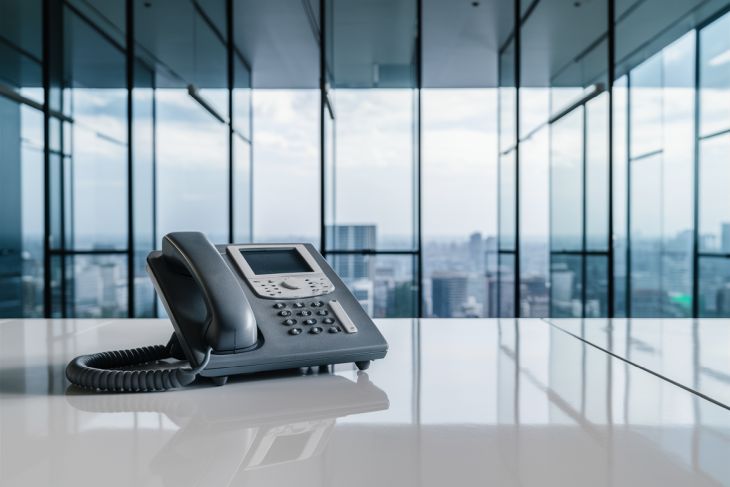
Some landline phones come with a built-in recording function.
The key point when choosing a phone with recording functionality is whether you can not only listen to the recorded audio but also extract it as an audio file.
Office phones (business phones) allow you to save audio to a USB stick or SD card, so you can easily copy it to your computer and transcribe it using an AI transcription service.
Be aware that many home landline phones only allow you to listen to recorded audio and cannot save it as an audio file.
3. Use a Recording Device Connected to a Landline Phone

Recording devices that connect to landline phones are also available commercially.
Installation is simple.
Remove the handset cord from your landline phone and attach the recording device in its place.
Then, attach the handset to the recording device, and installation is complete.
Calls are automatically recorded each time they come in, so you can copy the saved audio to your computer and transcribe it.
The key here is also to buy an office-grade recording device.
Be careful, as home-use recording devices sold for scam prevention often cannot save audio files, or if they can, the recording time is very short.
Recommended Transcription Services for Converting Recorded Content to Text

If you need to transcribe recorded phone calls, Mr. Transcription is highly recommended!
Mr. Transcription is a high-performance AI transcription service utilizing the latest AI technology.
- Cloud PBX
- Business phones with recording functions
- Add-on recording devices
Regardless of how your audio files are recorded, Mr. Transcription can convert them to text with ease, speed, and high accuracy.

Mr. Transcription User Guide [From Registration to Transcription Completion]
A guide to using Mr. Transcription, from registration and upload to checking results, with images. Also summarizes convenient features like pricing plans, AI summaries, and subtitle output.
With the latest AI, it can perform ultra-fast transcription in just about 1 minute, making it easy and smooth for anyone to convert inquiries to the company or call center interactions into text.
It also supports over 100 languages for foreign language transcription.
As a service developed in Japan, you can be assured of its security.
What's more, Mr. Transcription offers free usage for up to 3 minutes per day, with no registration or login required!
Furthermore, registering an account allows you to transcribe up to 10 minutes per day.
If you're looking for a way to transcribe landline phone calls, why not try Mr. Transcription?
7 Tools for Transcribing Landline Phone Calls [Cloud PBX & Recording Devices]
So, what services can you use to transcribe landline phone calls?
Here are some recommended Cloud PBX services and recording devices!
1. NTT East Hikari Cloud PBX
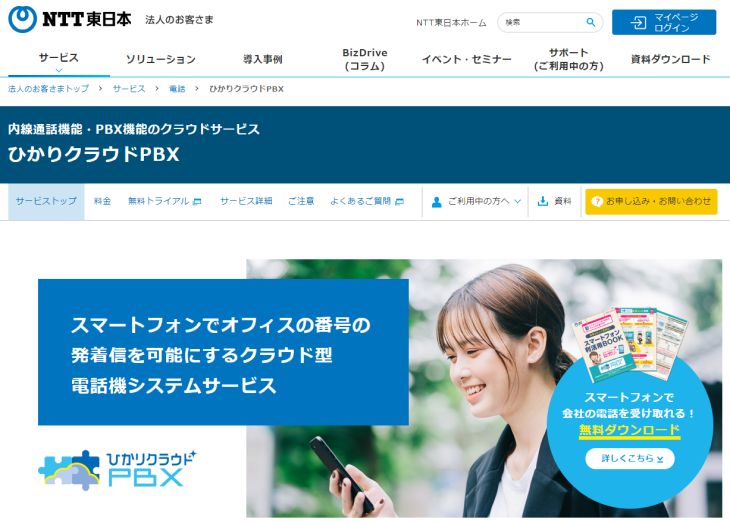
Hikari Cloud PBX is a Cloud PBX service provided by NTT East.
You can cloudify your landline phone simply by signing up, without needing to install any special equipment.
You can receive calls to a single phone number on your office landline, PC, or smartphone, and make calls from your smartphone using your company's landline number even when you're out of the office.
NTT East Hikari Cloud PBX offers a recording option called "Hikari Cloud Phone for Webex Calling".
"Hikari Cloud Phone for Webex Calling" is an option that allows you to make calls using the web conferencing application "Webex".
By using this option, you can record calls made to your landline number.
2. Mobabiji
Mobabiji is a cloud PBX service that allows you to use your landline number on your smartphone.
Based on the concept of a portable business phone, you can receive and make calls using your landline number on your smartphone with no initial setup fees.
By subscribing to the call recording option, you can record up to approximately 1 hour of audio.
Since the files can be downloaded in MP3 format, you can easily upload them to AI transcription services like Mr. Transcription for text conversion.
3. Tobira Phone Cloud
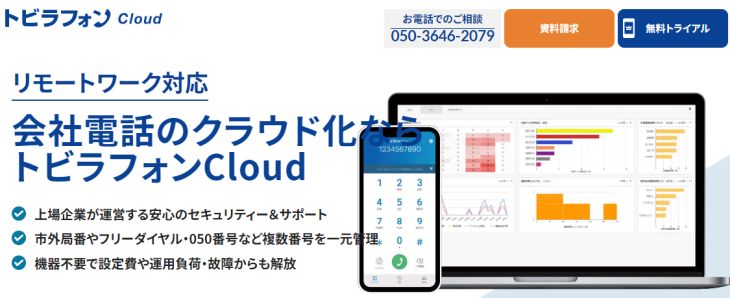
Tobira Phone Cloud is a cloud PBX service that can record the content of calls made to your landline number.
You can set it to automatically record when a call comes in, and of course, you can save the recorded audio.
A transcription (text conversion) function is also available as an option.
4. BIZTEL
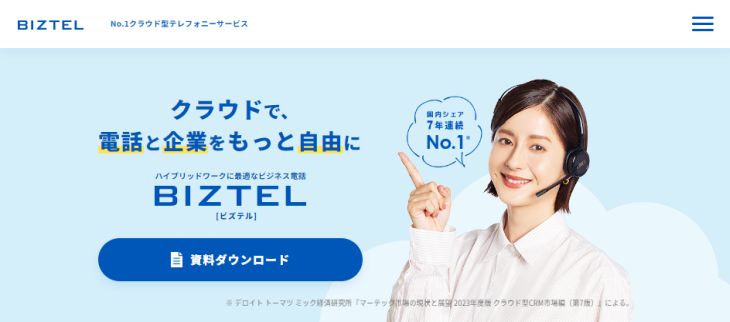
BIZTEL is a cloud PBX service that can be used in various settings such as offices, call centers, and for remote work.
Plans are available for different scenarios, such as call center plans and smartphone extension plans, making it easy to implement.
Of course, a recording function is also provided.
You can download recordings with a single click from the management screen, making transcription using AI transcription services simple.
5. Naisen Cloud

Naisen Cloud is a cloud PBX service that allows you to use landline numbers from all over Japan as if they were internal extensions.
It also supports IP phone services, so you can rest assured even if you are using an IP phone starting with 050 instead of a traditional landline.
By setting up the automatic call recording function, you can record and download up to 100 hours or 3 months of audio.
6. Thanko Automatic Call Recorder BOX2
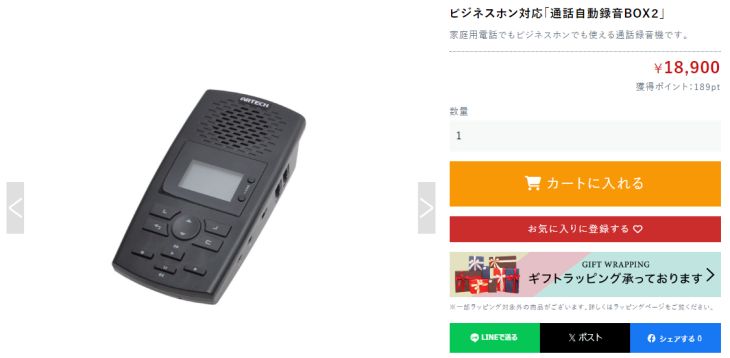
The Thanko Automatic Call Recorder BOX2 is a simple call recording device that connects between the landline phone unit and the handset.
It can save audio from incoming landline calls to an SD card.
A key feature is its compatibility with not only business phones but also home landline phones.
This recording device is recommended when you want to easily record calls from your current landline phone for transcription.
Thanko Automatic Call Recorder BOX2
7. Takacom VR-D179/VR-D179A
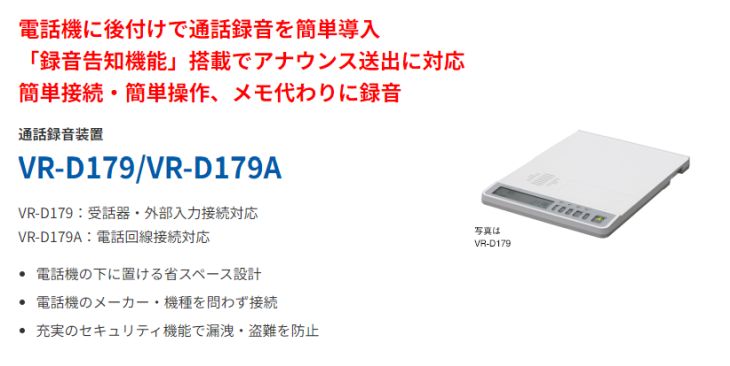
The Takacom VR-D179/VR-D179A is also a call recording device that connects between the main body of a landline phone and its handset.
It can record incoming landline calls and save them to an SD card.
A dedicated app is required to play back recordings, but it can convert them to WAV files within the app.
Its design allows it to be stacked with business phones, making it space-saving, which is a key advantage.
For transcribing recorded audio files, use Mr. Transcription
If you need to transcribe audio files recorded with cloud PBX or recording devices, Mr. Transcription is highly recommended!
With high-performance AI, anyone can easily and smoothly transcribe audio.
What's more, Mr. Transcription allows for transcription for free!
You can try it for free for up to 3 minutes per day without registration, and if you register for a free account, you can transcribe up to 10 minutes per day. So, if you're wondering about transcribing audio files, why not try Mr. Transcription first?
Record and conveniently transcribe landline calls!
By recording and transcribing landline calls, you can easily save, share, and manage call content.
Methods for recording landline calls include:
- Cloud PBX
- Business phones with recording functions
- Add-on recording devices
You should choose the method that best suits the size and budget of your office or call center.
For transcribing recorded audio, AI transcription services like Mr. Transcription are highly recommended!
Since you can easily transcribe by simply uploading audio files, why not use an AI transcription service for your landline call transcription needs?
■ AI transcription service "Mr. Transscription"
"Mr. Transcription" is an online transcription tool that can be used from zero initial cost and 1,000 yen per month (* free version available).
- Supports more than 20 file formats such as audio, video, and images
- Can be used from both PC and smartphone
- Supports technical terms such as medical care, IT, and long-term care
- Supports creation of subtitle files and speaker separation
- Supports transcription in approximately 100 languages including English, Chinese, Japanese, Korean, German, French, Italian, etc.
To use it, just upload the audio file from the site. Transcription text is available in seconds to tens of minutes.
You can use it for free if you transcribe it for up to 10 minutes, so please try it once.

It is "Mr. Transcription" who can easily transcribe from audio, video, and images.
Transcription allows you to transcribe for up to 10 minutes for free.
You can copy, download, search, delete, etc. the transcribed text.
You can also create subtitle files, which is ideal for transcription of interview videos.
HP: mojiokoshi3.com
Email: mojiokoshi3.com@gmail.com
Email: mojiokoshi3.com@gmail.com
Related article
Transcription for audio / video / image transcription. It is a transcription service that anyone can use for free without installation.
- What is Mr. Transcription?
- Transcript images, sounds, and videos with Mr. Transcription
- Free registration
- Rate plan
- manual
- Try other free services