Mojikoshi-san Payment Methods & Receipt Information
Transcription Efficiency: 7 Tips to Boost Your Workflow Now!
Oct. 16, 2026
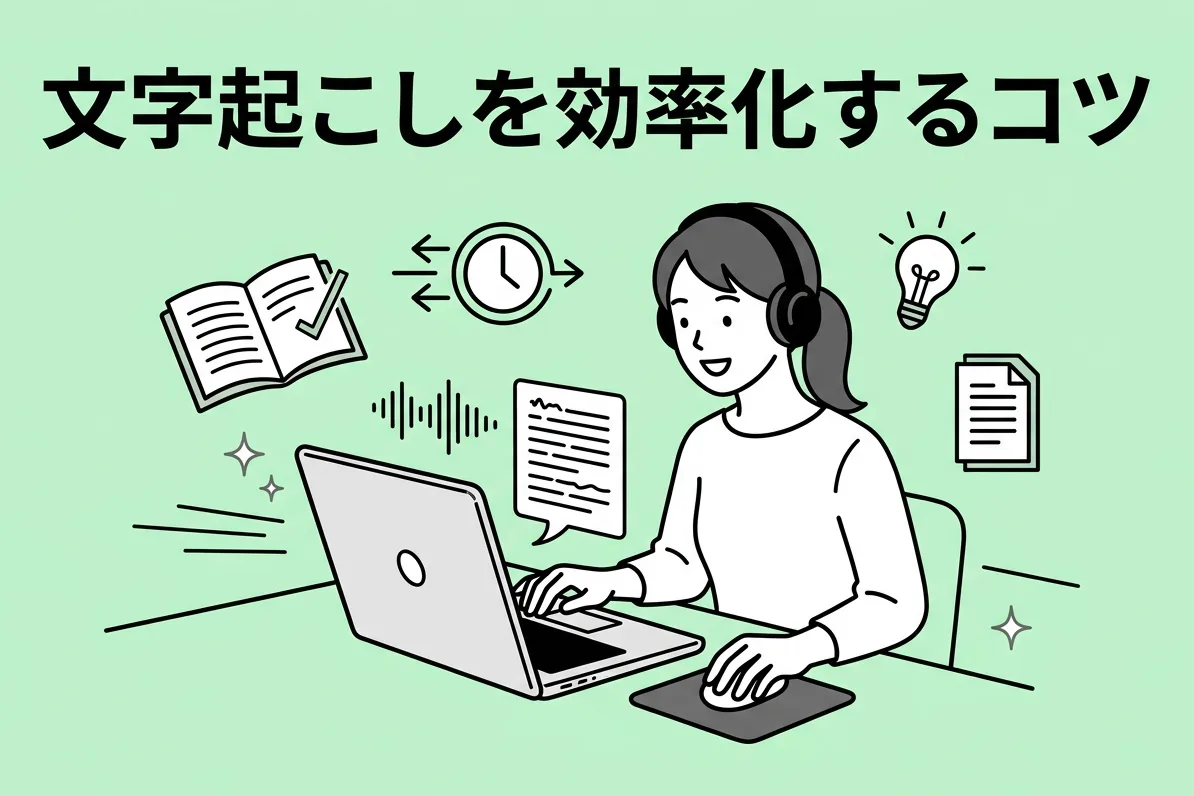

Do you want to shorten the time it takes for transcription (audio transcription) and make it more efficient?
Many of you reading this article probably feel that way strongly, don't you?
If you've been asked to transcribe a meeting (minutes) at work, you're probably thinking, "I want to finish this simple task quickly and focus on more important work!"
If you're doing transcription as a side job, you're likely hoping to handle more projects and increase your income.
However, you've tried various methods yourself, but you're frustrated because the work isn't as efficient as you'd hoped...
This time, for you, we will explain tips for streamlining your transcription process.
We'll also introduce specific recommended tools, so by reading this article, your transcription work should become much easier. Please read to the end.
7 Tips to Dramatically Streamline Transcription (Audio Transcription)

- Thoroughly utilize dedicated transcription tools
- Improve recording quality
- Reduce playback speed
- Avoid pausing
- Register frequently used words in your dictionary
- Take notes during recording
- Watch the speaker's mouth
Even trying just one of these can lead to some improvement, but combining them will make transcription surprisingly easy.
Let's explain each one in detail.
1. Thoroughly Utilize Dedicated Transcription Tools
Are you doing transcription using standard apps?
Indeed, transcription (audio transcription) can be done without problems using the playback players and note-taking apps pre-installed on your computer.
However, if you want to make your work even a little more efficient, the trick is to use dedicated tools optimized for transcription.
- High-performance media players
- Text editors
- AI transcription tools
- IME (Input Method Editor)
- Earphones/Headphones
- Keyboard
These are some that come to mind.
If you're pursuing a more comfortable environment in a broader sense, you should also pay attention to your desk and chair. If you're also recording, high-performance microphones and IC recorders are important, and so on... there's no end to what you could list, but for now, just focusing on the 7 points above is enough.
Specific recommended tools will be introduced in the latter half of the article, so if you're interested, please continue reading.
2. Improve Recording Quality
To streamline transcription, the most crucial aspect is the quality of the recording.
Surprisingly, many people overlook this, but the quality of the original audio data significantly impacts the speed of the transcription process, even before you start transcribing.
- Accuracy of recording equipment
- Microphone placement
- Speaker's manner of speaking
- Surrounding environment
For example, if the data is degraded or the recording conditions are poor, resulting in noisy audio, accurate transcription becomes incredibly difficult.
For those who only undertake transcription as a job, it might be hard to dictate the recording environment. However, even with already recorded data, a little extra effort can make the transcription process much easier.
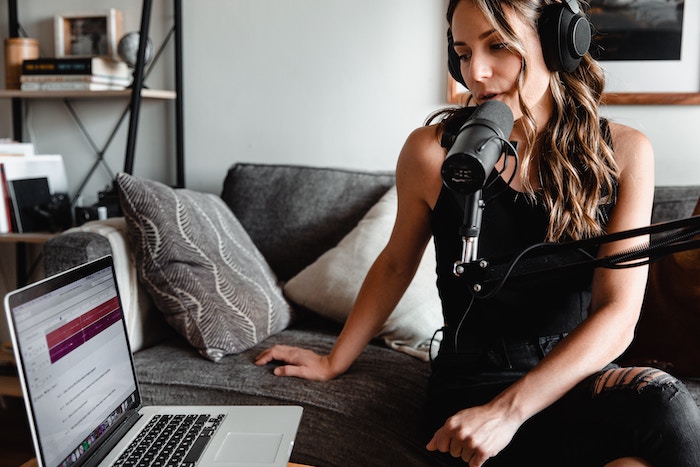
【AI Transcription】6 Key Points for High-Accuracy Recording
To achieve high-accuracy AI transcription, several techniques are important during recording. This article introduces optimal recording tips for AI transcription: high-quality microphone, proper microphone placement, quiet recording environment, clear speaker articulation, single speaker...
We will explain specific methods for this in detail later in the article.
3. Reduce Playback Speed
The biggest tip for increasing transcription speed is to
minimize the number of rewinds as much as possible.
This is the key. If you imagine yourself working, you'll probably agree.
To avoid rewinding as much as possible, the trick is to match the audio playback speed precisely with your typing speed.
※To be precise, the trick is to set the playback speed slightly slower than your typing speed.
You can measure your typing speed using tools like 'e-typing Master Typing Skill Test'. It's highly recommended to accurately measure how many characters you can type within a limited time at least once.
4. Avoid Pausing
Once you've reduced the number of rewinds, take it a step further and try transcribing without pausing at all.
You'll find that if you match the audio playback speed with your typing speed, unless you make a typing error or miss something, it's much smoother to work without stopping playback midway.
Simply mark anything you don't understand with a symbol or timestamp, and plan to correct typos and conversion errors later. Just get through the entire transcription roughly in one go.
※Listening to the audio data a few times before starting the task helps you grasp the overall content, making the process less likely to get stuck.
Once you get the hang of it, you'll be able to transcribe much faster than when you used to pause frequently.
5. Register Frequently Used Words in Your Dictionary
After transcribing a few times, you'll start to notice frequently used words and expressions (phrases).
It's a good idea to register these in advance in the dictionary function of your computer's IME (Input Method Editor) to improve conversion efficiency.
When transcribing for work, you might be given a list of technical terms; in such cases, be sure to register them beforehand.
6. Take notes during recording (meeting minutes/interviews)
For meetings or interviews where you can be present during the recording, one tip is to take your own notes instead of relying solely on the voice recorder for documentation.
You don't need to transcribe every single word accurately.
It's sufficient to simply jot down notes when an unfamiliar word comes up in conversation or when you notice a speaker's unique phrasing.
※Such points often contain important content.
Taking notes also boosts your concentration during the event and helps streamline the transcription process later. It's truly killing two birds with one stone.
7. Watch the speaker's mouth (YouTube video transcription, etc.)
When transcribing videos, try to focus your gaze on the speaker's mouth rather than your hands or the computer screen.
This is because even with the same audio, observing how the speaker's mouth moves while listening makes the content much easier to grasp.
※For some people, even with audio-only content, it can be easier to understand if they concretely imagine the speaker talking in their mind.
Since you won't be looking at your hands, make sure to master touch typing to avoid increasing typos.
Recording Techniques for High-Accuracy Transcription: 3 Key Points

Here are three tips for creating clear and easy-to-understand audio recordings for transcription.
- Move the microphone closer to the mouth
- Remove background noise
- Speak slowly and clearly
Let's explain each in detail.
1. Move the microphone closer to the mouth
When multiple voices are mixed or the speaker is talking from a distance, the accuracy of voice recognition decreases further.
The key to high-accuracy transcription is how clearly you can record the audio. Muffled voices or audio with low volume are not suitable for transcription data.
This is where a microphone comes in handy.
While recent smartphones have decent built-in microphones, using a dedicated external microphone allows for better maneuverability and closer placement to the mouth.
For interviews, using a lavalier microphone (the type used in TV productions) that can be clipped to clothing is also an effective method.
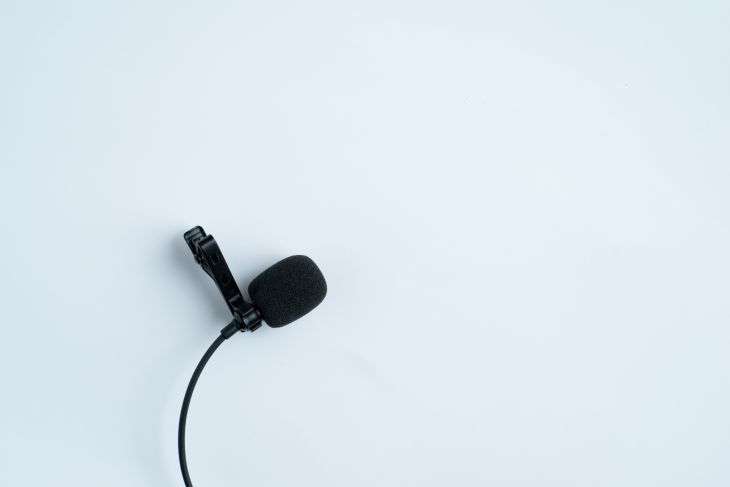
Even in meetings where many people speak, an external microphone provides clearer audio than an IC recorder or a smartphone's built-in microphone.
Dedicated devices are superior in audio recording performance, so if you want the clearest possible audio data for your transcription, try to use an external microphone.
2. Remove Noise
- People's voices unrelated to the transcription
- Ambient sounds
- White noise during recording
Audio containing these elements can hinder highly accurate transcription.
As explained above, it's a golden rule that the clearer the audio, the better for transcription.
When recording, try to do so in as quiet an environment as possible. If that's difficult, process the audio data to make it clear before starting work, using noise reduction software powered by AI.
[AI Transcription] 6 Key Tips for High-Accuracy Recording
To achieve highly accurate AI transcription, several recording techniques are crucial. This article introduces optimal recording tips for AI transcription. High-quality microphone, proper microphone placement, quiet recording environment, clear speaker articulation, single...
Furthermore, if there's too much noise, instead of transcribing by typing, it's recommended to try AI-powered transcription services like Mr. Transcription.
AI can identify noise with high accuracy, so it will transcribe even audio with a lot of background noise reliably.
3. Speak in Standard Language and at a Slightly Slower Pace
If you are the speaker, one tip is to make an effort to speak in standard language and at a slower pace.
Not only is this helpful for transcribers unfamiliar with dialects, but some AI transcription tools are designed with standard language as a premise, and their accuracy can significantly drop when dialects are present.
※Even in interviews, dialects are often converted to standard language during transcription, which also reduces post-processing effort.
Speaking too fast is also problematic. It makes it difficult for transcribers to hear and can lead to errors in AI transcription tools, offering no benefits.
In cases like in-person interviews or meetings where various people speak and speech speed cannot be controlled, it's recommended to prepare a separate audio file with reduced playback speed before transcribing.
Some dedicated apps for keyboard transcription allow changing playback speed, so using such tools is also an option.
6 Recommended Transcription Tools
Next, we will introduce 6 useful tools for transcription!
From dedicated players for keyboard transcription, AI transcription services, to hardware like keyboards, we hope these recommendations will be helpful for your transcription work.
1. Okoshiyasu2 (Audio Player for Transcription)
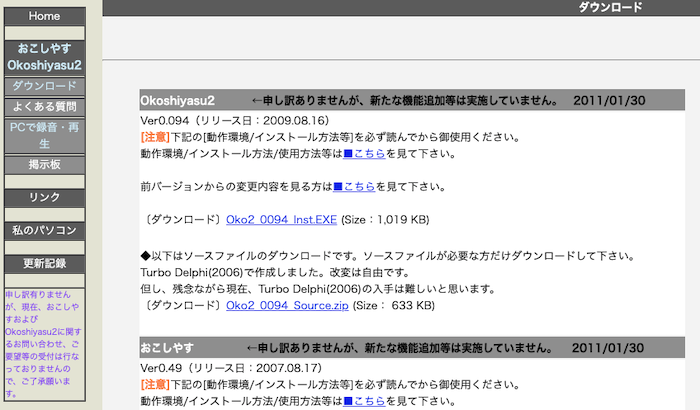
Okoshiyasu2 is a standard audio player application for transcription on Windows PCs.
You can quickly perform operations such as play, pause, rewind, and fast-forward with a single hotkey (shortcut).
※While it was explained above that it's best to avoid rewinding or pausing as much as possible, it's realistically difficult to eliminate it completely, so software that allows for easy control like this is still essential.
In addition to changing playback speed, volume, and pitch, it also features an equalizer function, which means it reduces the effort of pre-processing audio.
It's also very convenient that it operates even when the window is not active, eliminating the hassle of switching back and forth when working alongside an editor.
2. Interview (Audio Player for Transcription)
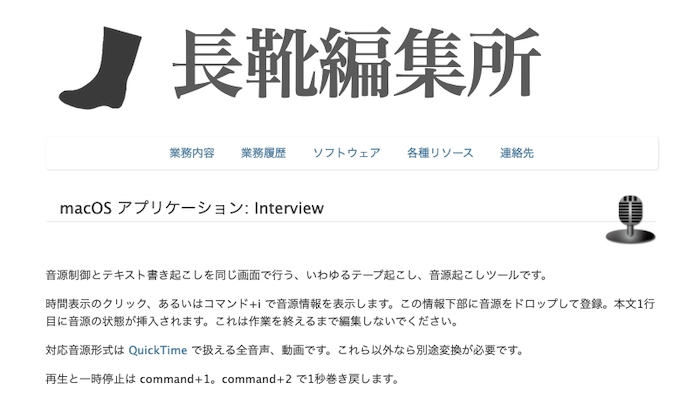
While 'Okoshiyasu2' mentioned earlier is a Windows-only software, this app is recommended for Mac users.
Similar to Okoshiyasu2, a major feature is that it includes a playback player that can be easily operated with shortcut keys, as well as a dedicated transcription editor.
It also has a function to register frequently used phrases as shortcuts for quick recall.
In addition to audio data, it also supports video files, so it seems useful for transcribing YouTube videos, which have become increasingly common recently.
Nagagutsu Henshujo: macOS Application: Interview
3. Mr. Transcription (AI Transcription Service)

This is a dream tool where AI automatically transcribes audio just by uploading audio data.
It also supports video and image files in addition to audio.
A big advantage is that transcribed data can be downloaded as text (txt) or subtitle files (srt), making it easy to edit, process, and share later.
Furthermore, it supports transcription of English and foreign languages, which can be difficult to do manually.
You can transcribe for free for up to 3 minutes per day without logging in, and up to 10 minutes per day if you register an account, so why not give it a try?
You will undoubtedly be surprised at how accurately the latest AI recognizes speech.
4. ATOK Passport (Japanese IME)
If you aim for maximum work efficiency, it's also key to be particular about your IME (Japanese Input Method Editor).
Among those who work with Japanese, the quintessential IME is "ATOK" sold by JustSystems.
ATOK not only boasts high kanji conversion accuracy but also features an "automatic conversion function" that automatically determines phrase boundaries and conversion candidates, significantly improving typing speed if used effectively.
ATOK Passport subscribers can use the dedicated proofreading tool "ATOK Cloud Checker" for free, which is convenient for refining completed texts.
5. Realforce
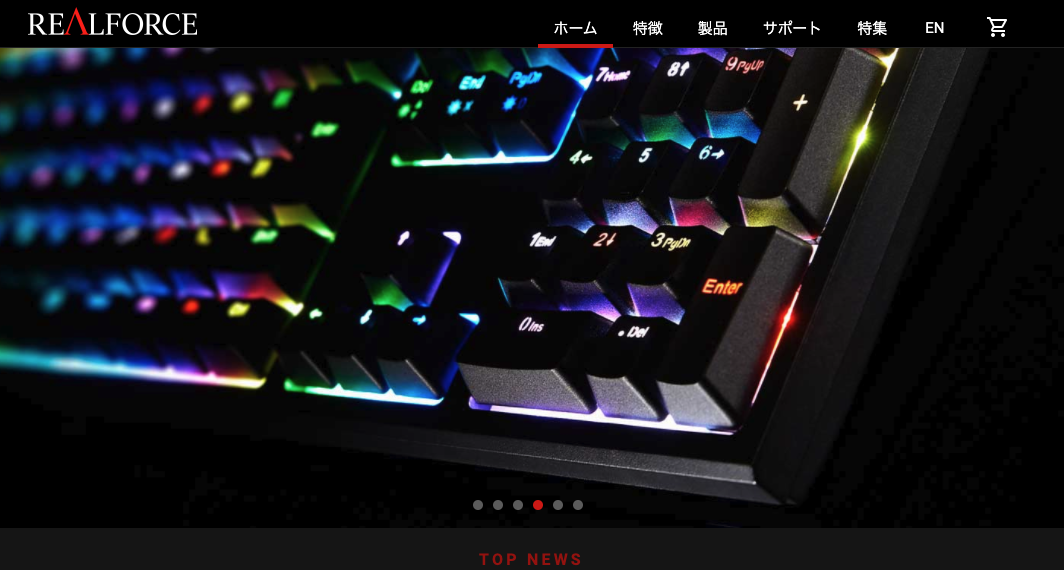
Next, we'll introduce recommended hardware.
The most effective hardware for streamlining transcription (audio-to-text conversion) is the keyboard.
One recommended keyboard is the Topre "REALFORCE" series, which is probably the first name that comes to mind among high-performance Japanese-made keyboards.
A major feature is its durable electrostatic capacitive non-contact switch system, along with selectable key actuation forces of 55g, 45g, 30g, and variable weight.
The wired connection, which minimizes lag and errors, is also a key point.
A comfortable keyboard that suits your typing style not only boosts productivity but also reduces physical strain, making it a highly cost-effective investment.
There are many other keyboards with great typing feel that make typing much easier, so we recommend trying them out at electronics stores or PC shops.
6. Charakone Chonmage-kun (Earphones)
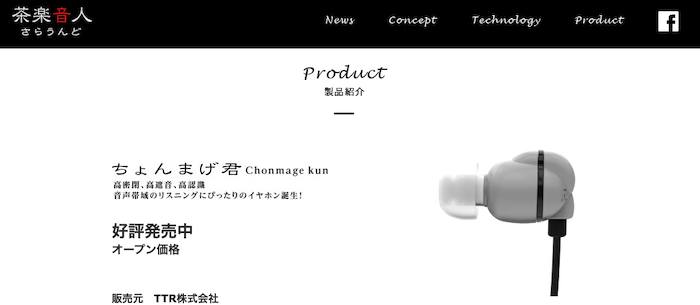
These are a unique type of earphones specialized for listening.
The key feature is their high sealing and sound isolation, plus they are tuned to make voice frequencies easier to hear.
The packaging even states "suitable for study/educational materials," showing their thorough design.
However, suitability for such earphones and headphones varies from person to person, so it's best to try various options and choose what works for you.
Using "monitor headphones" from brands like SONY is also recommended.
Chonmage-kun | Charakone-Sound-
Summary
This article explained tips for streamlining transcription (audio transcription) work.
Finally, as a summary, let's review the techniques introduced once more.
- Fully utilize dedicated transcription tools
- Improve recording quality
- Reduce playback speed
- Avoid pausing
- Register frequently used words in a dictionary
- Take separate notes during recording
- Watch the speaker's mouth
In particular, many people tend to overlook techniques for clear audio recording and pre-work preparation.
If these are not done properly, it will lead to unnecessary effort and time, making them crucial elements not to forget.
If the quality of your audio data is high, the accuracy of AI tools will significantly improve, allowing you to automate the transcription process as much as possible.

Haste makes waste. The battle is often won before it even begins (before the work starts).
Taking the time to prepare thoroughly, rather than cutting corners, will ultimately make things easier in the long run. Please give it a try.
■ AI transcription service "Mr. Transscription"
"Mr. Transcription" is an online transcription tool that can be used from zero initial cost and 1,000 yen per month (* free version available).
- Supports more than 20 file formats such as audio, video, and images
- Can be used from both PC and smartphone
- Supports technical terms such as medical care, IT, and long-term care
- Supports creation of subtitle files and speaker separation
- Supports transcription in approximately 100 languages including English, Chinese, Japanese, Korean, German, French, Italian, etc.
To use it, just upload the audio file from the site. Transcription text is available in seconds to tens of minutes.
You can use it for free if you transcribe it for up to 10 minutes, so please try it once.

It is "Mr. Transcription" who can easily transcribe from audio, video, and images.
Transcription allows you to transcribe for up to 10 minutes for free.
You can copy, download, search, delete, etc. the transcribed text.
You can also create subtitle files, which is ideal for transcription of interview videos.
HP: mojiokoshi3.com
Email: mojiokoshi3.com@gmail.com
Email: mojiokoshi3.com@gmail.com
Related article
Transcription for audio / video / image transcription. It is a transcription service that anyone can use for free without installation.
- What is Mr. Transcription?
- Transcript images, sounds, and videos with Mr. Transcription
- Free registration
- Rate plan
- manual
- Try other free services