

How to Issue Quotes and Invoices with Mr. Transcription
AI Voice to Text: Top 9 Free Transcription Tools & Services
Nov. 10, 2026

How can I easily transcribe audio?

Audio transcription for meetings, interviews, or video subtitles can be incredibly time-consuming to create.
Have you ever wished you could transcribe audio more easily?
The truth is, anyone can easily and automatically transcribe audio using the latest AI tools.
What used to require manual typing can now be completed in just about a minute with AI audio transcription!
This article explains the features and benefits of AI transcription services, along with our top recommendations for audio transcription services.
Why not streamline your voice memo or IC recorder audio transcription with AI?
What is Audio Transcription? Explaining the Basics of Text Conversion

Audio transcription is the process of converting recorded audio from smartphone voice memos or IC recorders into text.
Transcription is also known as "tape transcription" or "audio-to-text conversion."
Audio files, in their original format, don't allow for quick content review.
By converting them into text, you can find necessary information without having to play back the audio.
Furthermore, it becomes possible to use audio content more conveniently, such as creating video subtitles or interview articles for the web and magazines.
AI Transcription Services are Recommended for Voice Memo Audio Transcription!

If you want to convert audio from smartphone voice memos or IC recorders into text, the latest AI transcription services are highly recommended.
While manually typing out transcriptions is very difficult, AI allows for fully automated and easy text conversion.
The processing is also incredibly fast, converting long audio files spanning several hours into text in just about a minute.
And the cost is very low, often available for free!
If you need to transcribe voice memos or IC recorder audio, using the recommended AI transcription services introduced below is your best bet.
Top 9 Recommended Audio Transcription Services

I want to know the best services for transcribing audio!
Without further ado, here are 10 recommended services that are ideal for automatically transcribing audio!
- Mr. Transcription
- Texter
- toruno
- Notta
- Otolio
- Rimo (formerly Rimo Voice)
- Google Docs
- Word
- User Local Voice Meeting Minutes System
1. Mr. Transcription | Free High-Performance AI Voice Transcription Service (PC & Smartphone Compatible)
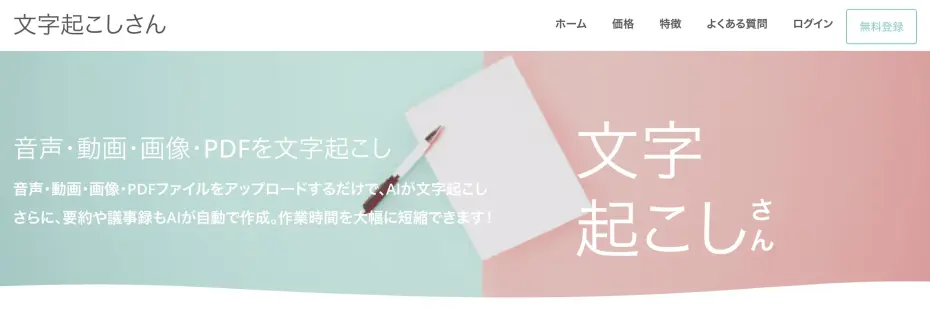
Mr. Transcription is an AI transcription service recommended for anyone who wants to transcribe audio!
It has two main features:
- Versatile functionality
- Free to use
That's it.
Versatile, High-Performance, Latest AI
The latest speech recognition AI adopted by Mr. Transcription is a high-performance AI that can accurately transcribe even challenging audio, such as recordings with many technical terms or significant background noise.
Its processing speed is also incredibly fast, allowing you to transcribe long audio files into text in just about 1 minute!
If you enable speaker separation, you can even transcribe meeting audio by individual speakers.
It supports 100 languages, including Japanese and English, making it ideal for those who frequently work with international teams.
Supports Audio, Video, Images, and PDFs
In addition to audio, Mr. Transcription also supports video, images, and PDFs.
It can be conveniently used for creating subtitles for video producers or transcribing screenshots from foreign language apps.
You can download transcription results in "SRT" format, which is standard for video subtitles. This allows you to easily import the file into Adobe Premiere Pro or DaVinci Resolve to add high-quality subtitles.
You can try image transcription for free using the image transcription tool, and PDF transcription for free using the PDF transcription tool.
Content Summarization is Also Possible
Mr. Transcription can also summarize transcription results!
You can summarize transcribed text or create meeting minutes in one seamless process!

Web App Compatible with PC, Smartphone, and Tablet
Mr. Transcription is a web application accessible via your web browser.
It can be used from any environment: PC, smartphone, or tablet.
You can also directly upload audio recorded with voice memo apps on iPhone, iPad, or Android smartphones for transcription.
With its easy-to-use web app interface, you can automatically transcribe voice memo audio.
Free AI Transcription Service
And Mr. Transcription is free!
You can get up to 3 minutes of free transcription per day without registration.
Register for a free account to get up to 10 minutes free per day.
When using an AI transcription service, a common concern is the accuracy of the transcription.
You can experience the high performance of the latest AI right now, so why not try Mr. Transcription from here?
2. Texter | AI Voice Transcription Service for Smartphones
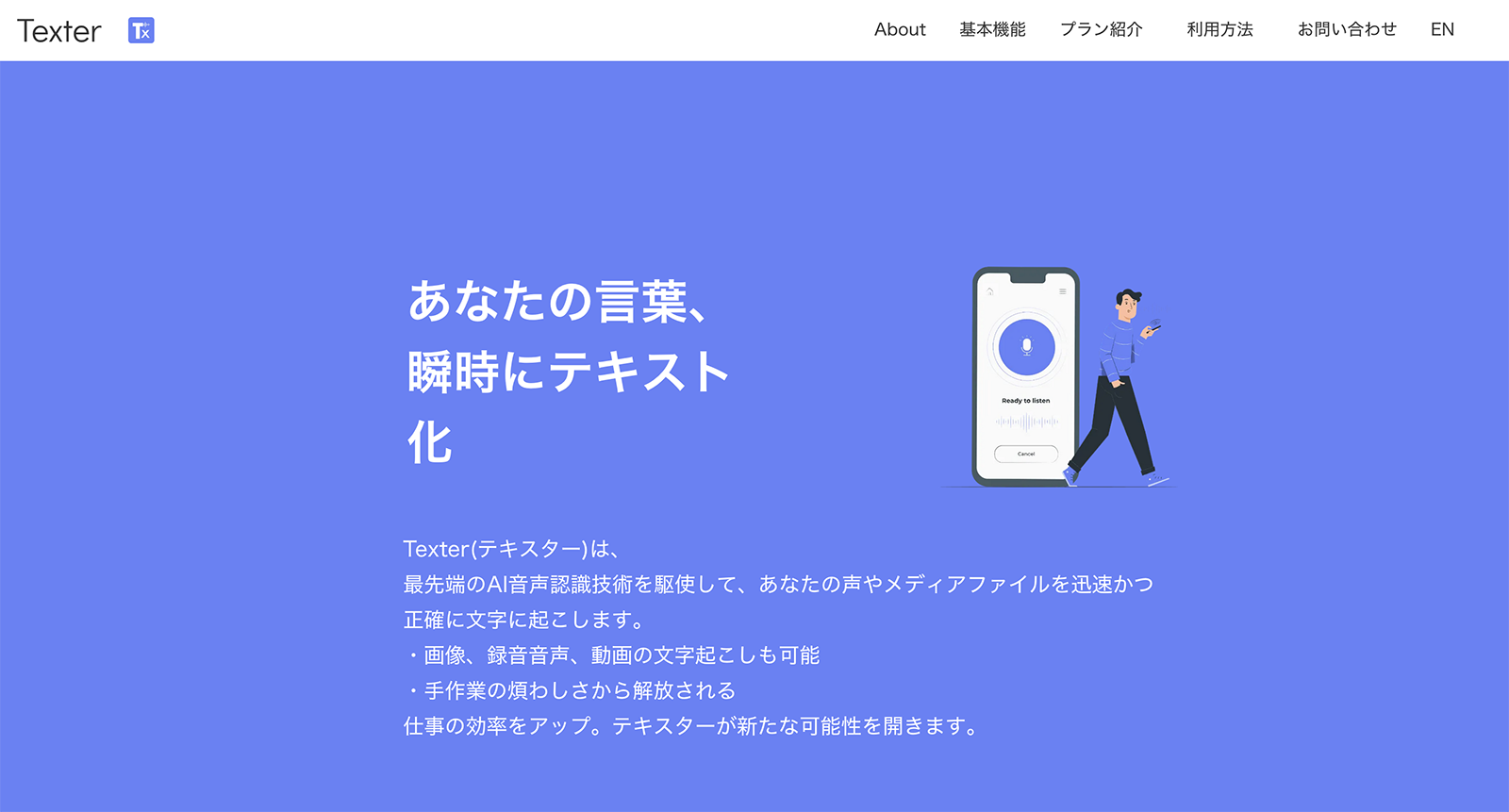
Texter is an AI transcription service that transcribes audio from your smartphone.
It supports in-app transcription as well as transcribing audio and video files uploaded from your smartphone.
The app is available for both iPhone (iOS) and Android.
If you use an iPhone, you can also import files from iCloud.
3. toruno | AI Transcription for Meeting Audio
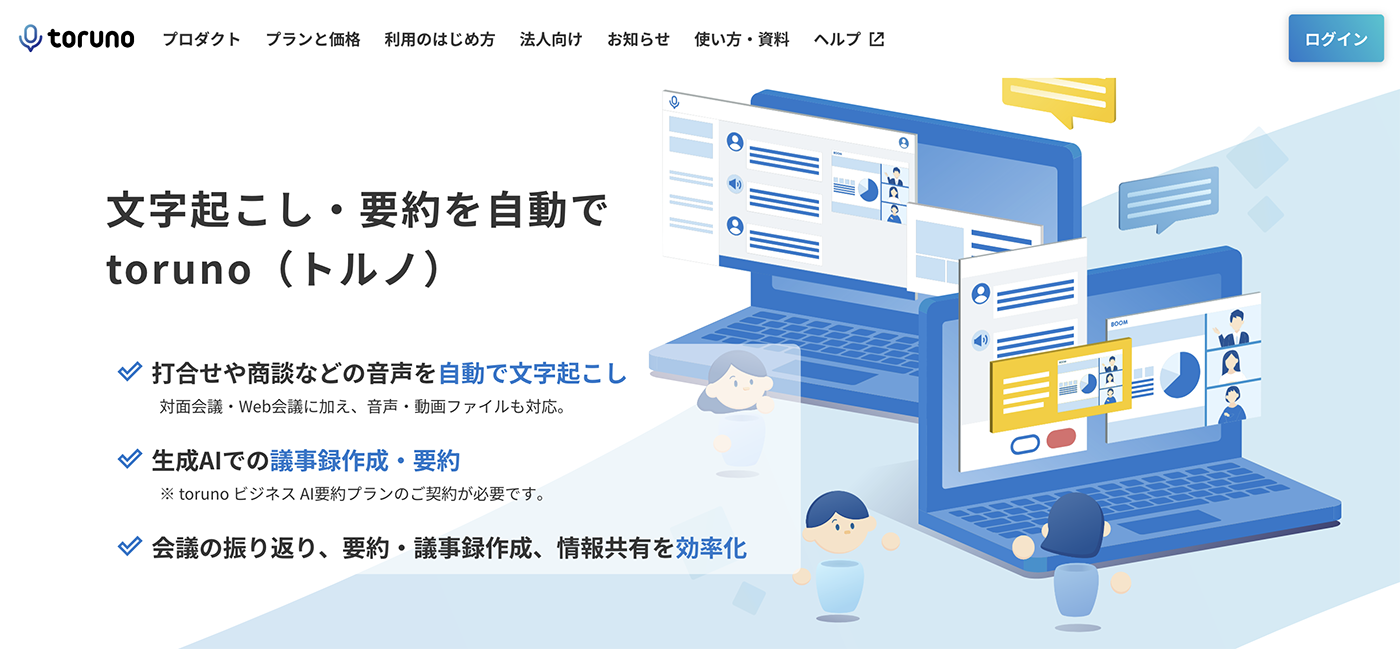
toruno is an AI transcription service designed for transcribing meeting content.
It comes equipped with many features for meetings, including audio recording, transcription, and screen capture.
When using it on a PC, real-time transcription is done via the desktop app, while file uploads are handled through the web browser.
The desktop app supports Windows OS.
4. Notta | AI Transcription Service for PC and Smartphones
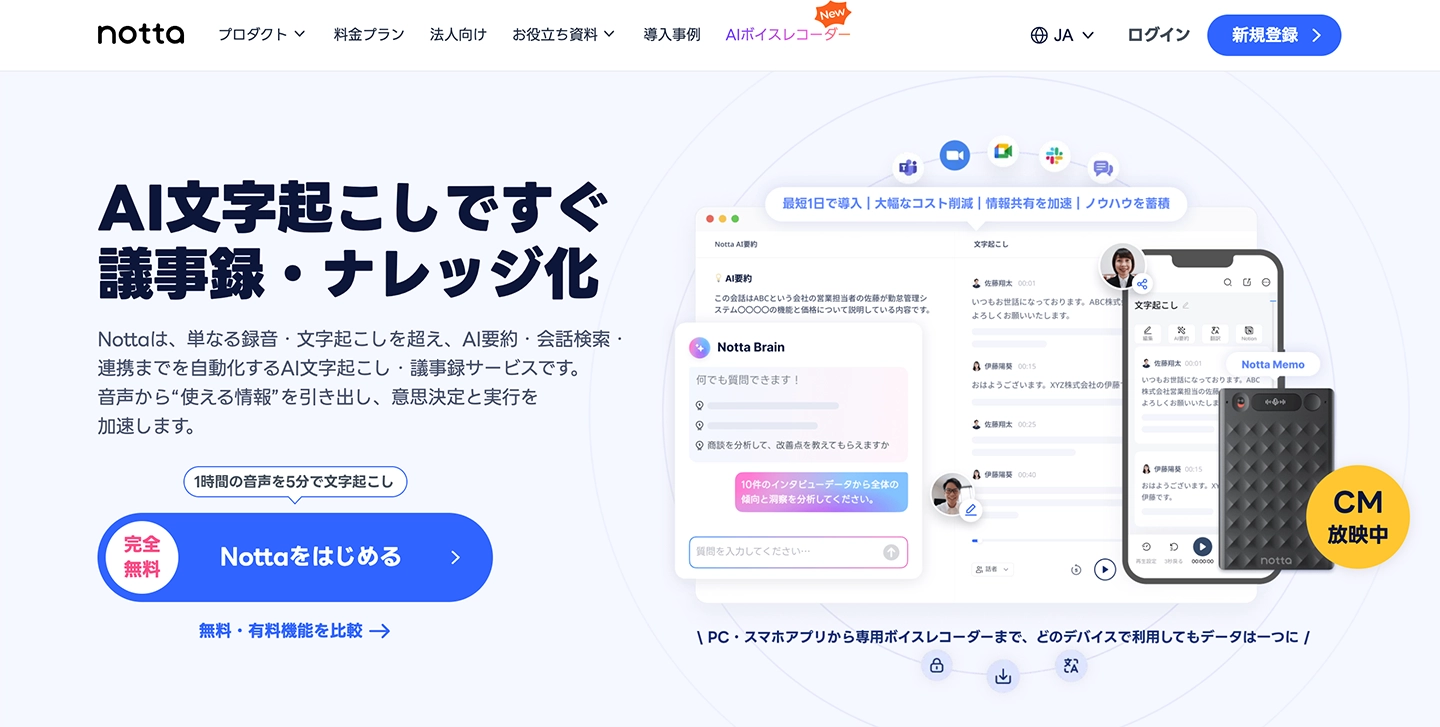
Notta is an AI transcription service compatible with both PCs and smartphones.
It can significantly reduce the time spent creating meeting minutes, allowing you to import audio files directly from the management screen.
Notta also supports transcription of foreign languages.
5. Otolio | AI for Automatic Meeting Minute Creation
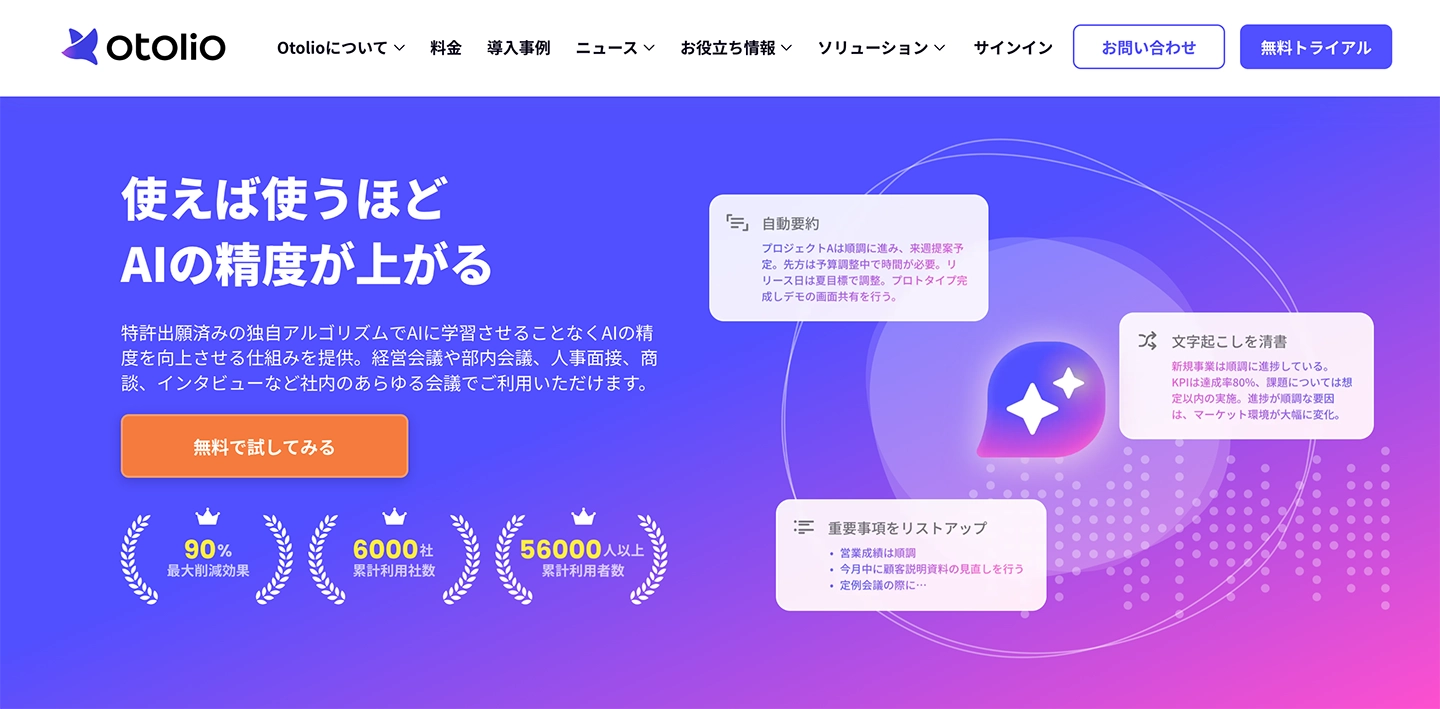
Otolio (formerly Smart Shoki) is an AI transcription service designed to automate the creation of meeting minutes.
It integrates with web conferencing systems like Zoom, Microsoft Teams, and Google Meet, making it suitable for transcribing remote meetings and for companies with many employees working from home.
It also features an AI-powered meeting summary function.
6. Rimo | AI Transcription Service Supporting Over 30 Languages
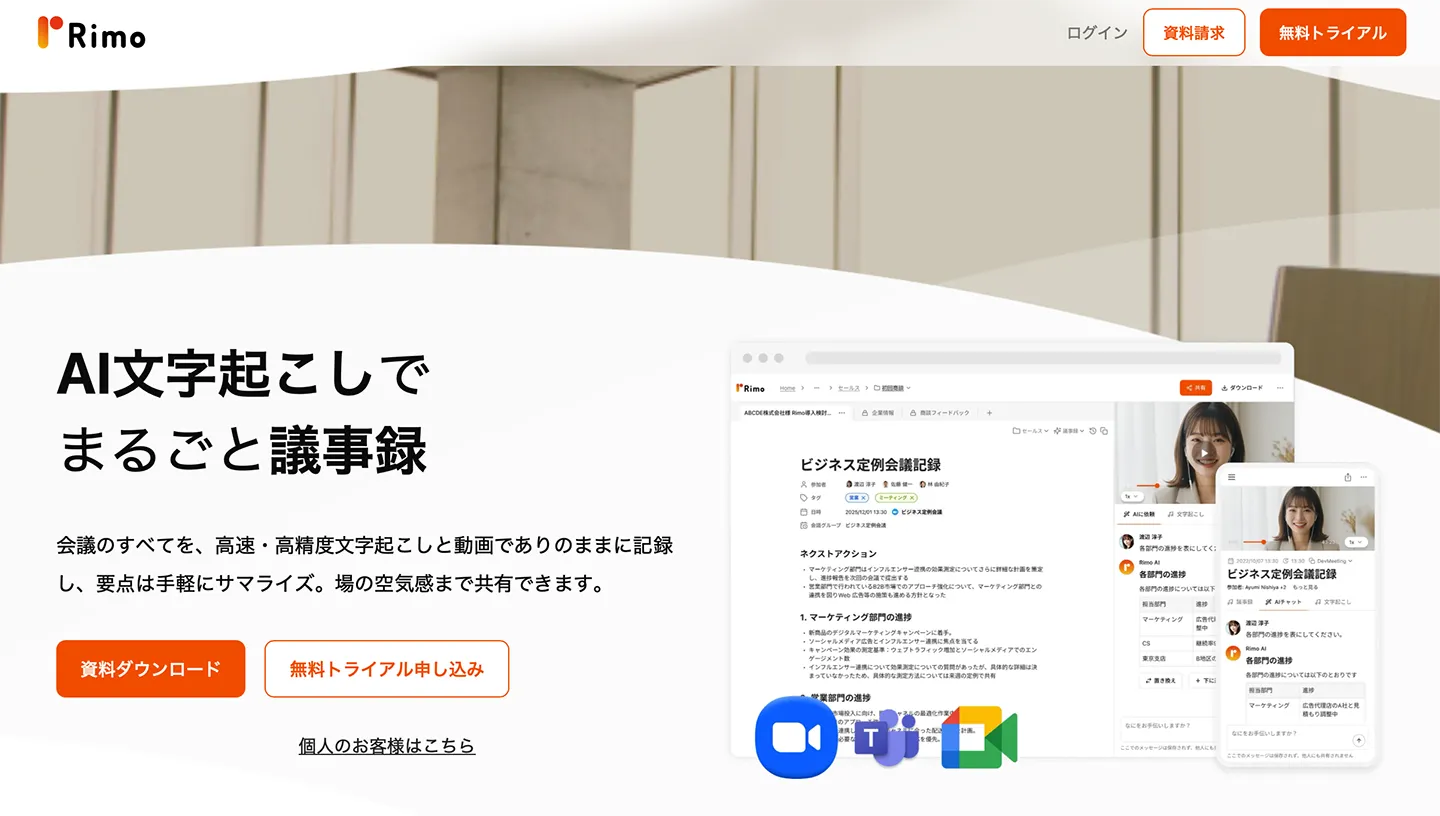
Rimo is an AI transcription service that supports Japanese transcription.
This service is also primarily aimed at meeting minute creation, offering AI-powered audio transcription and summarization.
It's a convenient web app that supports over 30 languages, including Japanese, for converting meeting audio into text.
7. Google Docs | Simple Audio Transcription Capabilities

Google Docs also includes an audio transcription feature.
However, it only supports real-time voice input.
To transcribe an audio file while playing it, you need to go through the cumbersome process of "recording the audio playing on your PC."
While it's a basic feature, it's convenient when minimal functionality is sufficient.
8. Word | Basic Audio Transcription Functionality

Microsoft Word, like Google Docs, also has a basic audio transcription feature.
It can be accessed through the "Dictate" function.
However, this is also a basic feature, only allowing you to convert audio recorded via a microphone into text.
It's recommended when only basic functionality is needed.
For professional audio transcription, consider other services.
9. User Local Voice Meeting Minutes System | Simple Transcription Service
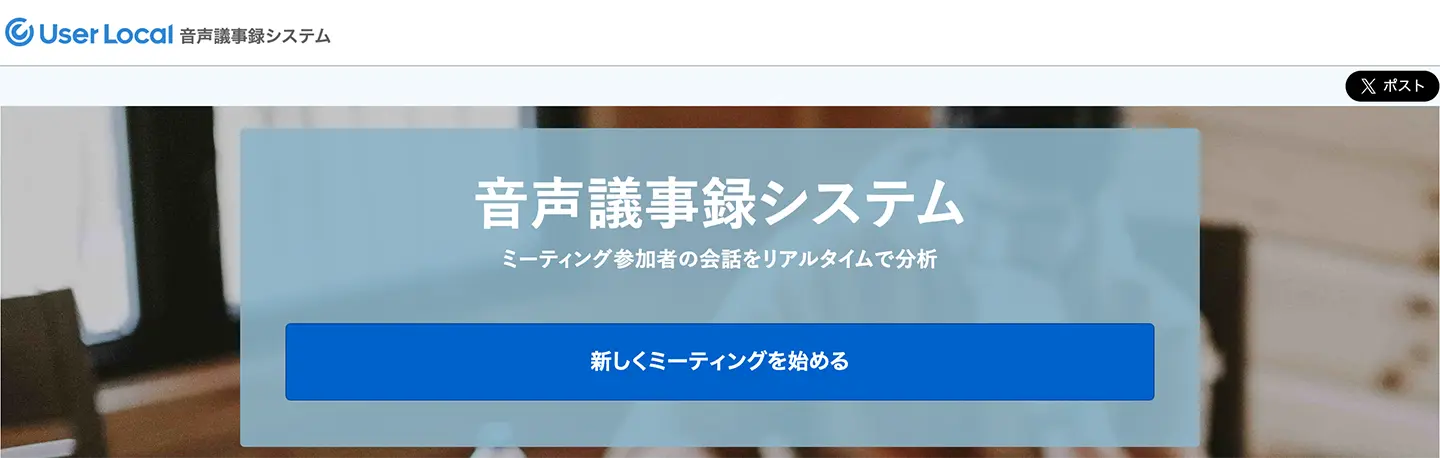
User Local Voice Meeting Minutes System is an AI transcription service designed to automatically create meeting minutes while recording audio.
This service is primarily intended for PC use and is accessed via a web browser.
It supports Google Chrome, Edge, and Safari web browsers.
It's a very straightforward service, making it ideal if you're looking for a simple transcription tool that doesn't require extensive support.
[Free!] Recommended Audio Transcription Services
So, how exactly can you transcribe audio?
If you want to convert audio to text using AI, Mr. Transcription is highly recommended!
Mr. Transcription is an audio transcription service recommended for those who want to easily transcribe audio.
Anyone can easily transcribe audio recorded with voice memos or IC recorders for free.
With the latest AI, even long audio files are transcribed in just about 1 minute!
It transcribes with high accuracy and minimal errors, making it perfect for situations where preventing mistakes is crucial, such as for meeting minutes.
What's more, Mr. Transcription is free!
No registration is required for a free trial of up to 3 minutes, and free members can transcribe up to 10 minutes per day, so you can start transcribing right away.
If you're looking for a way to transcribe audio files, why not try Mr. Transcription here?
How to Transcribe Audio Using the Latest AI [Voice Memo Compatible]
Tell me the steps for transcribing!

We'll explain how to transcribe audio files recorded with voice memos using easy-to-understand images!
1. Record the Audio File

Use your smartphone's voice recorder or an IC recorder to record the audio.
When doing so, paying attention to a few points can help you achieve good sound quality.
Avoid Background Noise
When recording with your smartphone's voice memo,
- Place it on a desk or stand rather than holding it
- Place it on an unused desk to avoid capturing keyboard typing sounds
Paying attention to these two points will help minimize background noise.
When recording outdoors, consider attaching an external microphone and a windscreen to your smartphone or IC recorder.
Ensure Everyone's Voice is Recorded at the Same Volume
When recording multiple voices in meetings or interviews with a voice memo, it's recommended to place the recording device equidistant from all participants.
※If professional equipment is available, it's best to have speakers wear lavalier microphones.
2. Upload Audio Files
Upload your recorded audio files to an AI transcription service.
Here, we will explain using Mr. Transcription.
Open the Mr. Transcription top page from this link.
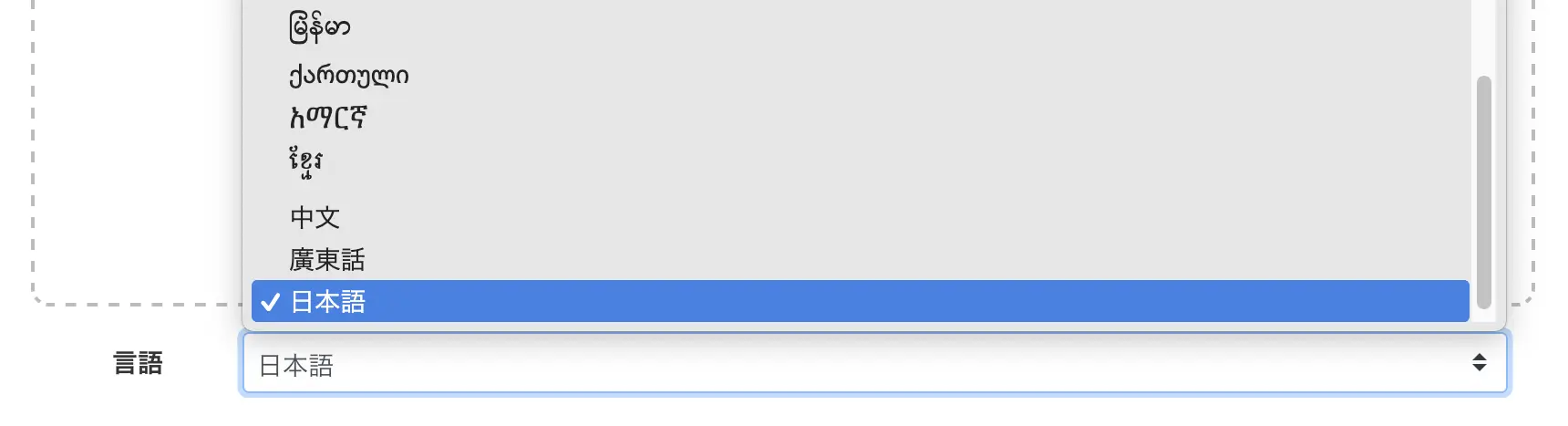
Select the language.
※Typically, your browser's language is set as the default.
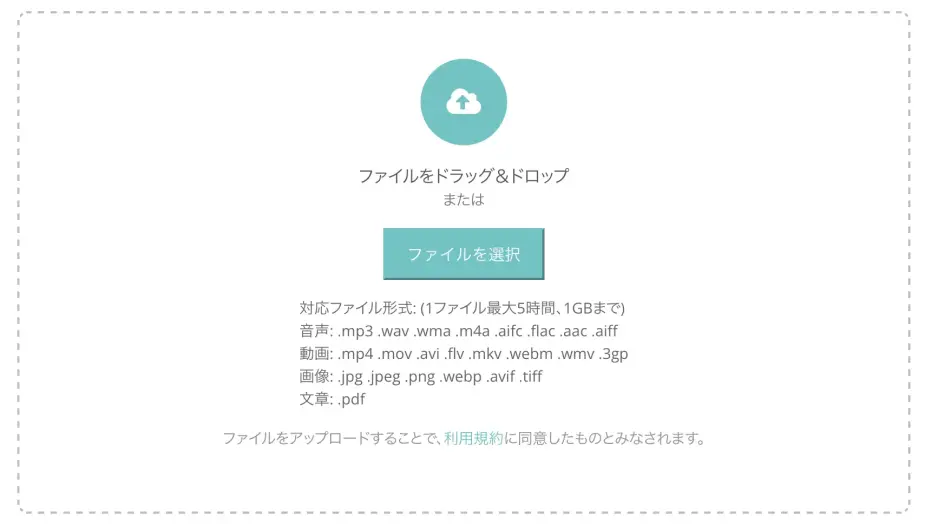
Click "Select File" or drag and drop to choose your file.
Once you select a file, the upload will start automatically.
Upload from your smartphone too
You can also upload directly from your smartphone using Mr. Transcription!
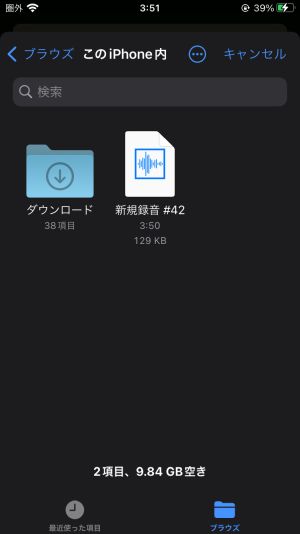
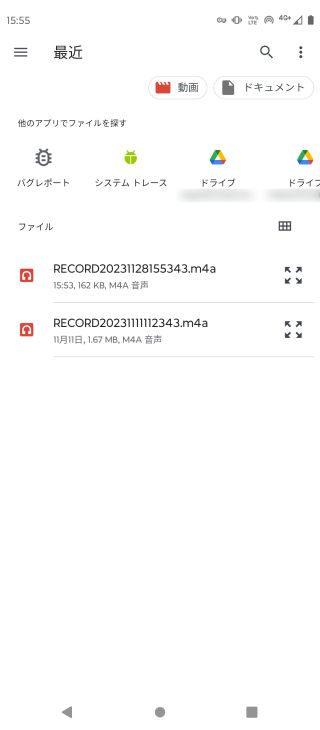
Tap "Select File" to open the file selection screen, then choose the audio file you want to transcribe.
■ For iPhone
■ For Android smartphones
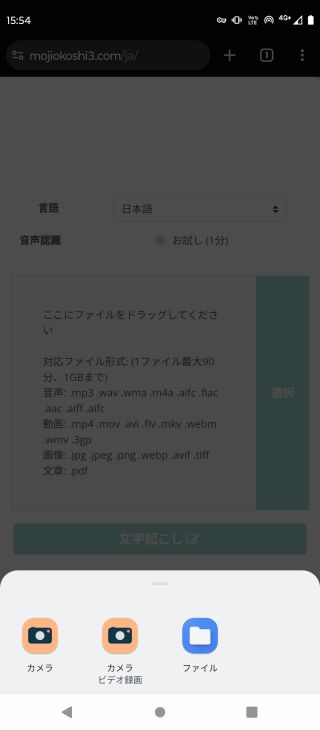
For Android smartphones, tap "Files" to open the file selection screen.
3. Transcription Completed
Once the file is uploaded, the AI transcription process will automatically begin.

You can close the screen once the process starts.
*If you are transcribing for free, please keep the top page open.
The transcription process with Mr. Transcription usually completes in about 1 minute.
※Shorter files will complete even faster.
You will be notified by email when the transcription is complete.

You can open the transcription results page from the link in the email.
Alternatively, if you kept the page open, the screen will switch to display the transcription results.
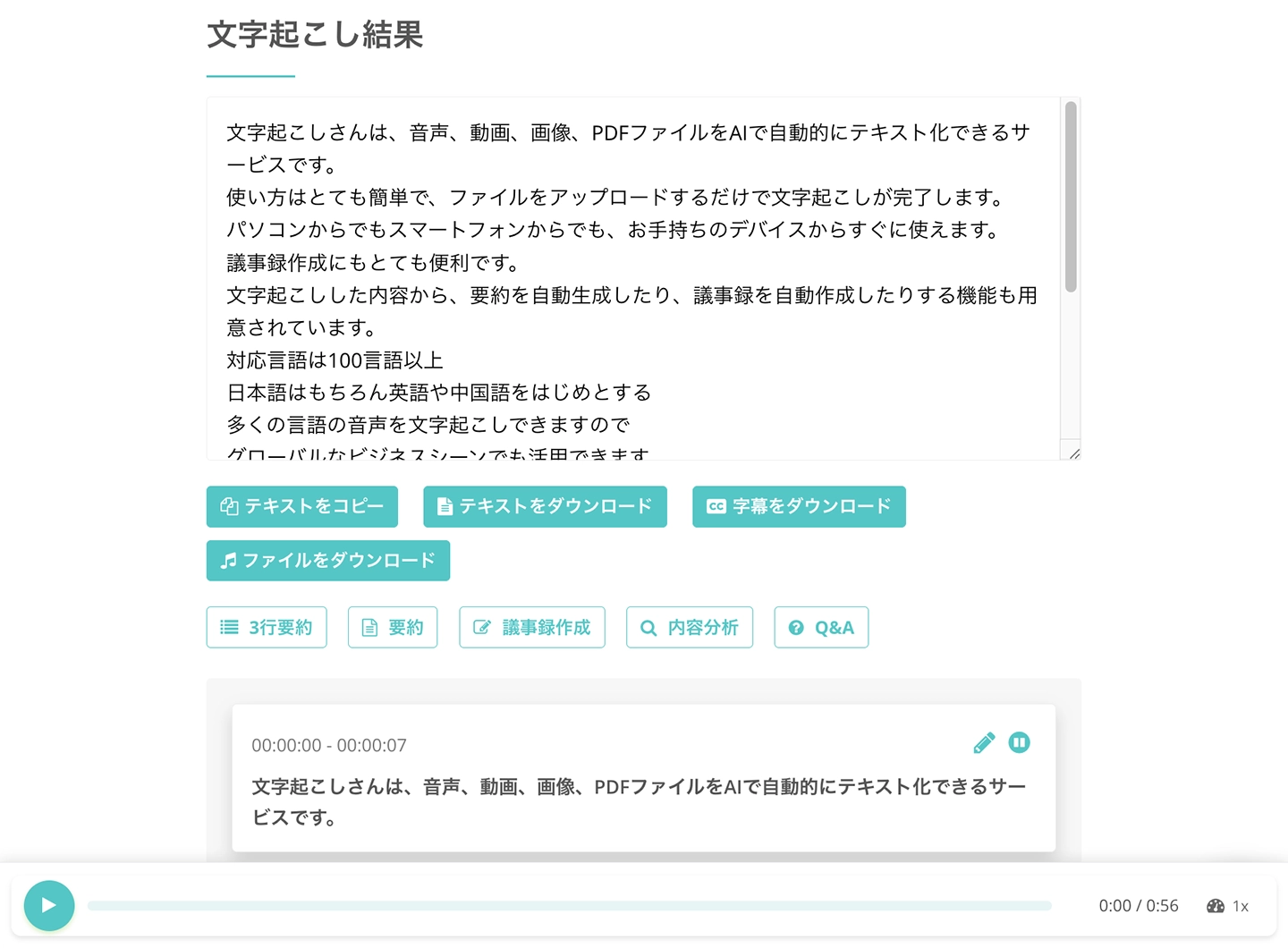
If you scroll down, you can press the play button to individually play the audio and check the results,
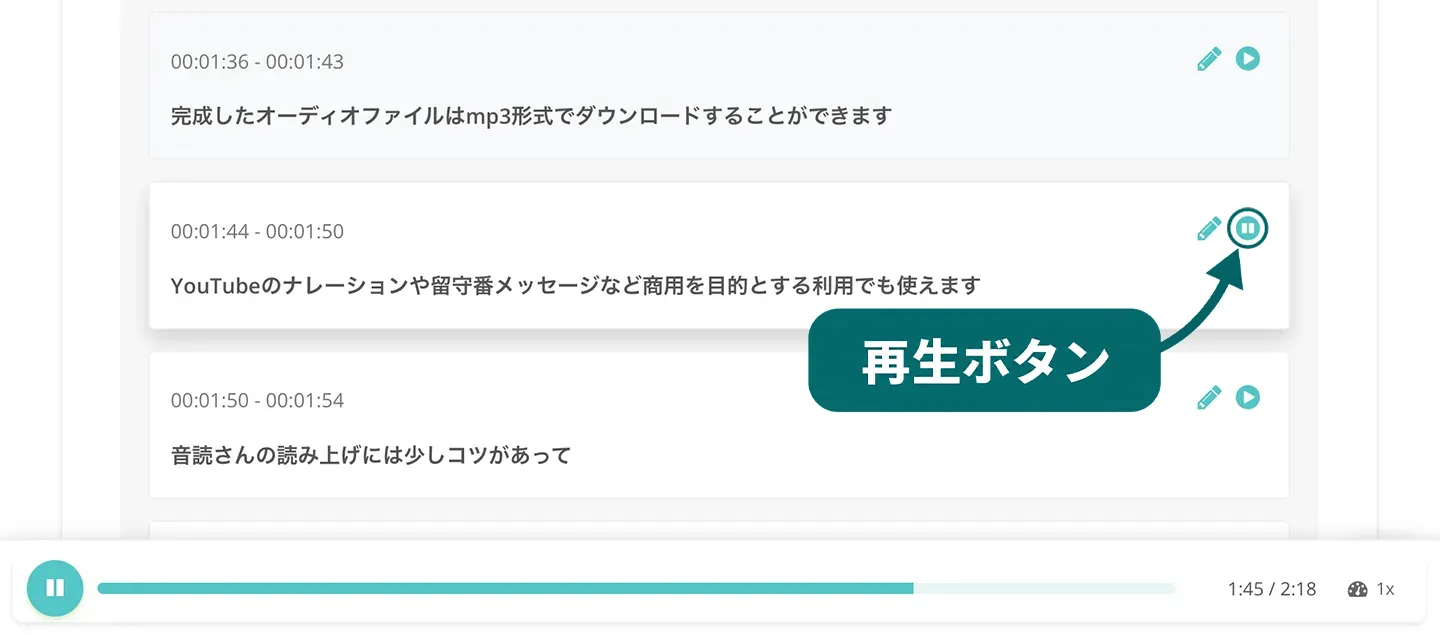
and also press the edit button to edit and save the content.
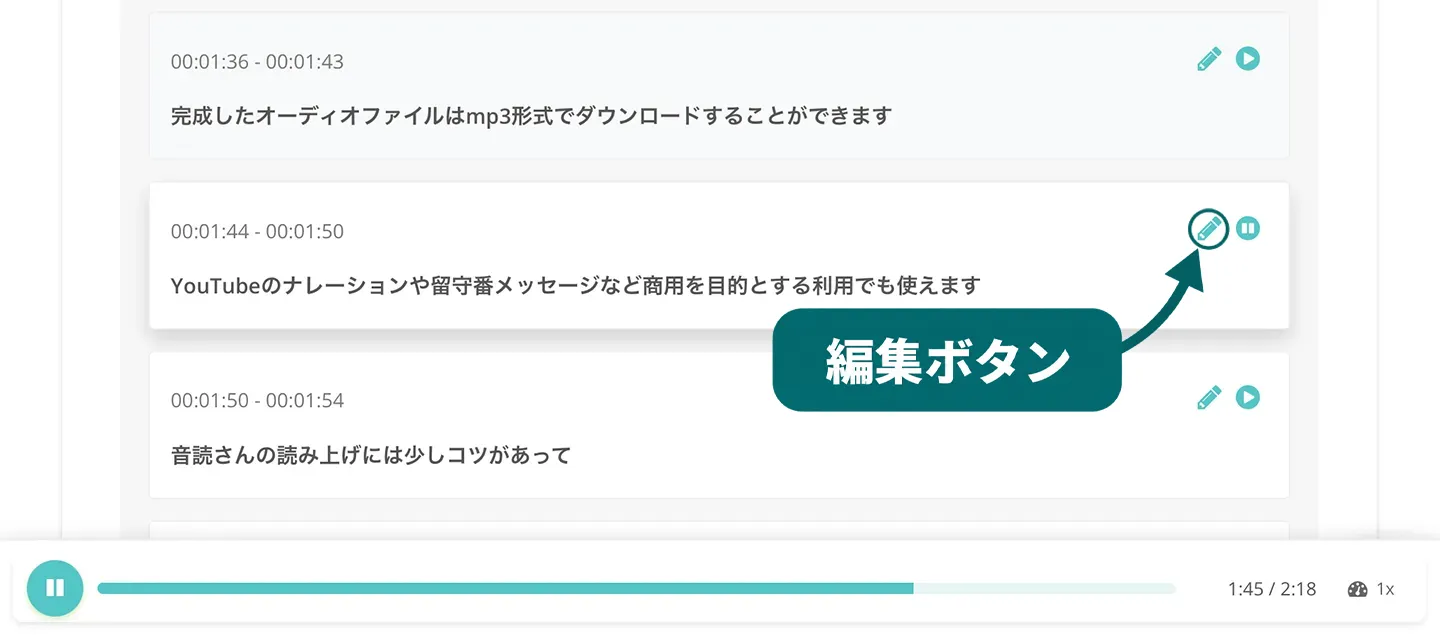
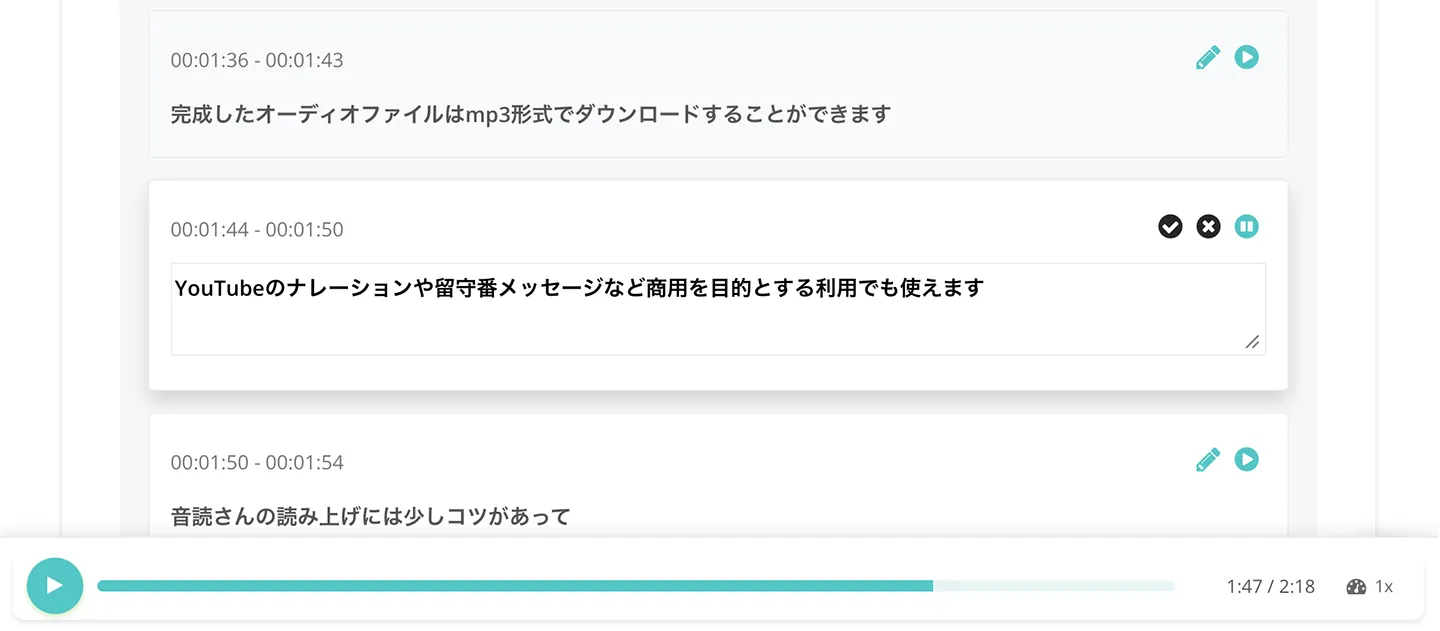
This completes the process of converting audio files to text using Mr. Transcription.
It's very easy to convert audio to text, so why not try Mr. Transcription here?
So far, we've introduced the process of using Mr. Transcription.
If you want to compare various methods for converting voice memos to text, please also refer to this article.
Detailed Explanation of Audio Transcription Tips and Tricks
I want to know more about audio transcription!
- For those who are about to transcribe audio
- For those who want to streamline their audio transcription workflow
We will explain the key points and tips for transcription in detail!
By understanding transcription, you can more conveniently convert audio recorded with voice memos into text.
What are the Types of Transcription? Verbatim, Cleaned, and Edited

Transcription can be categorized into three types based on how much the transcribed content is refined: "verbatim transcription," "cleaned transcription," and "edited transcription."
- Verbatim transcription: Transcribing everything, including meaningless fillers like "uh" and "um."
- Cleaned transcription: Transcribing after removing only fillers like "uh" and "um."
- Edited transcription: Refining the content to make it easy to read.
These are their characteristics.
When transcribing yourself, verbatim transcription is the easiest.
However, even then, transcribing one hour of audio requires 3 to 4 hours.
Since it requires repeatedly playing and stopping the audio while typing on a keyboard, transcription used to be a very demanding task.
However, with AI transcription services, one hour of audio can be automatically transcribed in just about one minute.

How to Transcribe Audio [AI Recommended!]

There are two methods to transcribe audio recorded with your smartphone's voice memo or an IC recorder:
- Typing it out manually using a keyboard
- Using an AI transcription service (tool, app)
Until recently, the only way to convert audio to text was to play back the recorded file (from a voice memo, etc.) and type it out manually.
However, typing it yourself takes a very long time, and outsourcing to a professional agency or transcriber could cost tens of thousands of yen or more, making it very expensive.
Solve Transcription Challenges with AI!
This is where AI transcription services come in.
AI transcription services are tools and apps that use speech recognition AI to process audio files and automatically transcribe them.
With an AI transcription service, transcription can be completed in just about 1 minute.
Since transcribing one hour of audio manually by typing takes 3-4 hours or more, AI services make transcription much faster and easier.
And of course, the accuracy is outstanding!
Even complex audio files with many technical terms can be accurately transcribed.
For future audio transcription needs, AI transcription services are highly recommended!
Benefits of AI Transcription Services
AI transcription services offer numerous advantages.
1. Fully Automatic and Easy Audio Transcription

The biggest benefit of AI transcription services (software, apps) is their ability to automatically transcribe audio by simply uploading an audio file.
Once transcription begins, the text conversion is completed in about a minute.
Since high-precision AI performs the task, common typing errors or misinterpretations that occur when transcribing voice memos manually are eliminated.
2. Free to Use and Much Lower Cost Than Professional Services

AI transcription services are available for free!
For example, Mr. Transcription allows you to transcribe audio files without registration or login, so you can convert audio to text instantly whenever you need it.
Furthermore, the paid plans for AI transcription services are significantly more affordable than professional transcription agencies.
The market rate for human transcription services is typically around 15,000 yen per hour.
In contrast, AI transcription services can transcribe for as little as 25 yen per hour!
They are high-performing and cost-effective.
3. Just Record, No Notes Needed!

With AI transcription services, you don't need to take notes during meetings or interviews.
Simply record with a voice memo, and the entire content can be easily converted to text, allowing you to focus solely on the discussion without the distraction of note-taking.
Moreover, AI transcription services make it easy to create meeting minutes from the transcribed text!
Cautions When Using AI Transcription Services
When using AI transcription services to convert voice memos to text, there are a few points to be aware of.
1. Features Vary by Service (Software/App)

As introduced in this article, there are many types of AI transcription services, but it's important to note that their features differ.
- Maximum transcription time
- Specialties like meetings or interviews
- Support for foreign languages
- Ability to transcribe videos, images, or PDFs in addition to audio
There are differences in what each service (software/app) can do.
For more convenient transcription, it's recommended to choose an all-around service with a wide range of features.
2. Some Services Can Be Expensive

While AI transcription services are generally very affordable, be aware that some services can have high usage fees.
Especially for corporate-向け services, monthly fees can range from tens to hundreds of thousands of yen.
There are also affordable services like Mr. Transcription (available for free, or from 25 yen per hour for paid plans), so it's recommended to research whether a service is free or low-cost before choosing.
3. [Solution Available] Some Services May Not Work on All PCs or Smartphones

When choosing an AI transcription service, it's important to note that some services may not be compatible with certain PC types (Windows / Mac / Linux) or smartphone types (iPhone / Android).
Before starting to use a service, you need to check if it's compatible with your PC or smartphone.
There's a recommended way to avoid this issue.
That is to choose an AI transcription service (web app) that can be used from a web browser.
Services like Mr. Transcription, which can be used from web browsers such as Chrome or Safari, allow transcription from any environment – PC, smartphone, or tablet!
You can even upload audio recorded with your smartphone's voice memo app directly.
■ AI transcription service "Mr. Transcription"
"Mr. Transcription" is an online transcription tool that can be used from zero initial cost and 1,000 yen per month (* free version available).
- Supports more than 20 file formats such as audio, video, and images
- Can be used from both PC and smartphone
- Supports technical terms such as medical care, IT, and long-term care
- Supports creation of subtitle files and speaker separation
- Supports transcription in approximately 100 languages including English, Chinese, Japanese, Korean, German, French, Italian, etc.
To use it, just upload the audio file from the site. Transcription text is available in seconds to tens of minutes.

It is "Mr. Transcription" who can easily transcribe from audio, video, and images.
Free membership registration now!: 5 hours / month
You can copy, download, search, delete, etc. the transcribed text.
You can also create subtitle files, which is ideal for transcription of interview videos.
HP: mojiokoshi3.com
Email: mojiokoshi3.com@gmail.com
Email: mojiokoshi3.com@gmail.com
Try audio/image transcription for free
Try it nowRelated article
Mr. Transcription for audio / video / image transcription. It is a transcription service that anyone can use for free without installation.
- What is Mr. Transcription?
- Transcript images, sounds, and videos with Mr. Transcription
- Free registration
- Rate plan
- manual
- Try other free services