Free AI Transcription Now: Use Mr. Transcription (10 Mins Daily)
Best AI Audio Summarizer Tools: Free Options & How to Use Them
Oct. 23, 2026

I want to summarize audio from meetings! Are there any free AI summarization tools?

This article explains AI summarization tools recommended for leveraging audio content, including meeting minutes and seminars.
Are you leaving your recorded meeting minutes or seminar audio untouched?
It's incredibly challenging to find important information from long audio files, isn't it?
But don't worry!
With the latest AI audio summarization tools, you can easily summarize hours of audio files.
Many services are available for free, allowing you to use AI summarization without worrying about the cost!
In this article, we'll thoroughly explain AI summarization, from recommended audio summarization AI tools to effective usage methods.
Why not leverage AI summarization to make your meeting minutes, seminar audio, and e-learning materials more convenient and useful?
[Free Options Available] 6 Recommended AI Summarization Tools for Audio Files
Let's dive right into introducing our recommended AI audio summarization tools!
First, we'll introduce AI tools designed to transcribe and summarize audio file content.
Some tools are free, so why not use them for transcribing and summarizing audio files, starting with meeting minute creation?
1. 'Mr. Transcription': Recommended Free AI Audio Summarization Tool

If you're looking for an AI audio summarization tool, Mr. Transcription comes highly recommended!
Mr. Transcription is a summarization AI tool that leverages the convenient features of cutting-edge AI to offer:
- Transcription
- Audio summarization
- Meeting minute creation
all in one seamless solution.
It uses high-performance, advanced AI to accurately convert audio into text.
Then, simply press the "Summarize" button to easily summarize audio files with AI.
Even long audio files are transcribed in about 1 minute, allowing you to quickly create meeting minutes with AI from the content.
Summaries and meeting minutes can be copied with one click and downloaded in Word format!
The summarization feature is available for free, so why not experience Mr. Transcription's advanced AI for yourself, starting with the free plan?
| Name | Mr. Transcription |
| Features | Recommended free AI service
AI summarization available without additional charges High-precision transcription and summarization using advanced AI Supports audio in over 100 languages |
| Functions | 3-line summary
Summarization Meeting minute creation Content analysis Q&A generation |
| Pricing Plans | Free plan available
¥1,000 - ¥3,000/month |
| Provider | Sansan Inc. (Japan) |
How to Use Mr. Transcription's Summary AI
Summarizing audio files with Mr. Transcription's summary AI feature is incredibly easy!
This guide will explain how to use Mr. Transcription's summary AI, using an audio file from a recorded meeting as an example.
First, open Mr. Transcription's homepage.
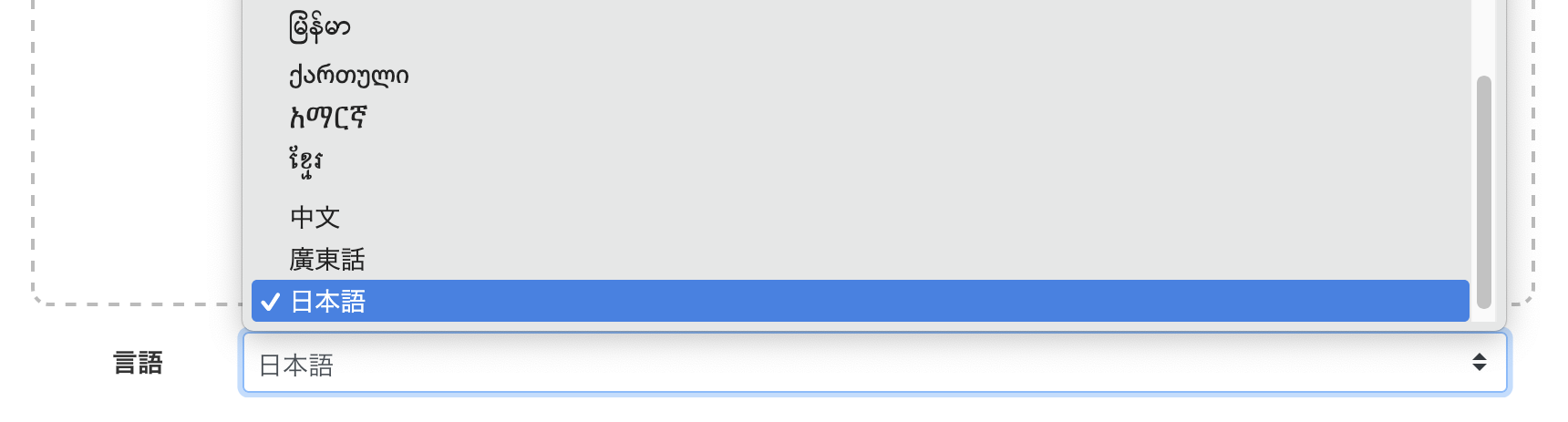
If the language setting is different, set it to the same language as your audio file (it usually defaults to the language used by your browser).
Next, select the audio file you want to transcribe (click here for supported audio file formats).
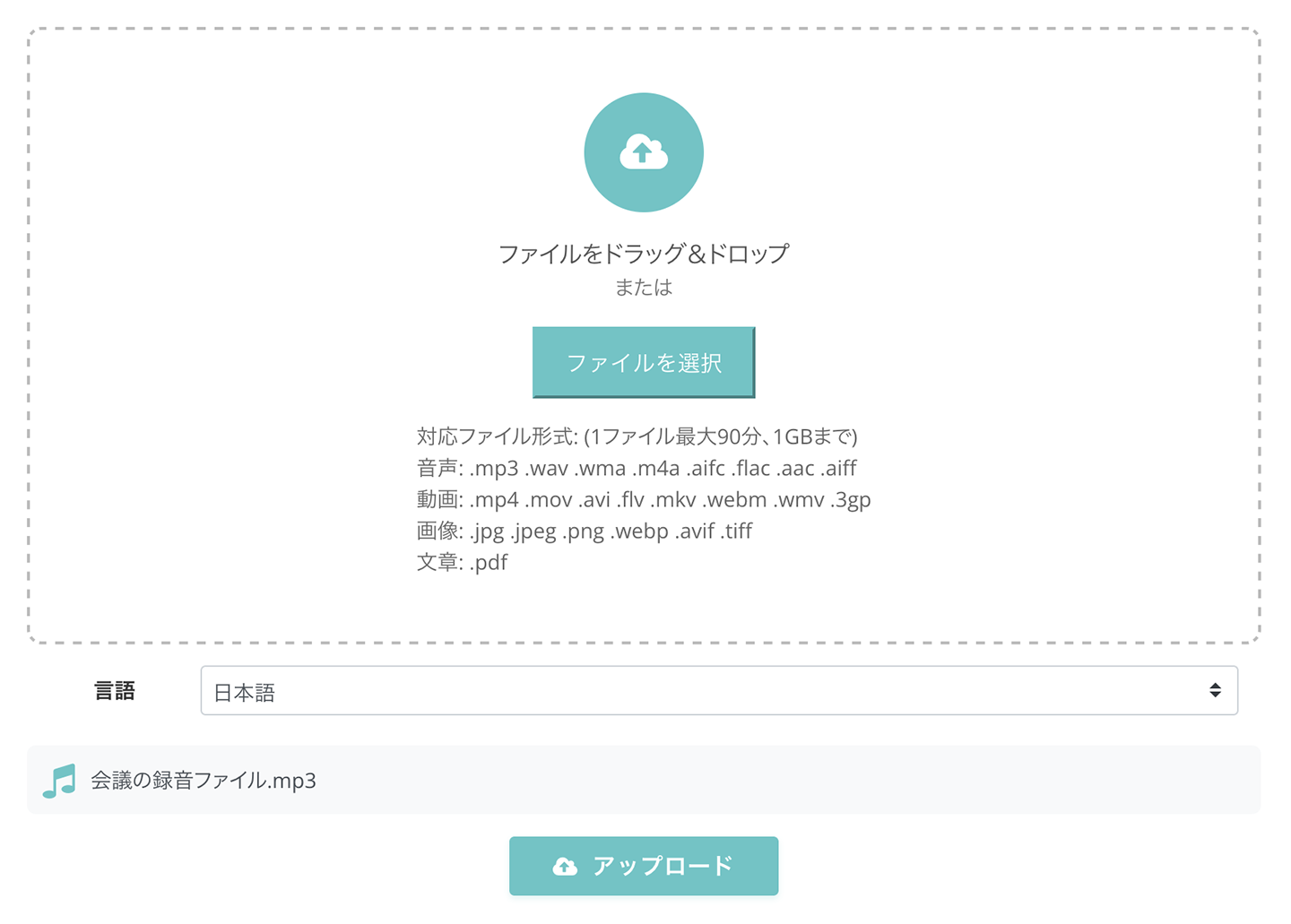
Once you select the file, the upload and transcription process will start automatically.

Mr. Transcription's transcription process is completed in about 1 minute, even for long files.
Once the transcription is finished, the screen will change, and the transcription results will be displayed.
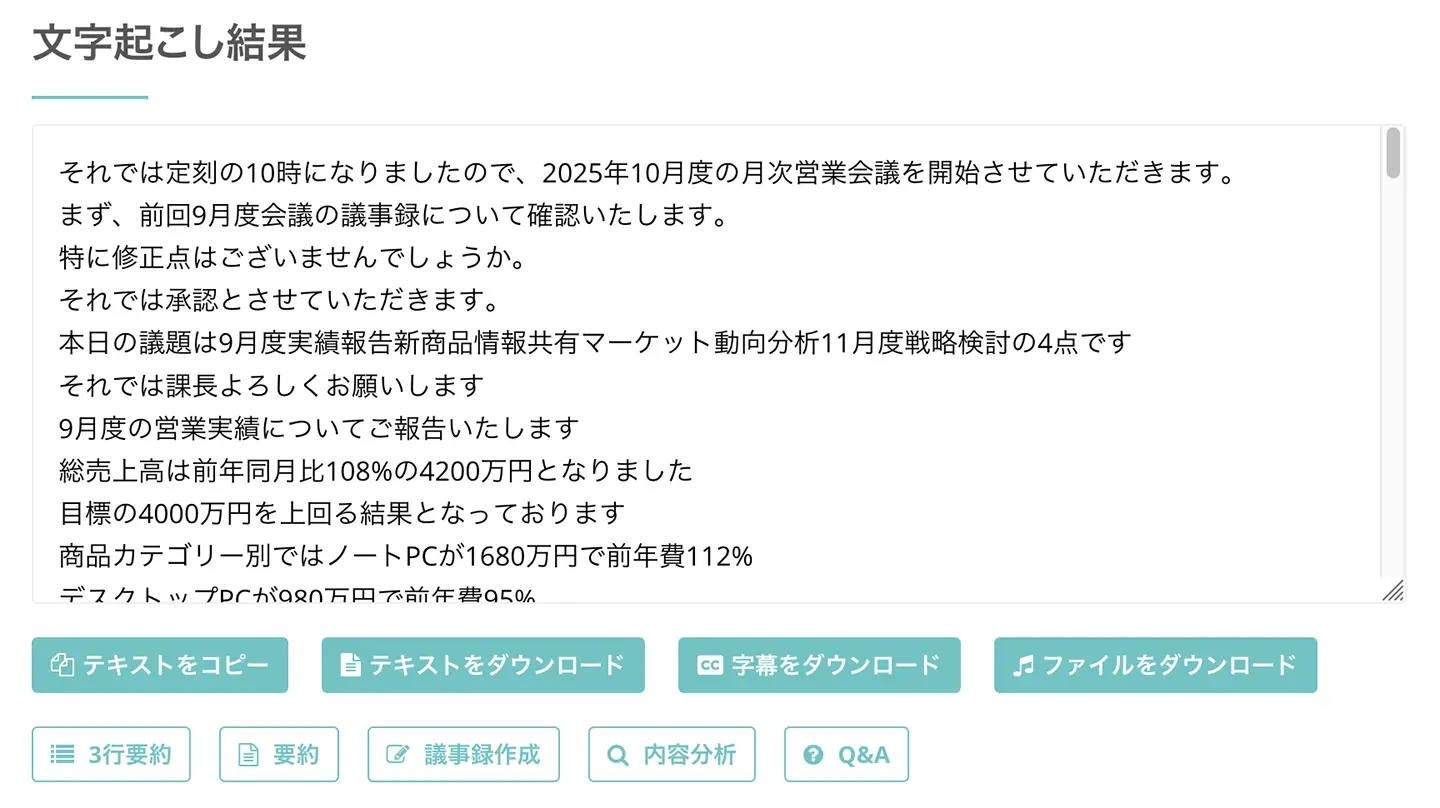
Pressing the play button next to a statement will play the audio from that specific point.
Playing the audio with the player at the bottom of the screen will synchronize the text display with the playback position, allowing you to review the content before summarizing.
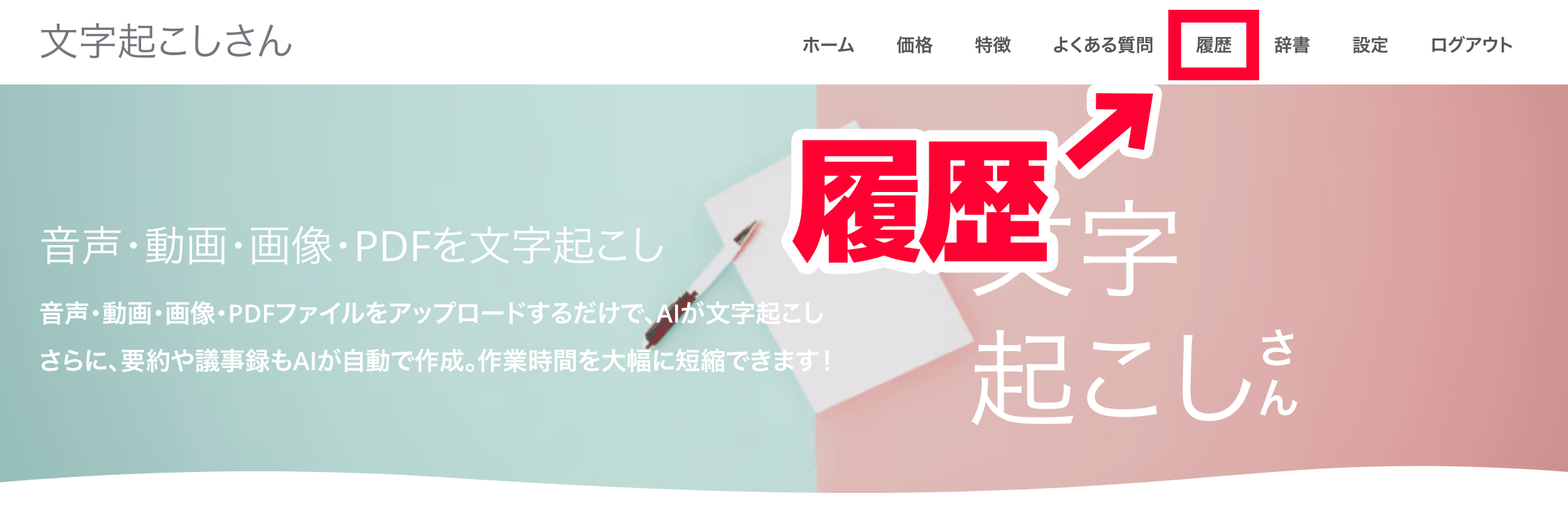
If you are logged in with your email address, you can also check the transcription results from the history page.
Based on these transcription results, let's actually use Mr. Transcription's summary AI!
Mr. Transcription's summary AI feature is available with no additional cost!
Summarize audio files with Mr. Transcription's 3-line summary feature
First, let's try the "3-line summary"!
Using the 3-line summary is easy.
Simply press the "3-line summary" button located below the transcription result.

The summary AI processing begins, and the content of the audio file is quickly summarized in three lines.
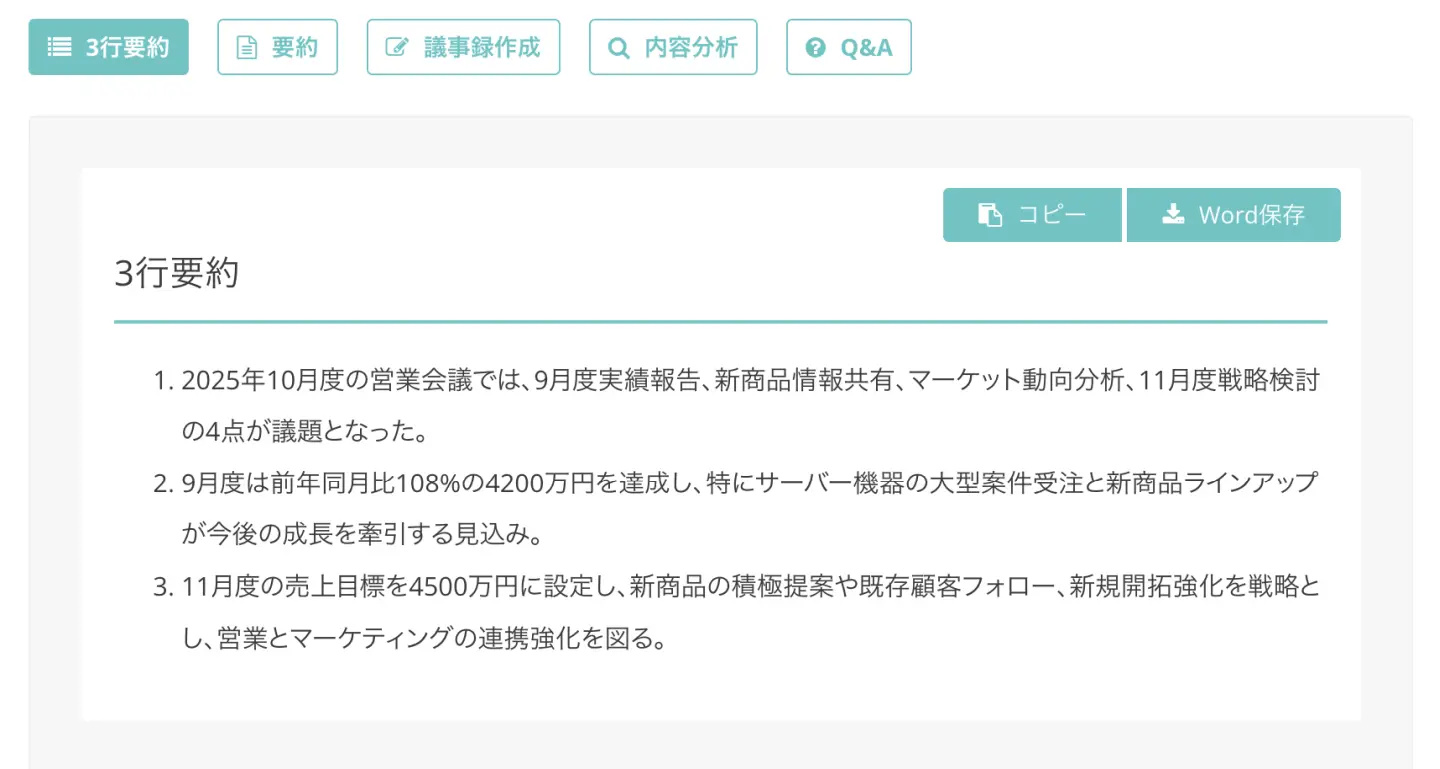
This is a very convenient feature for easily understanding the overall content of an audio file.
Summarize audio files with Mr. Transcription's summary feature
Next is the "Summary" feature.
Using the summary feature is also as simple as pressing the "Summary" button!
It provides a more detailed summary of the key points of the entire audio file compared to the 3-line summary feature.
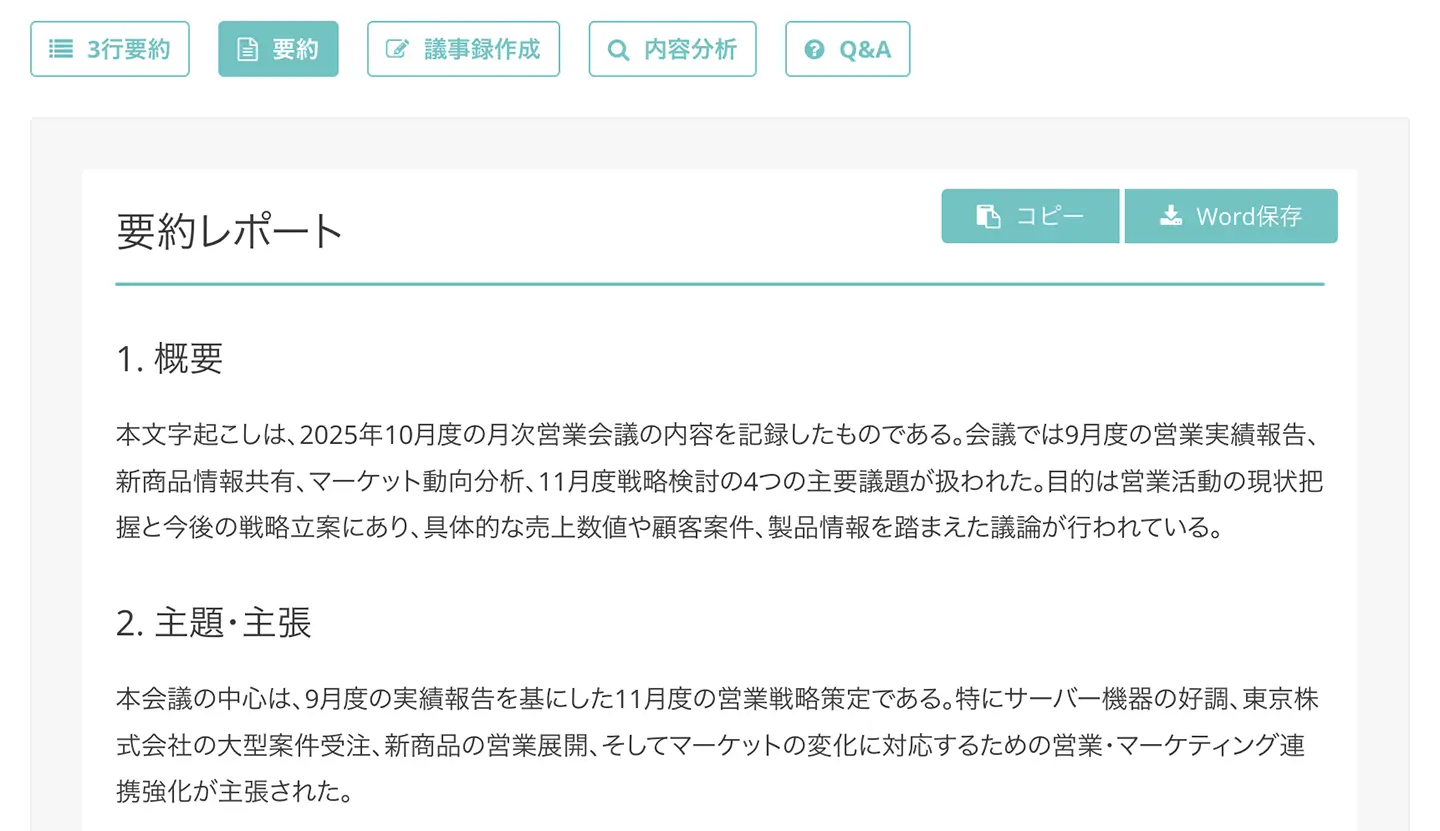
In this way, you can condense meeting content to fit on about one A4 page.
You can also save it as a Word file, making the summary results convenient for professional use.
How to create meeting minutes from audio using Mr. Transcription's summary AI
What's more.
With Mr. Transcription, you can also automatically create meeting minutes!
To create meeting minutes from audio with Mr. Transcription, press the "Create Minutes" button next to the summary button.
Pressing the "Create Minutes" button will summarize the meeting content based on the transcription and generate the minutes.
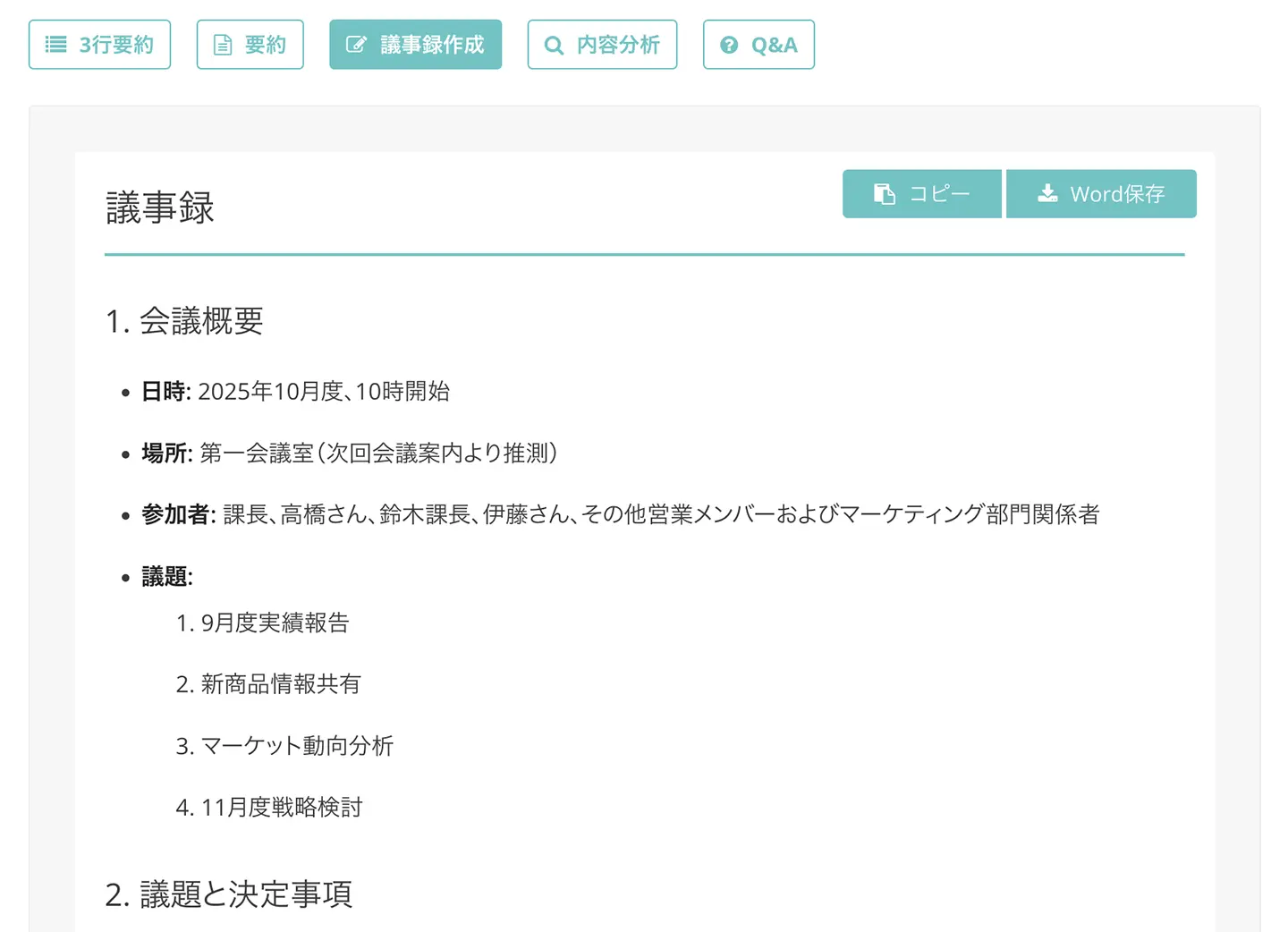
As you can see, meeting minutes summarizing key points are instantly completed with summary AI.
It automatically organizes topics and decisions from meeting audio, allowing you to grasp the meeting's content at a glance.
This can also be conveniently downloaded and used as a Word file!
Content Analysis and Q&A Creation Also Possible with AI Summarization!
The summarization AI in Mr. Transcription also features other convenient functions!
The content analysis feature analyzes the content of audio files as shown below.
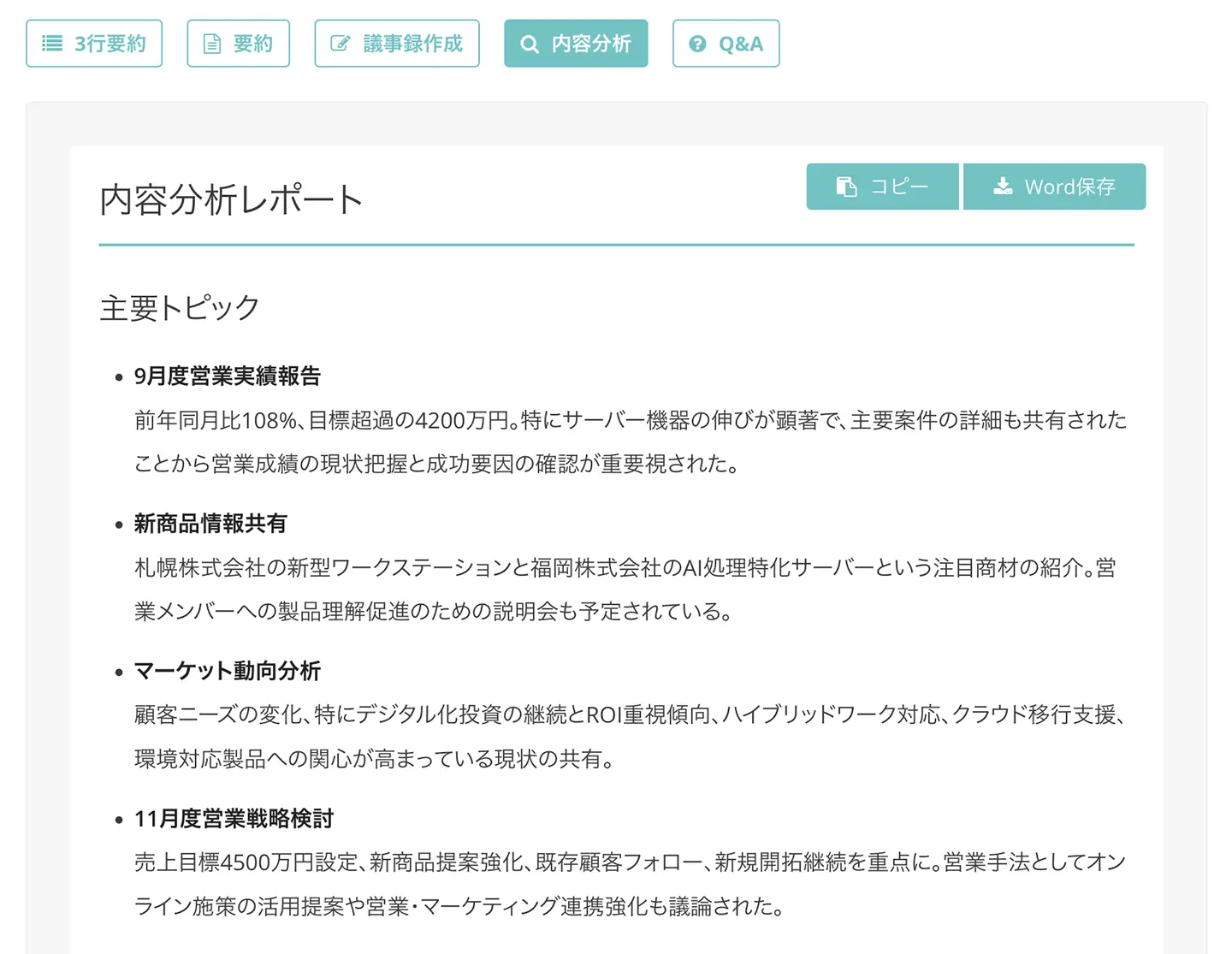
It analyzes meeting audio content by categories such as "main topics," "discussion flow," and "key decisions."
Furthermore, the Q&A creation feature allows you to summarize important points from meeting audio files in a Q&A format.
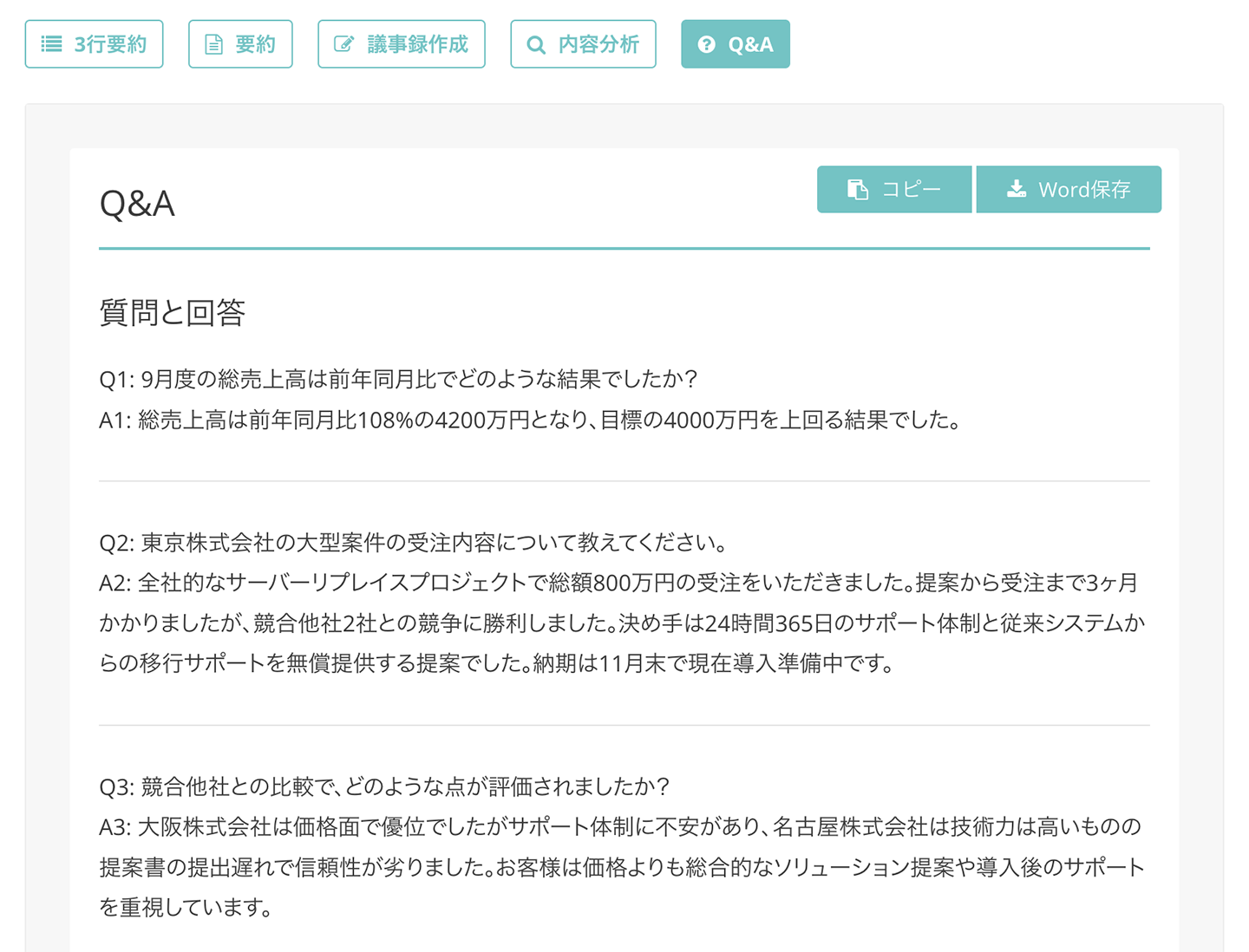
Thus, by using the summarization AI in Mr. Transcription, you can utilize your meeting audio files even more effectively!
The AI summarization features of Mr. Transcription are also explained on this page.
Please take a look.

Why not try the convenient AI summarization features of Mr. Transcription?
As you can see, using AI summarization with Mr. Transcription is incredibly easy.
Anyone can quickly summarize audio using the latest AI and benefit from it.
What's more, Mr. Transcription is free!
Even the paid plan is very affordable, allowing transcription for just 25 yen per hour, so you can easily use the summarization AI.
If you're looking for a free audio summarization AI service, why not start with Mr. Transcription?
2. Rimo: Japanese Transcription Service with AI Summarization
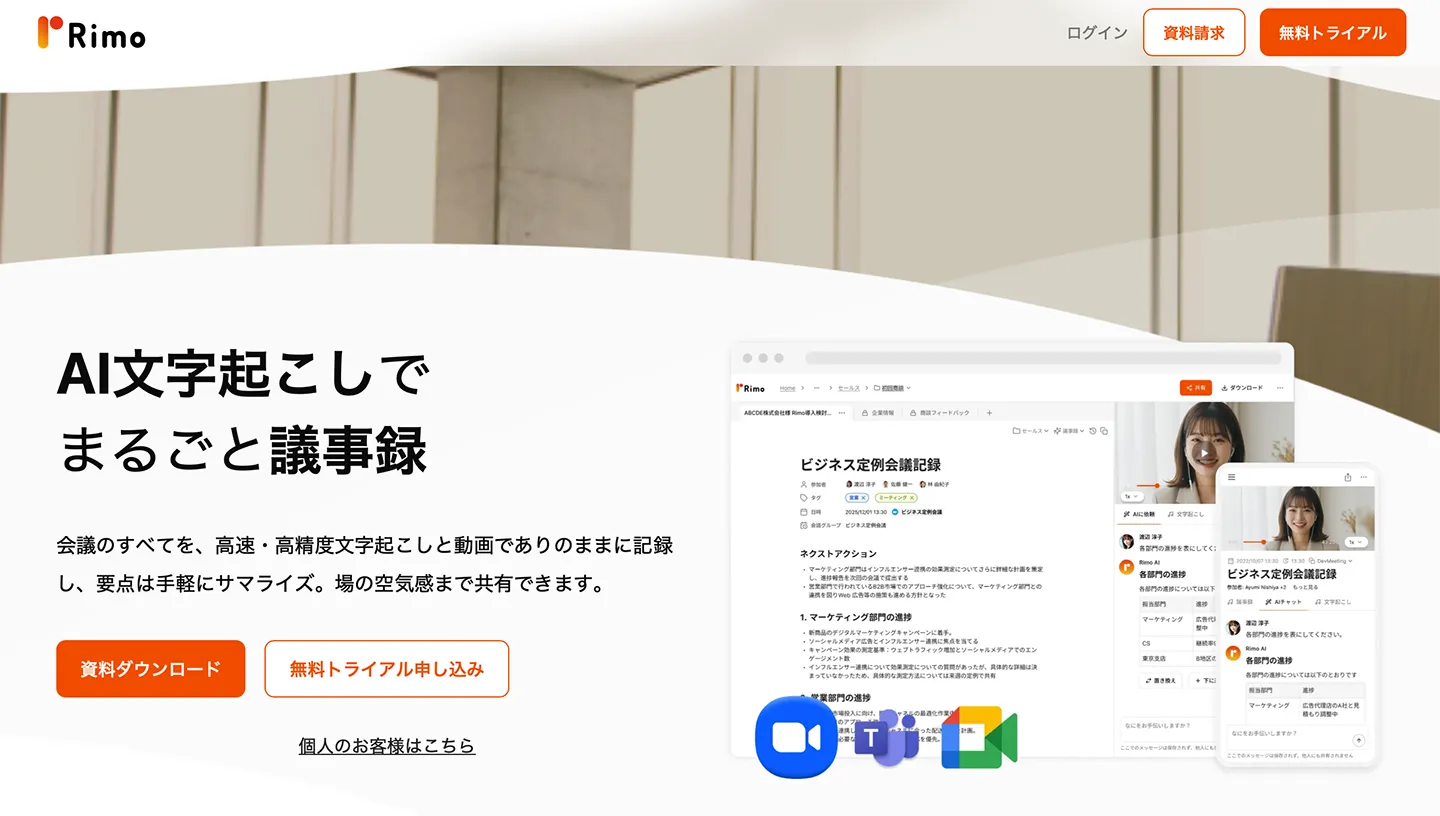
Rimo is a transcription service supporting over 30 languages, including Japanese.
It also offers an AI summarization feature.
In addition to AI-powered transcription, it includes features for creating meeting minutes and integrating with online meetings.
You can use ChatGPT to summarize your transcription results.
It also provides features for sharing and co-editing transcription results.
While there are plans for transcription only and a Pro plan, the Pro plan is required to use the AI summarization feature.
Furthermore, if used by a corporation, a separate quote is required.
| Name | Rimo |
| Features | Transcription & AI summarization service supporting over 30 languages, including Japanese |
| Functions | Transcription
Summarization with ChatGPT Share transcription results |
| Pricing Plans | Corporate Plan: Quote required
Pro Plan: ¥4,950/month |
| Provider | Rimo LLC |
3. Notta: AI Service for Transcription, Summarization, and Analysis
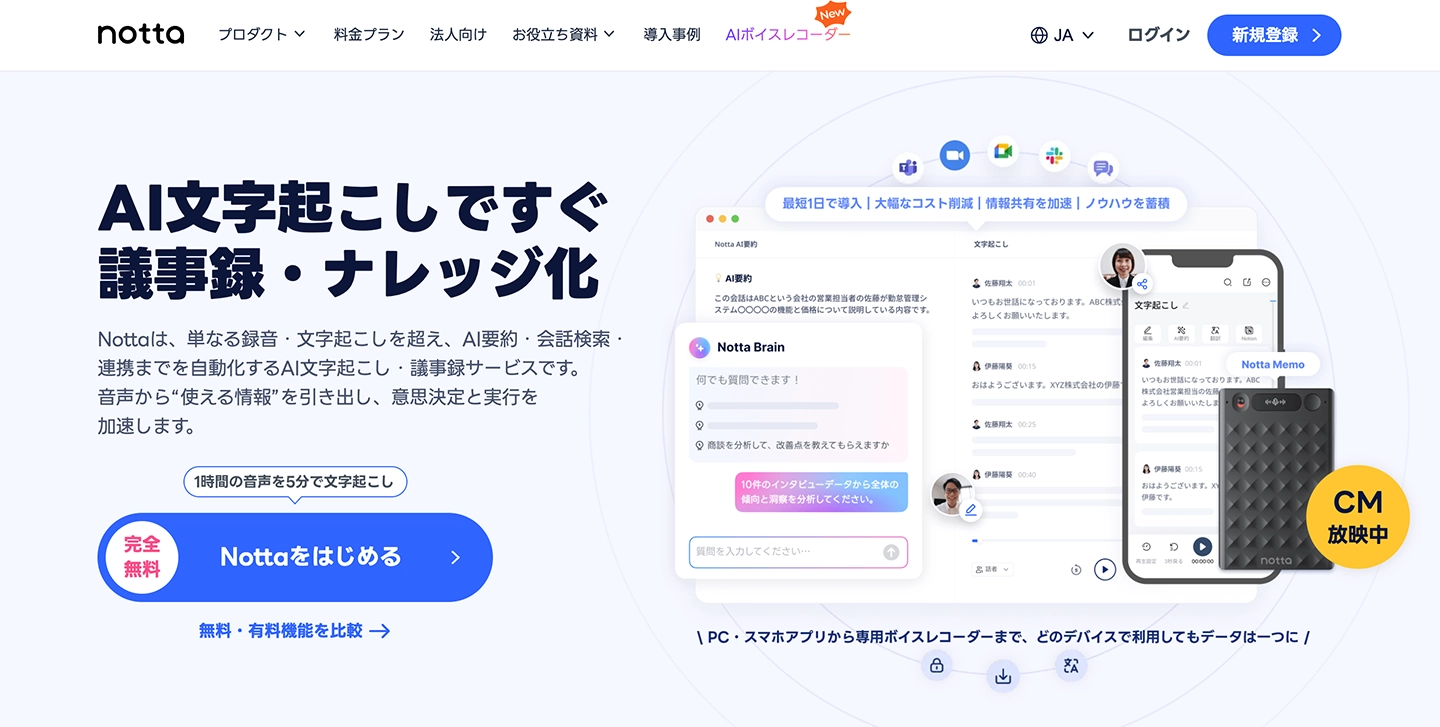
Notta is a versatile transcription service available across various platforms like PCs and smartphones.
It also includes an AI summarization feature, allowing you to summarize and condense transcription results.
It also features content analysis capabilities.
You can use it via a browser on PC or through a dedicated app on smartphones.
It supports 58 languages, including Japanese.
| Name | Notta |
| Features | AI service offering transcription & summarization |
| Functions | Transcription
Meeting minutes creation Content analysis |
| Pricing Plans | Corporate Plan: Quote required
¥1,980 - ¥4,180/month Free plan available |
| Provider | Notta Inc. |
4. Otolio (formerly Smart Shoki): AI Service for Meeting Transcription and To-Do List Generation
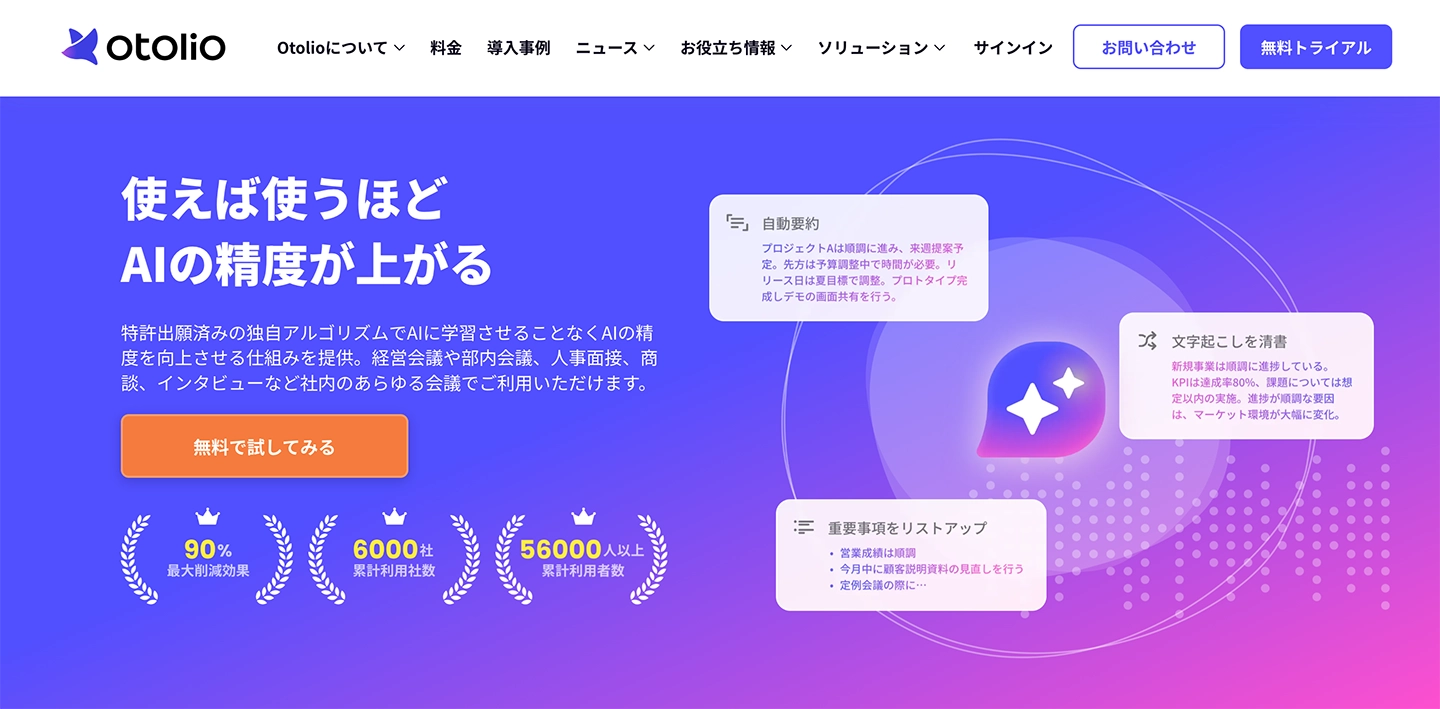
Otolio (formerly Smart Shoki) is an AI service capable of transcribing and summarizing meeting audio files.
The AI automatically transcribes audio data recorded from meetings.
It can also integrate with Zoom, Microsoft Teams, and Google Meet for transcription.
Furthermore, it can generate summaries from transcription results, extract key points, and create decisions and to-do lists.
This service is targeted at corporate users, with pricing varying based on the number of users.
It's an AI tool that can be utilized not only for meetings but also for interviews and discussions.
| Name | Otolio (formerly Smart Shoki) |
| Features | Comprehensive capabilities from meeting recording and transcription to summarization |
| Functions | Transcription
Web conferencing tool integration Summarization Key point extraction Decision and To-Do list generation |
| Pricing Plan | From ¥10,000/month (varies by number of users) |
| Provider | Epic Base Inc. |
5. JAPAN AI SPEECH
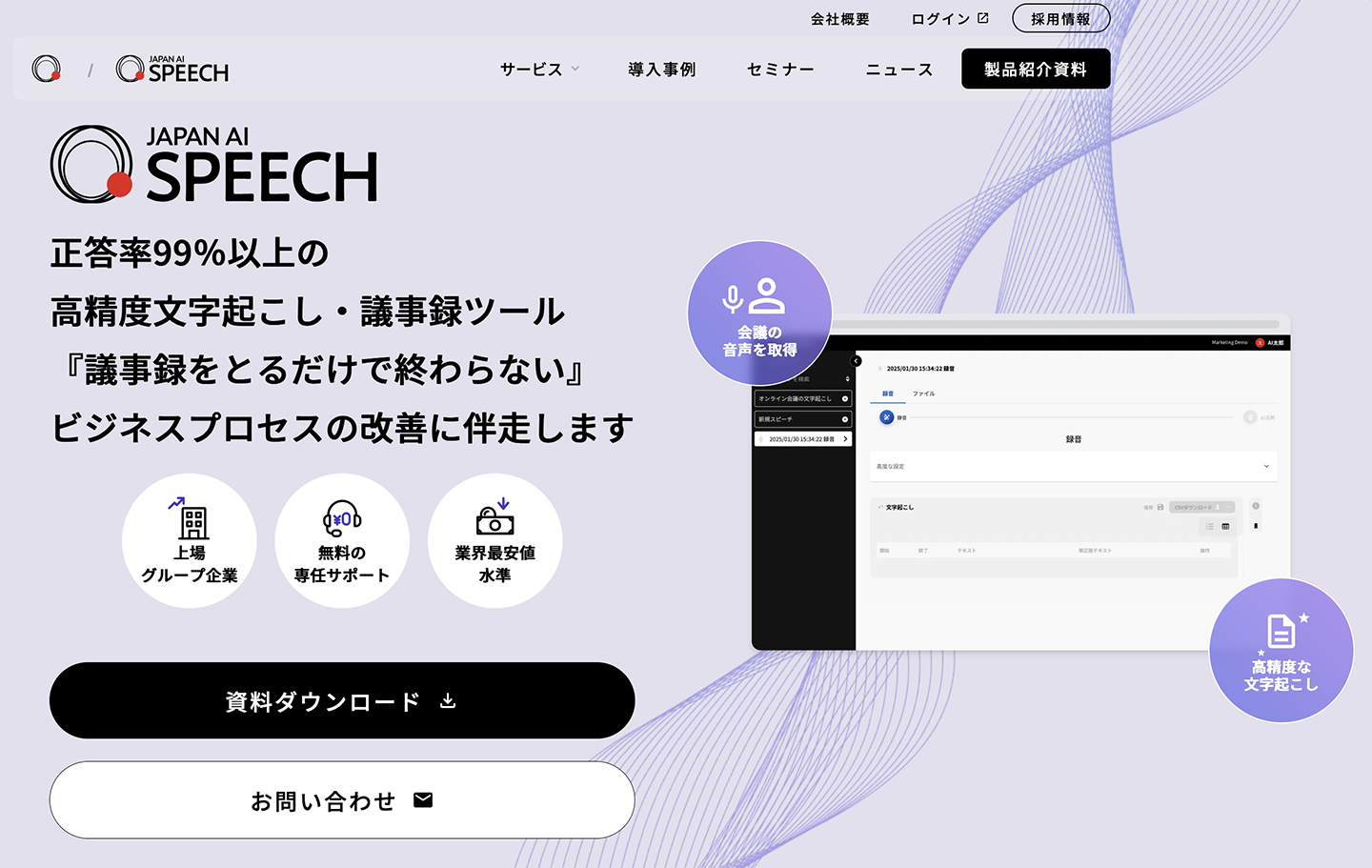
JAPAN AI SPEECH is an AI tool that provides integrated transcription, summarization, and meeting minute creation.
This AI service for businesses allows users to edit transcription results to match their company's specific meeting minute format.
It can create meeting minutes by integrating with web conferencing tools like Google Meet, Zoom, and Microsoft Teams.
A key feature is its integration with business chat tools such as Salesforce and Slack.
This summarization AI tool is capable of not only creating meeting minutes but also facilitating subsequent data utilization.
| Name | JAPAN AI SPEECH |
| Features | Summarization AI tool equipped with transcription, summarization, and editing functions |
| Functions | Transcription
Summarization Meeting minute creation Chat tool integration |
| Pricing Plan | Inquire for details |
| Provider | JAPAN AI Inc. |
6. YOMEL: Meeting Minutes Creation and Summary AI Tool Usable in Chat Format
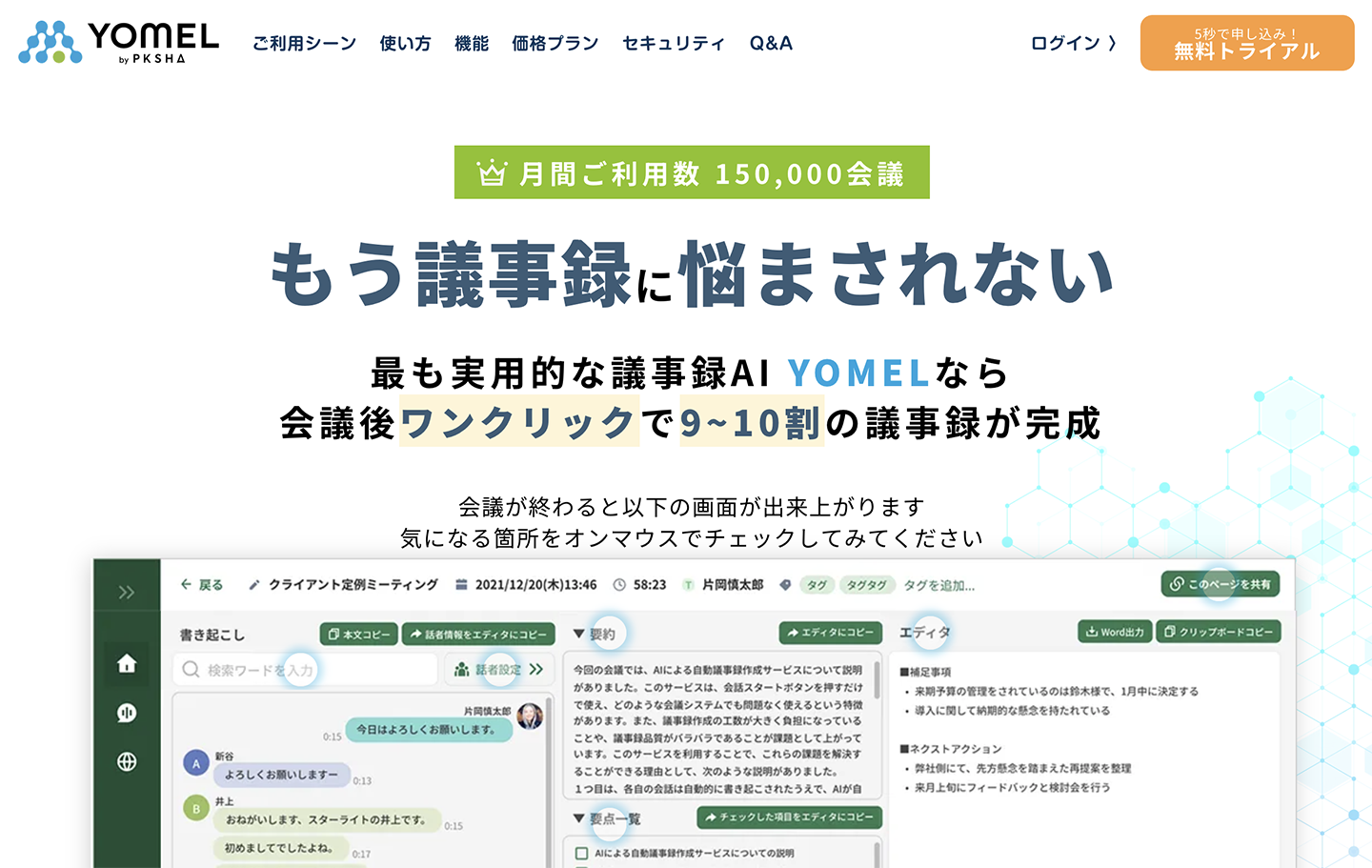
YOMEL is an AI tool specialized in creating meeting minutes.
It features functions for recording and transcribing meeting content, creating meeting minutes, and an AI summary function.
A key feature is its ability to create meeting minutes using a chat-style interface.
Utilizing the summary AI function, you can summarize content, create bulleted key points, and even generate Q&A sections.
It allows for easy creation of meeting minutes for a wide range of meetings, from internal company meetings and business negotiations to HR interviews and recruitment interviews.
| Name | YOMEL |
| Features | Meeting minutes creation tool usable with a chat-like interface |
| Functions | Transcription
Meeting minutes creation Summarization Key point bulleting Q&A creation |
| Pricing Plans | ¥28,000 - ¥180,000/month
Enterprise plan also available Free trial available |
| Provider | PKSHA Infinity Inc. |
Top 3 Recommended AI Tools for Text Summarization
Next, we introduce recommended AI tools for summarizing text, such as text files and Word documents.
7. ChatGPT: A Convenient AI Tool for Summarizing Text
ChatGPT is a versatile generative AI tool.
It can be used to summarize text by inputting documents like text files or Word files.
It offers a wide range of uses, including summarization, bullet points, and analysis.
While it can be used for free, the free plan quickly hits usage limits, so it's recommended to use paid plans like Plus or Pro.
| Name | ChatGPT |
| Features | AI tool that summarizes text with high accuracy |
| Functions | Summarization
Bullet points Analysis Supports various other functions |
| Pricing Plans | Free
$20 (Plus) $200 (Pro) Also offers Team and Enterprise plans |
| Provider | OpenAI (USA) |
For Mac users: Transcribe & Summarize with "ChatGPT Record"
If you are using a Mac, you can transcribe and summarize audio using "ChatGPT Record," a feature of the macOS desktop app.
ChatGPT Record is a feature that transcribes audio from your microphone or audio playing on your computer while recording, and then uses the recorded content to create summaries or notes.
ChatGPT Record is available for Plus, Pro, Business, Enterprise, and Edu plans; the free plan is not included.
Additionally, for Enterprise and Edu plans, it is disabled by default and needs to be enabled by the workspace owner.
8. Claude: A Recommended AI Tool for Text Processing, Better Than ChatGPT
Claude is a generative AI tool also known as a rival to ChatGPT.
Similar to ChatGPT, it can be used by inputting text files or Word documents.
Claude AI is characterized by its strength in writing text compared to rival generative AI tools.
Since it can write natural-sounding text, it's also recommended for summarizing meeting minutes and other documents.
However, it cannot read or transcribe audio files, so it cannot automatically perform transcription and summarization.
| Name | Claude |
| Features | Generative AI tool skilled at writing natural text |
| Functions | Summarization
Bullet points Analysis Supports various other functions |
| Pricing Plans | Free
$20 (Pro) $100 (Max) |
| Provider | Anthropic (USA) |
9. UserLocal Text Summarization AI: A Simple AI Service Specialized in Text Summarization
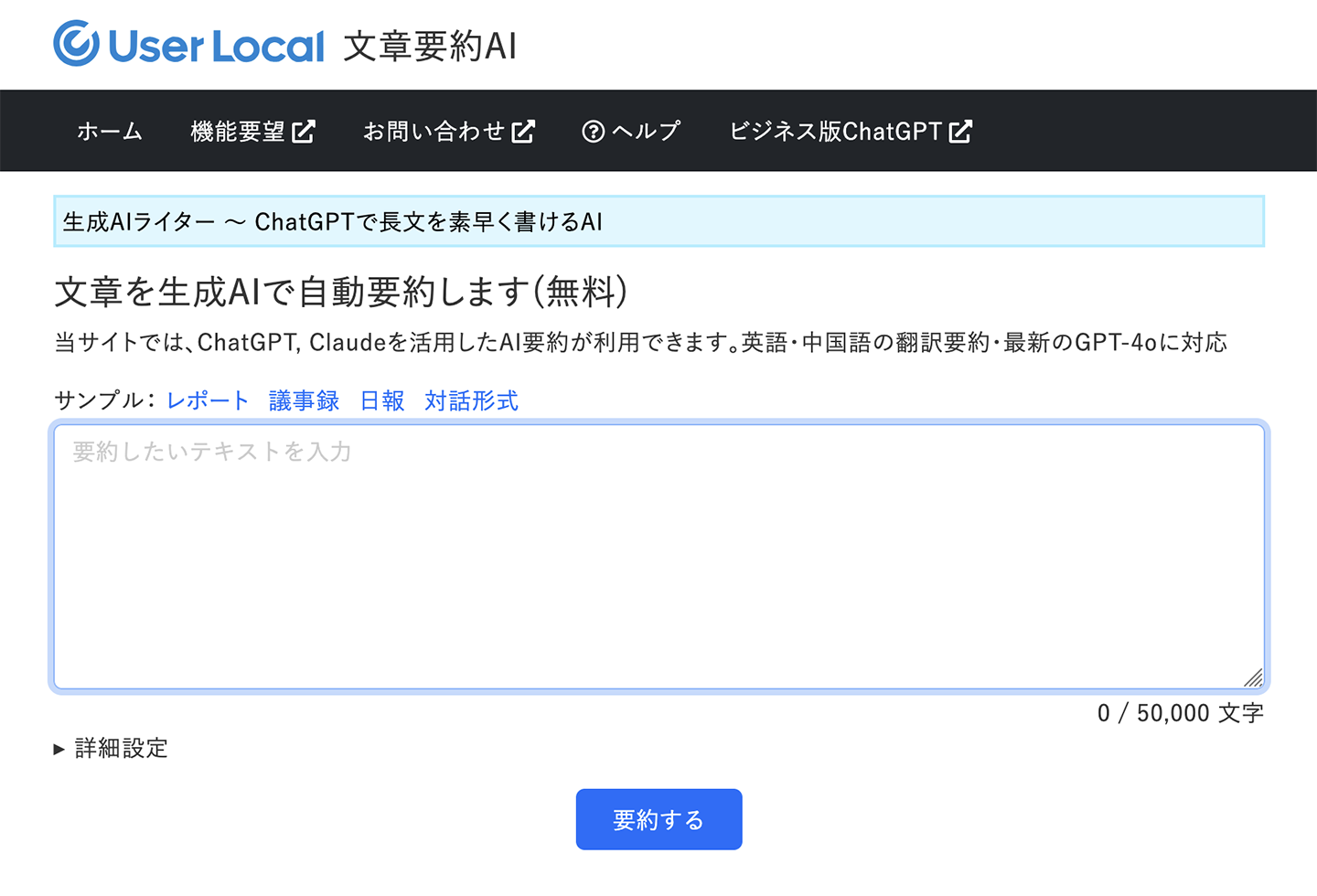
UserLocal Text Summarization AI is a simple summarization AI service that can be used directly from a web browser.
It allows you to summarize text content using generative AI services like ChatGPT and Claude.
This service works by pasting text content and does not support uploading Word files or similar documents.
| Name | UserLocal Text Summarization AI |
| Features | Simple text summarization AI service |
| Functions | Summarizes input text |
| Pricing Plans | Free |
| Provider | UserLocal, Inc. |
Top 3+ AI Tools Recommended for Summarizing Images and PDFs
Next, we will introduce AI summarization tools for images and PDFs.
While generative AI tools like ChatGPT and Claude can upload images and PDFs, large file sizes can sometimes lead to loading failures.
To smoothly summarize images and PDFs, it's recommended to use the AI summarization tools introduced here.
Mr. Transcription: The Ultimate AI Tool for Transcribing and Summarizing Images and PDFs
Mr. Transcription, highly recommended for summarizing audio files, also supports text conversion for images and PDFs.
It's easy to use: simply select and upload your image or PDF file!
Once the image or PDF file transcription is complete,
- 3-line summary
- Summary
By simply clicking these buttons, you can easily summarize the content of images and PDFs.
Of course, just like with audio files, you can also create meeting minutes, analyze content, and generate Q&A sessions.
For summarizing and analyzing image and PDF files, Mr. Transcription is highly recommended.
Why not experience the image and PDF summarization AI features with Mr. Transcription?
10. NotebookLM: Google's AI Summarization Tool
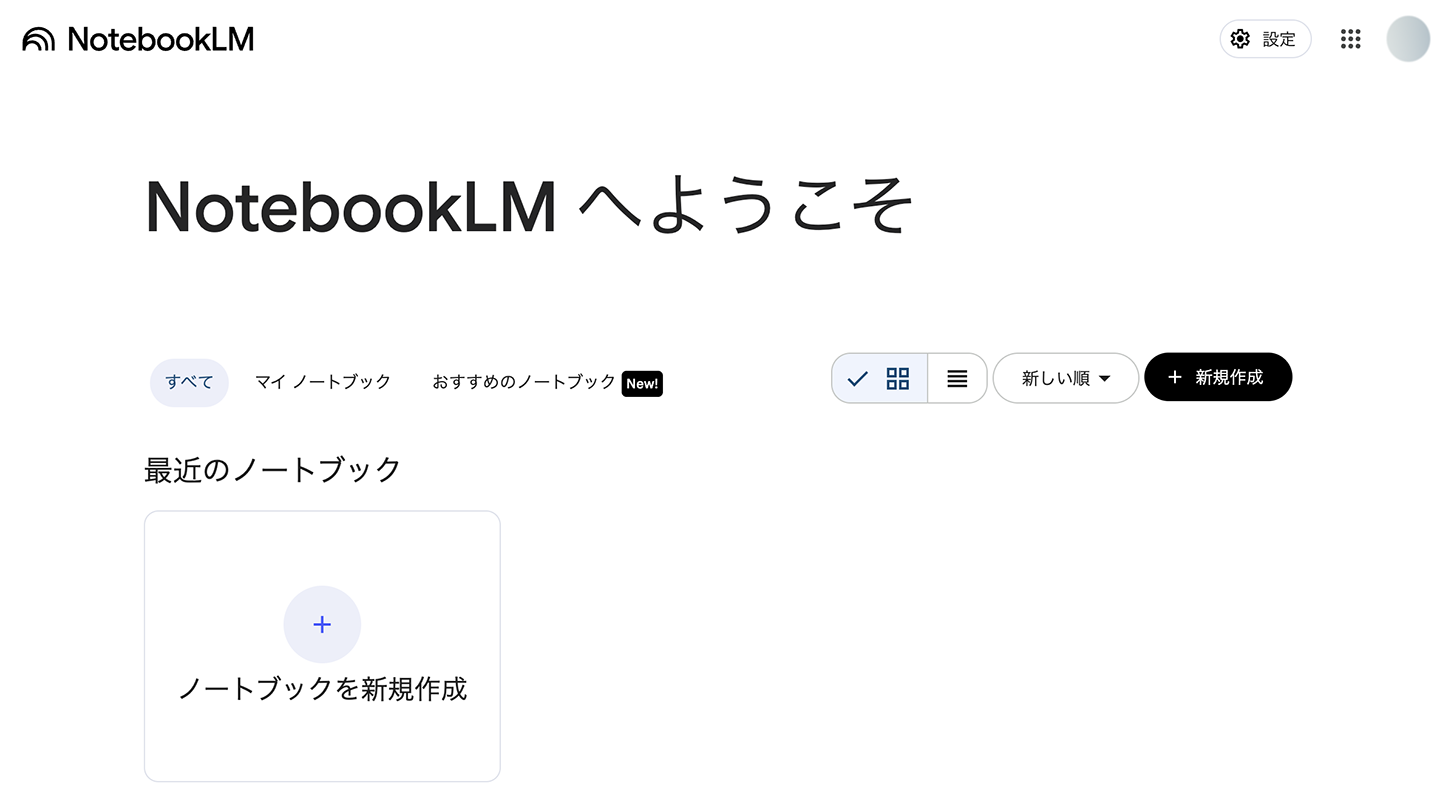
NotebookLM is an AI summarization tool provided by Google.
It can read and summarize content or extract key points from image files, PDF files, and Google Docs.
It is a web application that you use by logging in with your Google account.
| Name | NotebookLM |
| Features | AI summarization tool provided by Google |
| Functions | Image and PDF summarization
Google Docs summarization |
| Pricing Plan | Free |
| Provider |
11. Youyaku Barigood-kun: AI Tool for Summarizing Text from LINE Images

Youyaku Barigood-kun is an AI tool that can extract and summarize text from images.
This service works by adding it as a friend on LINE; when you send an image or text, it replies with a summarized version.
It's a very straightforward service, recommended when you simply need to "summarize the content of an image at a basic level."
| Name | Youyaku Barigood-kun |
| Features | A tool that summarizes images/text sent via LINE |
| Functions | Image and text summarization |
| Pricing Plan | Free |
| Provider | Saikai Creative Company Inc. |
12. ChatPDF: AI Tool Specialized in PDF Summarization
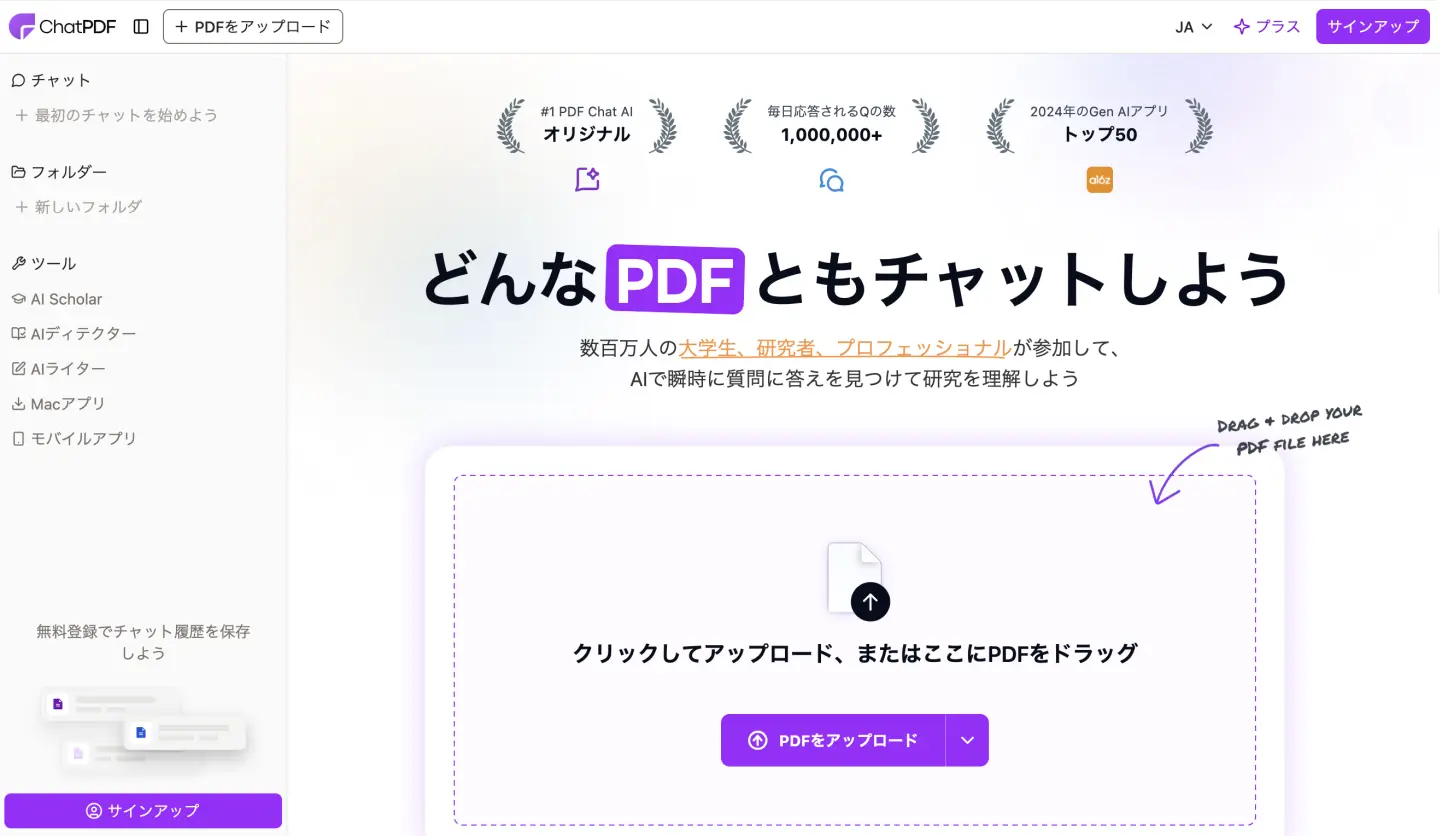
ChatPDF, as its name suggests, is an AI tool specialized in PDF summarization.
It summarizes the content of uploaded PDF files and can also translate text.
It uses ChatGPT for processing PDF files.
It's also suitable for researchers and students, making it ideal for summarizing academic papers and reports.
| Name | ChatPDF |
| Features | Summarizes PDF content. Also supports academic papers. |
| Functions | PDF summarization
Translation |
| Pricing Plan | ¥1,499/month |
| Provider | ChatPDF GmbH (Germany) |
What are the Features of AI Audio Summarization Tools? Explaining the Mechanism and Benefits of Use!
Here, we'll briefly explain what AI audio summarization is, its mechanisms, how to use it, and its benefits.
How do AI Audio Summarization Tools Summarize Content?

AI audio summarization tools are tools that leverage the latest AI technology to summarize audio content.
They are built by combining AI-powered transcription functionality and summarization features.
Previously, summarizing audio files required the following steps:
- Transcribing the audio file by typing it out on a keyboard
- Identifying important sections from the transcribed text
- Compiling the summarized content into a written document
However, AI audio summarization automates all these tasks!
Audio summarization, which used to be time-consuming and laborious, can now be completed in just about 1 minute.
It also supports creating meeting minutes, a task that was previously very tedious.
AI Audio Summarization Tools: Versatile for Business, Study, and Research
AI audio summarization tools can be utilized in a wide range of applications.
They are useful for creating meeting minutes, as well as for organizing client negotiations, seminars, and training content.
Furthermore, they are applicable not only in business but also in study and research.
They can be conveniently used for reviewing online lectures and e-learning, language learning, and analyzing interviews for research.
Since summarization tasks that once took a long time can now be completed quickly, using AI summarization tools allows you to efficiently advance your business, studies, and research.
Key Points for Choosing an AI Audio Summarization Tool

What should you consider when choosing an AI audio summarization tool?
Here, we'll briefly explain the smart tips for selecting an AI audio summarization tool.
AI Audio Summarization Tools Can Be Used for Free!
When choosing an AI audio summarization tool, tools that offer free usage are recommended!
Crucial aspects of AI audio summarization tools are the accuracy of audio transcription and AI summarization.
With free tools, you can check their performance beforehand and use them with confidence.
Mr. Transcription is available for free, so it's recommended to experience audio transcription and summarization firsthand.
It's Recommended to Choose AI Tools with Clear Pricing Plans
When selecting an AI audio summarization tool, tools with clear pricing plans are recommended.
Some tools might have confusing monthly fees, or you might need to request a quote to know the cost...
With AI audio summarization tools that have transparent monthly fees, you can confidently subscribe to a paid plan.
Check if the AI Summarization Feature is Available Without Extra Charges
Some tools might have pricing plans that do not include the AI summarization feature.

I signed up thinking it was cheap, but then I couldn't use the AI summarization feature...
To avoid such situations, it's also recommended to check if AI summarization can be used without paying extra fees.
Want to leverage AI audio summarization for work or study?
AI audio summarization tools are indispensable for future business and academic pursuits.
With free tools available, anyone can easily experience AI audio summarization.
If you're unsure which AI audio summarization tool to choose, we recommend the free-to-use Mr. Transcription.
It's easy to use—just upload your audio file. Why not try AI summarization for free first?
■ AI transcription service "Mr. Transscription"
"Mr. Transcription" is an online transcription tool that can be used from zero initial cost and 1,000 yen per month (* free version available).
- Supports more than 20 file formats such as audio, video, and images
- Can be used from both PC and smartphone
- Supports technical terms such as medical care, IT, and long-term care
- Supports creation of subtitle files and speaker separation
- Supports transcription in approximately 100 languages including English, Chinese, Japanese, Korean, German, French, Italian, etc.
To use it, just upload the audio file from the site. Transcription text is available in seconds to tens of minutes.
You can use it for free if you transcribe it for up to 10 minutes, so please try it once.

It is "Mr. Transcription" who can easily transcribe from audio, video, and images.
Transcription allows you to transcribe for up to 10 minutes for free.
You can copy, download, search, delete, etc. the transcribed text.
You can also create subtitle files, which is ideal for transcription of interview videos.
HP: mojiokoshi3.com
Email: mojiokoshi3.com@gmail.com
Email: mojiokoshi3.com@gmail.com
Related article
Transcription for audio / video / image transcription. It is a transcription service that anyone can use for free without installation.
- What is Mr. Transcription?
- Transcript images, sounds, and videos with Mr. Transcription
- Free registration
- Rate plan
- manual
- Try other free services






