Mojiokoshi-san: Delete & Bulk Delete Transcriptions Easily
Free AI Audio Transcription: Top 5 Browser Tools (2026)
Sept. 27, 2026
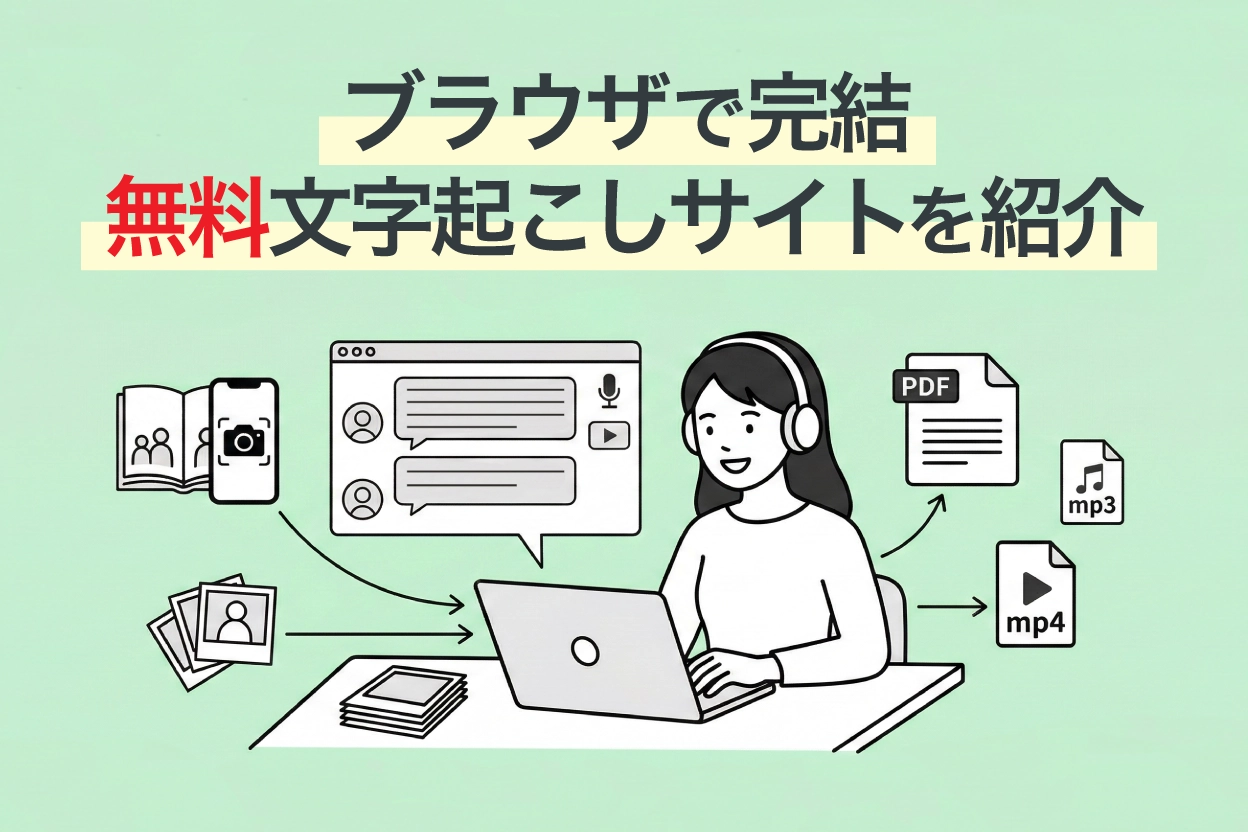
Looking for a transcription tool, but don't want an "app" or "PC software"?
For you, we've compiled a list of recommended AI transcription tools that can be used directly from your browser, without needing to install apps or software.

I'm looking for a website (homepage) that offers online transcription services.
When I search online, all I find are smartphone apps or PC software that require installation...


Tell me about free transcription tools I can easily use from my browser!
This article provides exactly the information you need.
There are broadly three types of transcription tools:
- Smartphone apps
- PC software (installation type)
- Web apps (browser-based transcription websites)
Each of these three types has different features and strengths, so the best choice varies depending on your usage scenario and purpose.
Therefore, this time, we will focus exclusively on online AI transcription websites that can be easily used from your browser just by visiting the site, without requiring any installation of apps or software!
Even though they are free tools, the technology used is cutting-edge.
Some of these tools are actively used by large corporations and professional writers.
By reading this article, you'll be able to transcribe any audio data—whether it's voice, video, English, or MP3 files—directly from your browser, guaranteed to boost your work efficiency many times over.
Please read to the end.
【Comparison Chart】Top 5 Free Online AI Voice Transcription Sites
We've summarized the five transcription sites introduced here by their free tier, supported formats, and features. Please take a look at this overview table first.
You can scroll horizontally
| Service Name | Free Tier | Supported Formats | AI Summary/Minutes | SRT Subtitle Output | Best For |
|---|---|---|---|---|---|
| Mr. Transcription | 3 minutes/day (no registration required) | Audio, Video, Images, PDF (MP3, MP4, WAV, JPG, PDF, etc.) | ○ | ○ | Start with this if you're unsure. An all-rounder for audio, video, images, and English. |
| AutoMemo | 1 hour/month | Audio/Video files (MP3, WAV, MP4, MOV, etc.) | △ (Summary only) | × | People who want to transcribe audio recorded with a voice recorder (MP3, etc.) |
| Sloos | Free (unlimited time) | Real-time audio | × | × | People who want to automatically create meeting minutes |
| Otter | 300 minutes/month (up to 3 imported audio files in total) | Real-time audio, audio files | × | × | People who want to transcribe English meetings or interviews |
| Google Docs | Free | Real-time voice input only | × | × | People who want to instantly convert spoken content to text (cannot transcribe recorded data) |
Verification Environment (as of March 2026)
Devices used: Windows 11 PC (Chrome) / iPhone 15 (Safari)
Test audio sources: Japanese meeting audio (3 minutes), English interview (3 minutes), MP3 file
Evaluation criteria: Transcription accuracy, processing speed, ease of operation
Now, let's dive into the detailed features of each site!
Top 5 Online Transcription Websites You Can Use Directly in Your Browser [Free Options Included]
1. Mr. Transcription | Site for Transcribing Audio, Video, Images, and PDFs with the Latest AI

Mr. Transcription is an all-in-one transcription website using the latest AI technology.
Leveraging rapidly advancing AI, you can upload files directly from your browser and get high-accuracy transcriptions in a short amount of time.
Additionally, a key feature is its ability to transcribe and extract text from various media files, not just audio.
- Audio: MP3, WAV, WMA, M4A, AIFC, FLAC, AAC, AIFF
- Video: MP4, MOV, AVI, FLV, MKV, WEBM, WMV, 3GP
- Image: JPG, JPEG, PNG, WEBP
- Document: PDF
It supports a wide variety of file formats.
You can try image transcription for free using the image-to-text transcription tool, and PDF transcription with the PDF transcription tool.

Supported files and file sizes for Mr. Transcription. How to handle unsupported files.
Learn about the file types and sizes supported by Mr. Transcription, and what to do if you have unsupported files.
By adopting a high-performance AI transcription engine, it can handle any audio type.
Not only does it provide highly accurate transcriptions with the latest AI, but it also completes processing even long audio files in just about 1 minute!
Supporting over 100 languages, you can easily transcribe English, Chinese, Korean, French, and more directly from your browser.
It's also recommended for transcribing lyrics of foreign songs, such as English music.
Of course, it can transcribe specialized terminology and includes features for managing and searching converted data.
Furthermore, it offers unique features not found on other transcription sites.
- AI Summary & Meeting Minutes Creation: One-click summarization into 3 lines, meeting minutes creation, content analysis, and Q&A generation from transcription results (Learn more here)
- SRT Subtitle File Output: Download video transcription results as SRT files, ready for immediate use as subtitles in Adobe Premiere or DaVinci Resolve (Learn more here)
- Partial Playback & Editing Function: Play back audio in sections to review and edit transcription results
If you're unsure about transcription methods, choosing Mr. Transcription will cover most of your transcription needs!
Simply open the website in your browser to get up to 3 minutes of free transcription per day, no registration or login required.
Moreover, if you register an account, you can transcribe up to 10 minutes per day, so it's highly recommended to try Mr. Transcription first!
2. AutoMemo | Best for Transcribing Recorded Audio (MP3)
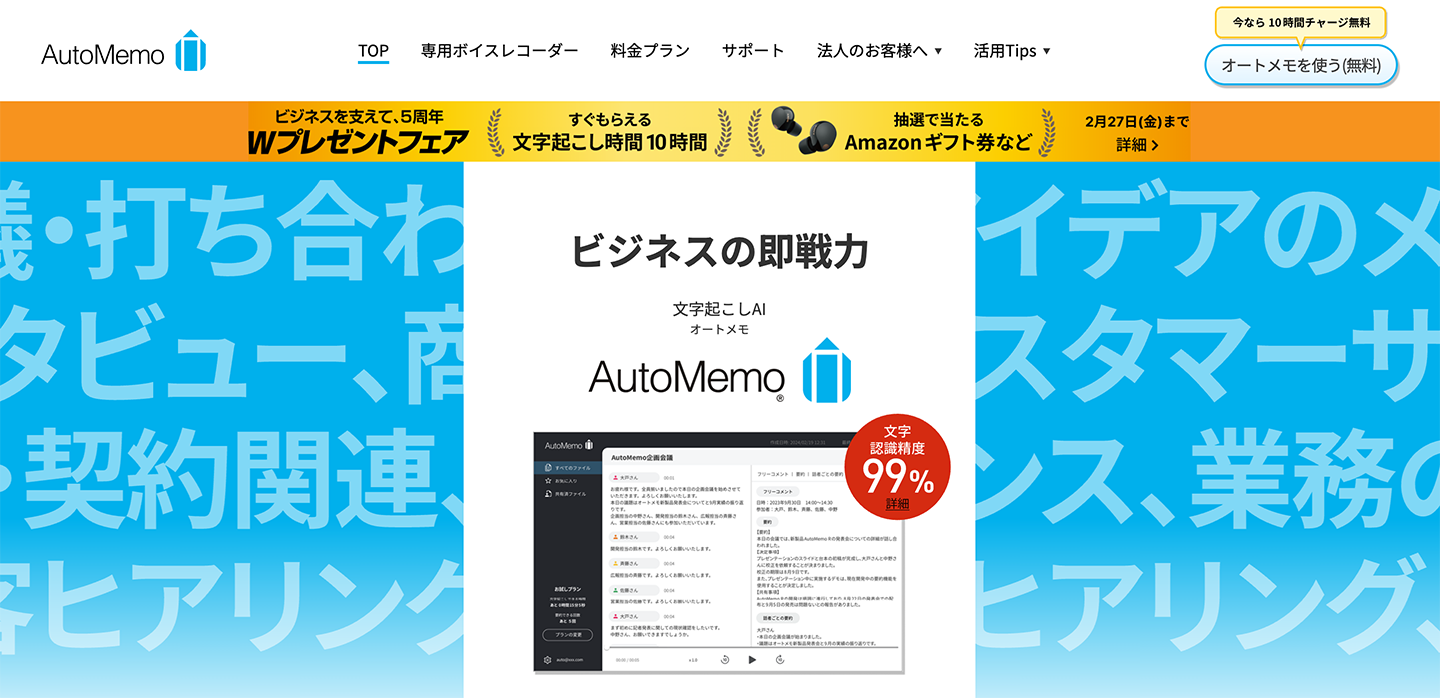
AutoMemo is an AI transcription service provided by SOURCENEXT Corporation.
It can be used directly from your browser and is ideal for transcribing audio data (MP3 and WAV files) recorded with a voice recorder or similar devices.
Utilizing OpenAI's "Whisper" speech recognition model, it achieves high accuracy even in conversations with multiple speakers.
With support for 72 languages, it can transcribe not only Japanese but also English audio into text.
Additionally, AutoMemo offers a dedicated voice recorder device.
A key feature is the seamless integration where audio recorded on the device is automatically uploaded to the cloud and transcribed.
The free tier offers up to 1 hour per month.
For more extensive use, a paid plan (starting from 1,480 yen/month) is required.
3. Sloos | Browser-Based Site for Creating Meeting Minutes
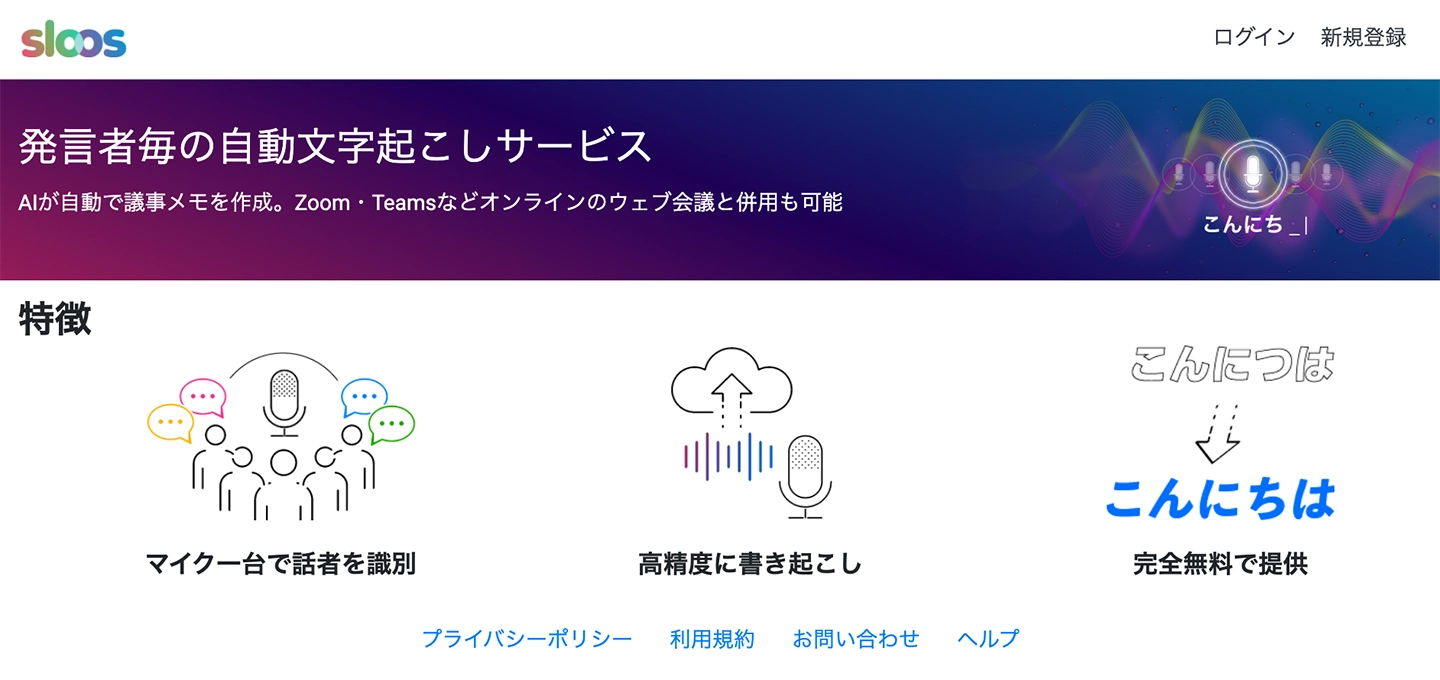
Sloos is a transcription website specializing in creating meeting minutes.
It can also be used directly from your browser.
This web application is recommended for automatically generating meeting minutes.
It can identify multiple speakers with just one microphone, making it easy to distinguish who said what when reviewing the audio later.
The speech recognition accuracy is quite impressive, allowing for accurate transcription even in environments with some background noise.
It can also be used in conjunction with Zoom and Microsoft Teams, supporting the creation of minutes for remote meetings.
Specializing in meeting minute creation, its performance in this domain is exceptionally high, making it a highly recommended site.
4. Otter | AI Transcription Site Strong in English
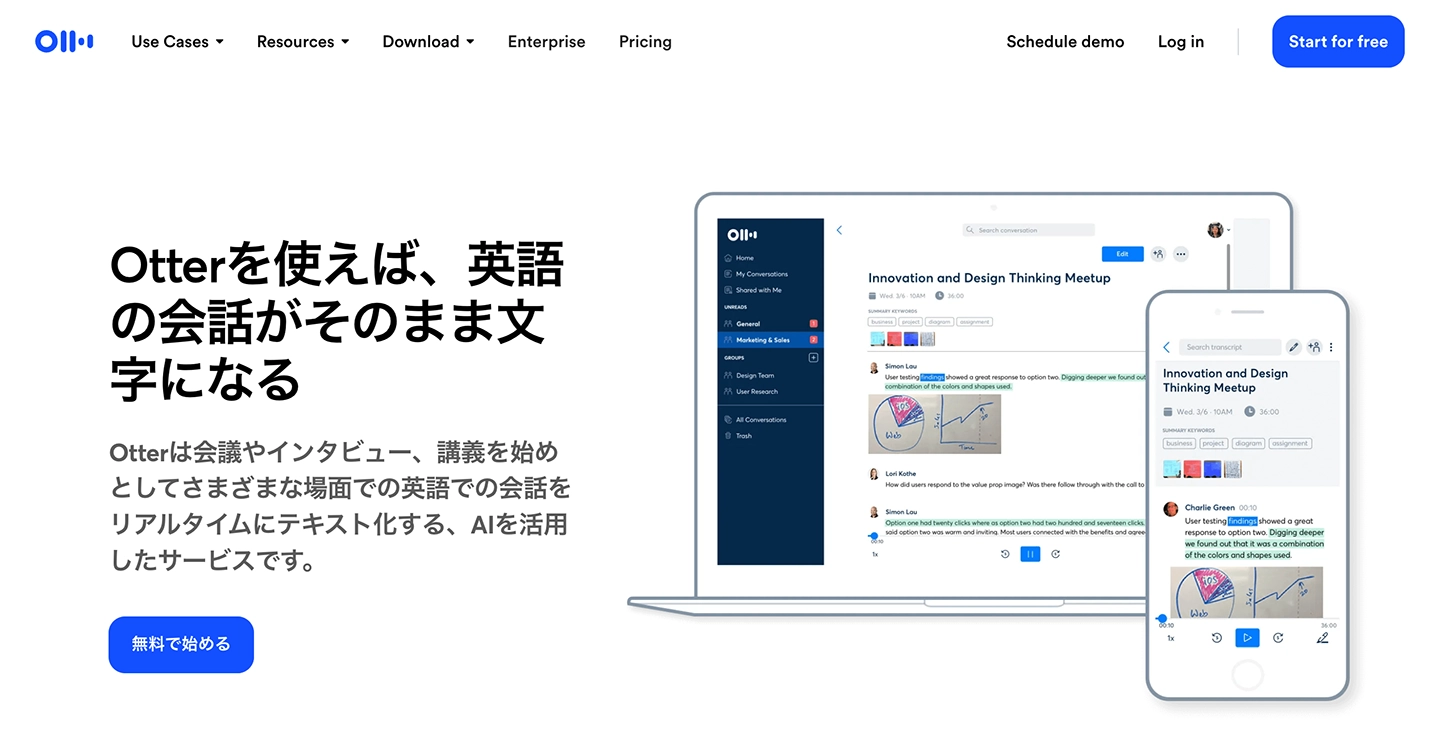
Otter is a transcription site highly recommended for English audio.
It features a proprietary AI speech recognition engine, known for its extremely high accuracy in English transcription.
Speaker identification is also available, making it useful for business meetings with international partners.
While the free version offers a full range of basic features, some functionalities are limited (such as cloud storage and Zoom integration). For serious use, a paid plan is required.
Otter supports a limited number of languages. If you need to transcribe audio in various languages, Mr. Transcription, which supports 100 languages, is recommended.
5. Google Docs | Free Real-time Voice Input from Your Browser

If you want to transcribe what you say in real-time directly in your browser, the classic Google Docs is a convenient option.
Even for those who use it daily for work, many might not know that Google Docs has a "voice typing" feature, or if they do, they haven't used it.
It's easy to use: just open Google Docs in your browser, turn on the feature, and press the microphone button.
You can also use the browser version on your smartphone or tablet without installing an app.
However, it does have a drawback.
Google Docs' voice typing is primarily designed to recognize what you speak in real-time.
It does not have a feature to play back recorded data (MP3 or WAV files) and convert it to text.
While it's not impossible to transcribe recorded audio with some ingenuity, it requires somewhat complex settings, so it's recommended to use other sites like Mr. Transcription without overcomplicating things.

4 Easy Ways to Transcribe with Google Docs for Free
For those who want to master Google Docs' voice typing feature, we explain in detail how to do real-time transcription, convert audio data to text, create meeting minutes for web conferences, and extract text from images and PDFs.
Up to this point, we've introduced online sites that you can use from your browser.
If you want to convert audio recorded with your smartphone's voice memo or an IC recorder into text, apps are also recommended.
Please also refer to this article: "14 Tools to Transcribe from Audio! What are the Sites and Apps that Automatically Convert Voice Memos to Text?"
【By Purpose, Free Options Available】Which Transcription Website is Recommended?
Which site should I choose?

For your convenience, we've compiled a list of recommended tools based on your specific needs. Please refer to it.
Scroll horizontally
| What you want to do | Recommended tool |
|---|---|
| Transcribe MP3 or WAV audio files | Mr. Transcription / AutoMemo |
| Transcribe video files like MP4 | Mr. Transcription |
| Transcribe English audio in a browser | Mr. Transcription (supports 100 languages) / Otter (strong for English) |
| Automatically create meeting minutes | Mr. Transcription (equipped with AI meeting minutes creation feature) / Sloos (supports speaker separation) |
| Summarize and analyze transcription results with AI | Mr. Transcription (supports 3-line summary, content analysis, Q&A generation) |
| Add subtitles to videos (SRT file) | Mr. Transcription (supports SRT subtitle file output) |
| Transcribe spoken content in real-time | Google Docs (voice typing) |
| Transcribe lyrics or radio audio | Mr. Transcription (upload audio files) |
| Convert text from images or PDFs | Mr. Transcription (equipped with OCR function) |
| Just want to try it for free | Mr. Transcription (free trial up to 3 minutes per day without registration) |
※AI services like ChatGPT are not included in this table because they do not support transcribing audio files directly.
For reasons why ChatGPT cannot transcribe audio and recommended alternative tools, please refer to this article: "【2026 Latest】Solutions When ChatGPT Can't Transcribe and 3 Recommended Tools". Please take a look.
6 Benefits of Online AI Transcription Websites Accessible via Browser

Up to this point, we've introduced recommended transcription websites that you can use directly from your browser.
In fact, there are other transcription methods available, such as installable apps or services where professional transcribers manually type out content.
Let's briefly explain the advantages of online transcription websites compared to these other methods.
1. No App Installation Required, Works Directly in Your Browser
The biggest feature of online transcription websites is that you can use them without installing any special apps, as long as you have a browser.
Many company-issued computers and smartphones often prohibit the installation of new apps, right?
In such cases, browser-based transcription websites are extremely convenient.
Another benefit is that you can start using them immediately, as there's no hassle of installing an app.
They are also perfect for minimalists who want to reduce apps, save storage space, and keep their home screen clutter-free.
2. Compatible with Various Devices: PC, Smartphone, and Tablet
The ability to easily use the same service on both your computer and smartphone is another reason why online transcription websites, accessed via browser, are highly recommended.
Paid apps and PC software often have restrictions on the number of devices they can be installed (or used) on.
In contrast, with website-based web applications, you can use them from multiple devices simply by logging in with the same account.
Since they only require a browser to function, they can be used regardless of the operating system, including PCs (Windows / Mac / Linux) and smartphones (iPhone / Android).

【iPhone Voice Memo | How to Transcribe with Images】Complete on Smartphone. Also OK on PC
Learn how to easily transcribe iPhone voice memos on your smartphone using the AI transcription service: Mr. Transcription. It's super easy as everything can be done on your iPhone.
3. Free to Use Anywhere, Anytime
Since you can access it with just a browser, the ability to transcribe from anywhere is a major advantage.
Just as data stored in the cloud can be accessed from anywhere via a browser, using a transcription website allows you to:
- Upload and convert MP3, MP4, or video data recorded on the go, right then and there.
- Edit thoroughly on your computer once you return to the office.
Such tasks can be easily accomplished.
This flexible specification is perfect for an era where remote work and nomadic work are increasingly common.
4. High-precision speech recognition with the latest AI
Transcription websites accessible via your browser utilize the latest AI for speech recognition.
In recent years, AI technology has advanced rapidly.
Speech recognition, used for transcription, is a particularly practical field within AI, allowing for very high-quality transcriptions that rival manual human input.
While some automatic transcription apps require installation on a PC, the truth is that running the latest AI demands very high performance.
Therefore, web apps that open in a browser and perform transcription, where ultra-high-spec computers connected via the internet handle the processing, can convert audio to text with much higher accuracy.
Another key point is that services used via a website in a browser, rather than installed apps, benefit from a faster feedback loop for rapidly evolving AI technology.
Thus, for high-performance transcription, transcription websites are highly recommended.
5. Fast transcription speed
Transcription web apps used via a website in a browser are very fast because they perform transcription with the latest AI.
For example, with Mr. Transcription, the latest AI can transcribe audio files of several tens of minutes in just about 1 minute.
This is much quicker than not only transcription apps installed on a computer but also services where professional writers transcribe manually.
With such speed, you might worry, "Won't the quality be low, or will there be many errors?" But rest assured, that's not the case!
AI transcription is highly capable, performing very high-quality transcription, including homophones and specialized terminology.
If you're concerned, you can try it out for free to actually transcribe and check the accuracy. Why not give it a try?
6. Low cost (free transcription also available!)
Furthermore, transcription web apps used via a website are very affordable.
While one-time purchase apps installed on a PC cost several thousand yen, and services where professional writers transcribe manually cost about 250-700 yen per minute, transcription services on websites can be used for free to about 3,000 yen per month.
For example, Mr. Transcription offers free transcription for up to 10 minutes per day upon free member registration.
*If you need longer transcription exceeding 10 minutes, you can check the paid plans on the pricing plan page.
Unlike one-time purchase apps or services where writers transcribe, a major advantage of transcription websites is that you can assess the quality of transcription for free before paying.
We recommend making the most of the free transcription websites available!

How to purchase Mr. Transcription's paid plans (Basic, Value, Premium).
Mr. Transcription offers both free and paid plans. This guide explains how to purchase Mr. Transcription's paid plans with images.
What are the features of AI transcription? Differences from previous methods & how to choose

All the online transcription websites introduced so far use AI speech recognition technology to convert audio to text.
From here, we will explain the features of AI transcription, how it differs from previous methods, and key points to consider when choosing a site.
What is AI Transcription? Why it Accurately Converts Audio to Text
The main feature of AI transcription is that AI (artificial intelligence) listens to audio and converts it into text, replacing human effort.
Because AI learns from vast amounts of audio data, it can accurately distinguish words while interpreting context, even with speech quirks or noisy audio.
Additionally, since AI has learned a large volume of text, it can automatically add punctuation and differentiate homophones during transcription.
This characteristic means that the transcription results are immediately easy-to-read text.
The high-performance servers on the internet power this speech recognition AI.
When using an AI transcription website, all you need to do is upload audio or video files via your browser.
The AI in the cloud then processes it automatically, so no specialized knowledge or special equipment is required.
Differences from Previous Transcription Methods
Previously, transcribing audio involved "humans listening and typing on a keyboard" or "using software installed on a PC."
When typing manually, it was not uncommon for a 1-hour audio recording to take 3-4 hours to transcribe, and hiring a professional transcriber was expensive.
Installable software was more efficient than manual work, but since the PC itself performed the transcription processing, the accuracy depended on the computer's performance.
Furthermore, there was an issue where if software updates stopped, the latest AI technology could not be utilized.
In contrast, AI transcription websites can be used regardless of the specifications of the computer or smartphone you are using.
With the latest AI, it's possible to convert long audio into text in just about a minute.
What are the Key Points When Choosing an AI Transcription Website?
There are many types of AI transcription websites, so it's important to choose one that suits your needs.
First, pay attention to broad file format compatibility.
If a site supports not only audio files like MP3 and WAV but also video files like MP4, PDF documents, and images, you can use it in various situations.
Whether it can be used for free or without registration is also an important point.
Even if you plan to use a paid plan, you can still transcribe your audio for free to check the accuracy.
And most importantly, speech recognition accuracy.
Since AI transcription performance varies depending on the engine used, it's recommended to try transcribing audio for free first.
7 Use Cases for AI Transcription Websites: Meeting Minutes, Lyrics, English
What are some ways to use transcription websites?
AI transcription websites have many uses!
Beyond creating meeting minutes and interview transcripts, their utility is constantly expanding.
Here, we'll introduce recommended ways to use AI transcription websites.
1. Remote Meeting Minutes and Backup
One of the primary uses of AI transcription websites is "creating meeting minutes."
By using an AI transcription website, individuals can record meeting content in written form.
Have you ever forgotten what was said during a remote meeting?
Even if minutes aren't kept for a large company meeting, you can personally record the audio as a backup, then use a transcription website to transcribe it into text later to review the content.
You can easily transcribe audio by uploading recorded meeting audio files like MP3 or M4A to Mr. Transcription.
2. Creating Lecture, Course, or Seminar Notes from MP3 or M4A Files
Beyond meetings, students' classes or work-related seminars can also easily be captured as text using transcription websites.
By recording a lecture and then transcribing it later in your browser, you can obtain accurate text data without needing to take notes.
3. Create Text by Voice Input
This method is recommended for those who find it easier to organize their thoughts by speaking rather than typing on a keyboard.
By using the voice recognition function on your computer or smartphone to input text, you can write more smoothly.
4. Transcribe TV, Radio, and YouTube Videos Directly from Your Browser
It takes time to get information from TV, radio, and YouTube videos, doesn't it?
While "speed viewing" of videos, movies, and anime has become popular, you can input information much faster by transcribing it and reading it as text.
Especially for transcribing radio programs, it's convenient for checking content you missed, as you can easily convert audio files to text by simply uploading them to a transcription website.
※While transcribing copyrighted works for personal use is generally fine, refrain from uploading them to the internet or sending them to others without permission.
For YouTube Creators: How to Add Subtitles and Transcriptions to Your Videos
This guide explains how to add subtitles and transcriptions to your own videos uploaded to YouTube. You can create high-quality SRT files, superior to YouTube's auto-generated captions, just by uploading your video and using a browser. We'll cover how to add Japanese subtitles, language settings, and how to upload subtitle files for creators.
5. Transcribe Lyrics (Lyric Transcription) | Also Possible for Foreign Songs like English
When you want to transcribe the lyrics of your favorite songs, transcription websites come in handy!
Simply upload an audio file (like MP3), and AI will convert the vocals into text lyrics.
English songs, in particular, can be difficult to understand, but with AI voice recognition, it's possible to transcribe lyrics with considerable accuracy.
Since you only need to review and correct them afterward, it's much more efficient than transcribing from scratch.
For lyric transcription, Mr. Transcription is recommended, as it supports audio files and is strong with English.
6. Utilize Free Transcription Websites for Brainstorming
AI transcription is also useful for brainstorming ideas.
Since speaking is faster than writing, by recording your thoughts and transcribing them later, you can capture all your rapidly flowing ideas without interruption.
7. For Reviewing English Conversation Lessons. Transcription Websites Recommended for Foreign Language Learning
Transcription websites are also convenient when learning foreign languages like English conversation!
For example, by recording an English conversation lesson and transcribing the MP3 or M4A file, you can later check and review expressions you found interesting.
When you want to transcribe English, the key is to choose an AI transcription website that excels in foreign languages.
Mr. Transcription supports over 100 languages, and it can transcribe English with very high accuracy.
Free Transcription Websites Have Many Use Cases
As you can see, there are many different use cases that come to mind.
In the future, "how well one can utilize transcription tools" might become a differentiator for successful business professionals.
Summary of Online AI Voice Transcription Site Usage
This time, we explained online AI transcription sites that can be used directly from your browser.
Finally, let's summarize the recommended sites introduced once more.
You can scroll horizontally
| Service Name | Features | Free Tier |
|---|---|---|
| Mr. Transcription | Handles audio, video, images, PDFs, English, and more. Also supports AI summarization and SRT subtitle output. | 3 minutes per day (no registration required) |
| AutoMemo | Transcription of recorded data (MP3, etc.). Also links with dedicated voice recorders. | 1 hour per month |
| Sloos | Meeting minute creation (speaker separation supported) | Free (unlimited time) |
| Otter | Strong for English transcription | 300 minutes per month |
| Google Docs | Real-time voice input | Free |
While there are various methods for transcribing MP3/WAV audio files and MP4 video files, if you're choosing a transcription service now, an AI-powered transcription website is highly recommended.
Among them, 'Mr. Transcription' supports audio, video, images, and PDFs, and is compatible with 100 languages.
From AI summarization and meeting minute creation to SRT subtitle file output, you can complete all transcription-related tasks on a single site.
Not only audio files (MP3/WAV) but also video (MP4) transcription, English and radio transcription, and even lyric transcription can be done conveniently and for free directly from your browser!
Why not try 'Mr. Transcription' for free yourself?
■ AI transcription service "Mr. Transscription"
"Mr. Transcription" is an online transcription tool that can be used from zero initial cost and 1,000 yen per month (* free version available).
- Supports more than 20 file formats such as audio, video, and images
- Can be used from both PC and smartphone
- Supports technical terms such as medical care, IT, and long-term care
- Supports creation of subtitle files and speaker separation
- Supports transcription in approximately 100 languages including English, Chinese, Japanese, Korean, German, French, Italian, etc.
To use it, just upload the audio file from the site. Transcription text is available in seconds to tens of minutes.
You can use it for free if you transcribe it for up to 10 minutes, so please try it once.

It is "Mr. Transcription" who can easily transcribe from audio, video, and images.
Transcription allows you to transcribe for up to 10 minutes for free.
You can copy, download, search, delete, etc. the transcribed text.
You can also create subtitle files, which is ideal for transcription of interview videos.
HP: mojiokoshi3.com
Email: mojiokoshi3.com@gmail.com
Email: mojiokoshi3.com@gmail.com
Related article
Transcription for audio / video / image transcription. It is a transcription service that anyone can use for free without installation.
- What is Mr. Transcription?
- Transcript images, sounds, and videos with Mr. Transcription
- Free registration
- Rate plan
- manual
- Try other free services






