Mojiokoshi-san: Delete & Bulk Delete Transcriptions Easily
Free AI Transcription: Top 5 Browser Tools (No Install!)
Oct. 4, 2026
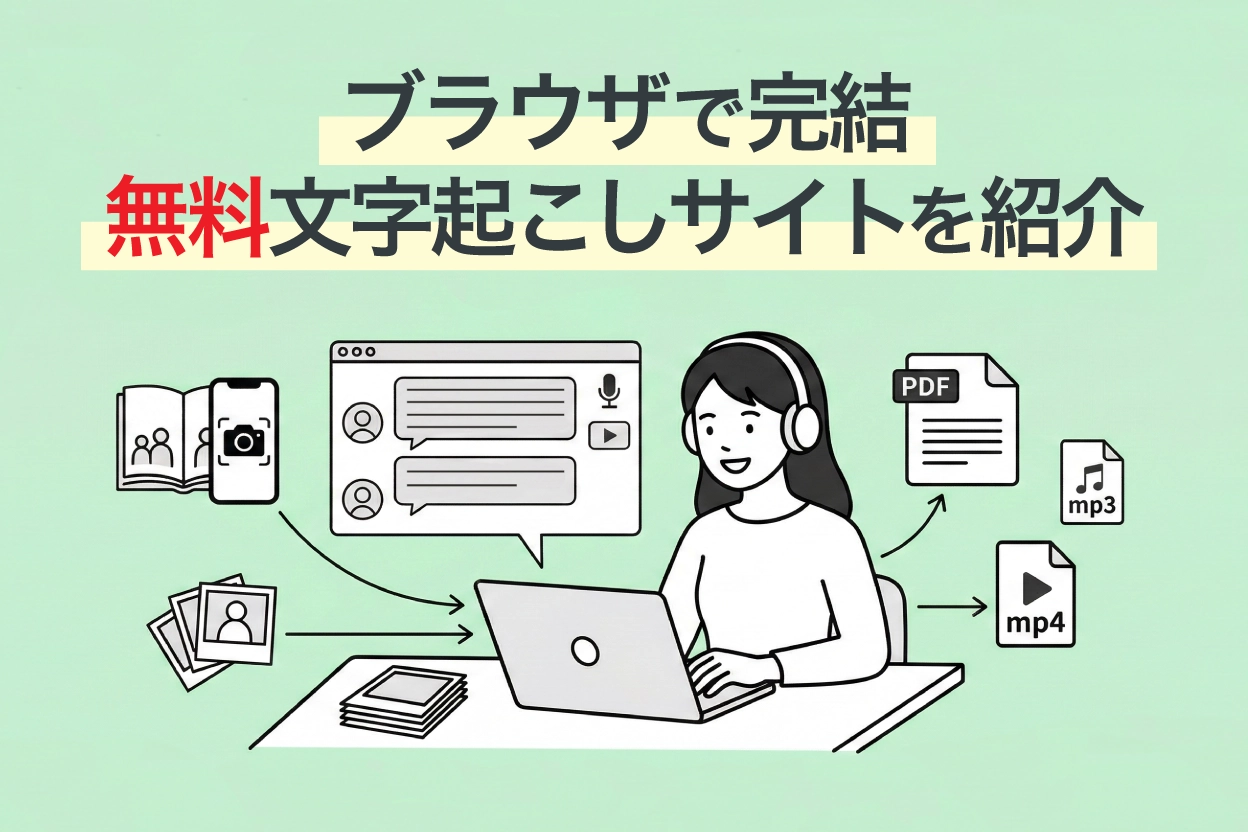
Looking for a transcription tool, but don't want an "app" or "PC software"...
For you, we've compiled a list of recommended AI transcription tools that can be used directly from your browser, without needing apps or software.

I'm looking for a website (homepage) that can do online transcription.
Even when I search online, all I find are types that require installation, like smartphone apps or PC software...


Tell me about free transcription tools that are easy to use directly from a browser!
This information is perfect for such situations.
There are broadly three types of transcription tools:
- Smartphone apps
- PC software (installation type)
- Web apps (transcription sites usable in a browser)
These three types each have different features and strengths, so the best choice varies depending on your usage scenario and purpose.
Therefore, this time, we've carefully selected and will introduce only online AI transcription websites that can be easily used from a browser just by visiting the site, without choosing installation-type apps or software!
Even though they are free tools, the technology used is all cutting-edge.
Some of them are actively used by large corporations and professional writers.
By reading this article, you'll be able to transcribe any audio data—whether it's voice, video, English, or MP3 files—using only your browser, undoubtedly boosting your work efficiency many times over.
Please read to the end.
【Comparison Table】Top 5 Free Online AI Voice Transcription Sites
We've summarized the five transcription sites introduced here by their free tier, supported formats, and features. Please refer to this overview table first.
Scroll horizontally
| Service Name | Free Tier | Supported Formats | AI Summary/Minutes | SRT Subtitle Output | Best For |
|---|---|---|---|---|---|
| Mr. Transcription | 3 minutes/day (no registration required) | Audio, Video, Image, PDF (MP3, MP4, WAV, JPG, PDF, etc.) | ○ | ○ | Start with this if you're unsure. An all-rounder for audio, video, images, and English. |
| AutoMemo | 1 hour/month | Audio/Video files (MP3, WAV, MP4, MOV, etc.) | △ (Summary only) | × | People who want to transcribe audio recorded with a voice recorder (MP3, etc.) |
| Sloos | ¥800/month (up to 30-day free trial) | Real-time audio | × | × | People who want to automatically create meeting minutes |
| Otter | 300 minutes/month (up to 3 cumulative audio file imports) | Real-time audio, audio files | × | × | People who want to transcribe English meetings/interviews |
| Google Docs | Free | Real-time voice input only | × | × | People who want to instantly convert spoken content to text (cannot transcribe recorded data) |
Verification Environment (as of March 2026)
Devices used: Windows 11 PC (Chrome) / iPhone 15 (Safari)
Test audio sources: Japanese meeting audio (3 min), English interview (3 min), MP3 file
Evaluation criteria: Transcription accuracy, processing speed, ease of operation
Now, let's dive into the detailed features of each site!
Top 5 Online Transcription Websites You Can Use Directly in Your Browser [Free Options Included]
1. Mr. Transcription | Site for Transcribing Audio, Video, Images, and PDFs with the Latest AI
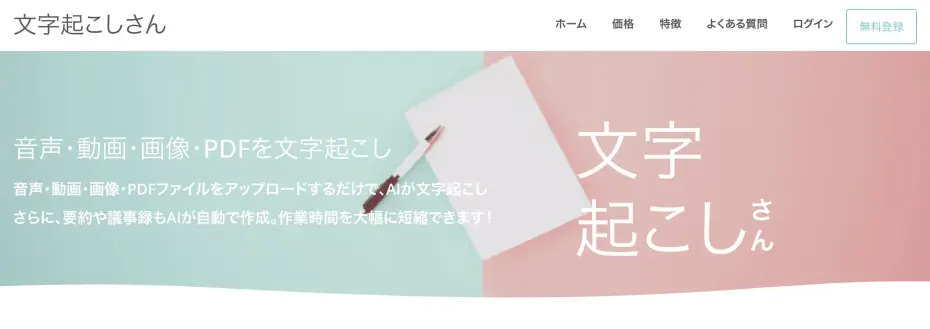
'Mr. Transcription' is an all-in-one transcription website using the latest AI technology.
Leveraging rapidly advancing AI, you can upload files directly from your browser to get high-accuracy transcriptions in a short amount of time.
Furthermore, a key highlight is its ability to transcribe and extract text from various media files, not just audio.
- Audio: MP3, WAV, WMA, M4A, AIFC, FLAC, AAC, AIFF
- Video: MP4, MOV, AVI, FLV, MKV, WEBM, WMV, 3GP
- Image: JPG, JPEG, PNG, WEBP
- Document: PDF
It supports a wide range of file formats.
You can try image transcription for free using the image-to-text transcription tool, and PDF transcription using the PDF transcription tool.

Supported files and file sizes for Mr. Transcription. How to handle unsupported files
We'll guide you through the supported files for Mr. Transcription and what to do if your file is not supported.
By employing a high-performance AI transcription engine, it handles all types of audio.
Not only does it provide highly accurate transcriptions with the latest AI, but it also completes processing of long audio in just about 1 minute!
Supporting over 100 languages, you can easily transcribe English, Chinese, Korean, French, and many other languages directly from your browser.
It's also recommended for transcribing lyrics of foreign songs in English and other languages.
Of course, it can transcribe specialized terminology and includes features for managing and searching converted data.
Furthermore, it boasts unique features not found in other transcription sites.
- AI Summarization & Meeting Minutes Creation: One-click summarization into 3 lines, meeting minutes creation, content analysis, and Q&A generation from transcription results (Learn more here)
- SRT Subtitle File Output: Download video transcription results as SRT files, ready for immediate use as subtitles in Adobe Premiere or DaVinci Resolve (Learn more here)
- Partial Playback & Editing Function: Play back audio segments to review and edit transcription results
- Speaker Diarization: Transcribe audio from meetings and interviews, separating by speaker
If you're unsure about which transcription method to use, choosing 'Mr. Transcription' will cover most of your transcription needs!
Simply open the website in your browser for up to 3 minutes of free transcription per day, no registration or login required.
Moreover, if you register an account, you can transcribe up to 10 minutes per day, so we highly recommend trying 'Mr. Transcription' first!
2. AutoMemo | Best for Transcribing Recorded Audio (MP3)
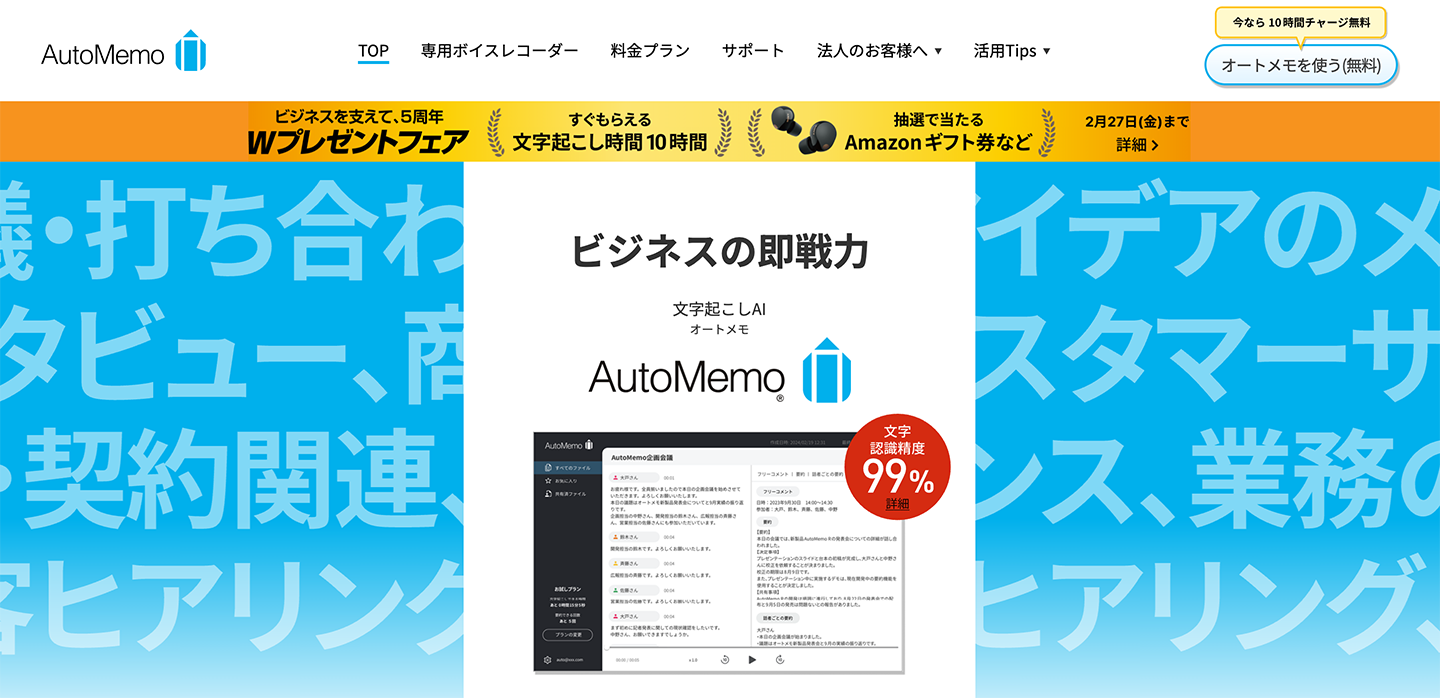
AutoMemo is an AI transcription service provided by SOURCENEXT Corporation.
It can be used directly from your browser and is ideal for transcribing audio data (MP3 and WAV files) recorded with a voice recorder or similar devices.
Utilizing OpenAI's "Whisper" speech recognition model, it achieves high accuracy even in conversations with multiple speakers.
Supporting 72 languages, it can convert not only Japanese but also English audio into text.
Additionally, AutoMemo also sells a dedicated voice recorder device.
A key feature is the seamless integration where audio recorded on the device is automatically sent to the cloud and transcribed.
The free tier offers up to 1 hour per month.
For more extensive use, a paid plan (starting from 1,480 yen/month) is required.
3. Sloos | Browser-based Site for Creating Meeting Minutes
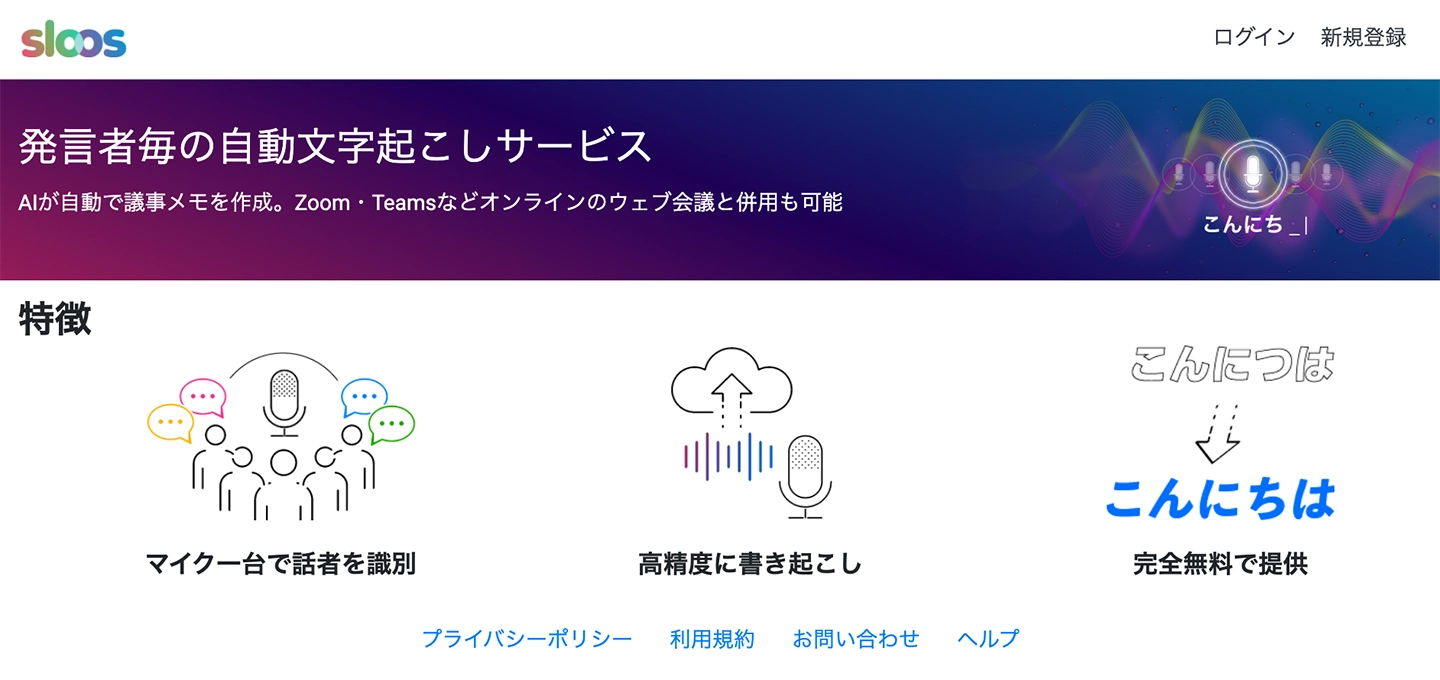
Sloos is a transcription site specializing in creating meeting minutes.
It can also be used directly from your browser.
This web application is recommended for automatically generating meeting minutes.
It can identify multiple speakers with just one microphone, making it easy to discern who said what when reviewing the audio later.
The speech recognition accuracy is quite good, allowing for accurate transcription even in environments with some background noise.
It can also be used in conjunction with Zoom and Microsoft Teams, supporting the creation of remote meeting minutes.
Specializing in meeting minute creation, its performance in this domain is exceptionally high, making it a highly recommended site.
4. Otter | AI Transcription Site Strong in English
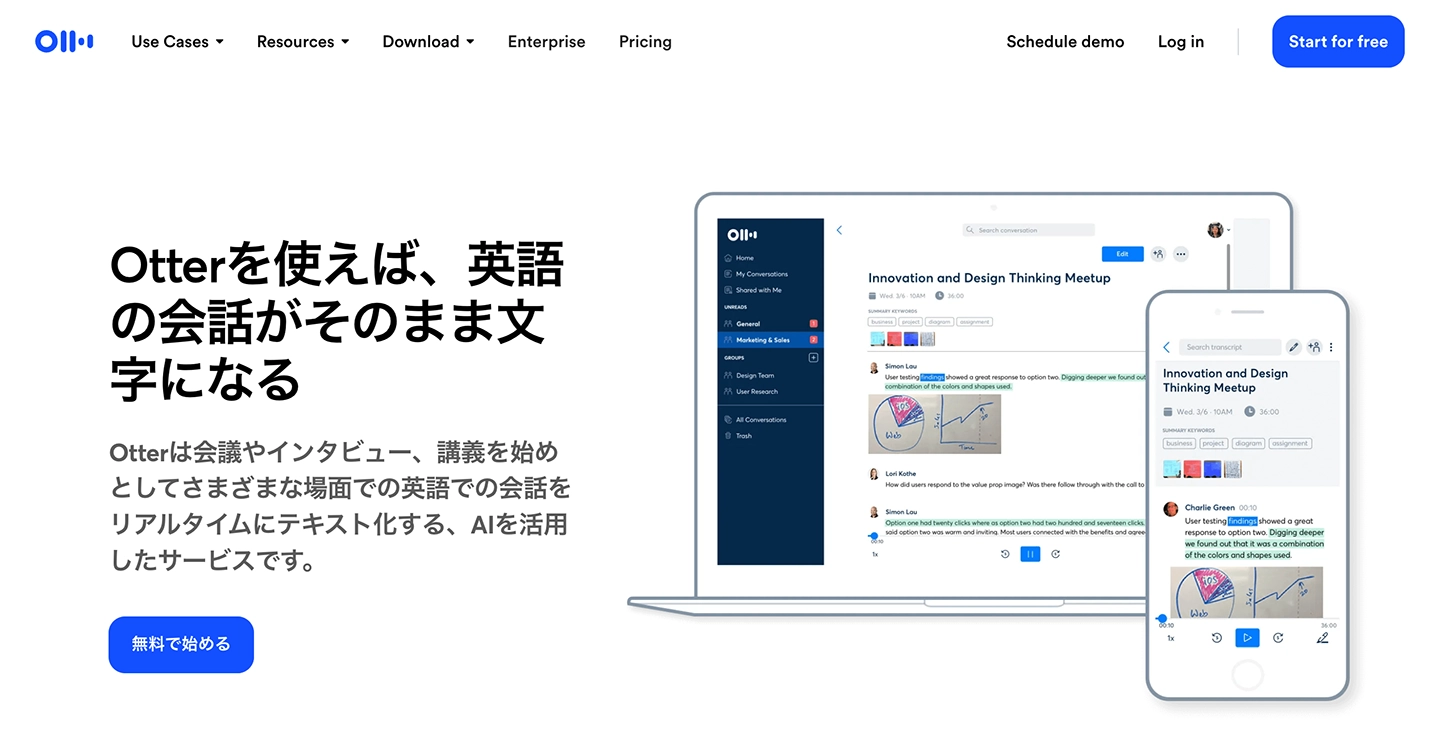
Otter is a transcription site highly recommended for English audio.
It features a proprietary AI speech recognition engine, which provides exceptionally high accuracy for English transcription.
Speaker identification is also available, making it useful for business meetings with international partners.
While the free version offers most functionalities, some features are limited (such as cloud storage and Zoom integration), so a paid plan is necessary for full-scale use.
Otter supports only a few languages. If you need to transcribe audio in various languages, Mr. Transcription, which supports 100 languages, is recommended.
5. Google Docs | Free Real-time Voice Input from Your Browser

If you want to transcribe spoken content in real-time directly in your browser, the popular Google Docs is an easy option.
Even people who use Google Docs daily for work might not know about its "voice typing feature," or if they do, they might not have used it.
It's simple to use: just open Google Docs in your browser, turn on the feature, and press the microphone button.
You can also use the browser version on smartphones and tablets without installing an app.
However, it does have a drawback.
Google Docs' voice typing is primarily designed for recognizing what you speak in real-time.
It does not have a feature to play back recorded audio data (MP3 or WAV files) and convert it to text.
While it's not impossible to transcribe recorded audio with some ingenuity, it requires somewhat complex settings, so it's recommended to use other sites like Mr. Transcription without overcomplicating things.

4 Easy Ways to Transcribe with Google Docs for Free
For those who want to master Google Docs' voice typing feature, we explain in detail how to do real-time transcription, convert audio data to text, create meeting minutes for web conferences, and extract text from images and PDFs.
So far, we've introduced online sites that you can use from your browser.
If you want to convert audio recorded with your smartphone's voice memo or an IC recorder into text, apps are also recommended.
Please also refer to this article: "14 Tools to Transcribe from Audio! What are the Sites and Apps that Automatically Convert Voice Memos to Text?"
【By Purpose, Free Options Available】Which Transcription Website is Recommended?
Which site should I choose?

For those wondering, here's a summary of recommended transcription tools by purpose. Please use it as a reference.
Scroll horizontally
| What you want to do | Recommended tool |
|---|---|
| Transcribe MP3 or WAV audio files | Mr. Transcription / AutoMemo |
| Transcribe video files like MP4 | Mr. Transcription |
| Transcribe English audio in a browser | Mr. Transcription (supports 100 languages) / Otter (strong for English) |
| Automatically create meeting minutes | Mr. Transcription (speaker separation, AI meeting minutes creation) / Sloos (speaker separation) |
| Summarize and analyze transcription results with AI | Mr. Transcription (supports 3-line summary, content analysis, Q&A generation) |
| Add subtitles to videos (SRT file) | Mr. Transcription (supports SRT subtitle file output) |
| Transcribe spoken content in real-time | Google Docs (voice typing) |
| Transcribe song lyrics or radio audio | Mr. Transcription (upload audio files) |
| Convert text from images or PDFs | Mr. Transcription (OCR function included) |
| Just want to try it for free | Mr. Transcription (free trial up to 3 minutes per day, no registration required) |
※AI services like ChatGPT are not included in this table because they do not support audio file transcription.
For reasons why ChatGPT cannot transcribe audio and recommended alternative tools, please refer to this article: "【Latest 2026】Solutions and 3 Recommended Tools When ChatGPT Can't Transcribe Audio." Please check it out.
6 Benefits of Online AI Transcription Websites Accessible via Browser

So far, we've introduced recommended transcription websites that you can use directly from your browser.
In fact, there are other transcription methods available, such as installable apps or services where professional transcribers manually type out content.
Let's briefly explain the advantages of online transcription websites compared to these other methods.
1. No App Installation Required – Works Directly in Your Browser
The biggest feature of online transcription websites is that you can use them without installing any special apps, as long as you have a browser.
Many company-issued computers and smartphones often prohibit the installation of new apps, right?
In such cases, browser-based transcription websites are extremely convenient.
Another benefit is that you can start using them immediately without the hassle of installing an app.
They are also perfect for minimalists who want to reduce apps to save storage space and keep their home screen clutter-free.
2. Compatible with Various Devices: PC, Smartphone, and Tablet
The ability to easily use the same service on both your computer and smartphone is another reason why online transcription websites, accessed via browser, are highly recommended.
Paid apps and PC software often have limitations on the number of devices they can be installed (or used) on.
In contrast, with website-based web applications, you can use them from multiple devices simply by logging in with the same account.
Since they only require a browser to function, they can be used regardless of the operating system, including PCs (Windows / Mac / Linux) and smartphones (iPhone / Android).

【iPhone Voice Memo | How to Transcribe with Images Explained】Complete on Smartphone. Also OK on PC
Learn how to easily transcribe iPhone voice memos on your smartphone using "AI Transcription Service: Mr. Transcription." It's incredibly easy as everything can be done on your iPhone.
3. Free and Accessible Anywhere, Anytime
Since you can access it with just a browser, the ability to transcribe from anywhere is a major advantage.
Just as data stored in the cloud can be accessed from anywhere via a browser, using a transcription website allows you to:
- Upload and convert recorded MP3s, MP4s, or video data on the spot while out and about.
- Edit thoroughly on your computer once you return to the office.
These tasks can be easily accomplished.
This flexible specification is perfect for an era where remote work and nomadic work are increasingly common.
4. High-precision speech recognition with the latest AI
Transcription websites accessible via your browser utilize the latest AI for speech recognition.
In recent years, AI technology has advanced rapidly.
Speech recognition, used for transcription, is a particularly practical field within AI, allowing for very high-quality transcriptions comparable to manual human input.
While some automatic transcription apps require installation on a PC, the truth is that running the latest AI demands very high performance.
Therefore, web apps that open in a browser and perform transcription, where ultra-high-spec computers connected via the internet handle the processing, can convert audio to text with much higher accuracy.
Another key point is that services used via a website in a browser, rather than installed apps, benefit from a faster feedback loop for rapidly evolving AI technology.
Thus, if you're looking for high-performance transcription, transcription websites are highly recommended.
5. Fast transcription speed
Web apps for transcription accessed via a browser are very fast because they use the latest AI for transcription.
For example, with Mr. Transcription, the latest AI can transcribe audio files several tens of minutes long in just about 1 minute.
This is much faster than not only transcription apps installed on a PC but also services where professional writers transcribe manually.
With such speed, you might worry, "Won't the quality be low, or will there be many errors?" But rest assured, it's perfectly fine!
AI transcription is highly capable, providing very high-quality transcription, including homophones and specialized terminology.
If you're concerned, you can try it out for free to actually transcribe and check the accuracy. Why not experience it for yourself first?
6. Low cost (free transcription also available!)
Furthermore, web apps for transcription accessed via a website are very affordable.
While one-time purchase apps installed on a PC cost several thousand yen, and professional transcription services by writers typically range from 250 to 700 yen per minute, transcription services on websites can be used for free to about 3,000 yen per month.
For instance, Mr. Transcription offers up to 10 minutes of free transcription per day upon free member registration.
*If you need longer transcription exceeding 10 minutes, you can check the paid plans on the pricing page.
Unlike one-time purchase apps or services where writers transcribe, a major advantage of transcription websites is the ability to assess the quality of transcription for free before paying.
We recommend making the most of free transcription websites!

How to purchase Mr. Transcription's paid plans (Basic, Value, Premium).
Mr. Transcription offers both free and paid plans. This guide explains how to purchase Mr. Transcription's paid plans with images.
What are the features of AI transcription? Differences from previous methods & how to choose

All the online transcription websites introduced so far convert audio to text using AI speech recognition technology.
From here, we will explain the features of AI transcription, how it differs from previous methods, and key points to consider when choosing a site.
What is AI Transcription? Why it Accurately Converts Audio to Text
The main feature of AI transcription is that AI (artificial intelligence) listens to audio and converts it into text, replacing human effort.
Because AI learns from vast amounts of audio data, it can accurately distinguish words while interpreting context, even in audio with speech quirks or noise.
Furthermore, since AI also learns from large volumes of text, it can automatically add punctuation and transcribe homophones.
Thus, a characteristic feature is that the transcription results are easy-to-read text.
This speech recognition AI is powered by high-performance servers on the internet.
When using an AI transcription website, all you need to do is upload audio or video files from your browser.
The AI in the cloud then processes it automatically, so no specialized knowledge or special equipment is required.
Differences from Previous Transcription Methods
Previously, transcribing audio involved two methods: "a human listening and typing on a keyboard" and "using software installed on a PC."
When typing manually, it was not uncommon for transcribing one hour of audio to take 3-4 hours, and hiring a professional transcriber was expensive.
Installed software was more efficient than manual work, but since the PC itself performed the transcription processing, the accuracy depended on the computer's performance.
There was also the problem that if software updates stopped, the latest AI technology could not be utilized.
In contrast, AI transcription websites can be used regardless of the specifications of the computer or smartphone you are using.
With the latest AI, it's possible to convert long audio into text in just about 1 minute.
What are the Key Points When Choosing an AI Transcription Website?
There are many types of AI transcription websites, so it's important to choose one that suits your needs.
First, pay attention to support for a wide range of file formats.
If a site supports not only audio files like MP3 and WAV but also video files like MP4, PDF documents, and images, you can use it in various situations.
Whether it can be used for free or without registration is also an important point.
Even if you plan to use a paid plan, you can still transcribe your own audio for free to check the accuracy.
And most importantly, speech recognition accuracy.
Since AI transcription performance varies depending on the engine used, it's recommended to try transcribing audio for free first.
7 Use Cases for AI Transcription Websites: Meeting Minutes, Lyrics, English
What are some ways to use transcription websites?
AI transcription websites offer many applications!
Beyond creating meeting minutes and interview transcripts, their usefulness is constantly expanding.
Here, we will introduce recommended ways to use AI transcription websites.
1. Remote Meeting Minutes and Backup
One of the primary uses of AI transcription websites is "creating meeting minutes."
By using an AI transcription website, individuals can record meeting content in written form.
Have you ever forgotten what was said during a remote meeting?
Even if meeting minutes aren't kept for a large company meeting, you can personally record the audio as a backup, then use a transcription website to transcribe it into text later to review the content.
You can easily transcribe audio files of meetings, such as MP3 or M4A, by uploading them to Mr. Transcription.
2. Creating Lecture, Class, or Seminar Notes from MP3 or M4A Files
Beyond meetings, students' classes or professional seminars can also benefit from transcription websites to easily preserve content as text.
By recording a lecture and then transcribing it later in your browser, you can obtain accurate text data without needing to take notes.
3. Create text by voice input
This method is recommended for those who are better at structuring their thoughts by speaking rather than typing on a keyboard.
By using your computer or smartphone's speech recognition function to input text, you can write more smoothly.
4. Transcribe TV, radio, and YouTube videos directly from your browser
It takes time to get information from TV, radio, and YouTube videos, doesn't it?
While "speed viewing" of videos, movies, and anime has become popular, you can input information much faster by transcribing it and reading it as text.
In particular, transcribing radio programs is convenient for checking missed content, as you can easily convert audio files to text by simply uploading them to a transcription website.
※While transcribing copyrighted material for personal use is generally fine, please refrain from uploading it to the internet or sending it to others without permission.
For YouTube Creators: How to Add Subtitles and Transcriptions to Your Videos
This article explains how to add subtitles and transcriptions to your own videos uploaded to YouTube. You can create high-quality SRT files, better than YouTube's auto-generated captions, just by uploading your video and using your browser. We'll cover how to add Japanese subtitles, language settings, and how to upload subtitle files for creators.
5. Transcribe lyrics (lyric transcription) | Also possible for foreign songs like English
Transcription websites are also useful when you want to listen to and transcribe the lyrics of your favorite songs!
Simply upload an audio file (such as MP3), and AI will convert the vocals into text lyrics.
It can be especially difficult to understand English songs, but with AI speech recognition, it's possible to transcribe lyrics with considerable accuracy.
Since you only need to review and correct it afterward, it's much more efficient than transcribing from scratch.
For lyric transcription, we recommend Mr. Transcription, which supports audio files and excels at English.
6. Utilize free transcription websites for brainstorming
AI transcription is also helpful for brainstorming ideas.
Since speaking is faster than writing, by recording your thoughts and transcribing them later, you can capture all your rapidly flowing ideas without interruption.
7. For reviewing English conversation lessons. Transcription websites are recommended for foreign language learning
Transcription websites are also convenient when learning foreign languages like English conversation!
For example, by recording an English conversation lesson and transcribing the MP3 or M4A file, you can later check and review expressions you found interesting.
When you want to transcribe English, the key is to choose an AI transcription website that is strong in foreign languages.
Mr. Transcription supports over 100 languages, and of course, it can transcribe English with very high accuracy.
Free transcription websites have many use cases
As you can see, there are many potential use cases that come to mind.
In the future, "how well one can use transcription tools" might become a differentiator for successful business professionals.
Summary of Online AI Voice Transcription Sites
This time, we explained online AI transcription sites that can be used directly from your browser.
Finally, let's summarize the recommended sites introduced once more.
You can scroll horizontally
| Service Name | Features | Free Tier |
|---|---|---|
| Mr. Transcription | Handles audio, video, images, PDFs, English, and more. Supports AI summarization, speaker diarization, and SRT subtitle output. | 3 minutes per day (no registration required) |
| AutoMemo | Transcribes recorded data (MP3, etc.). Also links with dedicated voice recorders. | 1 hour per month |
| Sloos | Meeting minute creation (supports speaker separation) | 800 yen/month (up to 30 days free trial) |
| Otter | Strong for English transcription | 300 minutes per month |
| Google Docs | Real-time voice typing | Free |
There are various methods for transcribing MP3/WAV audio files and MP4 video files, but if you're choosing a transcription service now, an AI-powered transcription website is highly recommended.
Among them, 'Mr. Transcription' supports all types of media: audio, video, images, and PDFs, with multilingual support for 100 languages.
From AI summarization and meeting minute creation to SRT subtitle file output, you can complete all transcription-related tasks on one single site.
Whether it's audio files (MP3/WAV), video (MP4) transcription, English or radio transcription, or even lyric transcription, you can conveniently transcribe for free directly from your browser!
Why not try 'Mr. Transcription' for free yourself?
■ AI transcription service "Mr. Transscription"
"Mr. Transcription" is an online transcription tool that can be used from zero initial cost and 1,000 yen per month (* free version available).
- Supports more than 20 file formats such as audio, video, and images
- Can be used from both PC and smartphone
- Supports technical terms such as medical care, IT, and long-term care
- Supports creation of subtitle files and speaker separation
- Supports transcription in approximately 100 languages including English, Chinese, Japanese, Korean, German, French, Italian, etc.
To use it, just upload the audio file from the site. Transcription text is available in seconds to tens of minutes.
You can use it for free if you transcribe it for up to 10 minutes, so please try it once.

It is "Mr. Transcription" who can easily transcribe from audio, video, and images.
Transcription allows you to transcribe for up to 10 minutes for free.
You can copy, download, search, delete, etc. the transcribed text.
You can also create subtitle files, which is ideal for transcription of interview videos.
HP: mojiokoshi3.com
Email: mojiokoshi3.com@gmail.com
Email: mojiokoshi3.com@gmail.com
Related article
Transcription for audio / video / image transcription. It is a transcription service that anyone can use for free without installation.
- What is Mr. Transcription?
- Transcript images, sounds, and videos with Mr. Transcription
- Free registration
- Rate plan
- manual
- Try other free services